

Imagine a mobile shopping experience that feels truly personal- Fast Simon makes it possible.
This AI-powered platform transforms how customers search for and discover products, going beyond simple keywords.
When integrated with Superfans, brands can offer smarter recommendations and seamless product discovery. The result is a faster, more intuitive shopping journey that keeps users coming back for more.
How to enable the plugin?
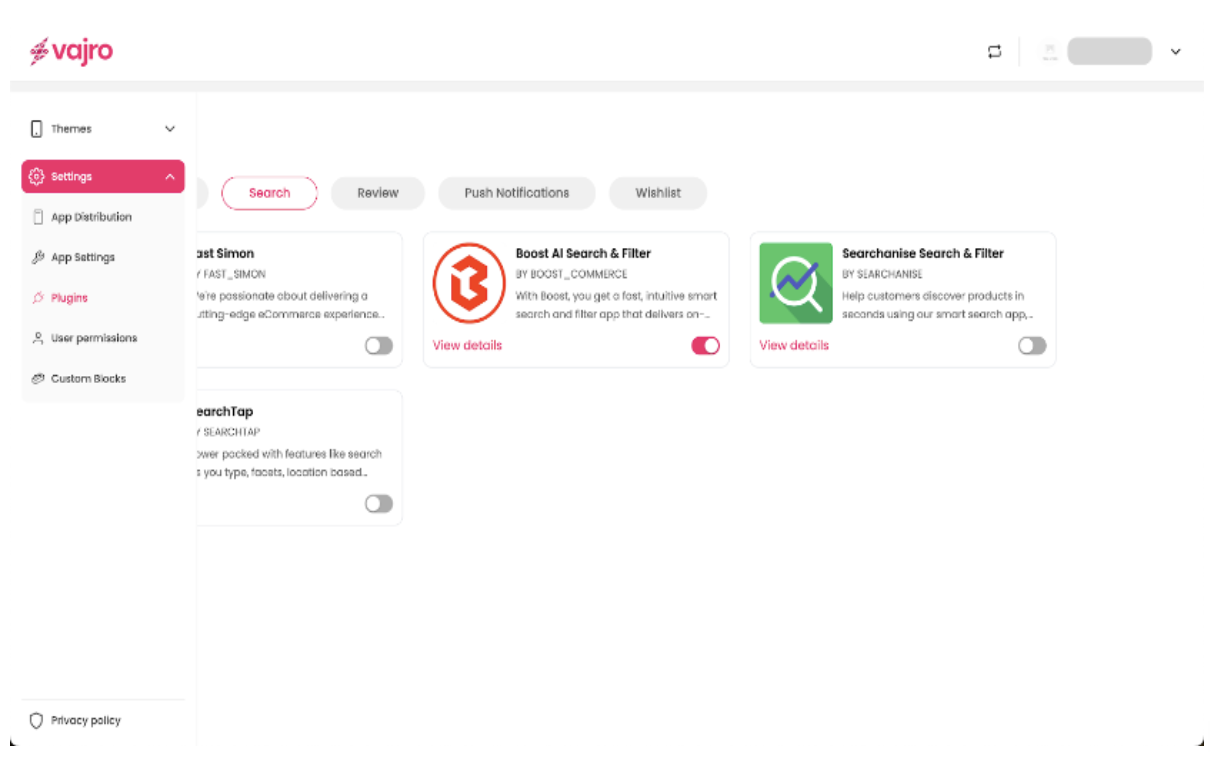
Step 1 : Log in to your Superfans dashboard and go to Settings > Plugins.
Step 2 : Under the Search category, select Fast Simon and toggle it on.
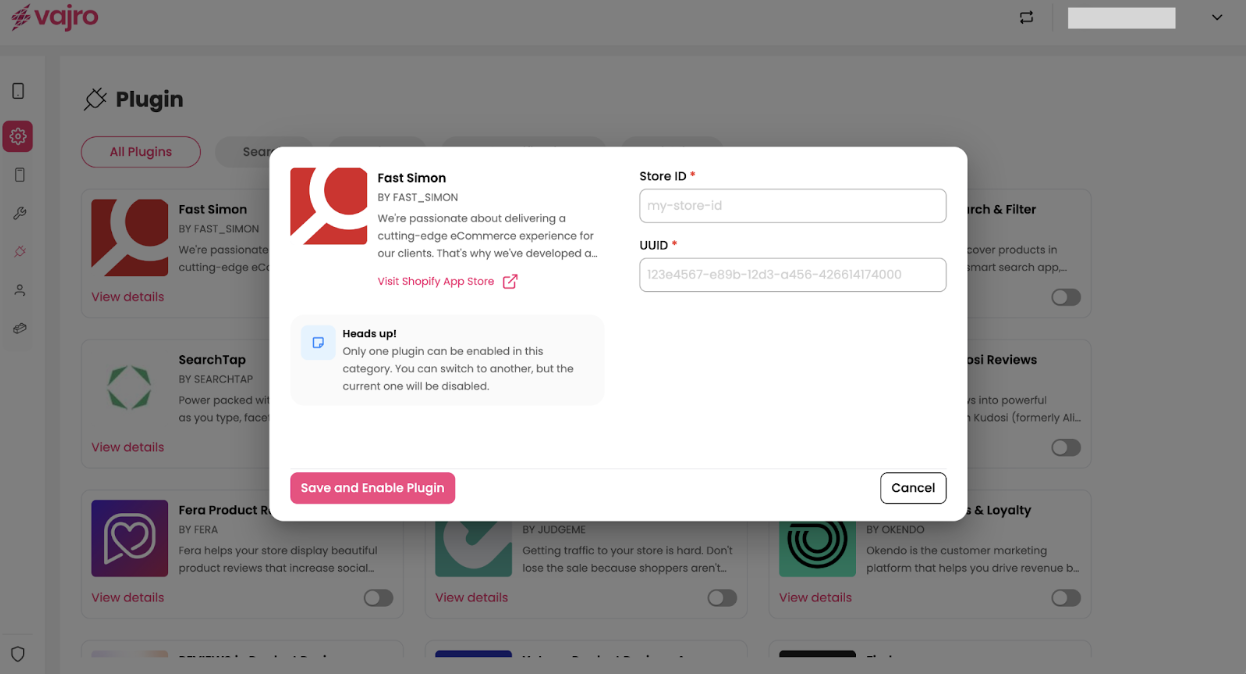
Step 3 - Paste the Store ID & UUID in the dialogue box, and click on Save & Enable plugin.
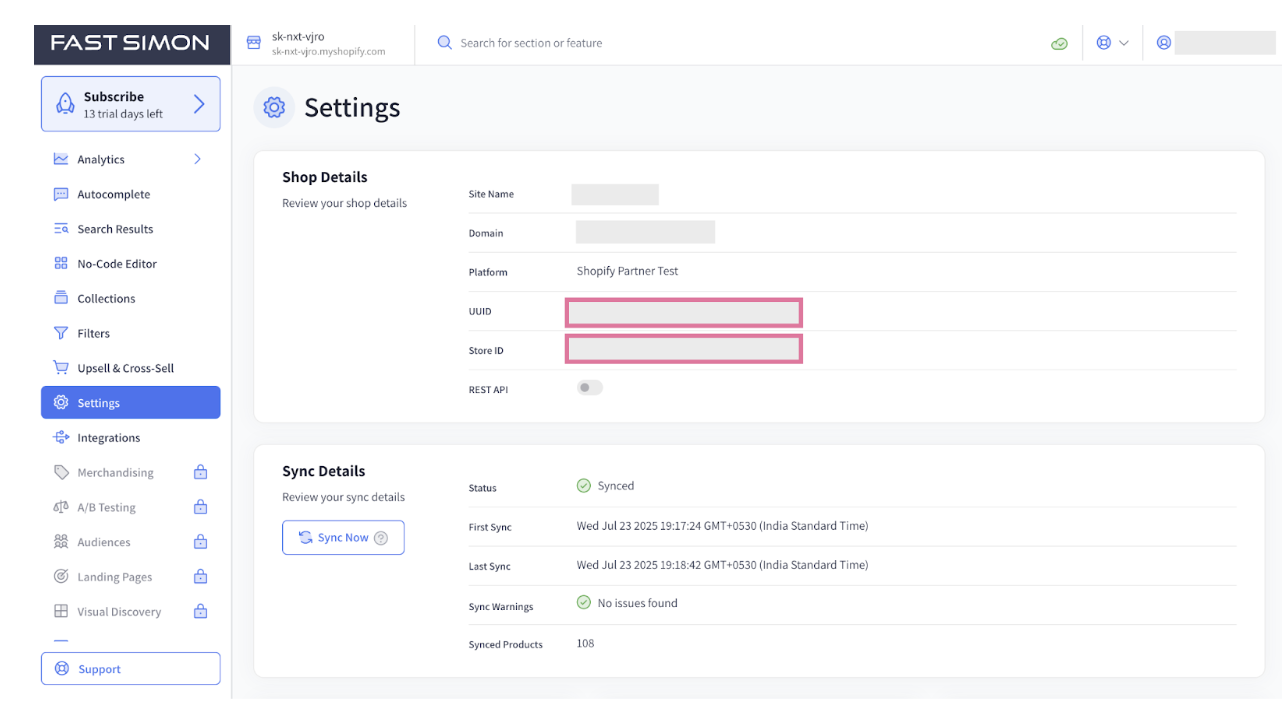
Where to get store ID & UUID?
To get the Store ID & UUID, head to your Fast Simon dashboard and go to settings menu icon.
Native features supported for search (via Fast Simon integration):
Search Suggestions - Keywords, Products, Categories
Search Results - Sort, Filter
Additional search functionality can be implemented using custom blocks.