Learn how to use lists, segments, and flows in Klaviyo to manage your audience, send personalized campaigns, and automate communications effectively.
Definition: Static collections of subscribers who have opted in.
Grow only when people subscribe via forms or are manually added.
Best practice: 1 main list per marketing channel (email, SMS, push notifications).
Benefits:
Easily find all opted-in contacts.
Maintain clean data.
Track list growth.
Optimize deliverability.
Examples:
Email list
SMS list
Push notification subscribers
Tip: Use segments to target subscribers instead of creating multiple lists.
Definition: Dynamic groups that automatically update as contacts meet (or stop meeting) conditions.
Segments update almost in real time.
Highly segmented campaigns drive 3× more revenue per recipient than unsegmented ones.
Examples of Useful Segments:
New product purchasers
Inactive subscribers (6+ months no engagement)
VIP customers (frequent buyers or high spenders)
High predicted lifetime value customers
Definition: Automated sequences triggered by a customer action, such as subscribing, purchasing, or abandoning a cart.
Benefits:
Personalized messaging at scale.
Automate engagement based on behavior.
Combine email, SMS, and push notifications (depending on channel setup).
Common Flow Types:
Welcome series (new subscribers)
Abandoned cart (converts potential customers)
Post-purchase (thank-you emails and recommendations)
Winback (re-engage inactive customers)
Go to Audience > Lists & Segments.
Click Create New > Create Segment.
Use the Segment Builder to add conditions.
Click Create Segment.
Segments may take time to populate, depending on size.
Select Define with AI when creating a new segment.
Enter a sentence describing your audience (e.g., “people who purchased shoes in the last 30 days”).
Review and adjust in the builder if needed.
AI-generated segments are tagged klaviyo-ai.
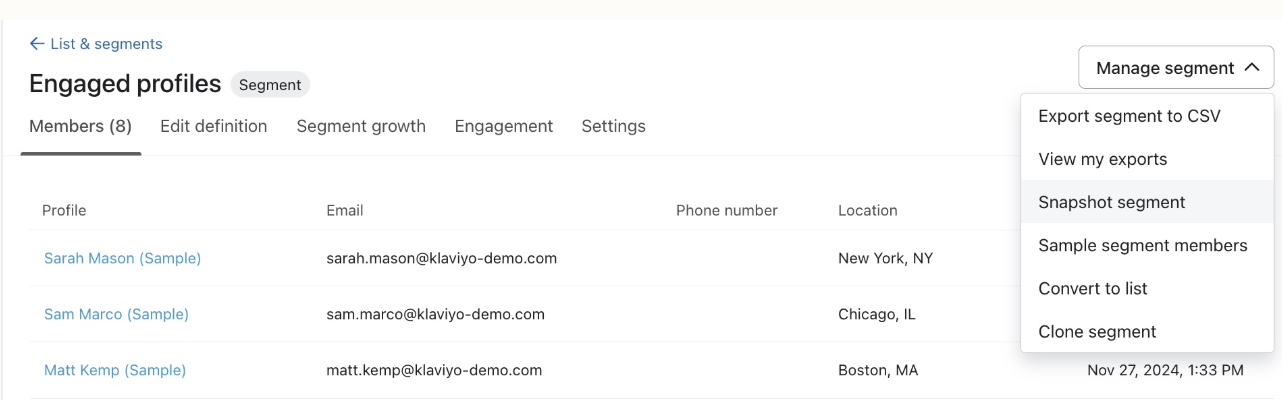
Take a snapshot to create a static list of all current profiles in a segment.
Useful when you need a frozen copy of a segment for a campaign.
Conditions are based on actions or profile data.
Example: What someone has done (Placed Order).
You can filter conditions (e.g., Placed Order → Item contains “Shoes”).
Only top-level properties (like Value, Item Count, Source Name) can be used in conditions.

AND = stricter → all conditions must be true.
OR = looser → only one condition must be true.
Tip: Be careful when using negative conditions with OR (e.g., “not in US OR not in Canada” can unintentionally include almost everyone).
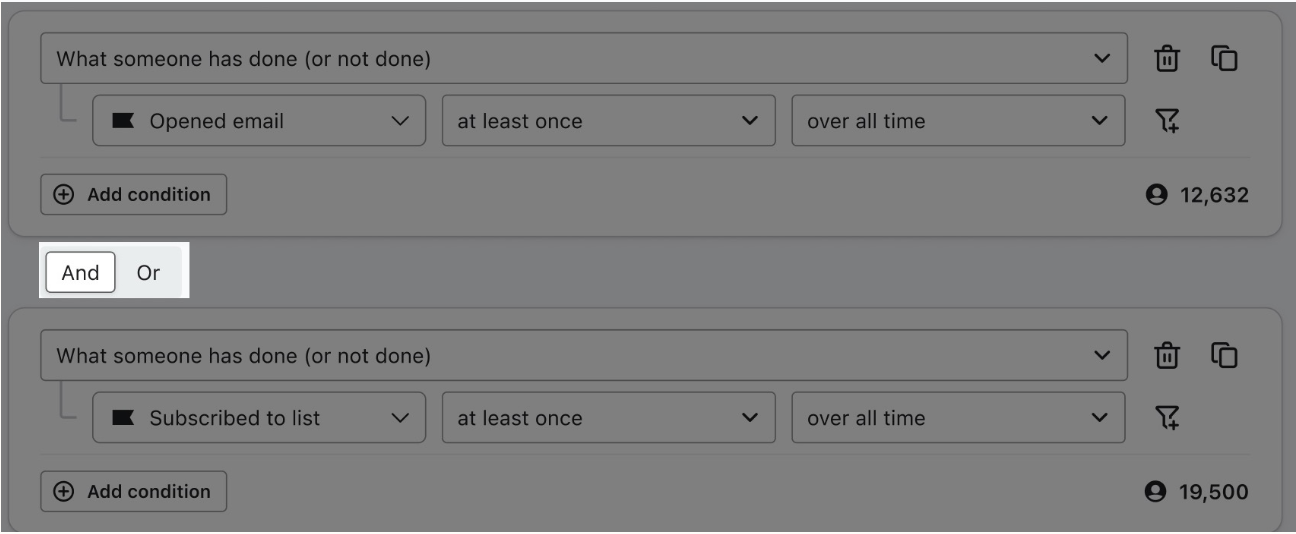
Click the clone icon in the builder to duplicate and edit conditions quickly.

Lists
Static collections of subscribers (email, SMS, push).
Grow only when people join.
Organize contacts by marketing channel.
Segments
Dynamic groups that update automatically based on conditions.
Useful for targeted campaigns, flows, and audience analysis.
Examples: VIP customers, inactive subscribers, high lifetime value customers.
Flows
Automated message sequences triggered by actions/events.
Examples: welcome series, abandoned cart, post-purchase follow-ups.
Can use segments to personalize messages.
Key takeaway:
Lists = store contacts.
Segments = filter and target dynamically.
Flows = automate personalized communications.
Use engagement tiers (active, lapsed, inactive).
Run list cleaning to suppress unengaged subscribers.
Build frequency segments (weekly vs. monthly emails).
Segment by predicted customer lifetime value to nurture future VIPs.

