Klaviyo provides tools to measure the effectiveness of your marketing campaigns through A/B testing and global holdout groups. This guide walks you through navigating, configuring, and interpreting these insights.
A/B testing in Klaviyo helps you compare different versions of your campaigns or flows to see which one drives better engagement or conversions. By running experiments, you can make data-backed decisions on subject lines, send times, content, or audience targeting.
Go to Analytics > Experiments > A/B tests.
Switch between Campaigns and Flows tabs to see tests for each channel.
Access is restricted to Owners, Admins, Managers, and Analysts.
Use the search field to find a test by name or keyword (tab-specific).
Adjust filters via dropdown menus for:
Timeframe: Today, Last 7/30/90 days, This year, Last year, All time
Channel: All, Email, SMS
Winning metric: Open rate, Click rate, Placed order rate, All
More filters (Campaigns only): Test type (Content or Send Time), Status (In progress/Completed)

Test name: Click to view variations and detailed results
Channel: Email (envelope) or SMS (speech bubble)
Test type: Content or Send Time (Campaigns only)
Start date & Test size
Win probability: Statistical significance ≥90% (≥50 recipients for campaigns, ≥500 for flows)
Status: Completed (green) or In progress (gray)
Columns can be sorted ascending/descending.
Holdout groups let you intentionally withhold messages from a small group of customers. This helps you measure the true impact of your marketing by comparing results between those who received messages and those who didn’t. Use them to:
Assess overall marketing effectiveness
Evaluate changes in strategy
Detect negative marketing effects
Minimum 400,000 total profiles
Recommended duration: 3 months
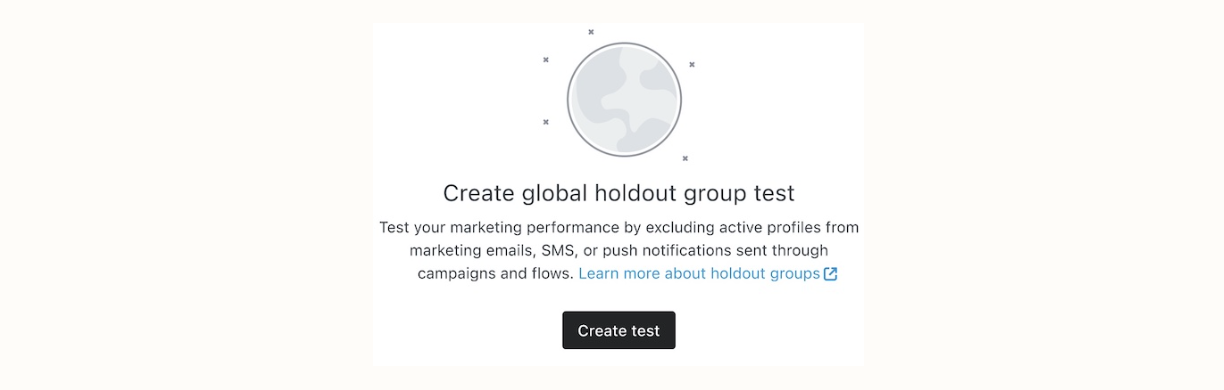
Navigate to Analytics > Experiments > Global Experiments → Create test
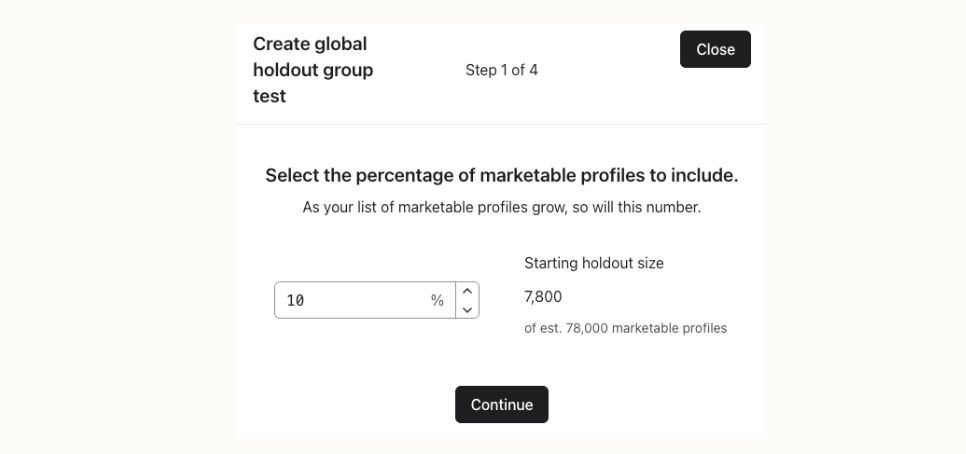
Set the percentage of marketable profiles (recommended ~5%). Click Continue.
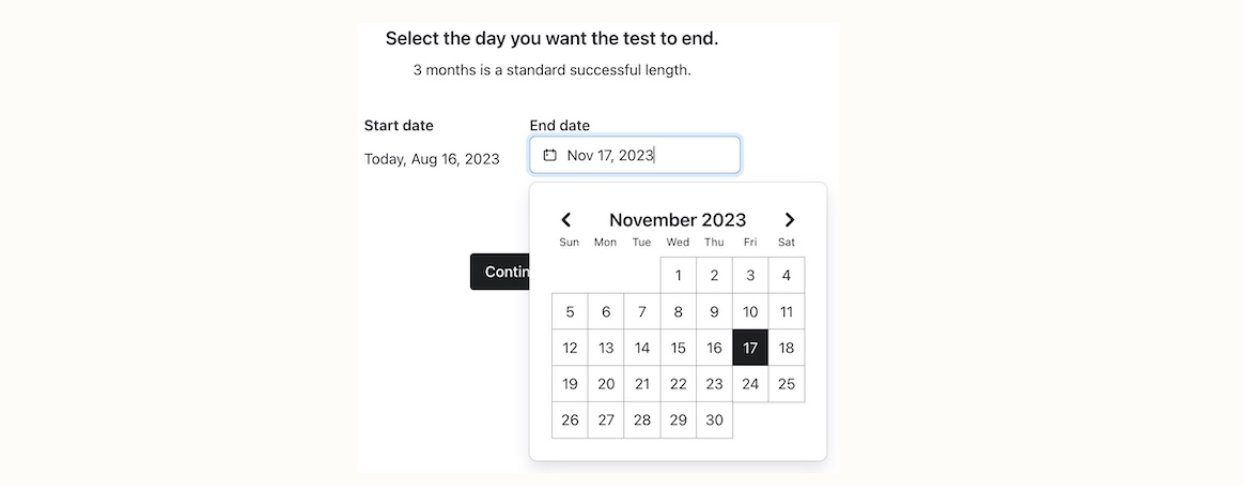
Choose start and end dates.Click continue.
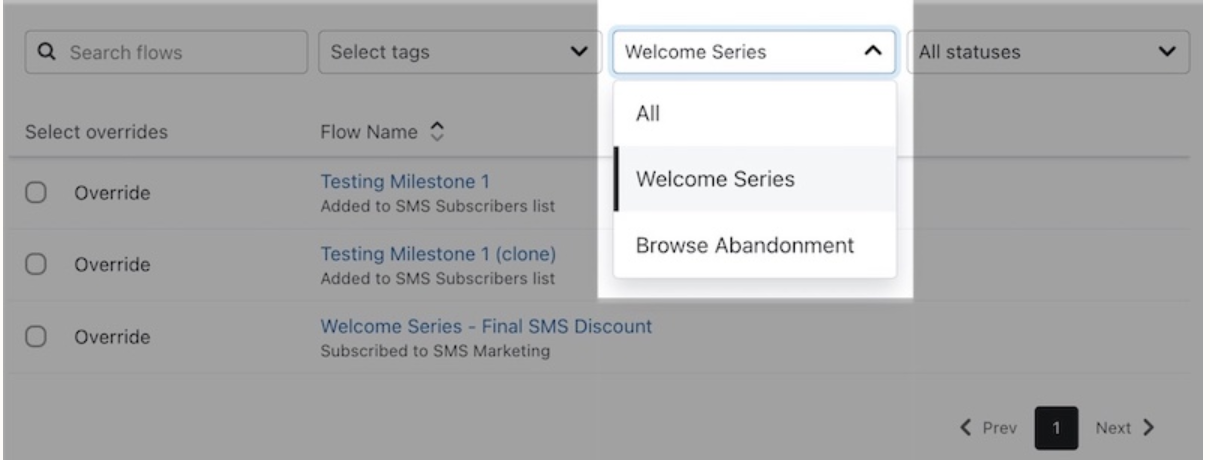
4. Optionally override certain flows so critical messages (e.g., Welcome flows, transactional emails) still reach holdout profiles. Click Continue.
Review settings and click start test.
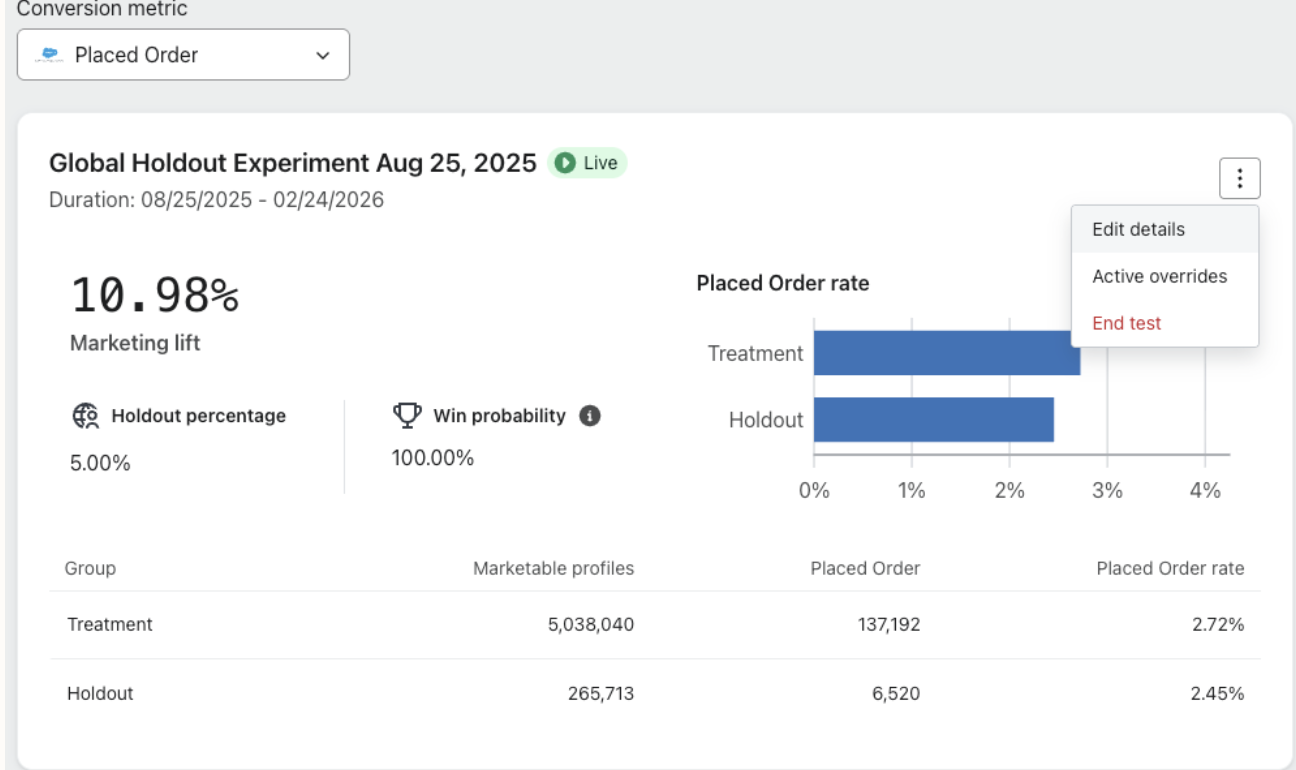
Edit name or end date: 3-dot menu → Edit details
End test early: 3-dot menu → End test (may affect data accuracy)
Click on save.
Override global holdout group = Deliver the message to everyone, even those who would normally be excluded under your global holdout experiment.
Flows: Flows → Trigger → Override global holdout group
Campaigns: Campaign setup → Recipients → Override global holdout group
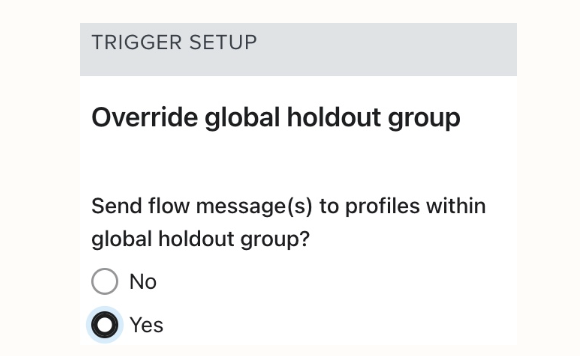
Adding a channel (e.g., SMS) respects previous overrides; adjust manually if needed.
Profile: Audiences > Profiles → banner shows holdout participation
Flows/Campaigns: Skipped activity indicates holdout suppression
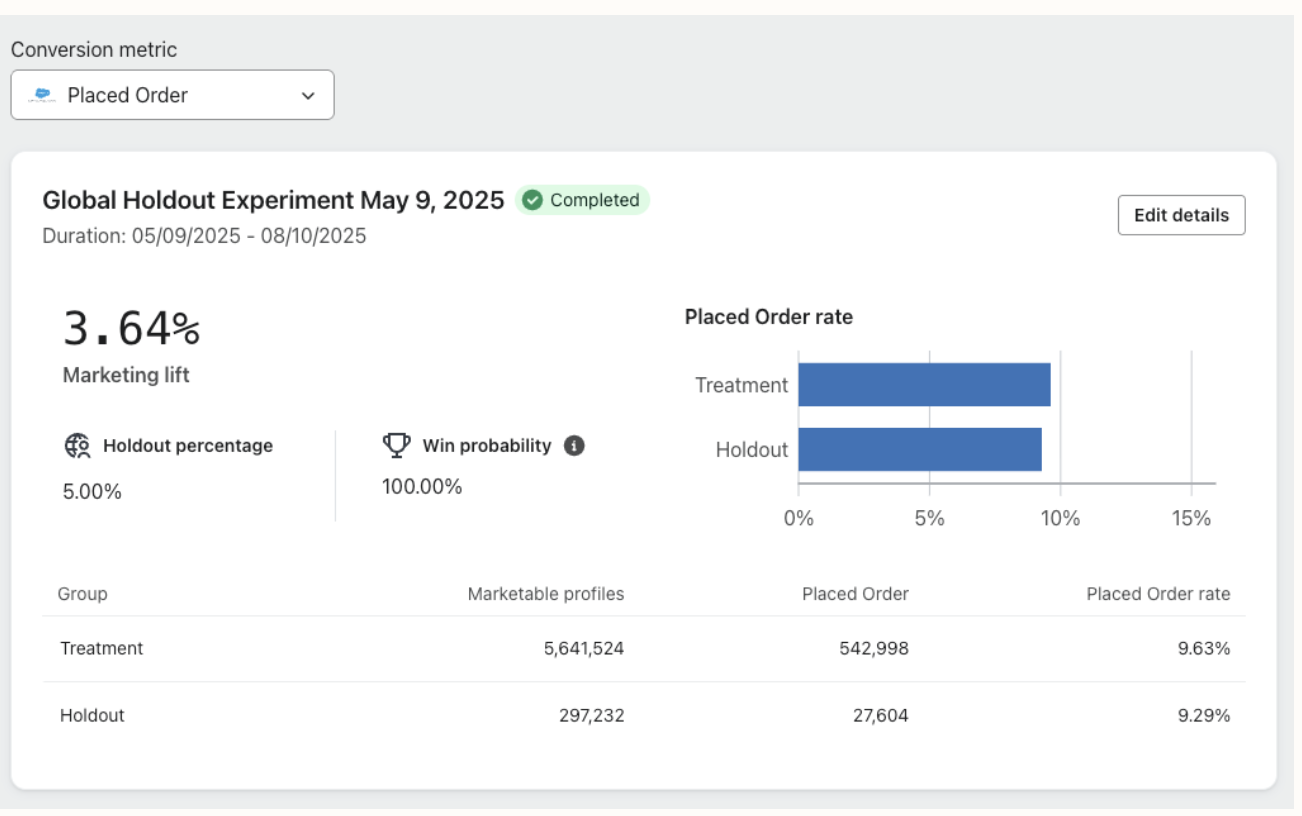
Marketing lift: Shows the impact of your marketing vs. the holdout group
Holdout percentage: Percentage of total marketable profiles withheld
Win probability: Likelihood your marketing program meaningfully improves results
Treatment & holdout group sizes: Number of profiles in each group
Marketable profiles: Subscribers and general engagement
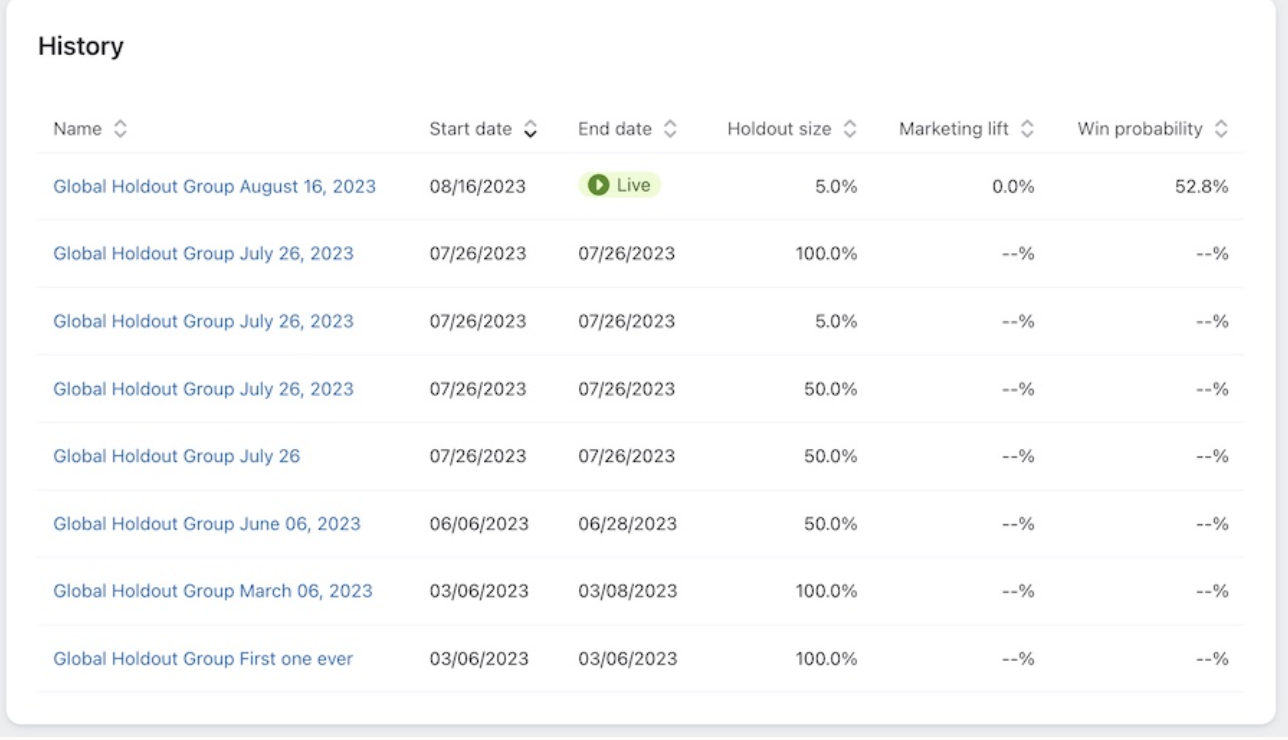
Tracks past holdout groups, including:
Name: Holdout group name
Start & End dates: Duration of the test
Holdout size: Percentage of profiles withheld
Marketing lift: Performance vs. holdout
Win probability: Likelihood of meaningful improvement
Tip: Use A/B tests to compare messaging variations and holdout groups to measure overall marketing impact. They complement each other but serve distinct purposes.

