Uninstalls analytics helps marketers understand why users leave your app, identify patterns, and take steps to retain or win back lost users.
Silent Push Notifications:
WebEngage sends a silent push daily.
If the device doesn’t respond, it’s marked as uninstalled.
FCM Response (Android):
Failed push delivery due to the app being deleted counts as an uninstall.
Impact on Users:
Counted in total uninstalls.
Marked as unreachable via push until they reinstall.
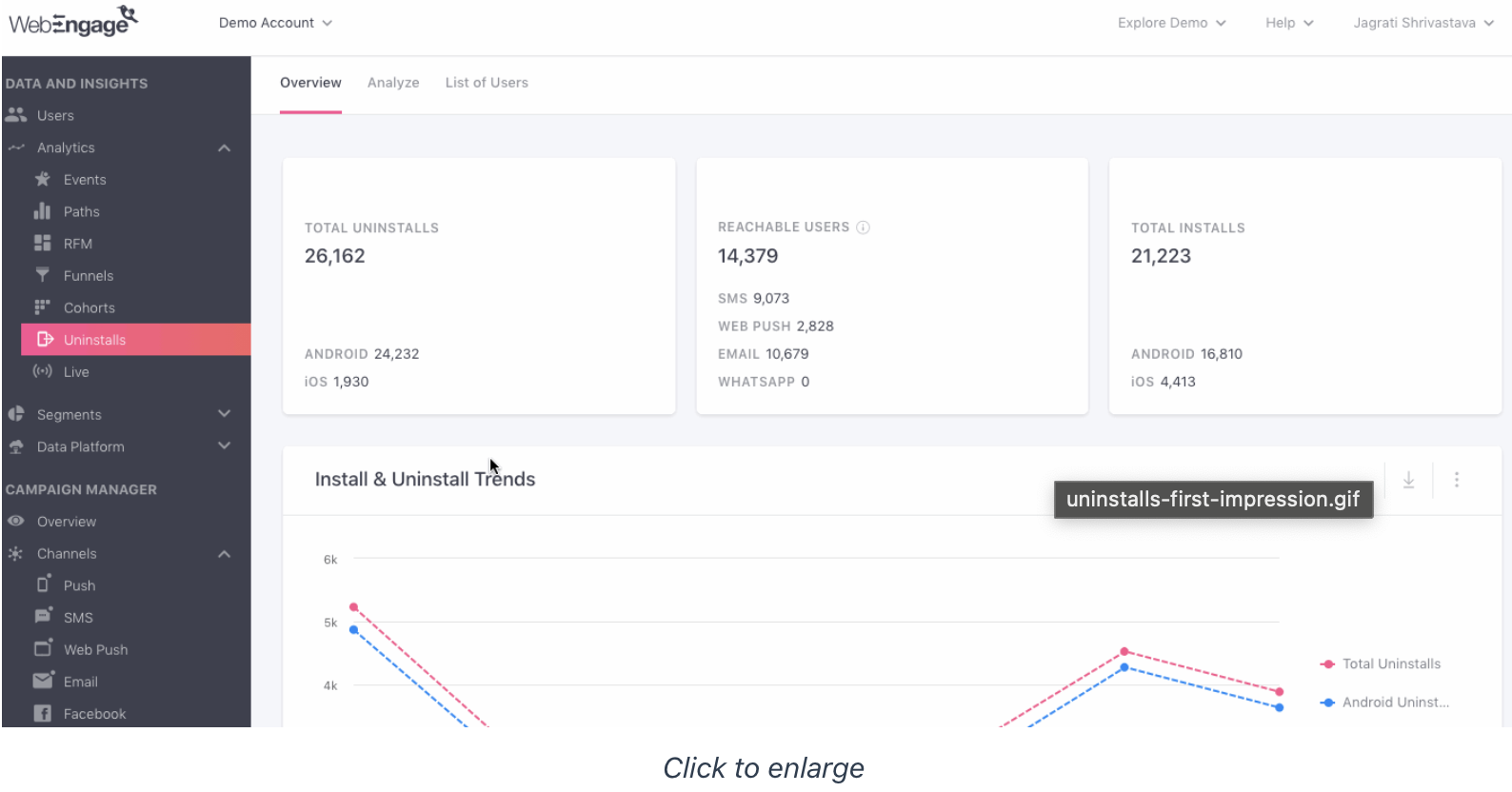
Provides a top-level snapshot of uninstalls and installs:
Total Uninstalls: By iOS & Android.
Reachable Users: Users who can still be engaged via SMS, Email, or Web Push.
Total Installs: Number of installs in the selected time frame.
Install & Uninstall Trends: Visualize trends over time (Line/Bar/Table).
Push Campaigns Leading to Most Uninstalls: Identify campaigns driving churn.
Acquisition: Shows campaigns through which lost users were acquired.
Technology & Location: Device types, OS, app version, country, city.
Example Insight:
Spike in uninstalls may indicate issues with onboarding, cart abandonment campaigns, or poor user experience.
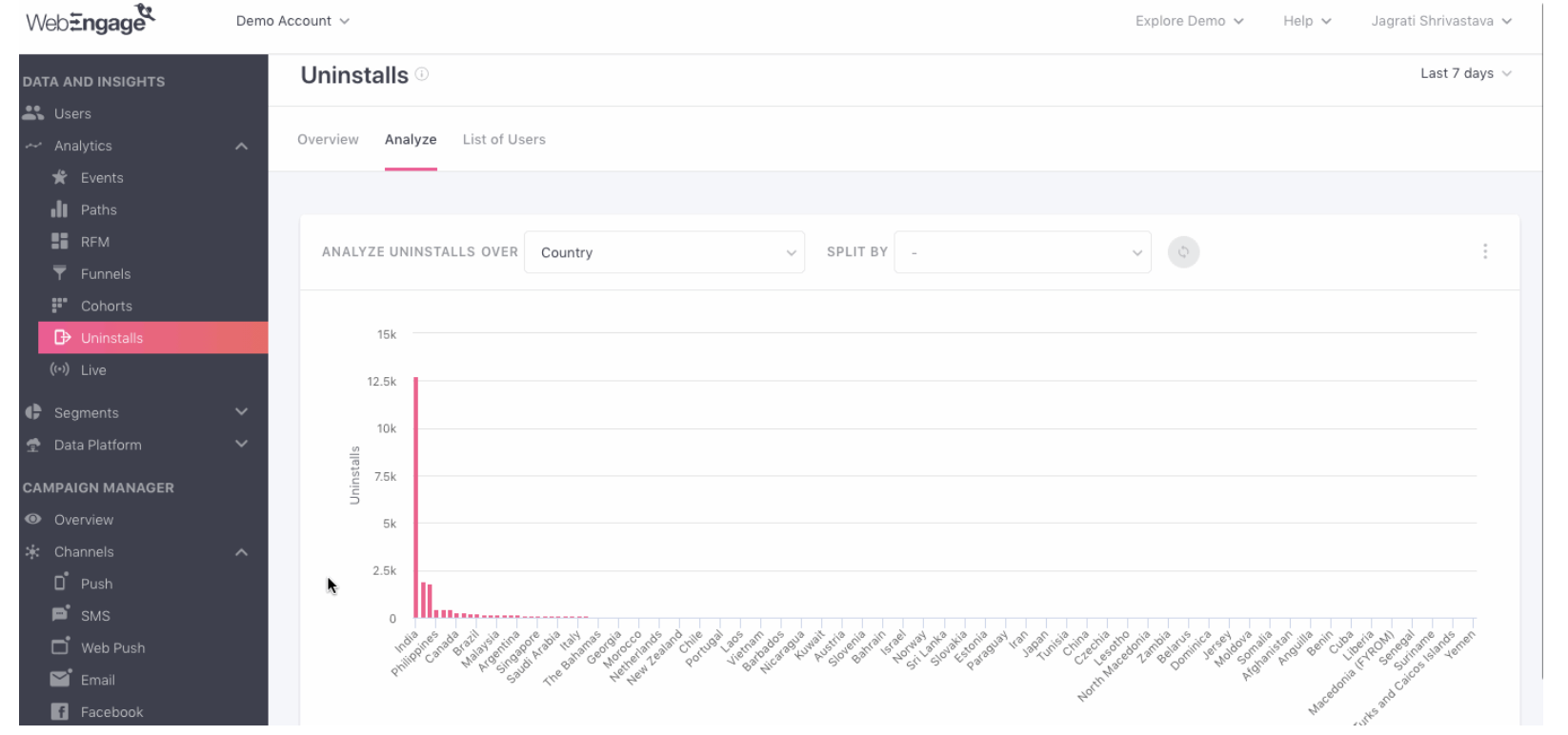
Allows deeper slicing of uninstall data:
Compare uninstalls across two dimensions (e.g., OS & Membership Status).
Identify patterns such as premium users churning after subscriptions expire.
Attributes for analysis include:
Location: Country, City
Technology: OS, device model, app version, SDK version
Acquisition: Campaign source, channel, referrer
Custom Attributes: User-defined fields
Visualization: Line Graph, Bar Graph, or Table for easy interpretation.
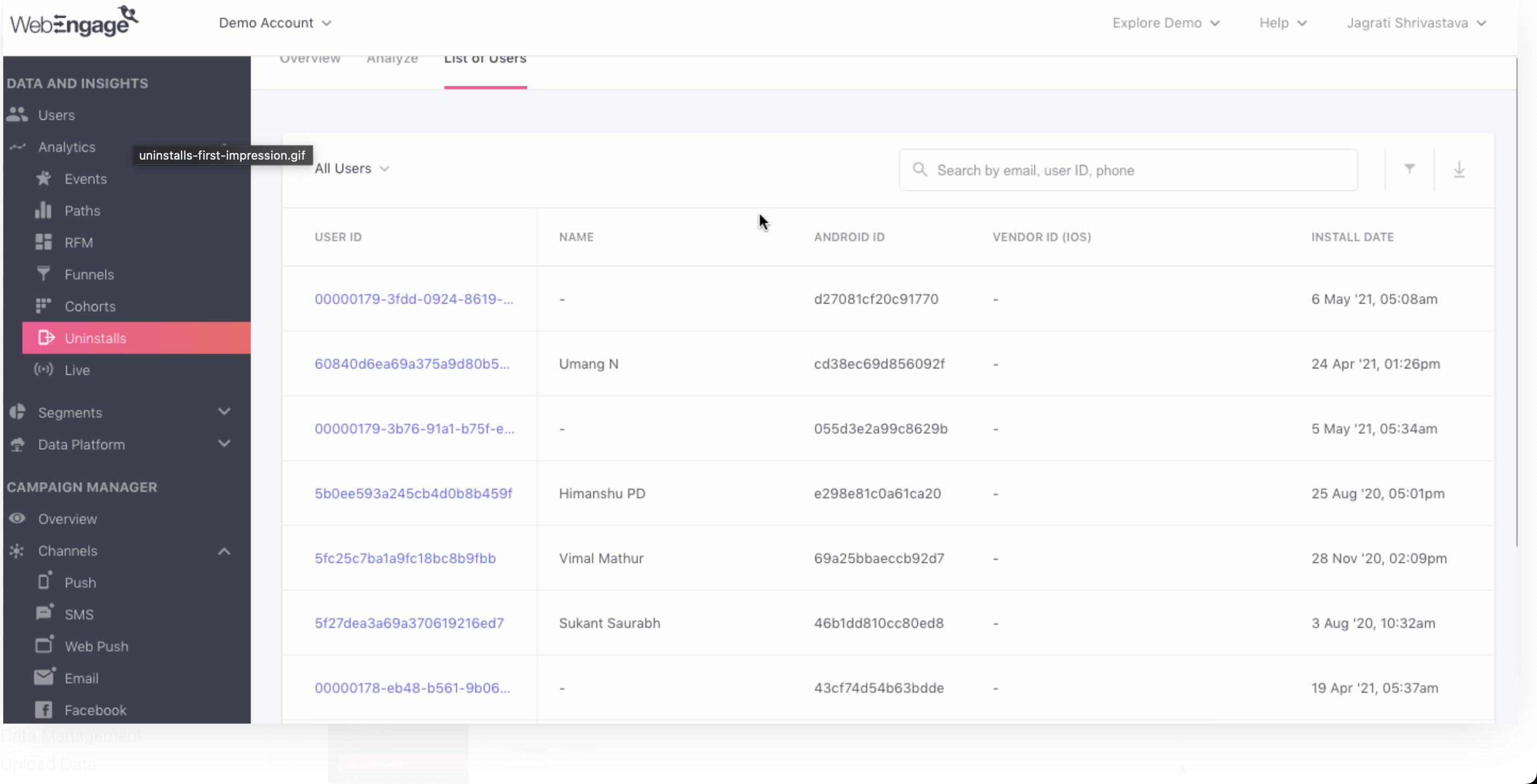
Gives detailed data on all uninstalled users:
Attributes: User ID, Name, Device IDs, Install/Uninstall Date, Email, Phone, Country.
View multiple devices per user.
Access full User Profiles to personalize retargeting.
Download lists for retargeting via email, SMS, or push campaigns.
Identify Campaign Issues:
Pinpoint campaigns causing high uninstalls (e.g., onboarding, cart abandonment).
Optimize Acquisition:
Find campaigns that acquire low-intent users and adjust spending accordingly.
Device & Technology Insights:
Detect uninstall trends by device type, OS version, or app version.
Retention & Win-Back Strategies:
Target unreachable or churned users via other channels (SMS, Email, Web Push).
Engage premium members before subscription expiration to reduce churn.
Analyze install vs uninstall trends regularly.
Drill down into push campaigns, acquisition sources, and user attributes.
Use cohort analysis to understand patterns over time.
Leverage user profiles to create personalized win-back campaigns.
Focus on high-value users and retention strategies before acquiring new ones.
Live helps marketers monitor real-time user behavior across their app, website, and campaigns. Unlike Funnel or Cohort analysis, which focus on historical or lifecycle insights, Live shows what’s happening right now.
How many users are active on the app/website at this moment?
How many users responded to the push notifications just sent?
Which campaigns are driving conversions and revenue right now?
How many of your known or existing users are active?
How are all channels contributing to conversions in real-time?
Metrics update within seconds, giving an immediate view of user activity.
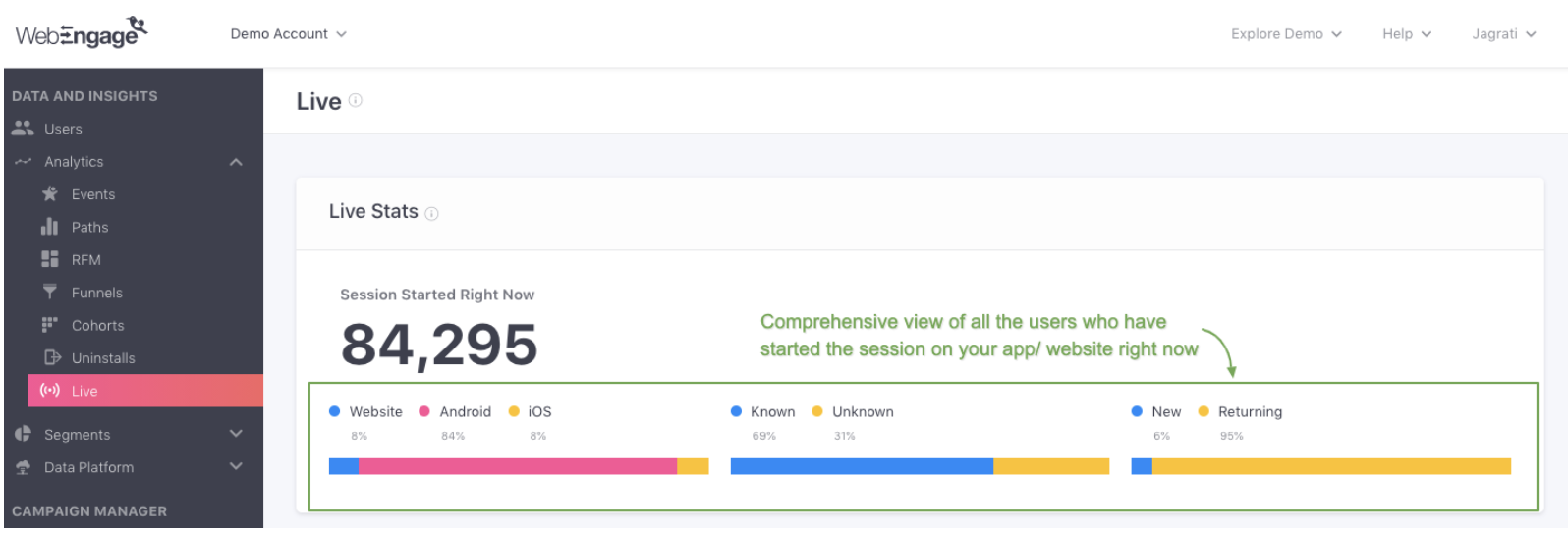
Gives a snapshot of users currently active on your platforms:
Sessions Started Right Now: Total sessions on app/website, including multiple platforms per user.
Platform Split: Users on Website, Android, iOS.
Known vs Unknown Users: Identified users vs unidentified ones.
New vs Returning Users: Users new to your platform vs those who have interacted before.
Percentages are always calculated against the total sessions started.
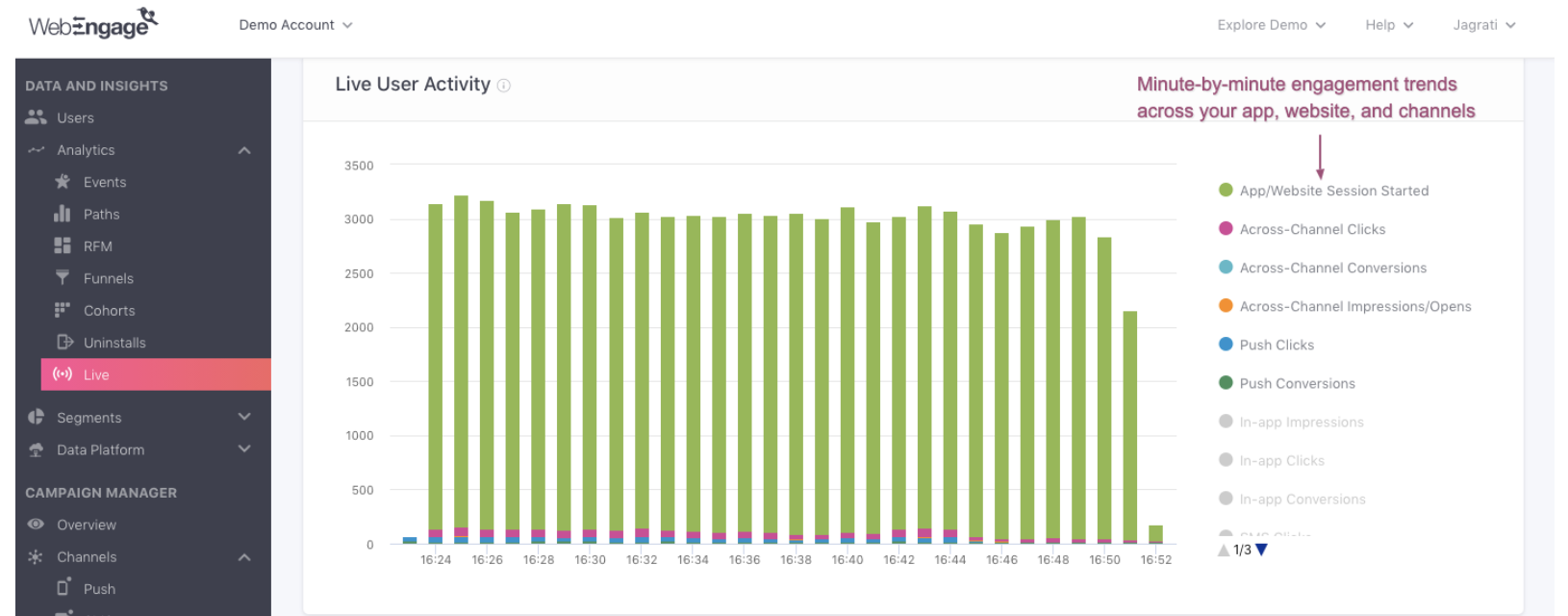
Shows minute-by-minute user interactions across the last 30 minutes:
Metrics include:
App/Website Session Started
Across-Channel Clicks
Across-Channel Conversions
Impressions/Opens, Clicks, Conversions for Push, In-app, SMS, On-site notifications, Web Push, Email
This helps track immediate engagement and monitor how users are interacting with campaigns in real-time.
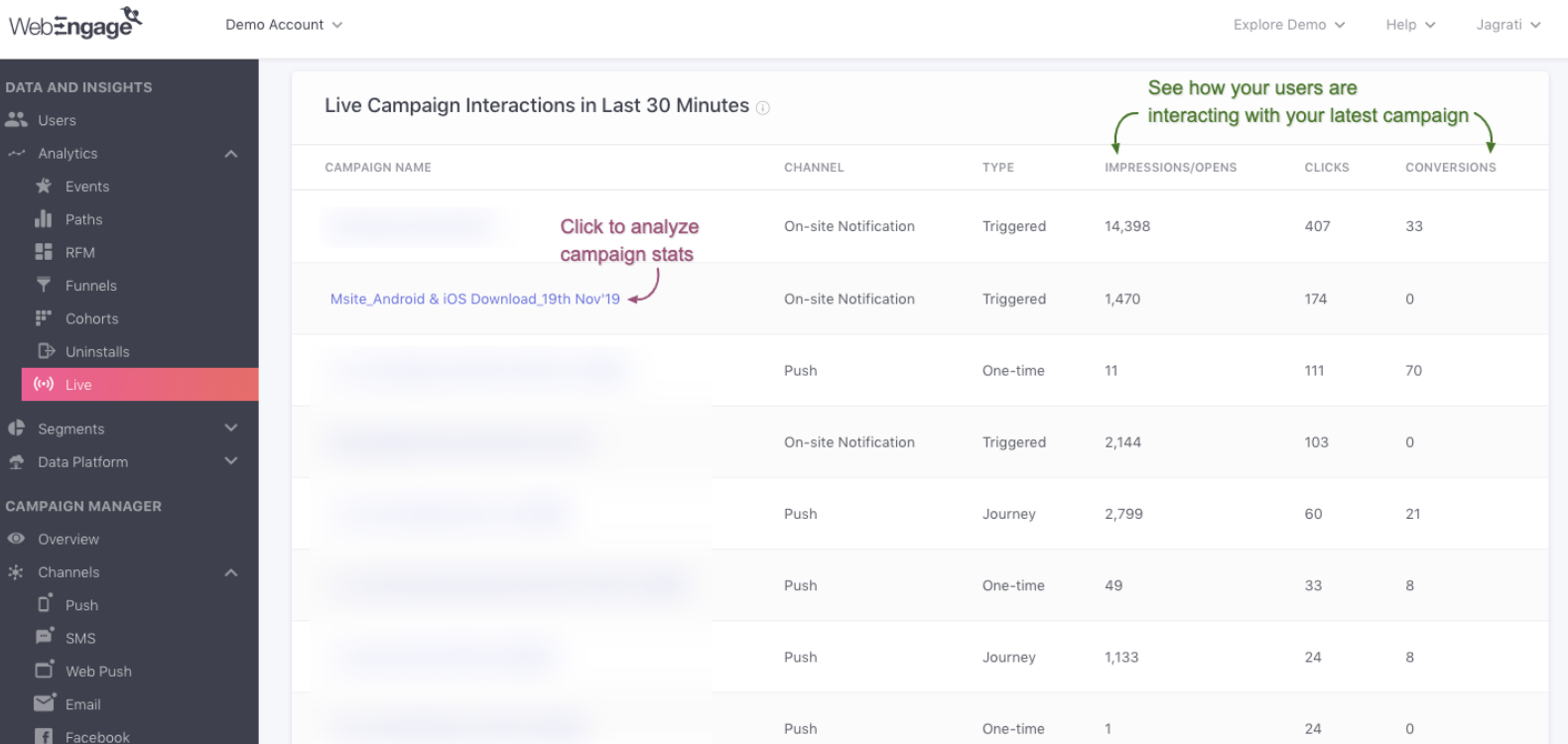
Focuses on the top 10 campaigns in the last 30 minutes:
Compare campaigns by Impressions/Opens, Clicks, and Conversions.
Allows drilling down into top performing campaigns through their Overview sections.
No conversions are tracked unless a Conversion Event is set for the campaign or journey.
Immediate insights: Know instantly how users respond to campaigns.
Performance tracking: Identify campaigns generating the most conversions or engagement in real-time.
User monitoring: Detect spikes in activity or issues on your app/website.
Channel optimization: Understand which channels drive engagement and conversions live.
Monitor real-time spikes to identify successful campaigns or issues quickly.
Compare new vs returning users to adjust engagement strategies.
Use Live stats alongside historical Funnel and Cohort analysis to optimize campaigns and retention.
Drill into top-performing campaigns for real-time A/B testing insights.

