

What is Tab Navigation?
Tab Navigation is a navigation style where:
Tabs are displayed at the top or bottom of the screen.
You can tap a tab to open a section.
You can also swipe left or right to move between sections.
This allows for a fast, seamless browsing experience without constantly going back to a menu.

How to setup Tab Navigation?
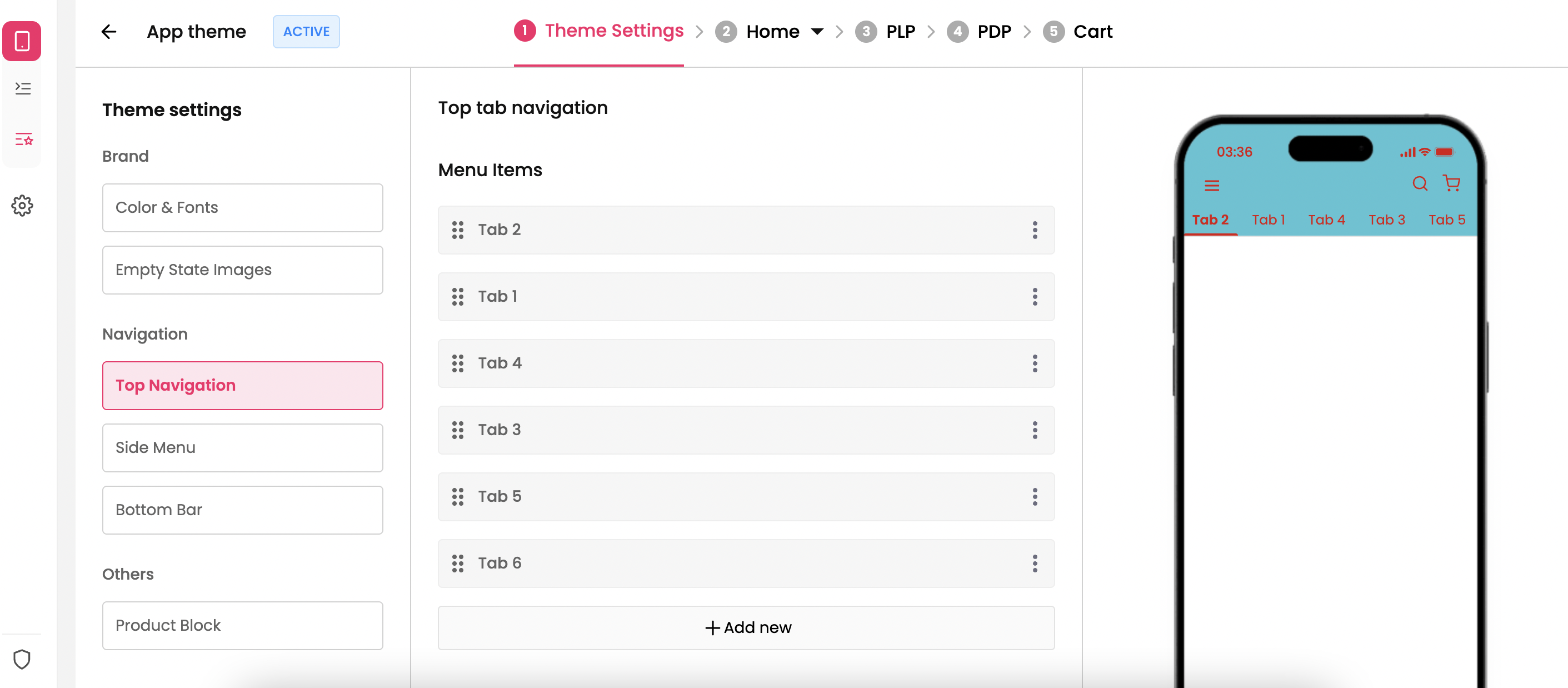
Goto Theme Settings → Navigation → Top Navigation to setup top tab navigation on the app.
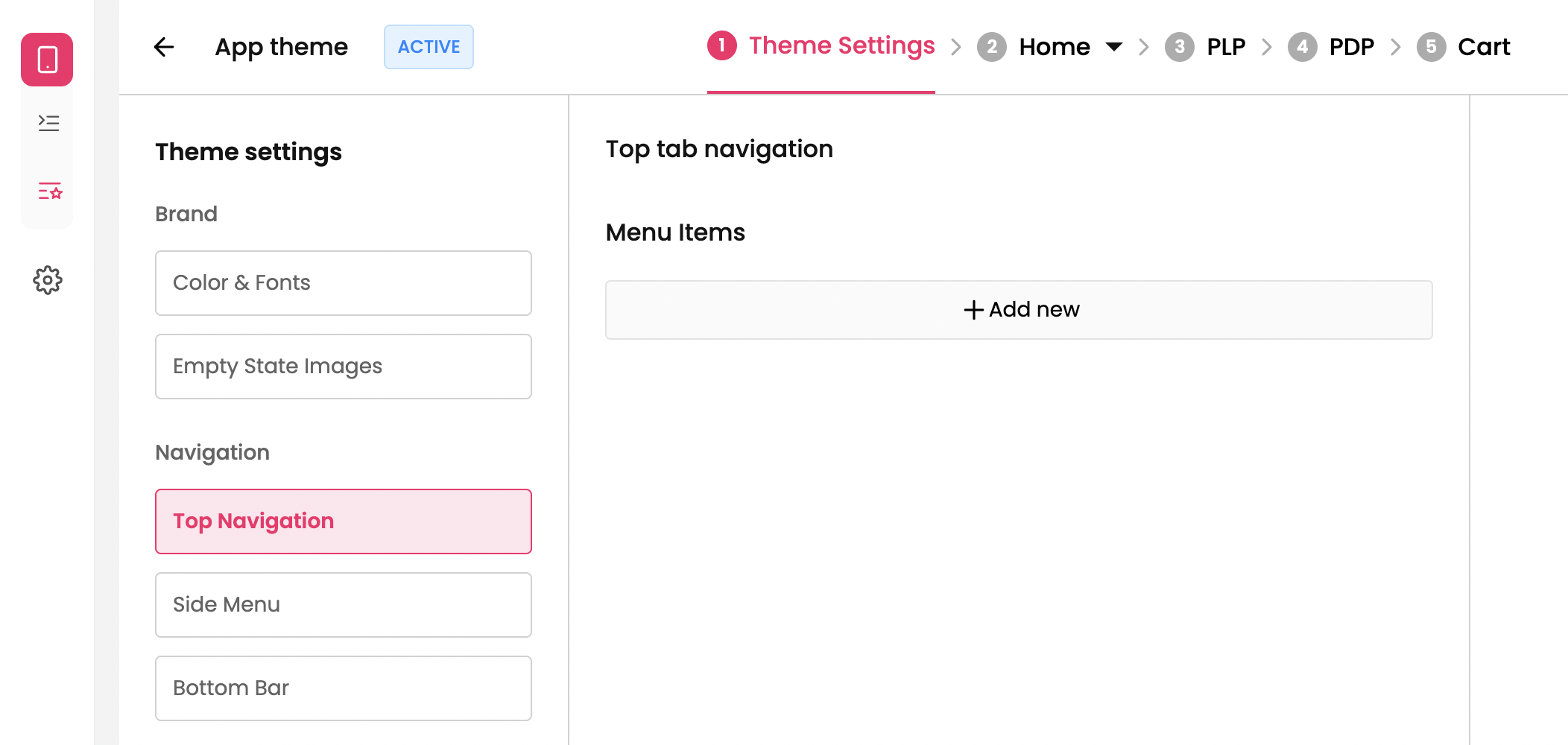
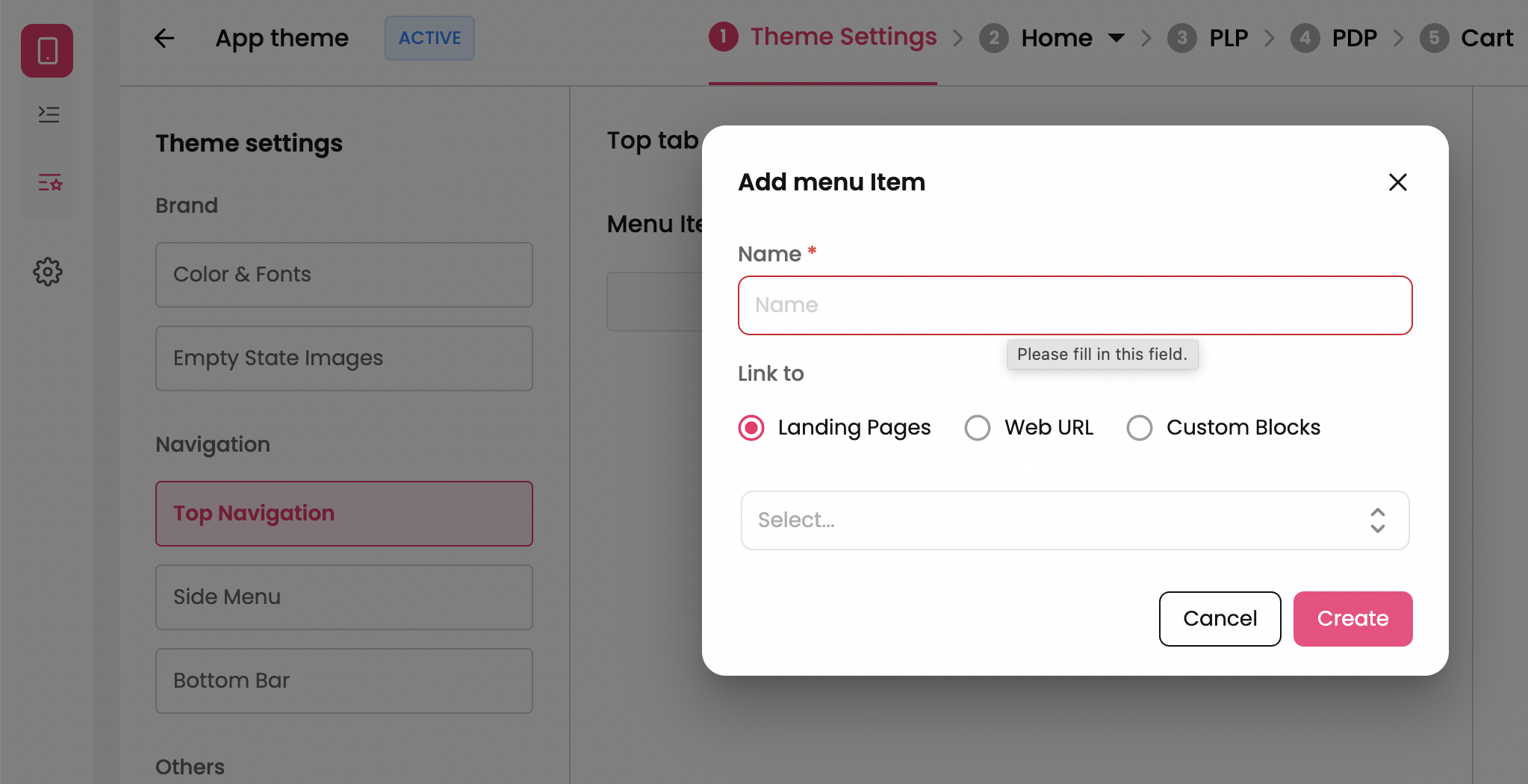
To add a new tab -> Click on Add new button and provide Name and redirection for the tabs and click on Create button.
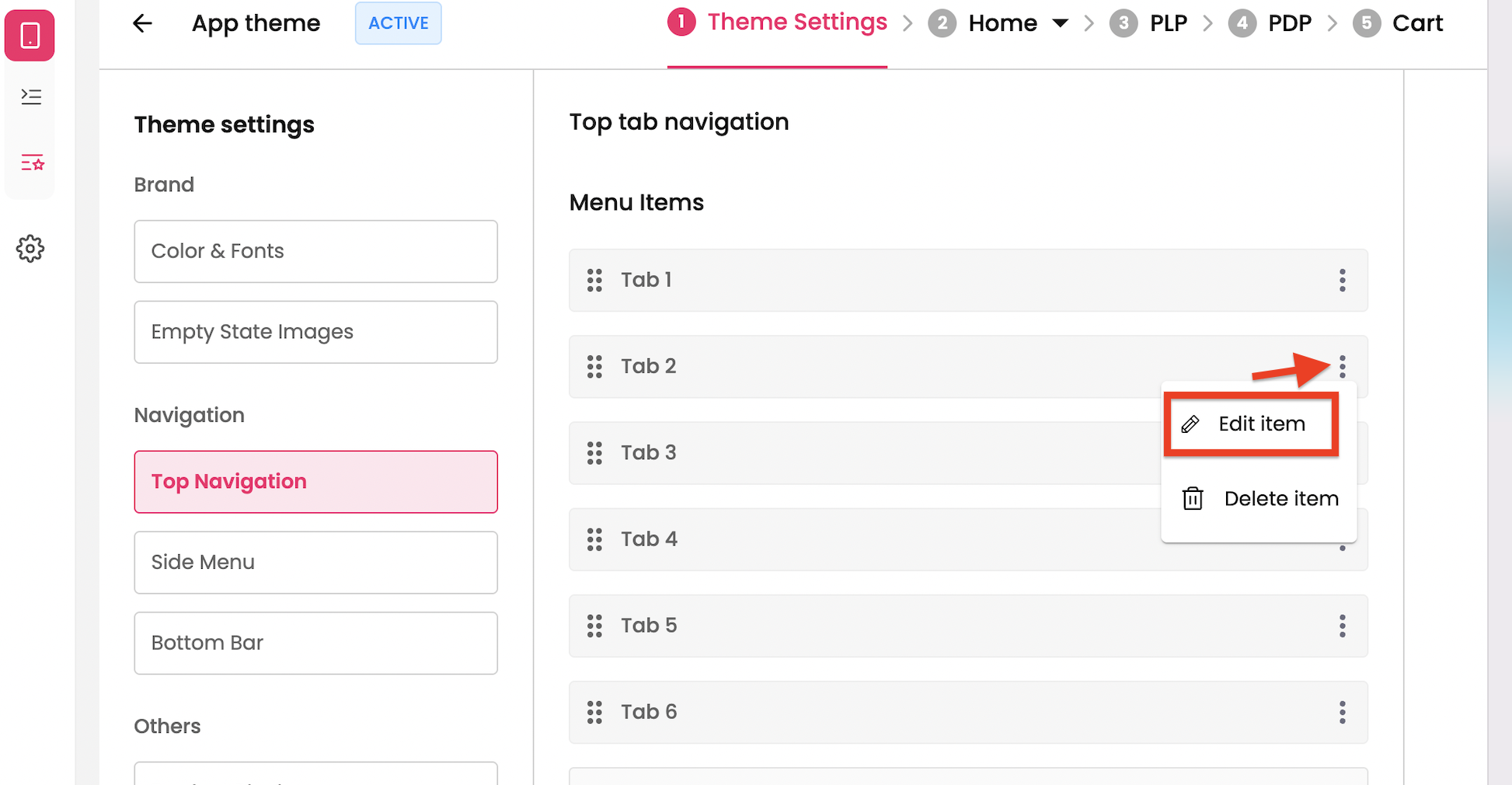
To Edit a tab → Click on 3 dots on the right of the menu item and click on Edit.
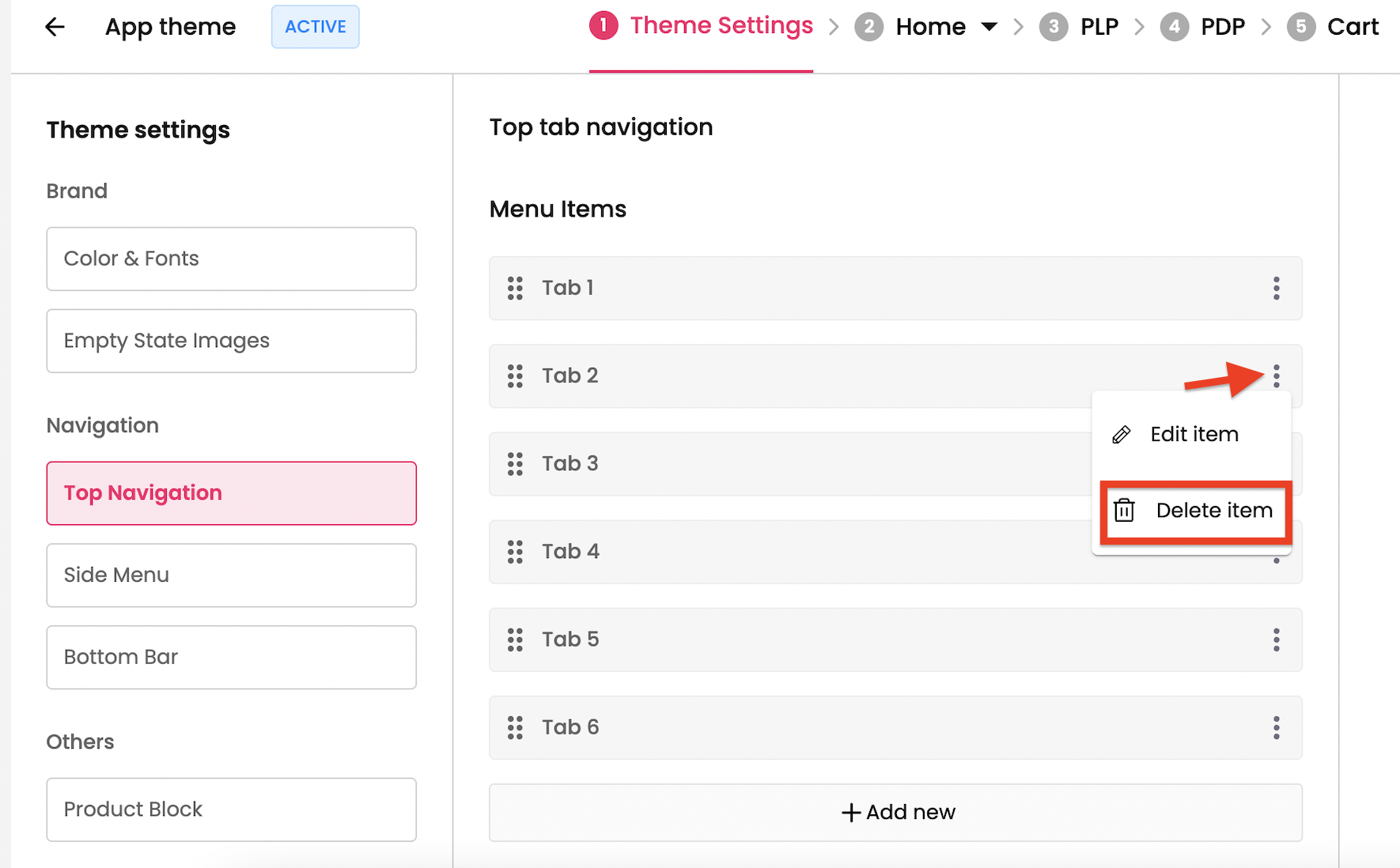
To Delete a tab → Click on 3 dots on the right of the menu item and click on Delete.
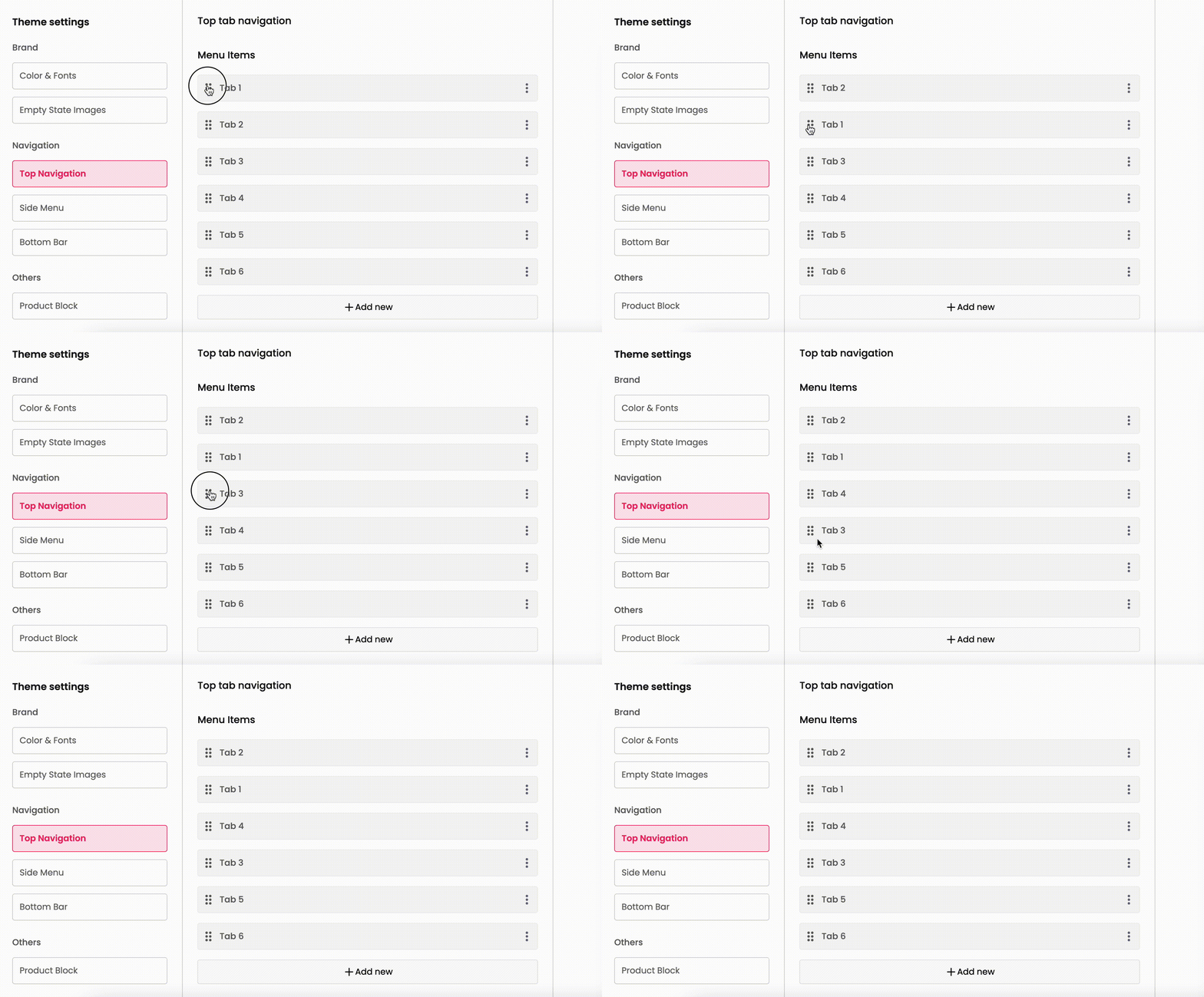
To Rearrange the tabs→ Click on the 6 dots on the left of the menu item, drag and drop to the desired position.
Preview the top bar → The top bar can be previewed from the mockup that is displayed in the right side of the screen.
To preview the look and feel on the mobile, download the Superfans admin app.
Link: Superfans Admin App