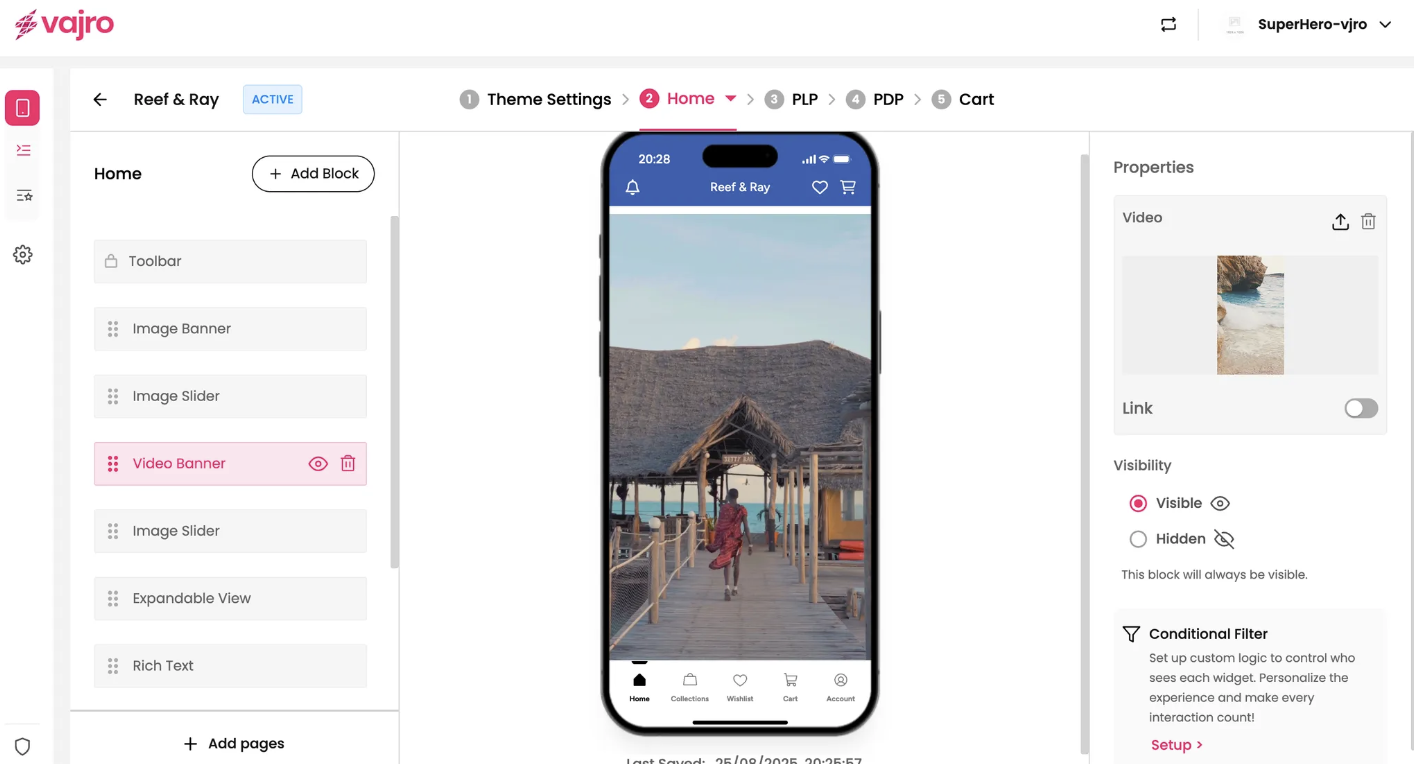
Bring your brand to life and create a truly immersive shopping experience with a dynamic Video Banner. This powerful block allows you to showcase captivating video content -like a mini-commercial or product highlight reel right on your app's home screen.
Features & Controls
Customize your Video Banner using the controls on the right panel.
Properties Panel
This section is where you upload your video and set its destination link.
Video: This is where you upload the video file you want to use for your banner.
Upload: Click the upload icon to select a video file from your computer. Pro Tip: Use a high-quality video file that is optimized for mobile playback to ensure a smooth, buffer-free experience for your customers.
Delete: Use the trash can icon to remove the video from the banner.
Link: The Link toggle lets you make your video banner clickable. When enabled, your customers will be taken to a specific page when they tap on the video.
Just like with the Image Banner and Slider, you can link the video to a specific Collection, Product, Page, URL, or use a Custom link.