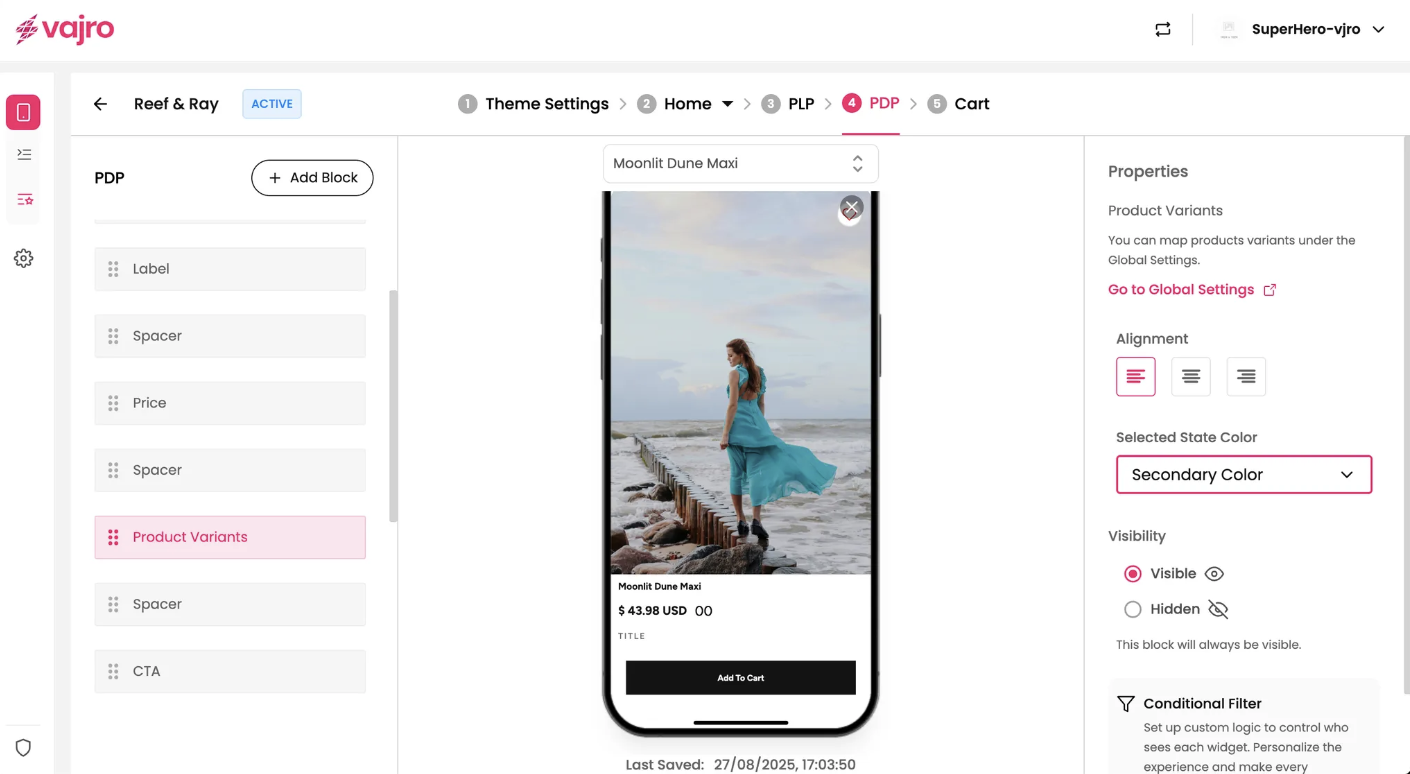
The Product Variants block allows customers to select different options for a product, such as size, color, or style. This block is essential for products that come in multiple versions, as it provides a clear way for users to choose the specific variant they wish to purchase. The data for this block is automatically synced from your online store configuration.
Features and Controls
The properties panel for the Product Variants block allows you to customize its appearance and positioning on the page.
Properties Panel
This section is where you manage the visual presentation of your product variants.
Map product variants: You can map product variants under the Global Settings. This section provides a link to "Global Settings" where you can map the specific product options from your online store to the "Product Variants" block.
Alignment: You can align the variant options to the left, center, or right of the page to fit your design.
Selected State Color: This allows you to customize the color that highlights the currently selected variant. You can choose from a range of theme colors, such as "Secondary Color."