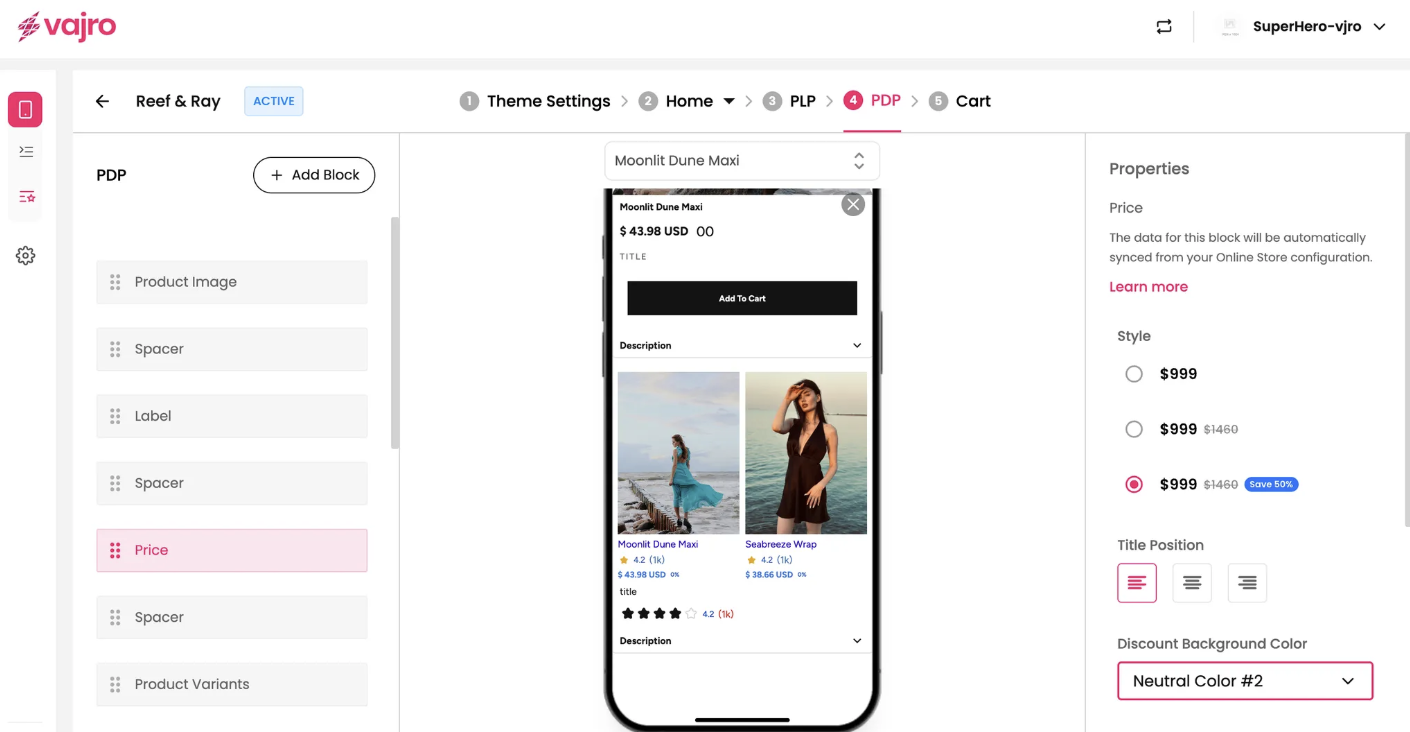
The Price block is a fundamental component of your PDP that displays the product's cost to the customer. This block is crucial for providing clear and immediate pricing information, which is a key factor in the purchasing decision. The data for this block is automatically synced from your online store configuration.
Features and Controls
The properties panel for the Product Price block allows you to customize its appearance and positioning on the page.
Properties Panel
This section is where you manage the visual presentation of your product price.
Style: Choose the display style for the price. This includes options to show just the price, the price with a strikethrough "Compare at price," or a discounted price with a "Save" badge.
Title Position: This allows you to align the price block to the left, center, or right of the page to fit your design.
Discount Background Color: If you choose a style with a discount badge, you can customize the background color of the badge.
Font Color: Set the color of the price text. You can choose from various theme colors like "Neutral Color #1" or "Primary Text Color."