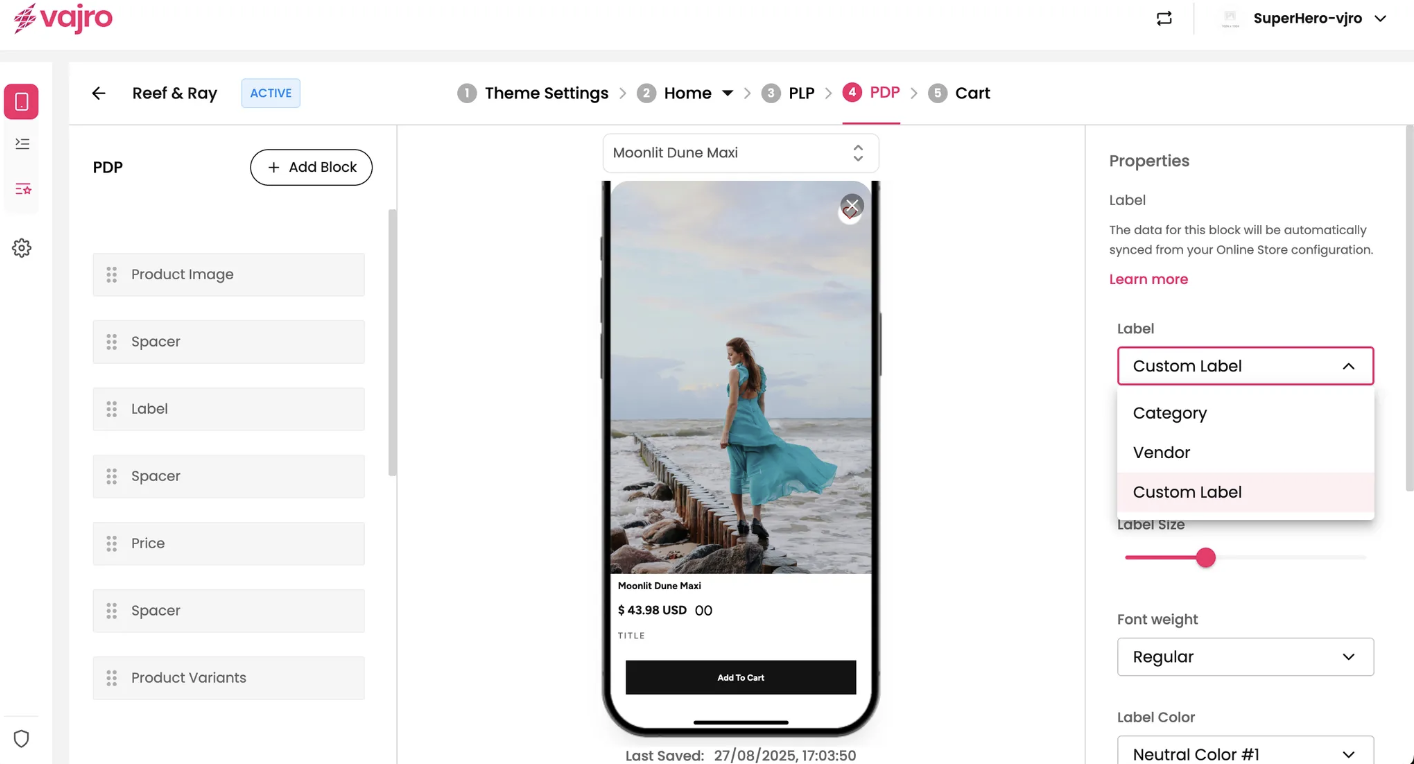
The Label block is a customizable text tag that can be used to display key product information like the category, vendor, or a custom tag. This block helps to quickly inform customers and highlight important product details on the PDP.
Features and Controls
The properties panel for the Product Label block allows you to customize the text, appearance, and position of the label.
Properties Panel
This section is where you manage the visual presentation and content of your product label.
Label: You can set the type of label to display, choosing between Category, Vendor, or a Custom Label as shown in your screenshot where the label type is "Product Title".
Label Copy: If you choose a Custom Label, you can enter the specific text you want to display on the page.
Label Size: Adjust the size of the label text using a slider to fit your design.
Font weight: Select the font weight for the label, such as Regular or Bold.
Label Color: Choose the color of the label text to match your app's branding.
Title Position: This allows you to align the label to the left, center, or right of the page.