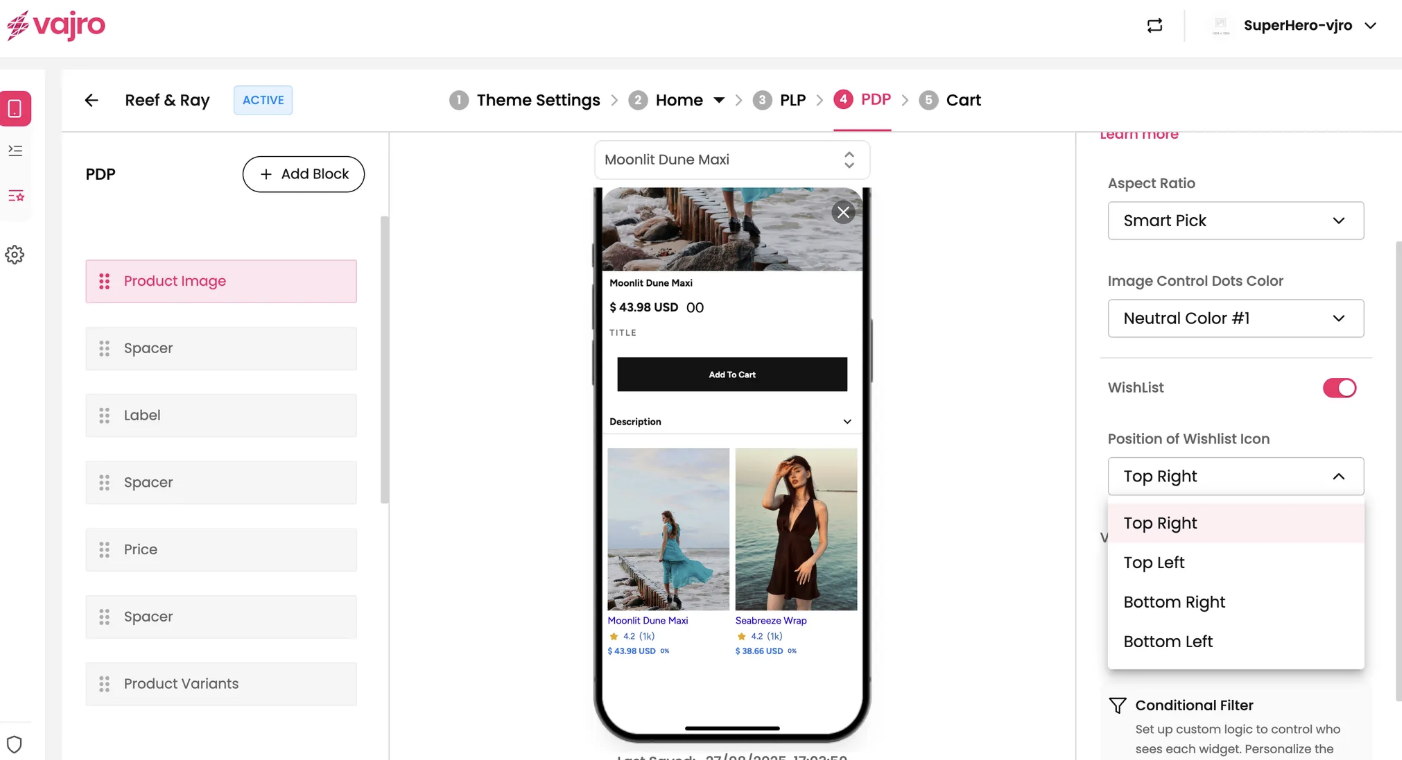
The Product Image block is a crucial component of your Product Details Page (PDP) that displays the product's primary image and any additional images. It is the first visual representation of the product for your customer.
Features and Controls
The properties panel for the Product Image block allows you to customize the appearance and behavior of the images and the wishlist icon.
Properties Panel
This section is where you manage the visual presentation of your product images.
Product Images: The data for this block is automatically synced from your online store configuration. This means the images you've set for your products in your e-commerce platform will be displayed here.
Aspect Ratio: This setting allows you to control the image's proportions to ensure it looks best on your app. The "Smart Pick" option will automatically choose the most suitable ratio.
Image Control Dots Color: Customize the color of the small navigation dots that appear under a carousel of multiple product images.
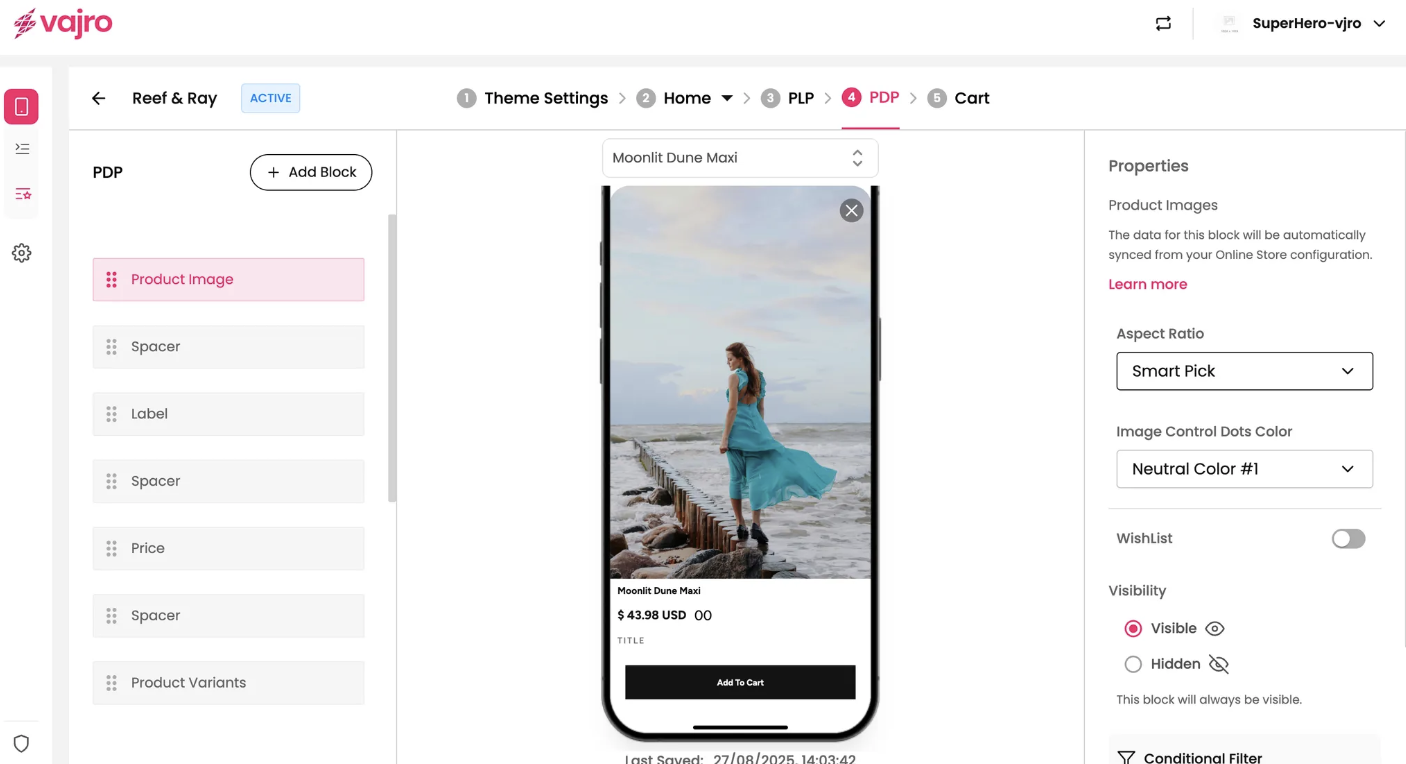
Wishlist: You can enable or disable the wishlist functionality, which allows customers to save the product to a list for later.
Position of Wishlist Icon: If the wishlist is enabled, you can choose where the icon is positioned on the image, such as "Top Right" as shown in the screenshot.