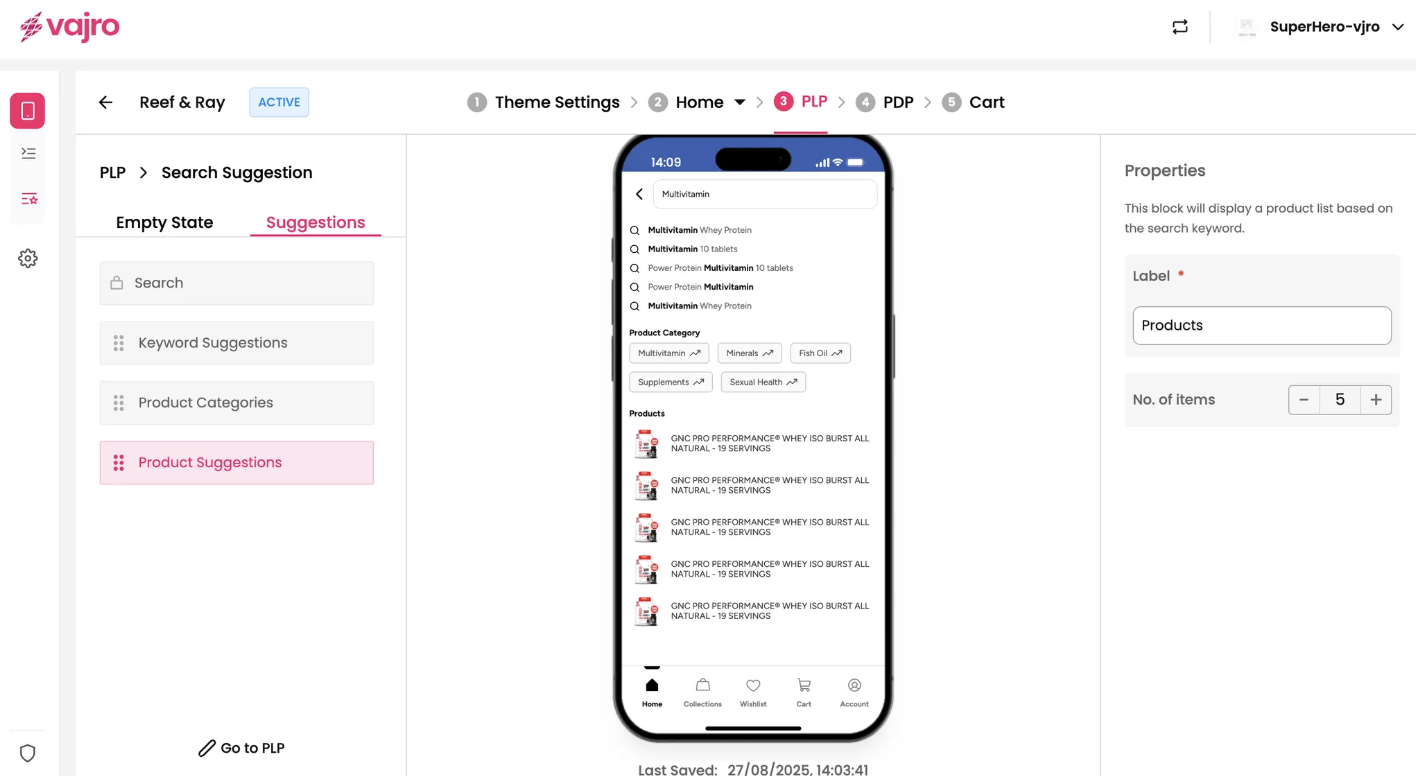
The Suggestions page is an essential part of the search experience that appears after a user begins typing a query. Its purpose is to guide users and present relevant content in real-time. By configuring this page, you can significantly enhance product discovery and user satisfaction.
Features & Controls
Access and customize the Suggestions page by clicking the "Edit Search Page" button, and then navigating to the Suggestions tab. Here you can manage the various blocks and their properties.
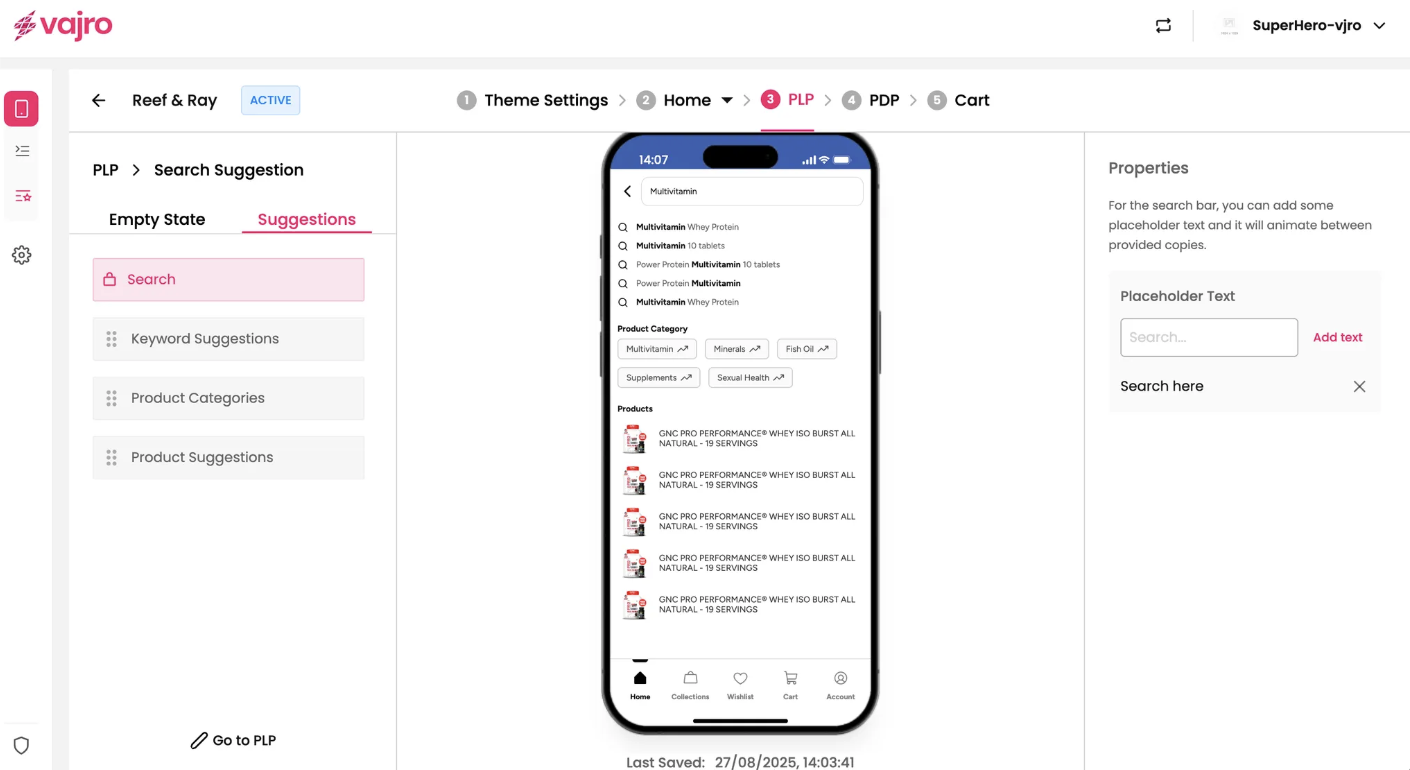
Placeholder Text
For the search bar on this page, you can add some placeholder text that will animate between provided copies, providing dynamic hints to your customers.
Add Text: Click the "Add text" button to input multiple placeholder options.
Search here: You can customize the placeholder text to be more engaging or instructive, such as "Search here."
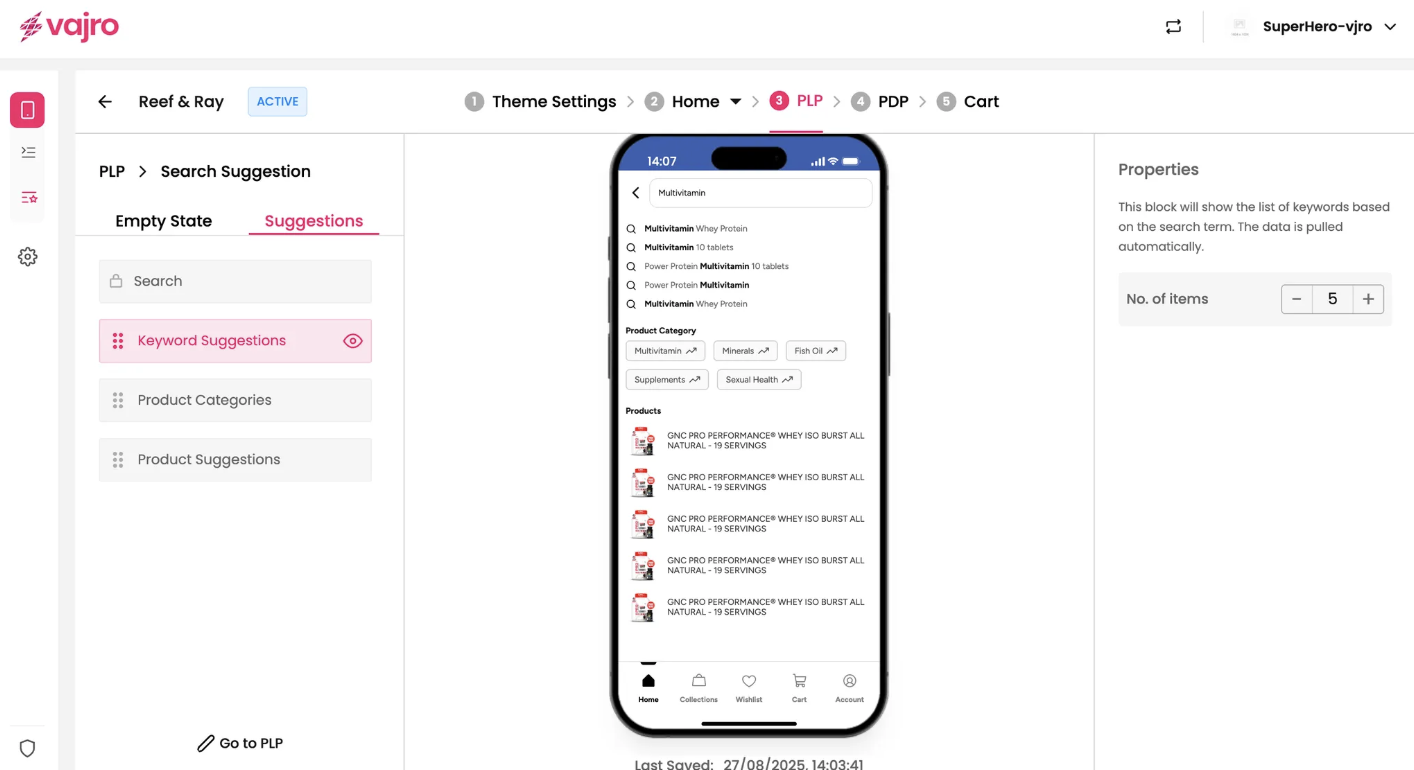
Keyword Suggestions Block
This block shows a list of keywords based on the user's search term. The data is pulled automatically from your store's product catalog.
No. of items: You can set the maximum number of keyword suggestions to display to your customers.
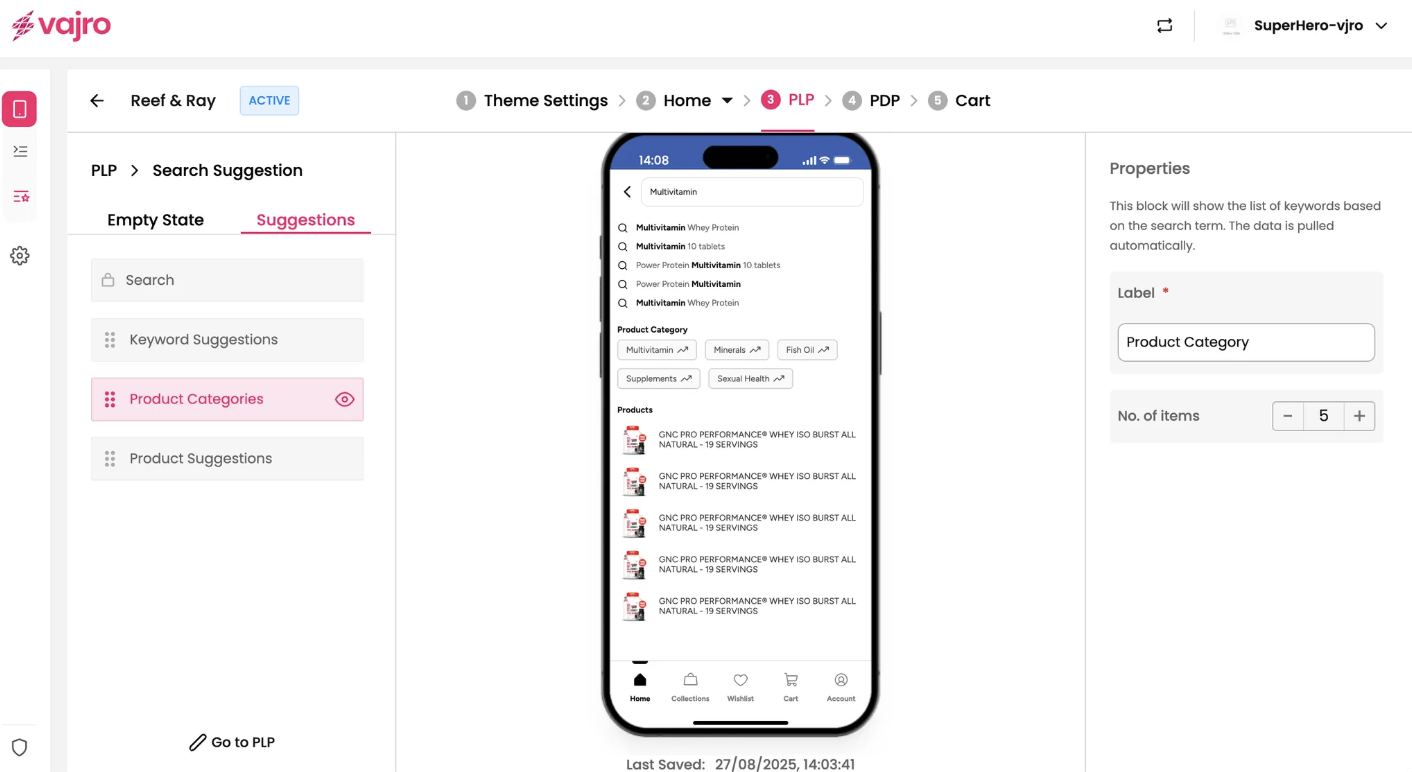
Product Categories Block
This block displays relevant product categories based on the user's partial search query, helping them navigate to broader sections.
Label: Customize the label that appears above this block to make it clear for your customers.
No. of items: You can set the number of suggested product categories to display.
Product Suggestions Block
This block directly suggests specific products that match the user's query in real-time. This can lead to quicker product discovery and conversion.
Label: You can customize the label for this block, such as "Products," to clearly indicate what is being displayed.
No. of items: You can set the maximum number of suggested products to display.