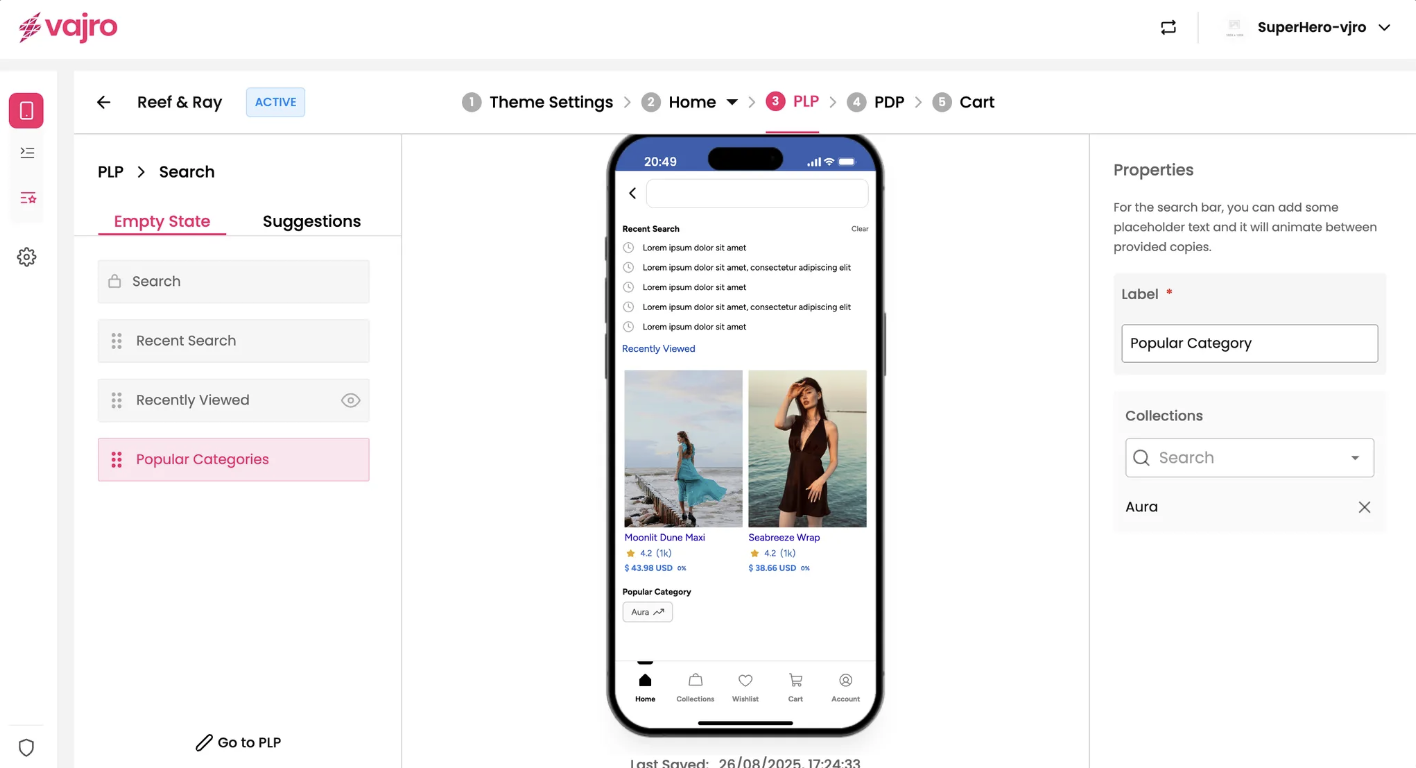
The Edit Search Page functionality provides a comprehensive suite of tools to customize and manage your mobile app's search experience. You can configure the "Empty State" (what users see before they search or if there are no results) and "Suggestions" (what appears as they type or after an initial search). By fine-tuning these elements, you can significantly enhance product discoverability and user satisfaction.
Features & Controls
Access and customize your app's search page by clicking the "Edit Search Page" button (as seen in the PLP block list). This will open a dedicated interface, allowing you to toggle between Empty State and Suggestions tabs, each with its own set of controls on the right panel.
Empty State
The Empty State tab lets you define the elements visible on the search page when a user hasn't yet entered a search query or if no results are found.
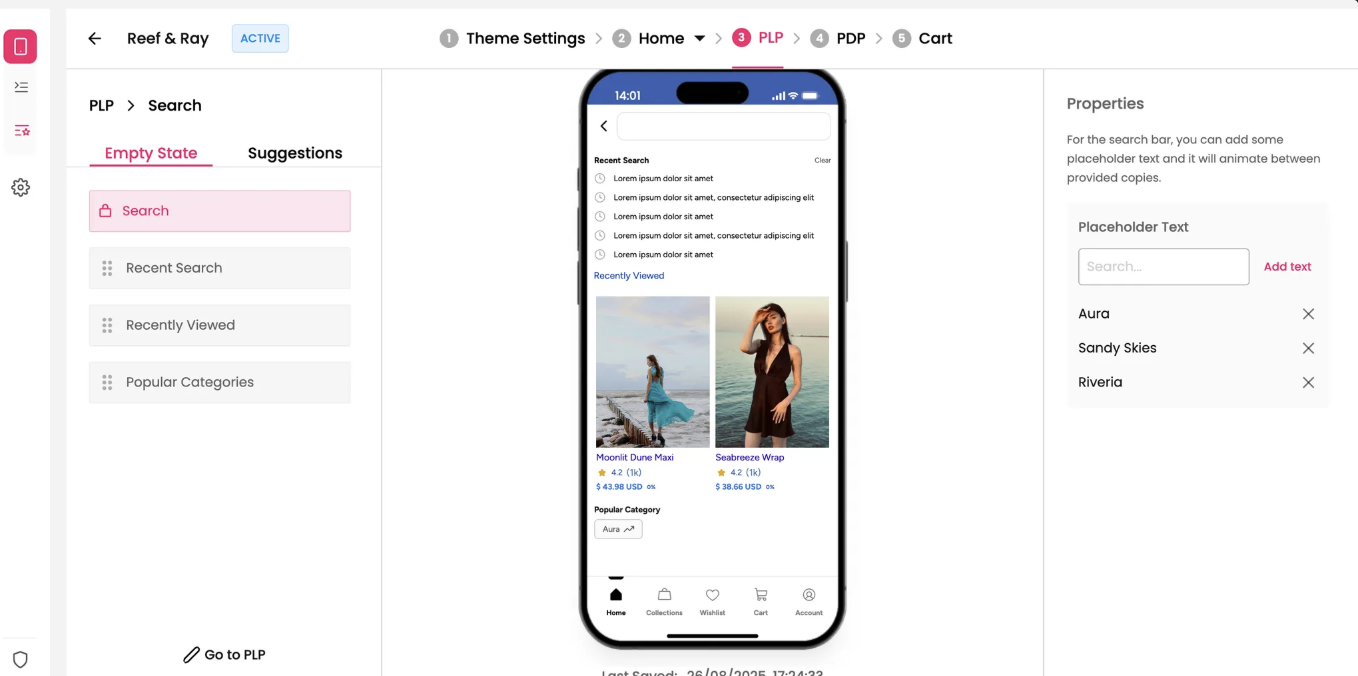
Search Block: This essential component allows users to input their search queries. You can customize its appearance and behavior.
Placeholder Text: You can add multiple placeholder texts that will animate between each other, providing dynamic hints to your customers (e.g., "Aura," "Sandy Skies," "Riveria" in your screenshot).
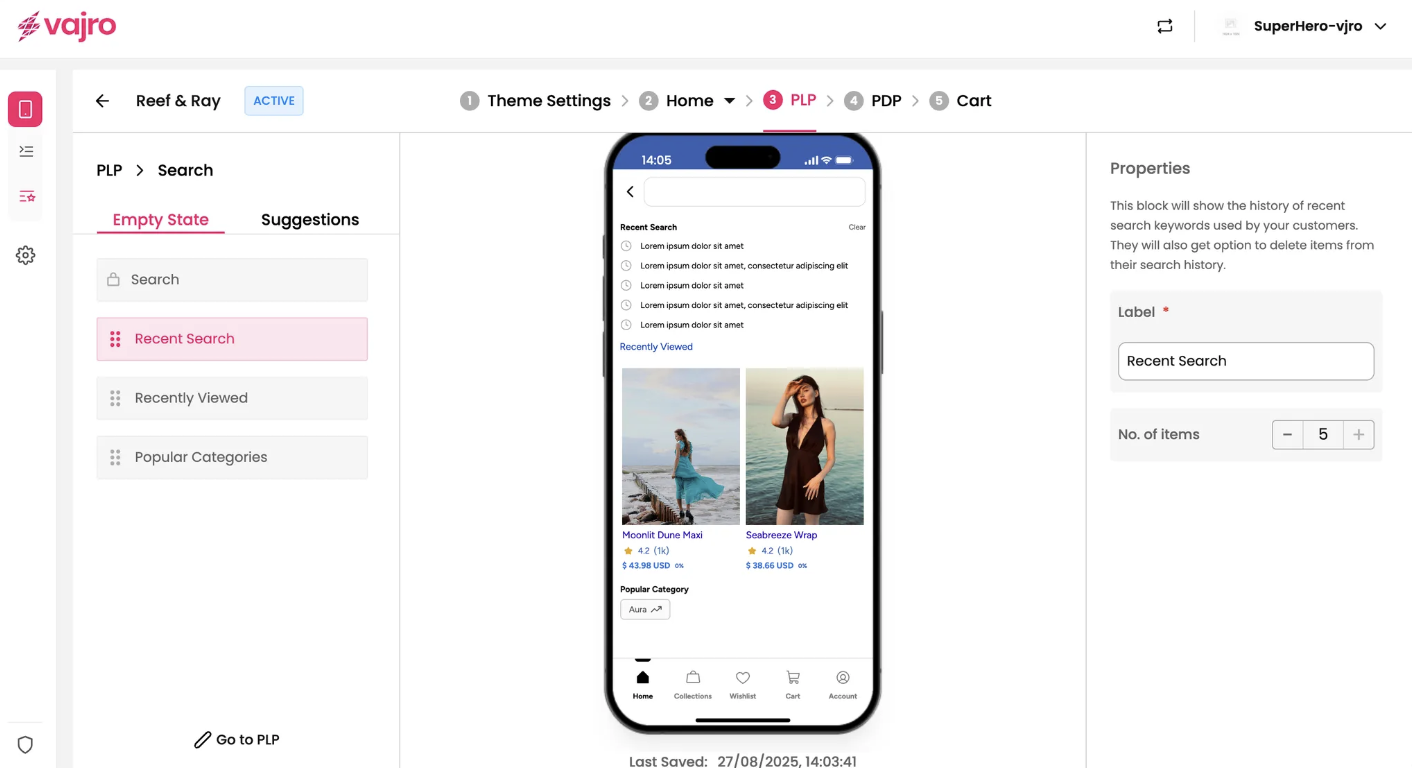
Recent Search Block: Control whether a list of the user's past search queries is displayed. This helps users quickly revisit previous searches.
Label: Customize the heading for the recent search section (e.g., "Recent Search" as shown in your screenshot).
No. of items: Set the maximum number of recent search items to display (e.g., "5" as shown in your screenshot).
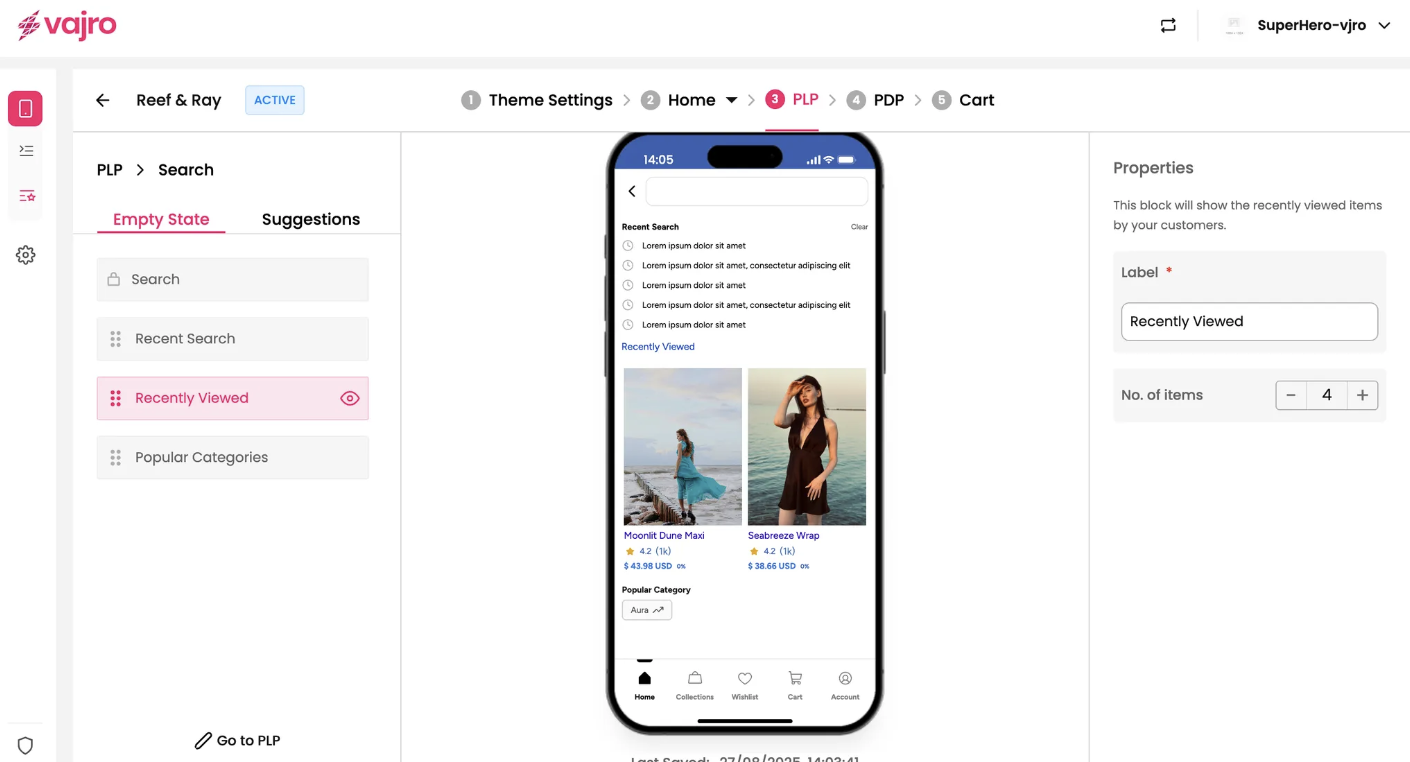
Recently Viewed Block: * Enable/Disable: Choose to display products that the user has recently viewed. This encourages re-engagement with previously interesting items.
Popular Categories Block: * Enable/Disable: Showcase popular product categories to guide users and inspire new search directions, especially when the search field is empty.
Label: Customize the heading for the popular categories section (e.g., "Popular Category" as shown in your screenshot).
Collections: Link to specific collections that you want to highlight as popular categories.