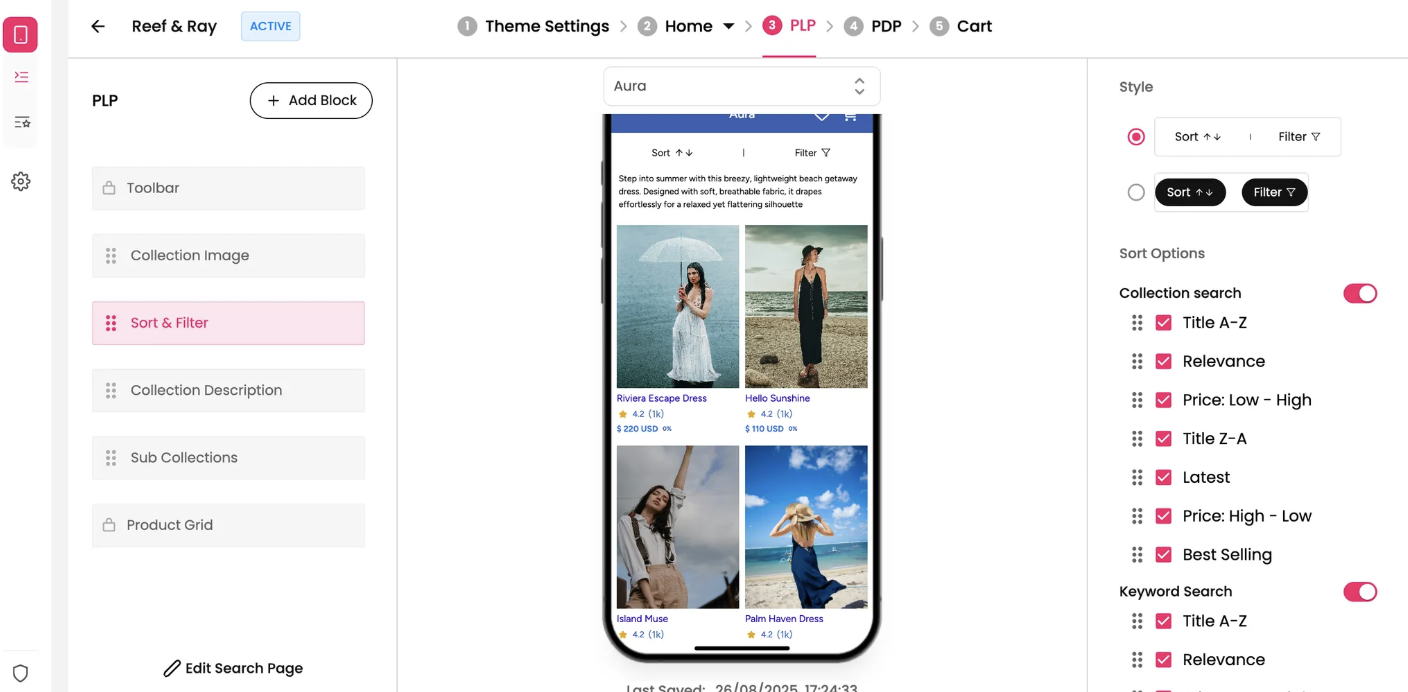
The Sort & Filter block is a vital tool for your customers, allowing them to organize and refine product listings on your Product Listing Pages (PLPs). This feature significantly improves the shopping experience by helping users quickly find desired products.
Features & Controls
Customize your Sort & Filter block using the controls on the right panel.
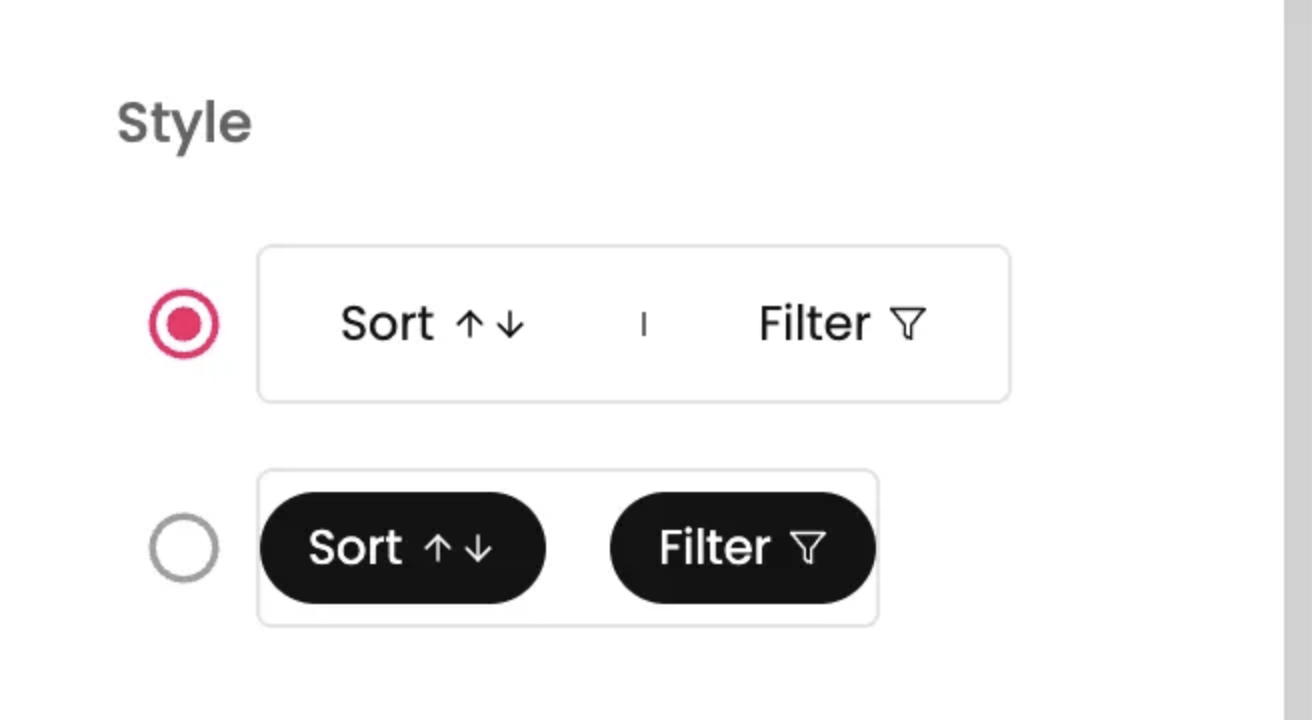
Style
This section lets you choose the visual presentation of the Sort and Filter options. There are two options.
Sort Options
This section allows you to define and manage the various ways customers can sort your product listings.
Collection search toggle: This toggle controls whether sort options are available for collection-wide searches.
Individual Sort Options: You can enable or disable, and reorder, specific sorting criteria. In your screenshots, options like Title A-Z, Relevance, Price: Low - High, Title Z-A, Latest, Price: High - Low, and Best Selling are shown. You can drag and drop them to change their display order.
Scroll Style
This setting controls how the Sort & Filter block behaves when a user scrolls through the PLP.
Scroll with parent (default): As the user scrolls down the PLP, the Sort & Filter block will scroll upwards and eventually off-screen, moving along with the rest of the page content.
Sticky on top: When this option is selected (as seen in your screenshot), the Sort & Filter block will remain fixed at the top of the screen once its original position reaches the viewport's top edge. It will stay visible even as other product content scrolls underneath it, allowing continuous access to sorting and filtering controls.
Managing Sort and Filter Data
The data and options for sorting and filtering products in your app can be managed in a few key ways:
Shopify Discover/Search & Filter App: Shopify's built-in Discover functionality and dedicated Search & Filter apps (available in the Shopify App Store) are powerful tools to define product attributes, tags, and meta fields that form the basis of your filter options. You configure these directly within your Shopify admin, and your app will then pull this data.
Shopify Storefront Search: The default sort options (like "Best Selling," "Price: Low - High") are often driven by Shopify's native storefront search and collection sorting settings.
Integrations: For more advanced or customized sorting and filtering, you might use third-party integration apps. These apps can provide richer filtering capabilities based on complex product data or external systems, offering more granular control over how products are presented and refined.
By utilizing these methods, you ensure that your app's sort and filter options are robust, accurate, and aligned with your product catalog.