"Klaviyo Geofencing" refers to the ability to use real-time GPS data from your customers' mobile devices to trigger automated marketing messages the moment they enter or exit a specific geographic area—your "Geo-fence."
Unlock the power of location-based marketing. With the new Klaviyo Geo-fencing feature in your Superfans app, you can trigger highly personalized push notifications and marketing flows based on your customers' physical location.
Whether you want to send a "Welcome back!" message when a customer enters your store or an exclusive offer when they are nearby, this integration bridges the gap between your mobile app and your Klaviyo marketing strategy.
Before you begin, ensure you have the following:
Active Superfans App: Your mobile app must be live.
Klaviyo Account: You must have an active Klaviyo account connected to your store.
Location Permissions: Your app must be configured to request and receive location permissions from users. Please note that the location permission for the app must be set to “Always”.
Step 1 : Login to Klaviyo Dashboard
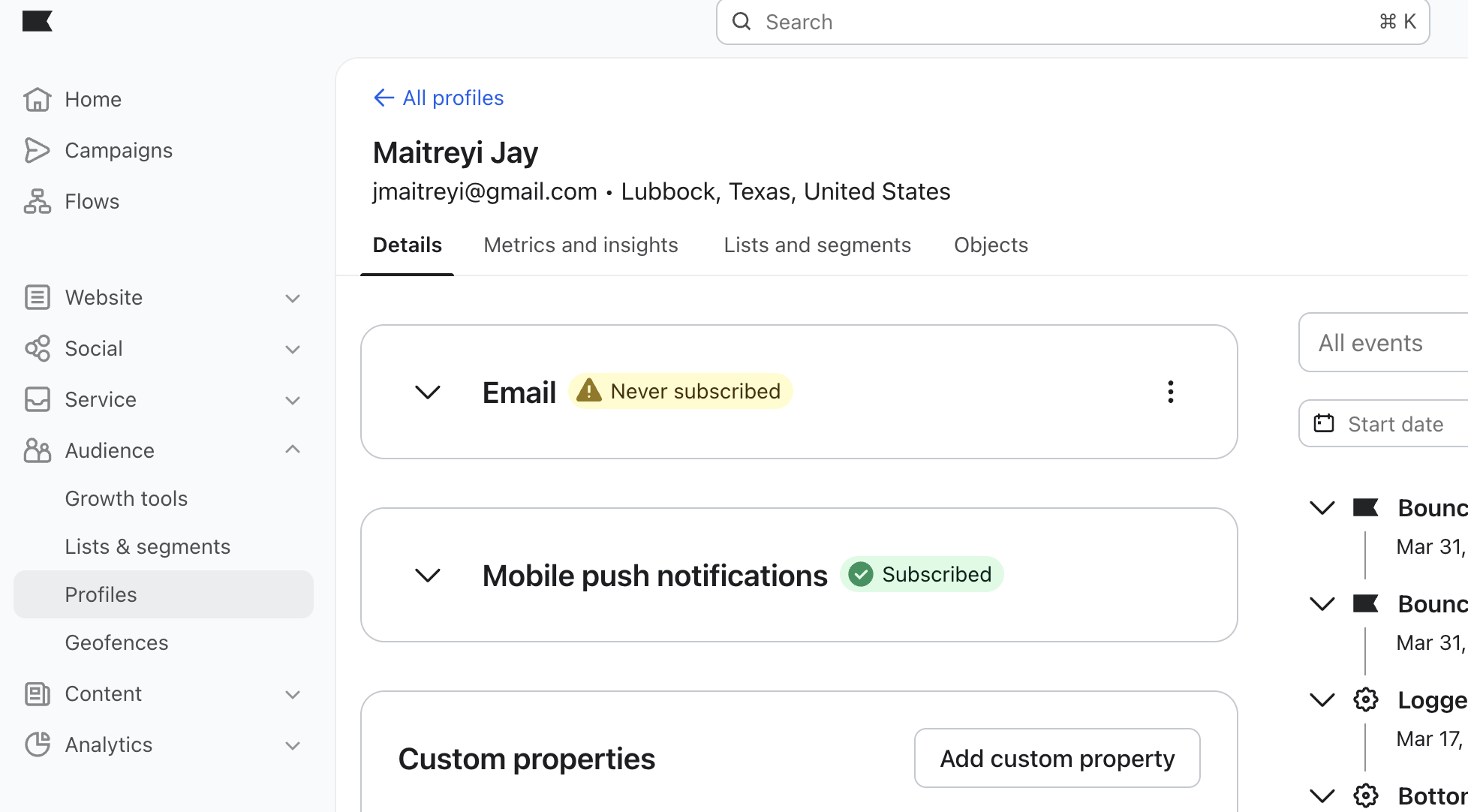
Step 2 : Navigate to “Geofences” under Audience menu.
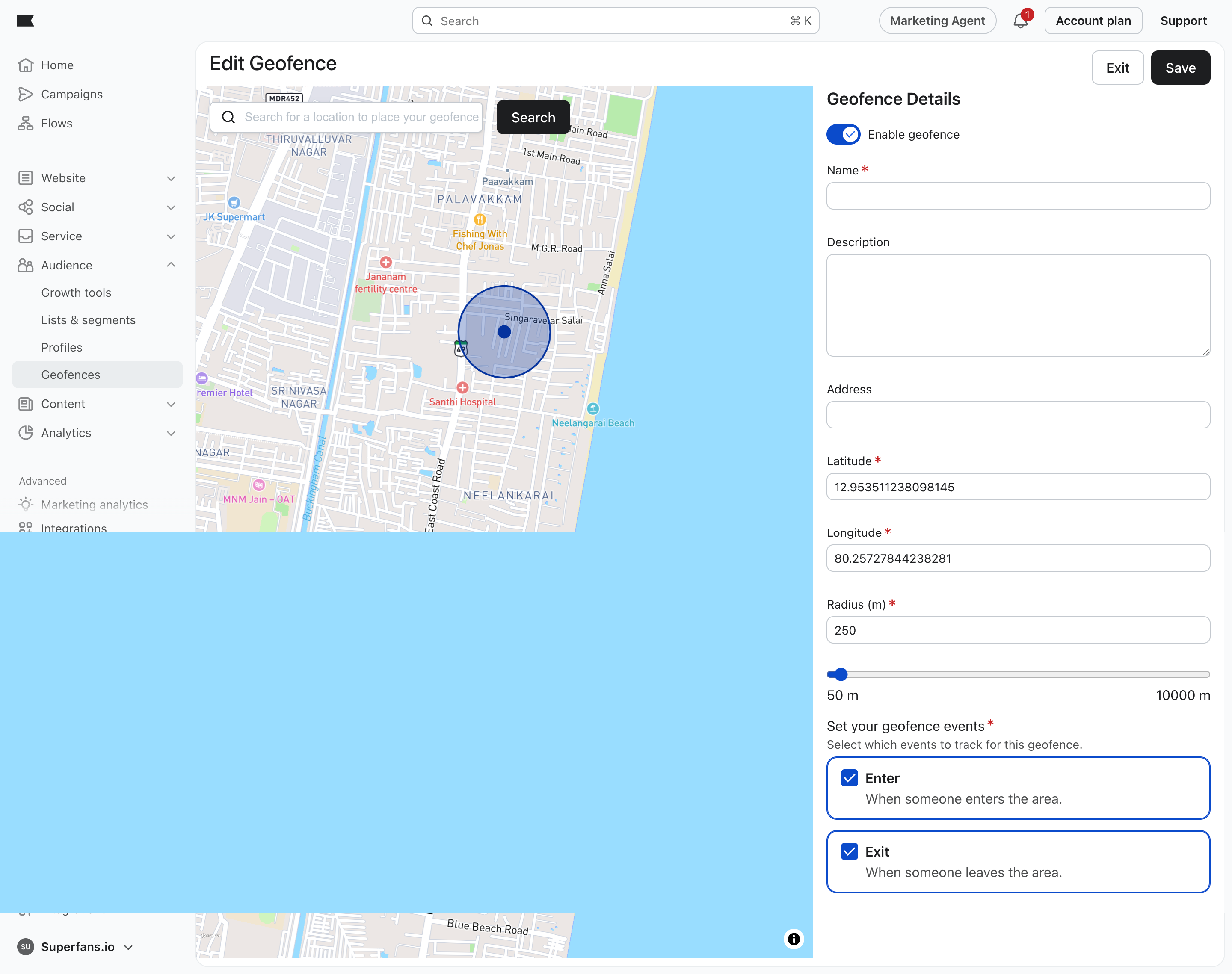
Step 3 : Create a required geofence by providing name, Latitude,Longitude,Radius and geofence events to track.

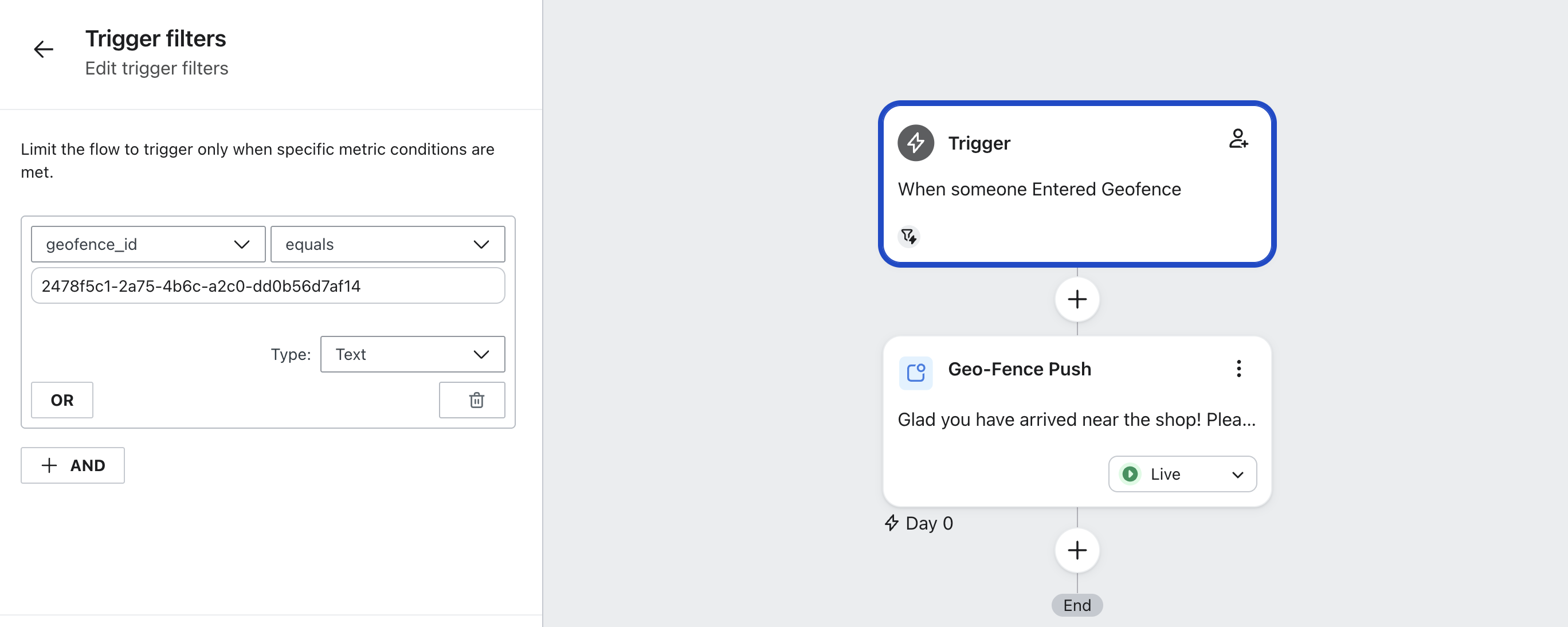
Step 4 : Create a Klaviyo flow to send push notifications automatically based on the geofence. Provide a geofence ID to send push based on particular geofence.
Step 5 : Thats it! You location based marketing is all set!
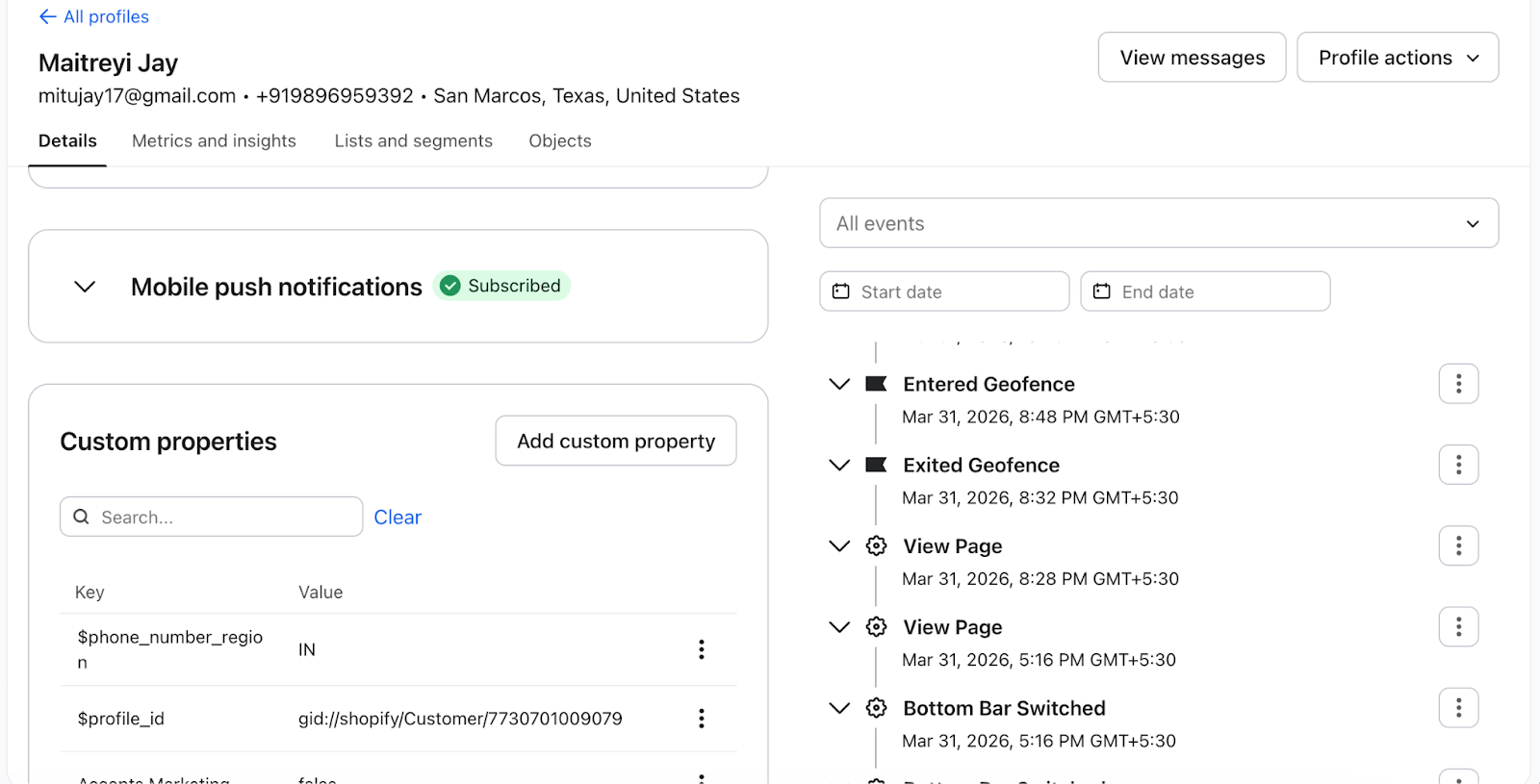
Ensure the Geofence events are tracked for a particular user by visiting the profile.
Keep it Relevant: Use geo-fencing for limited-time offers or "Store-Only" exclusives.
Respect Privacy: Always ensure your app's privacy policy clearly states that location data is used to improve the shopping experience.
Test Before Launch: Create a test profile in Klaviyo and physically visit the location to ensure the event triggers as expected.