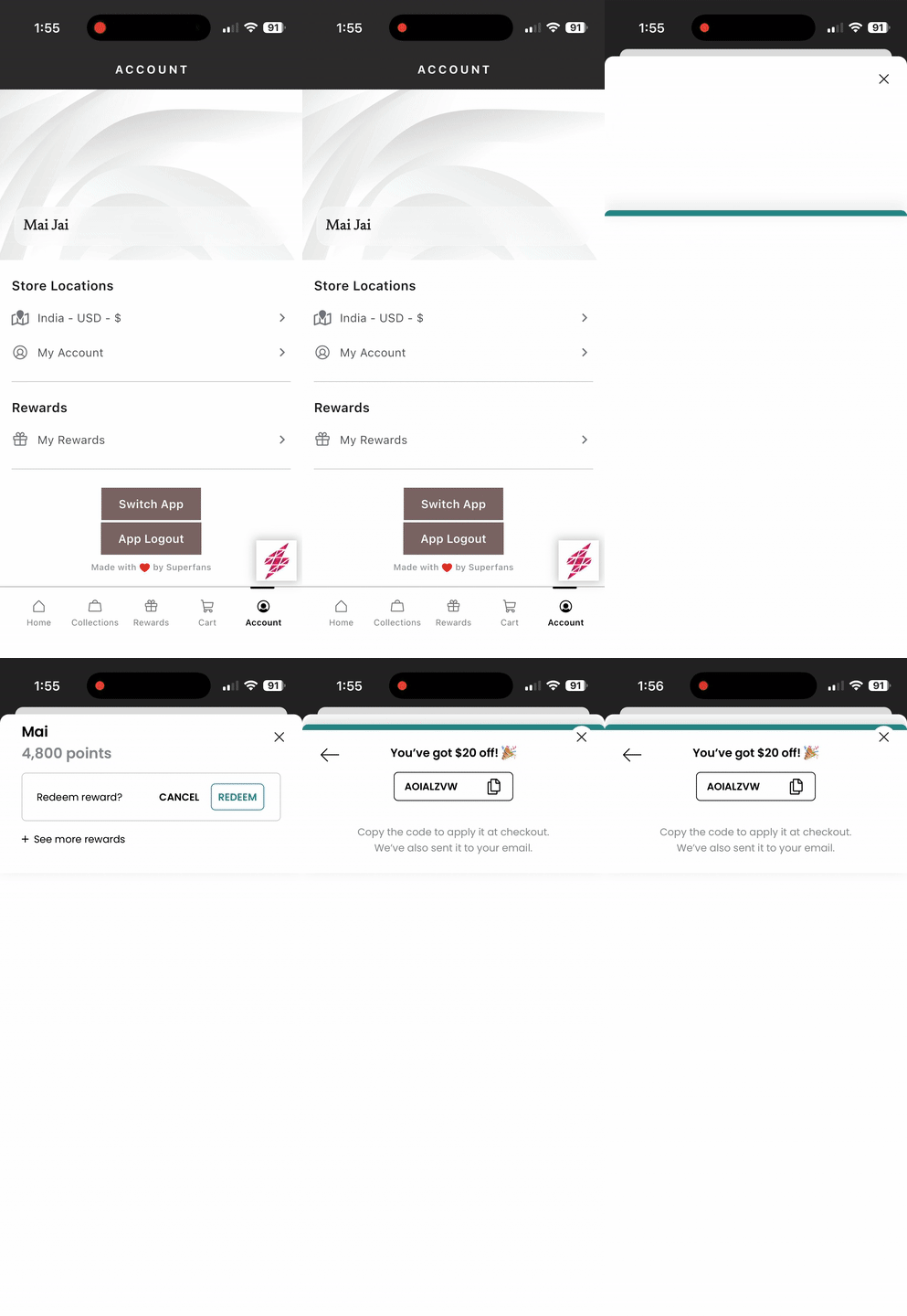
Superfans supports integration with Yotpo Loyalty & Rewards, allowing merchants to bring their advanced loyalty, VIP tiers, and referral programs into the mobile app. This integration ensures that points earned on the web are synced perfectly with the app, providing a unified reward experience for your customers.
Yotpo is an industry-leading loyalty platform that helps brands:
Reward customers for purchases, reviews, and social follows.
Create tiered VIP programs with exclusive perks.
Manage robust referral programs to acquire new customers.
Unified Point Balance: Customers see the same point balance across your Shopify store and mobile app.
In-App Redemption: Users can exchange points for discount codes without leaving the app.
VIP Tier Visibility: Display customer status (e.g., Bronze, Silver, Gold) to encourage more spending.
Native Feel: The rewards interface is optimized for mobile screens for a high-conversion experience.
There are 2 steps to enable the Yotpo on the Superfans app.
Enabling the plugin on the Superfans Dashboard
Placing the block on the app
Enabling Yotpo on Superfans Dashboard
Step 1: Navigate to the Plugins section from the side menu.
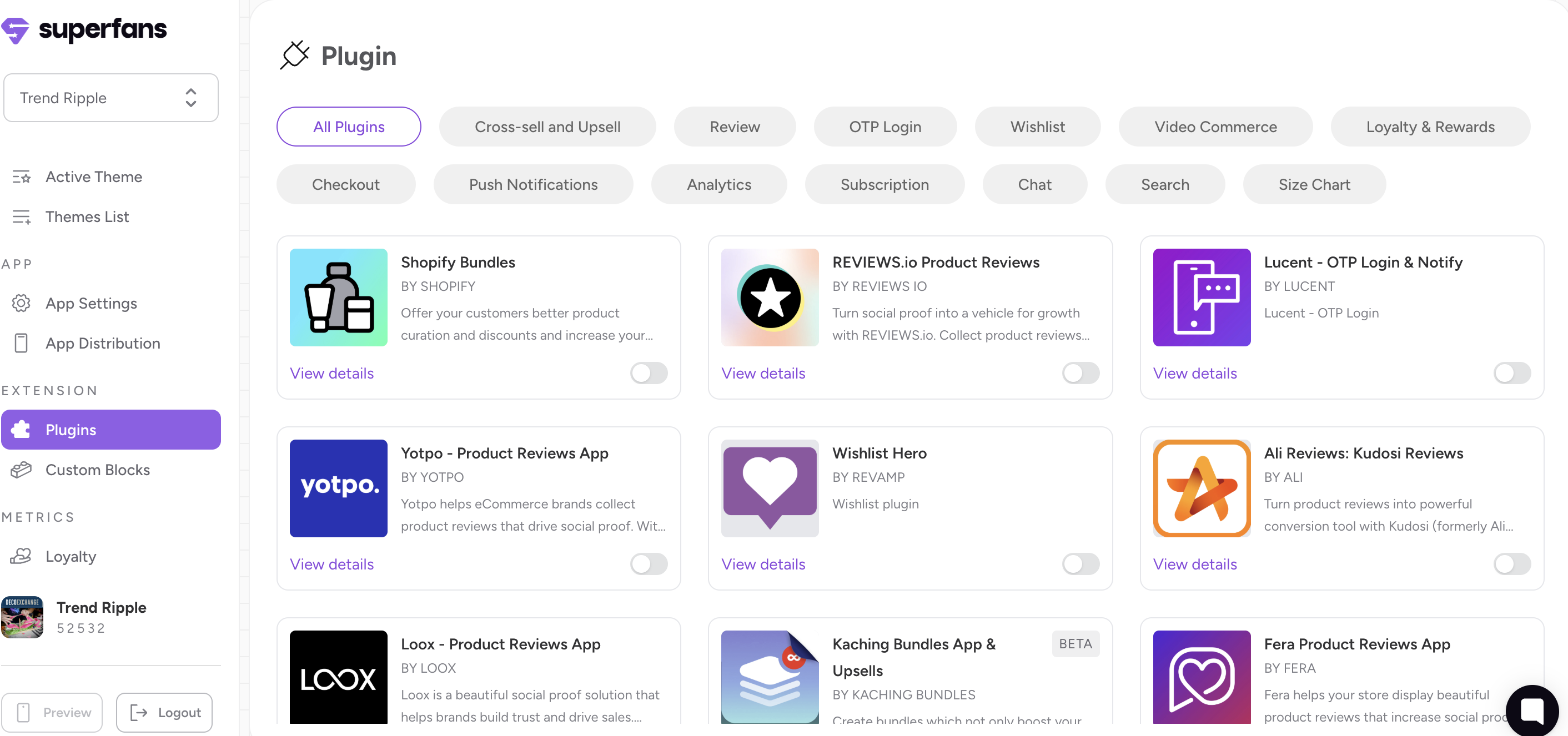
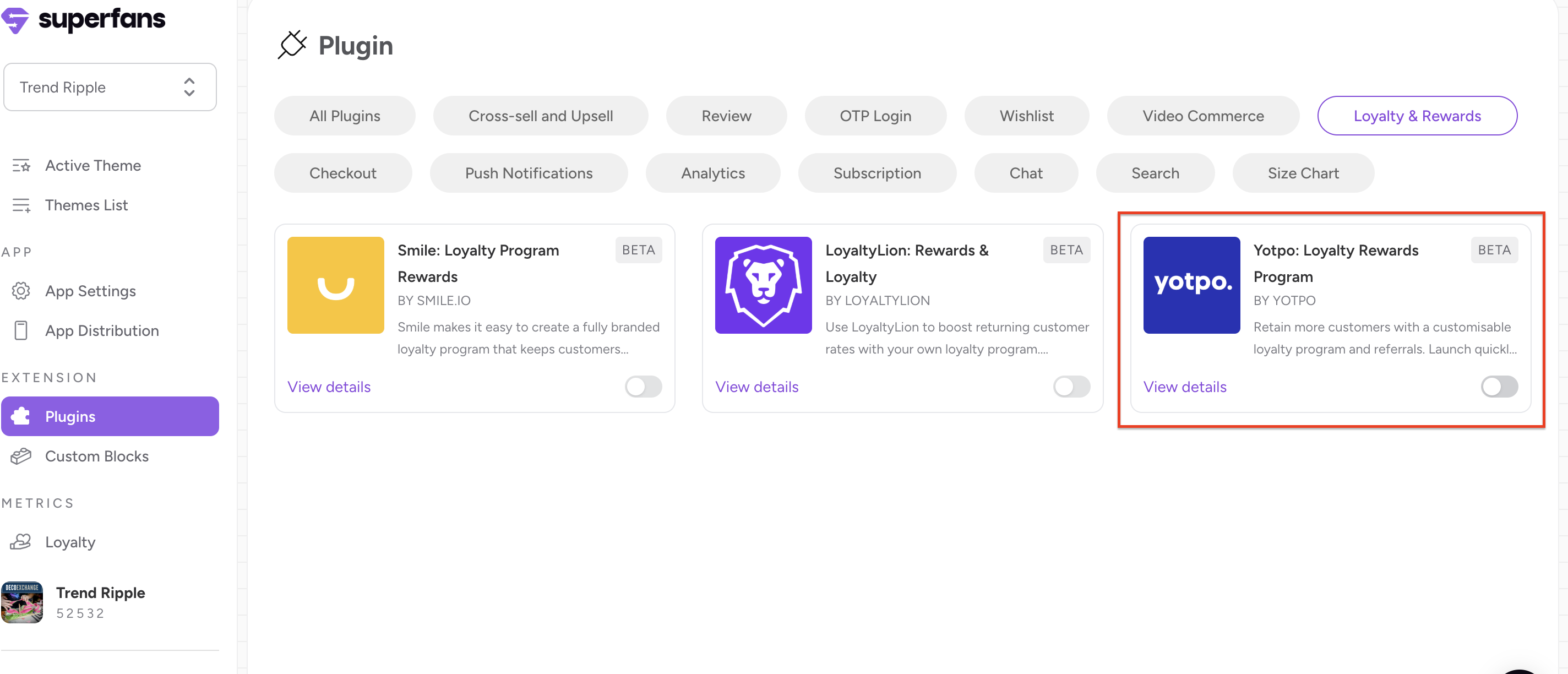
Step 2: Select the “Loyalty & Rewards” category and toggle the Yotpo Loyalty & Rewards plugin to ON.
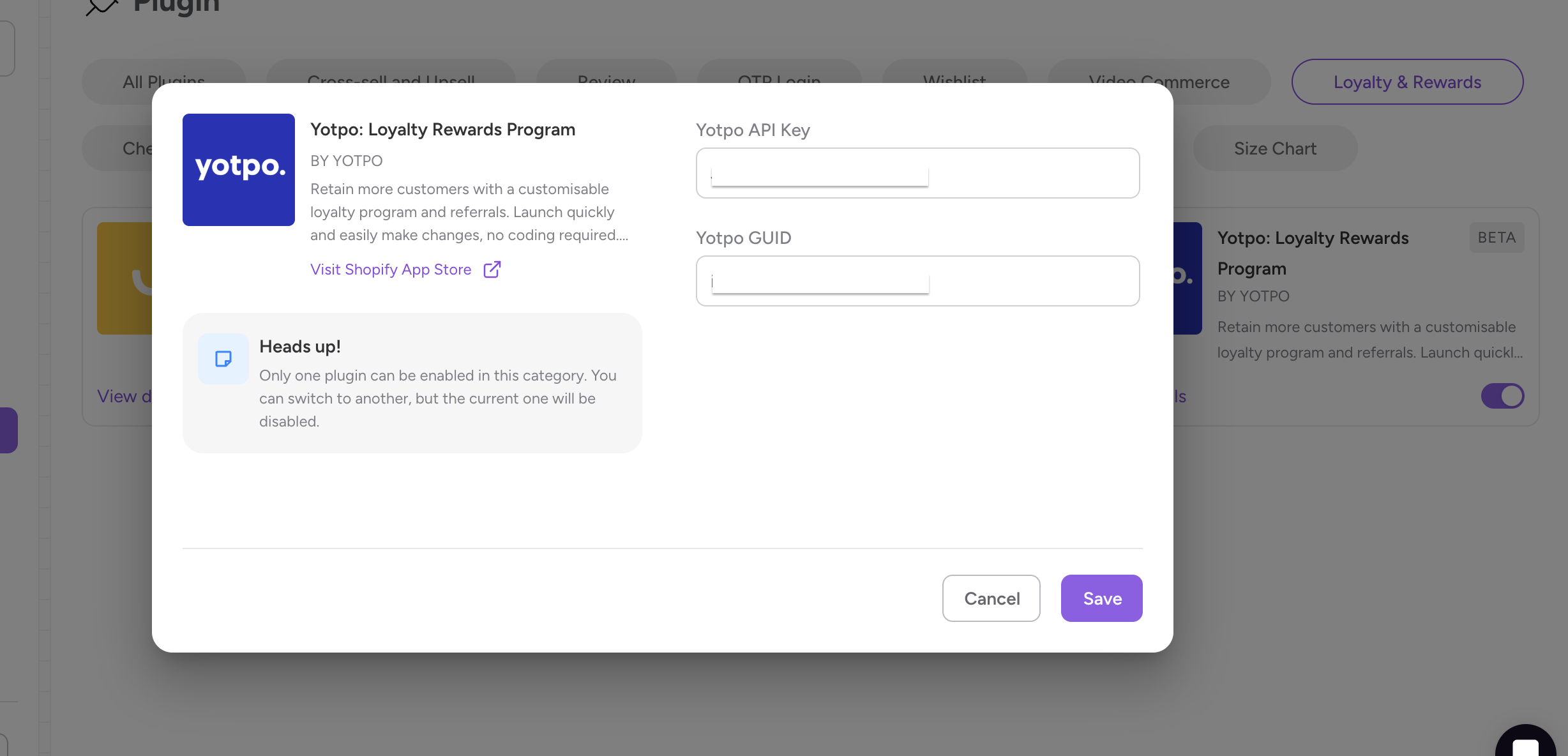
Step 3: Provide your API Key and GUID (API Secret) and click on “Save and enable plugin”.
How to Retrieve Yotpo API Key and GUID
Step 1: Log in to your Yotpo Loyalty & Rewards admin.
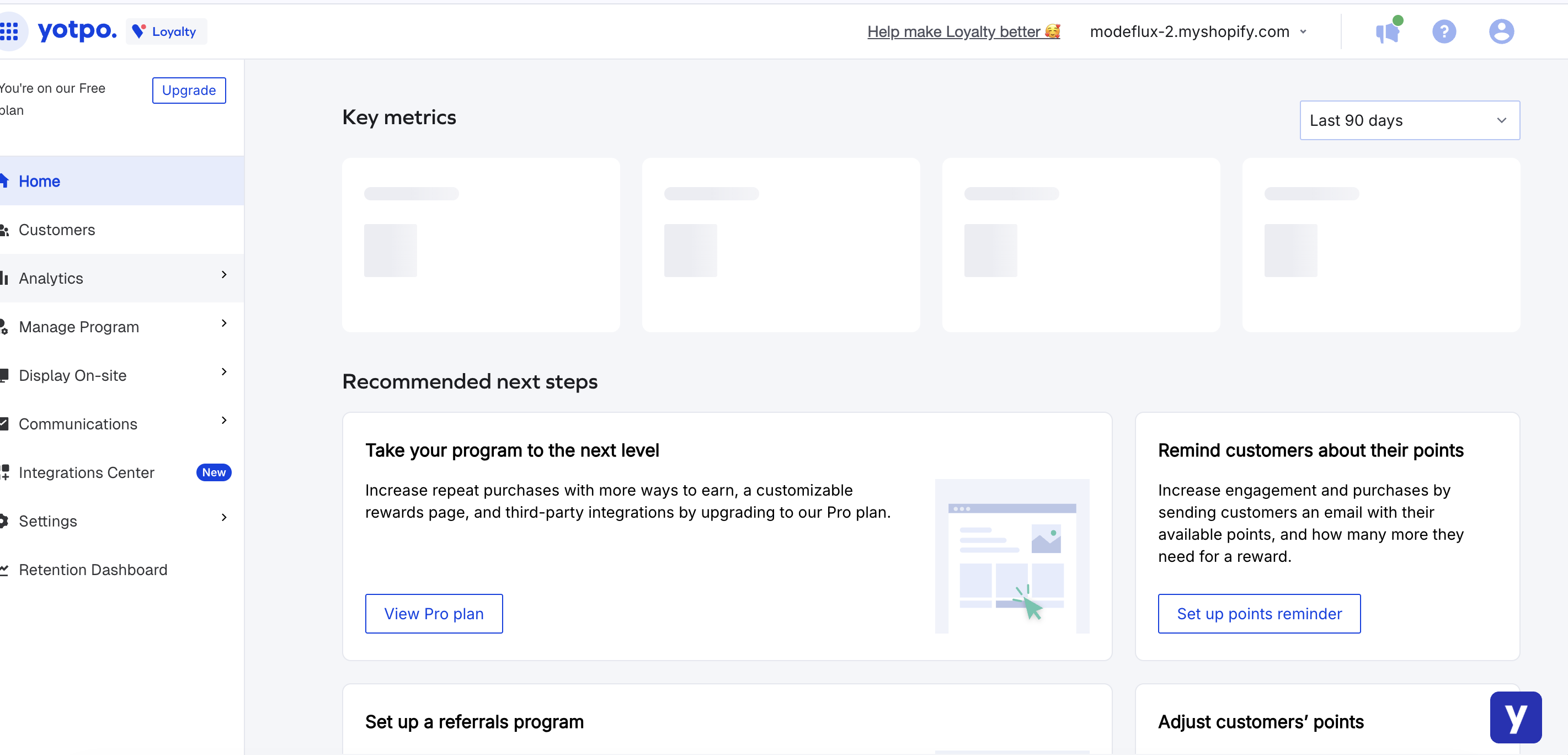
Step 2: Click on Settings in the bottom-left corner and select General Settings.
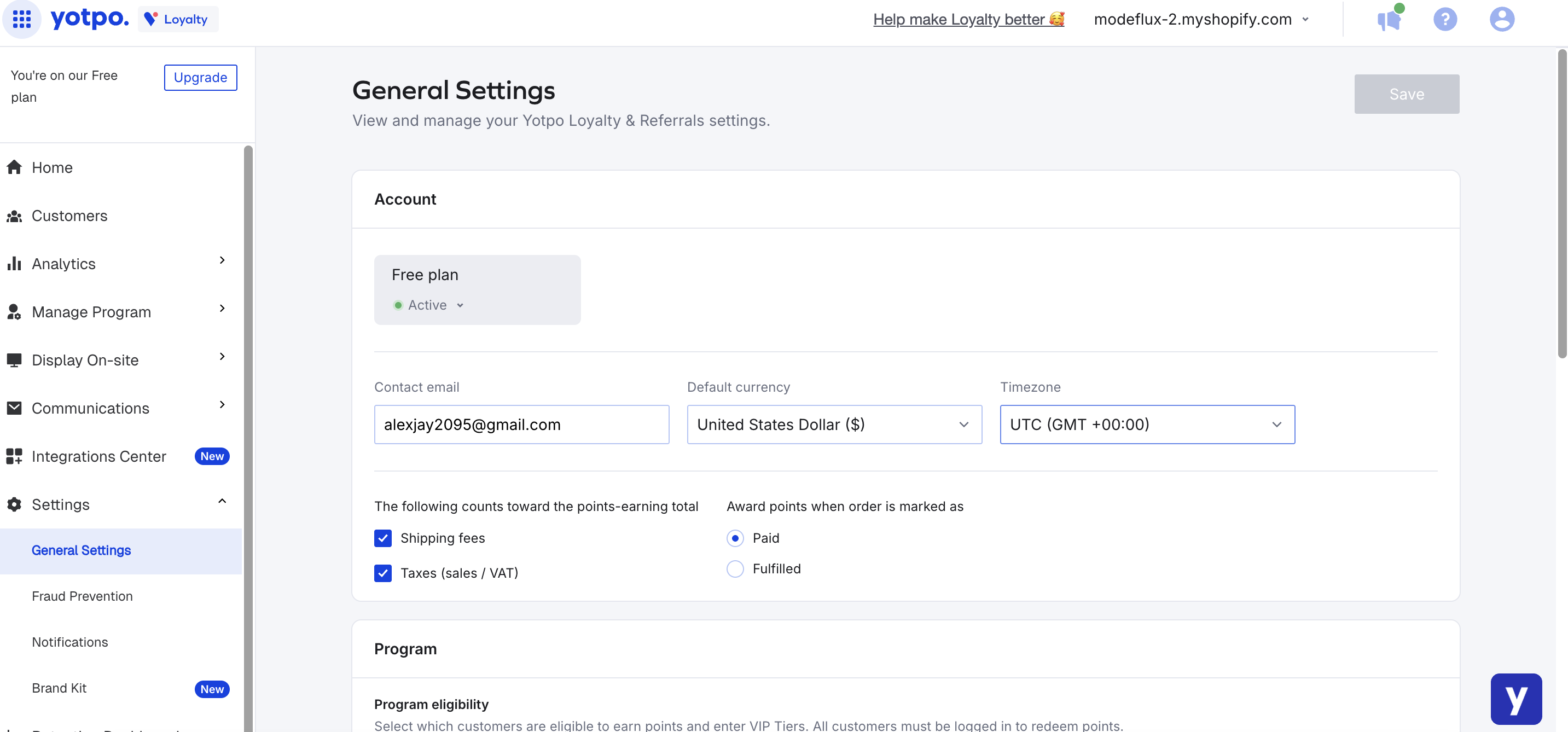
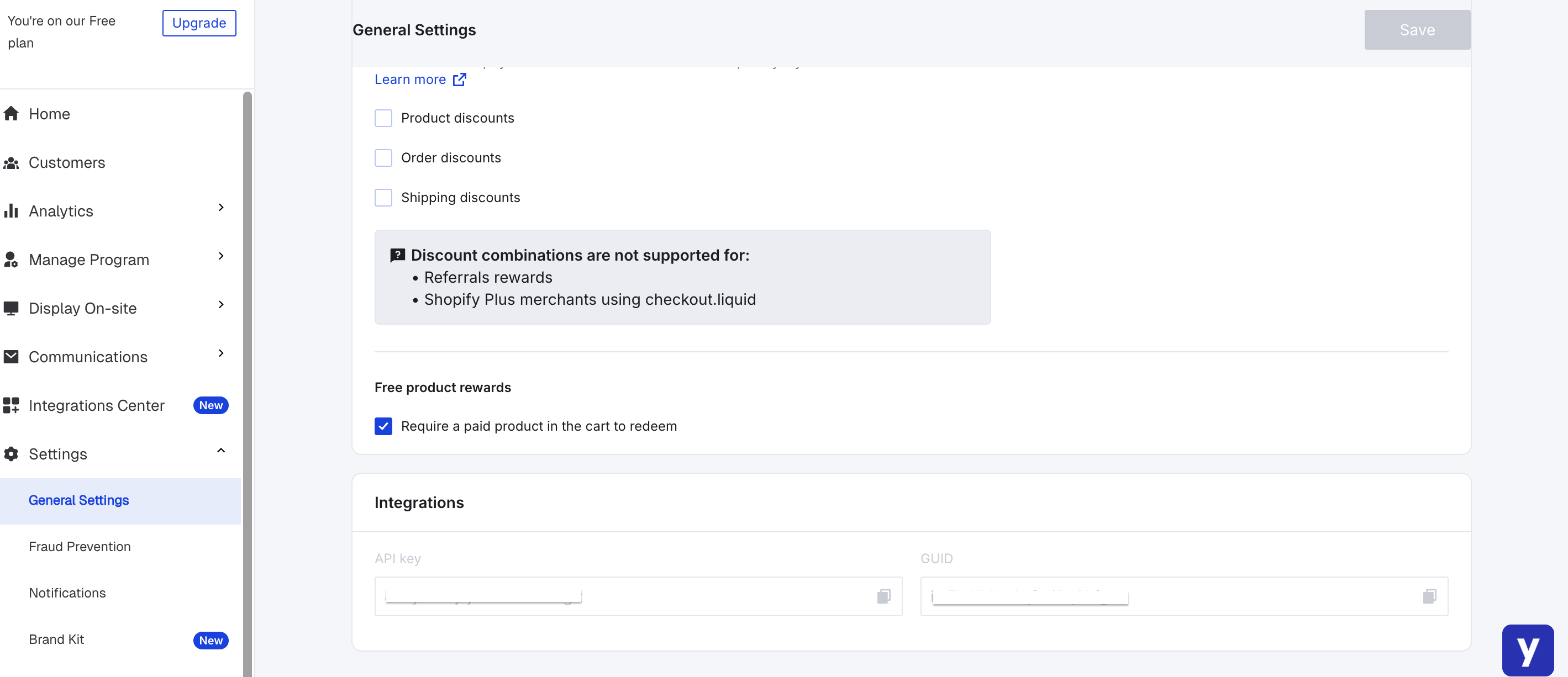
Step 3: Copy the API Key and the GUID provided in the "Integrations" section.
Placing the block on the app
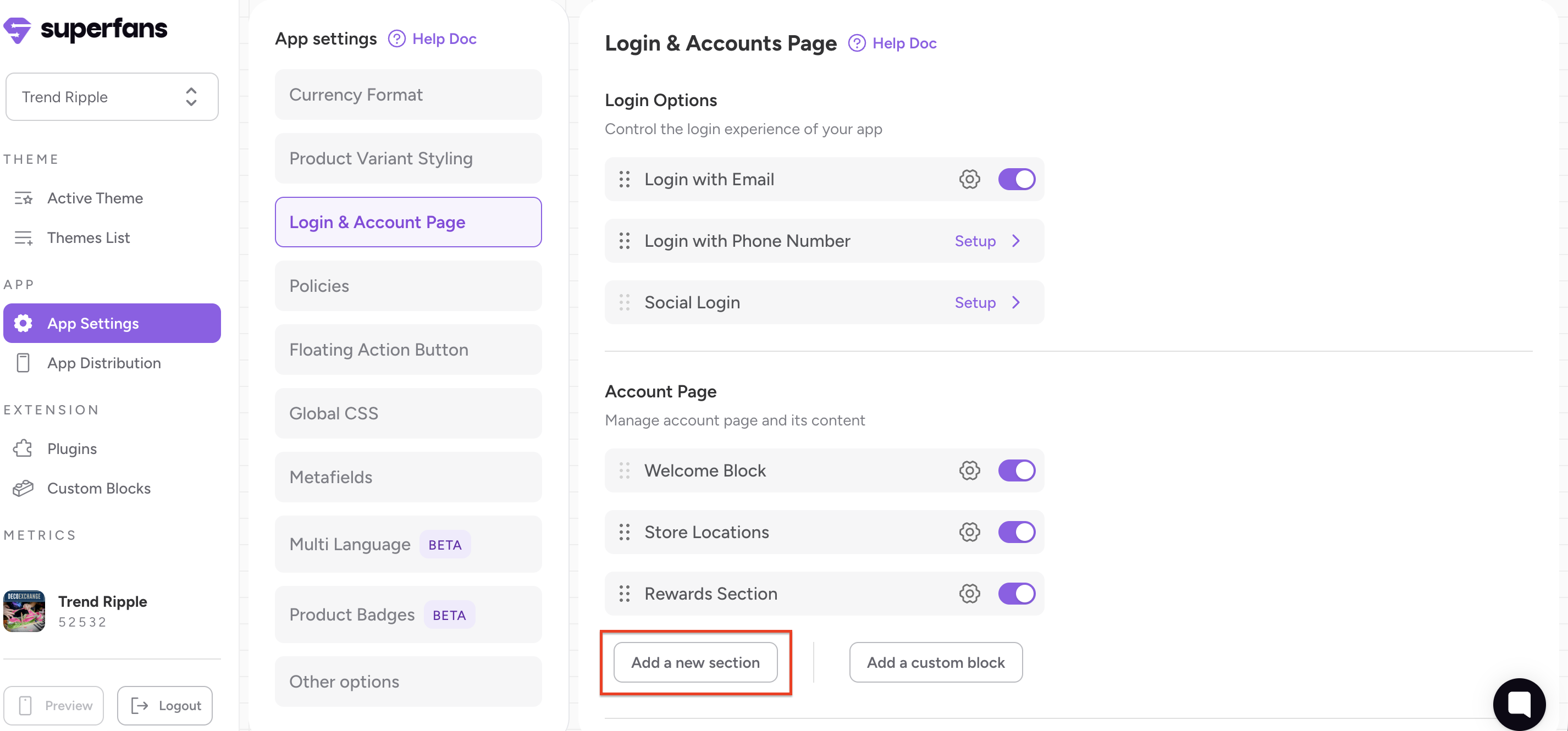
Step 1: Navigate to App Settings > Login & Account Page section.
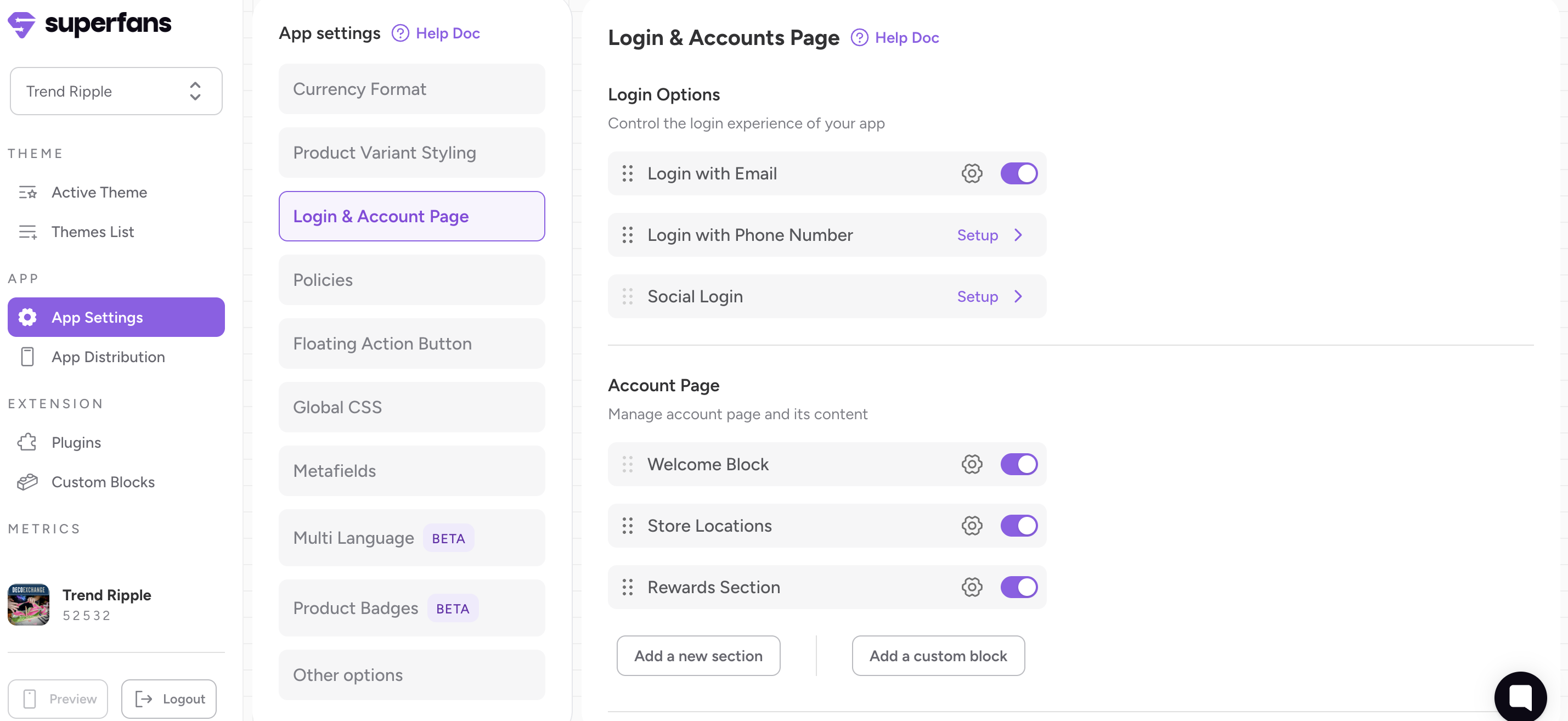
Step 2: Click “Add New Section” to create a loyalty area on the Account page.
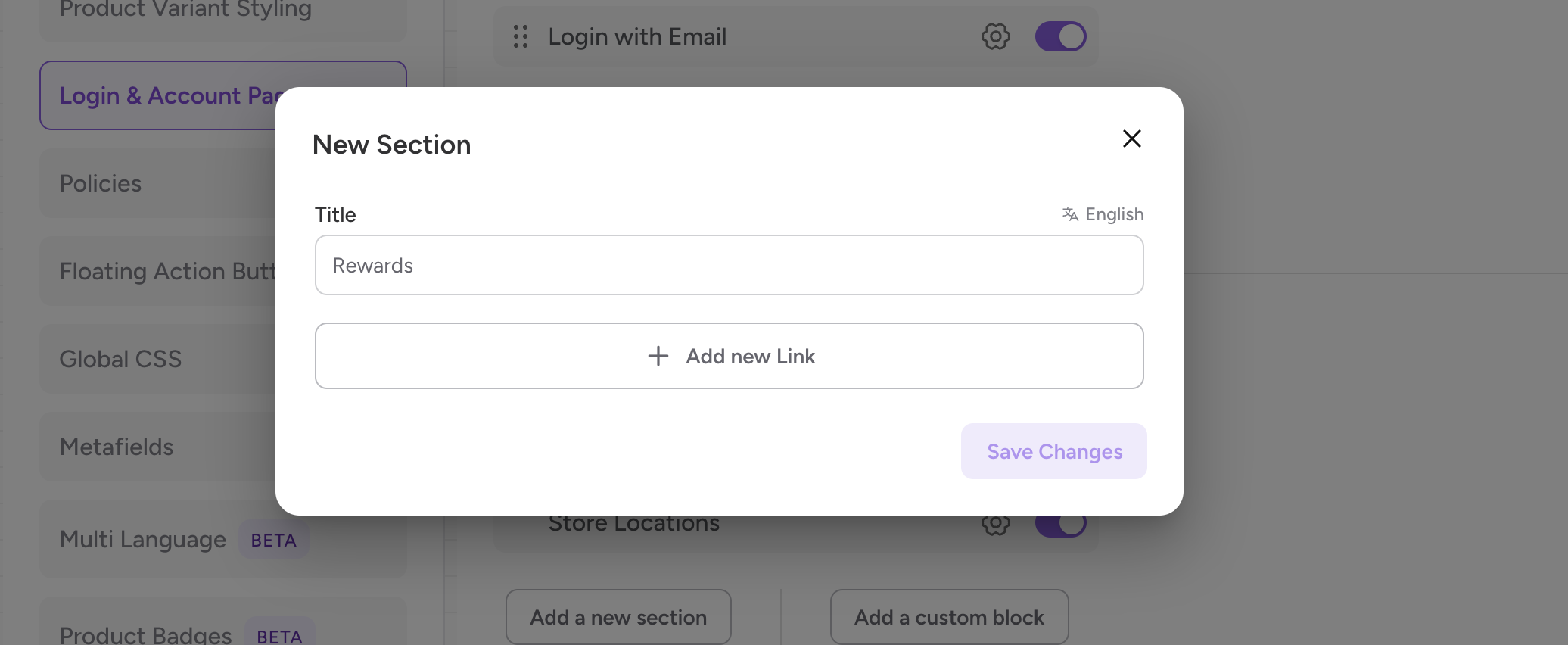
Step 3: Provide a Title (e.g., "My Rewards") and click on Add New Link.
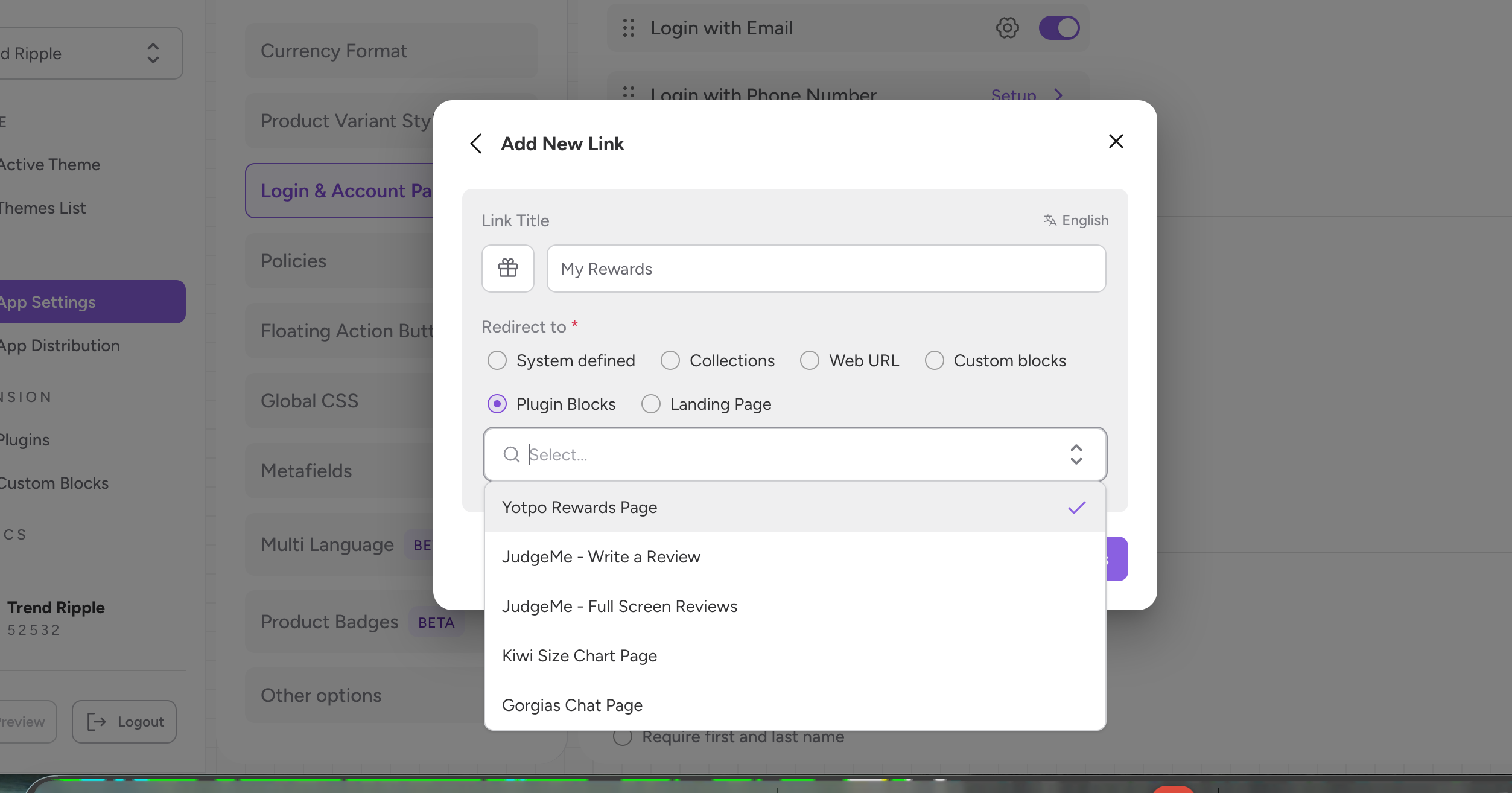
Step 4: Provide the icon, name for the link and select the “Redirect to” property as Plugin blocks and choose Yotpo Rewards Page from the dropdown.
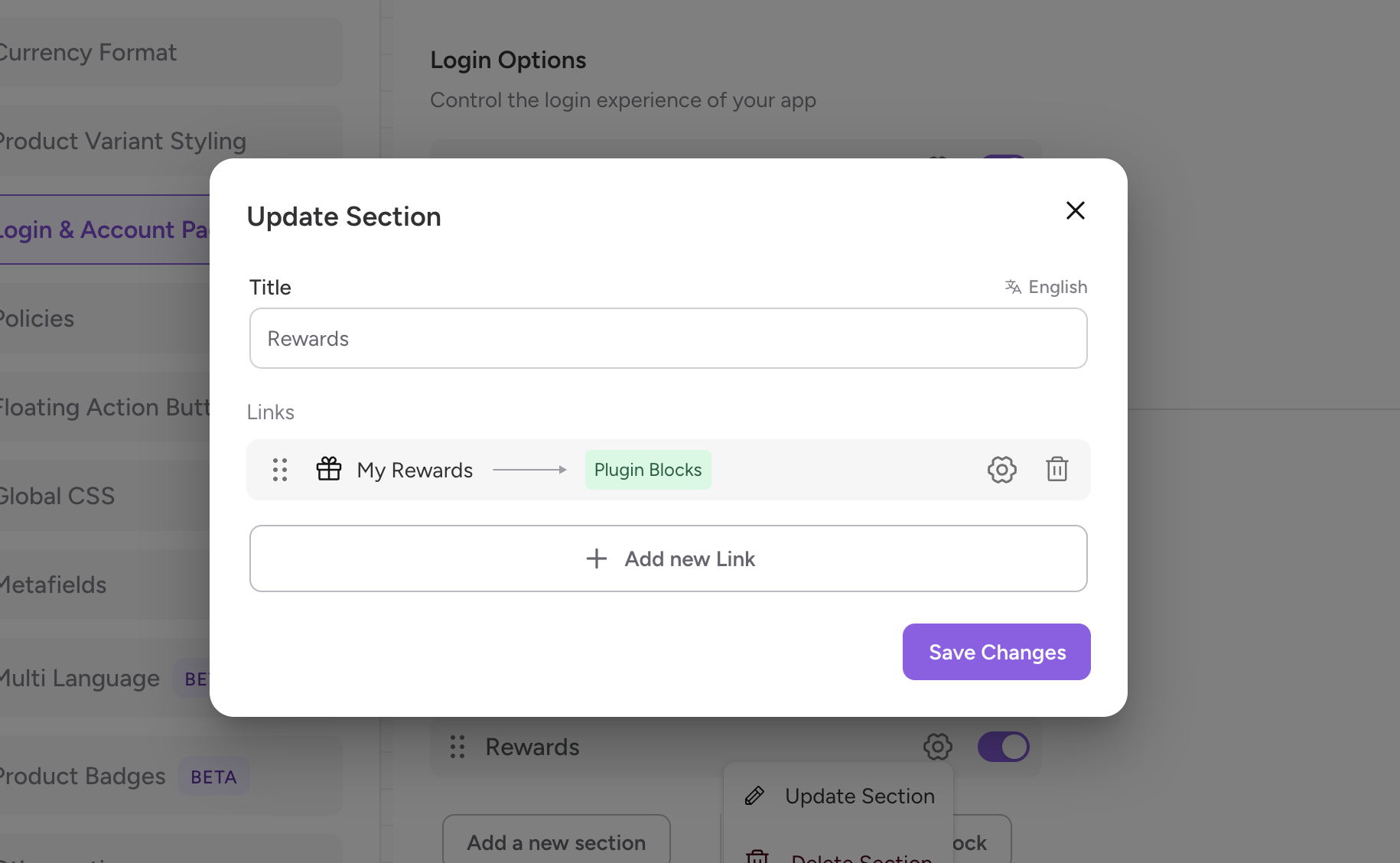
Step 5: Click “Save Changes”.
Yotpo on the app works similar to how it works on the website. Based on the configurations you have on Yotpo, the rewards points will get accumulated on placing order and you can redeem the points as well.