

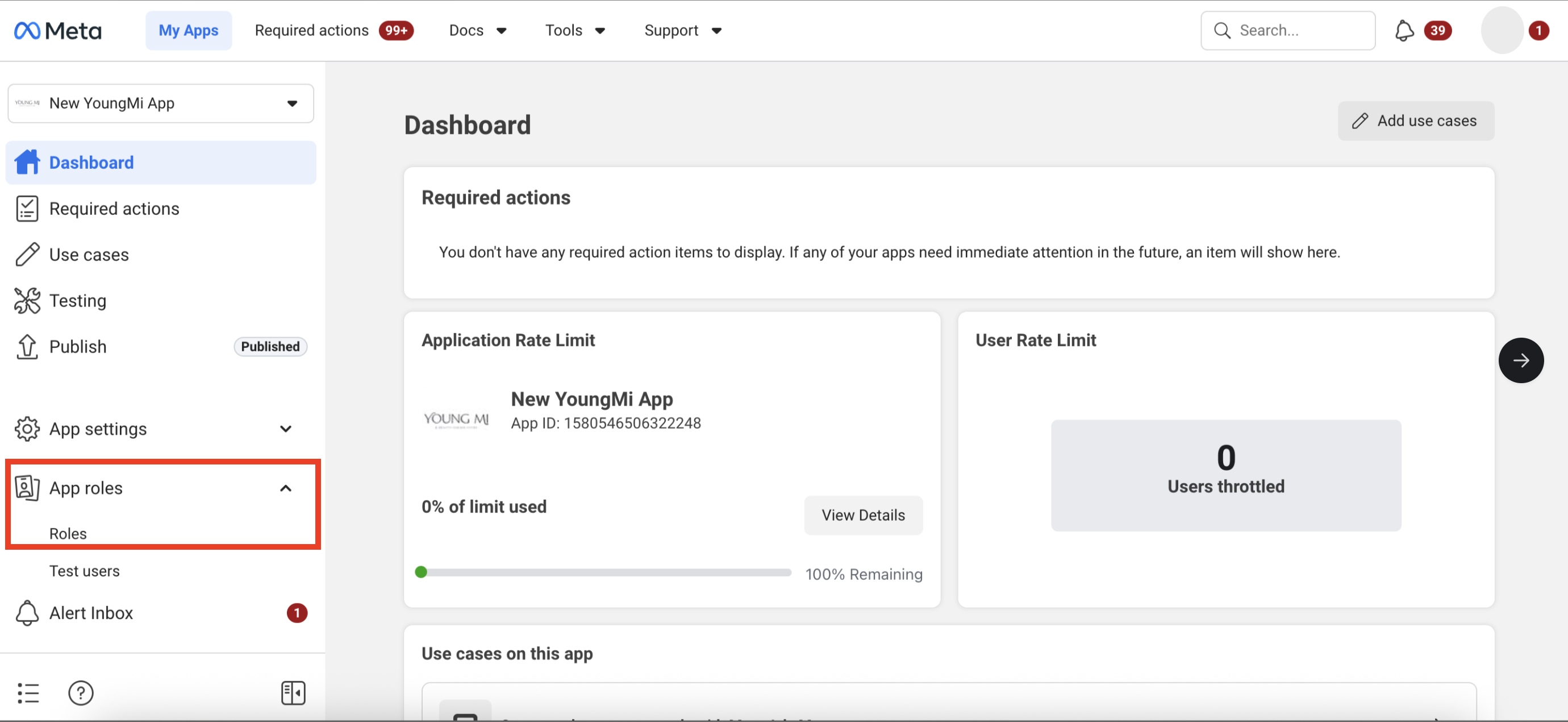
Step 1: Go to App roles > Roles.
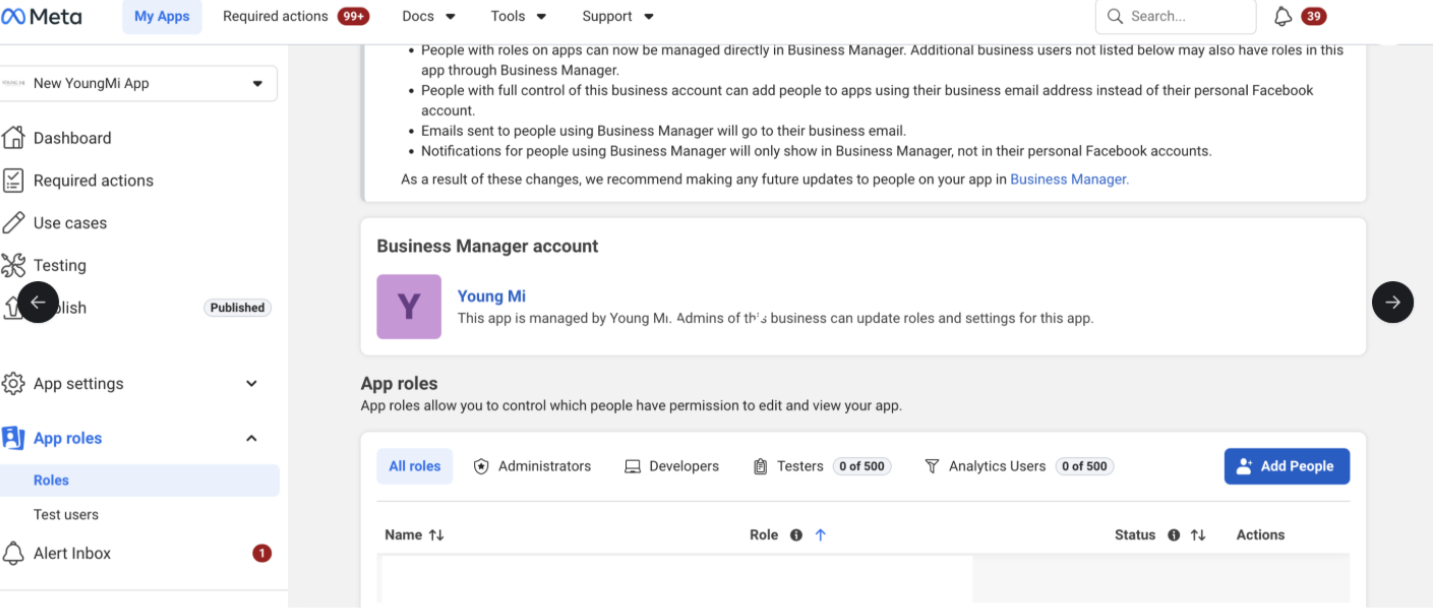
Step 2: Under App roles, click on the Add People button.
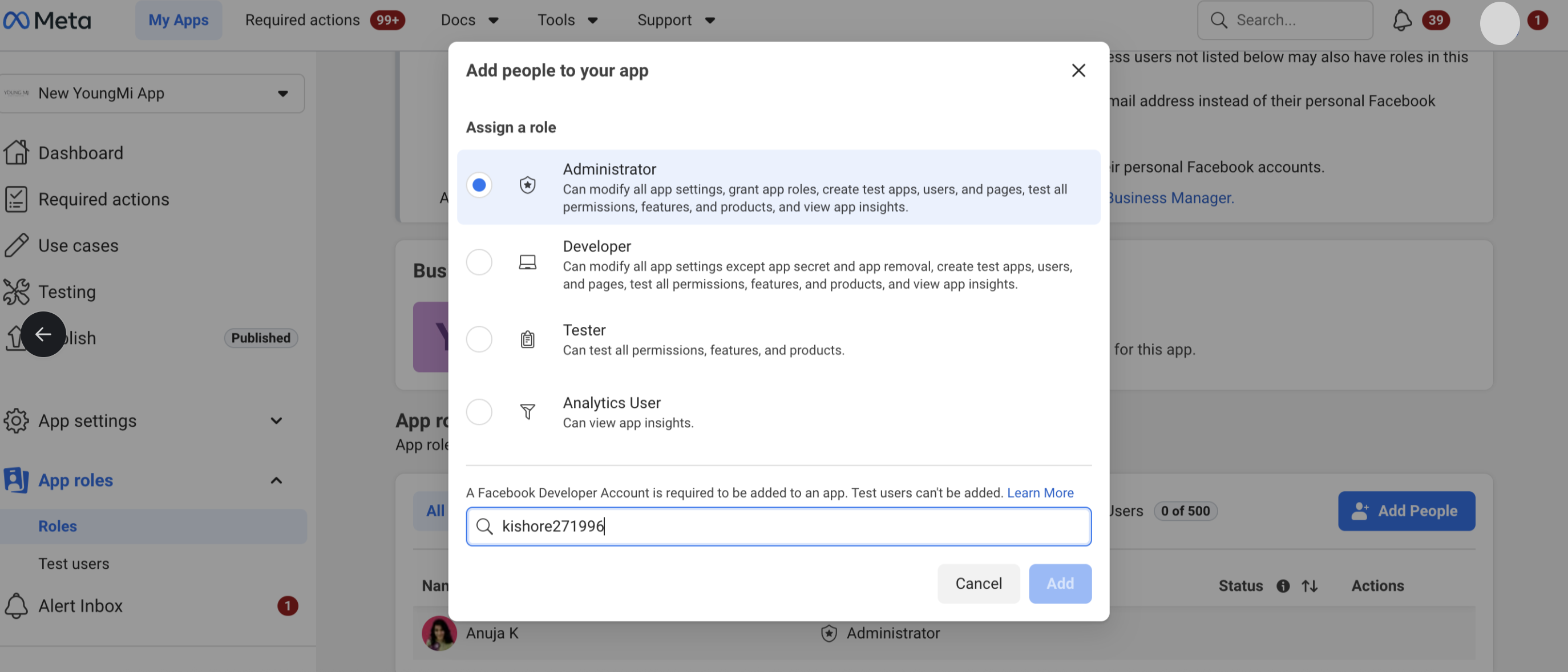
Step 3: Assign Administrator as the role, and enter kishore271996 as the Facebook Developer account to be added to the app. Once you’re done, click Add.

Once you complete the process, please reach out via chat or contact your dedicated account manager for further assistance. Also, app update is required to enable meta ads.