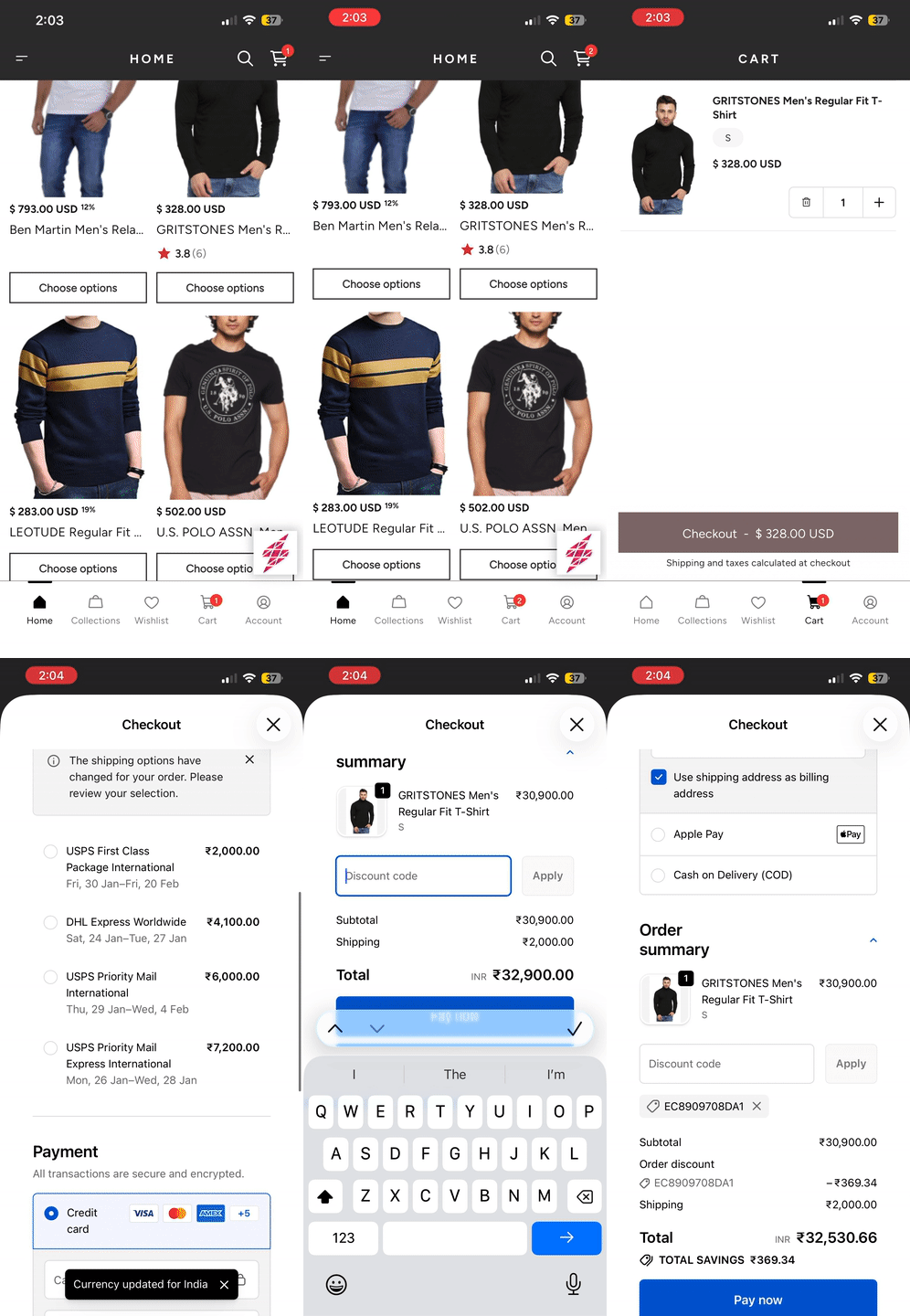
Superfans now supports integration with Smile.io - Rewards Page, allowing merchants to offer loyalty points, rewards, and customer referral programs directly inside their mobile apps. Using the Superfans SDK, Smile.io features load seamlessly without requiring additional development work.
Smile.io is a leading loyalty and rewards platform for Shopify stores. It allows merchants to:
Reward customers with points
Offer referral incentives
Provide VIP tiers and perks
With the Superfans integration, Smile.io ‘s Reward Page becomes accessible to app users in a mobile-optimized experience.
1. Fully Embedded In-App Experience
Customers can view their points, redeem rewards directly in the app.
2. Seamless Authentication
Superfans handles customer login and passes the required customer credentials to Smile.io.
3. No Extra Setup for Merchants
If Smile.io is already configured on Shopify, Superfans automatically syncs your loyalty data.
4. Boosts Retention & Repeat Purchases
Mobile-friendly rewards pages encourage customers to return and engage more frequently.
There are 2 steps to enable the Smile on the product page of the app.
Enabling the plugin on the Superfans Dashboard
Placing the block on the app
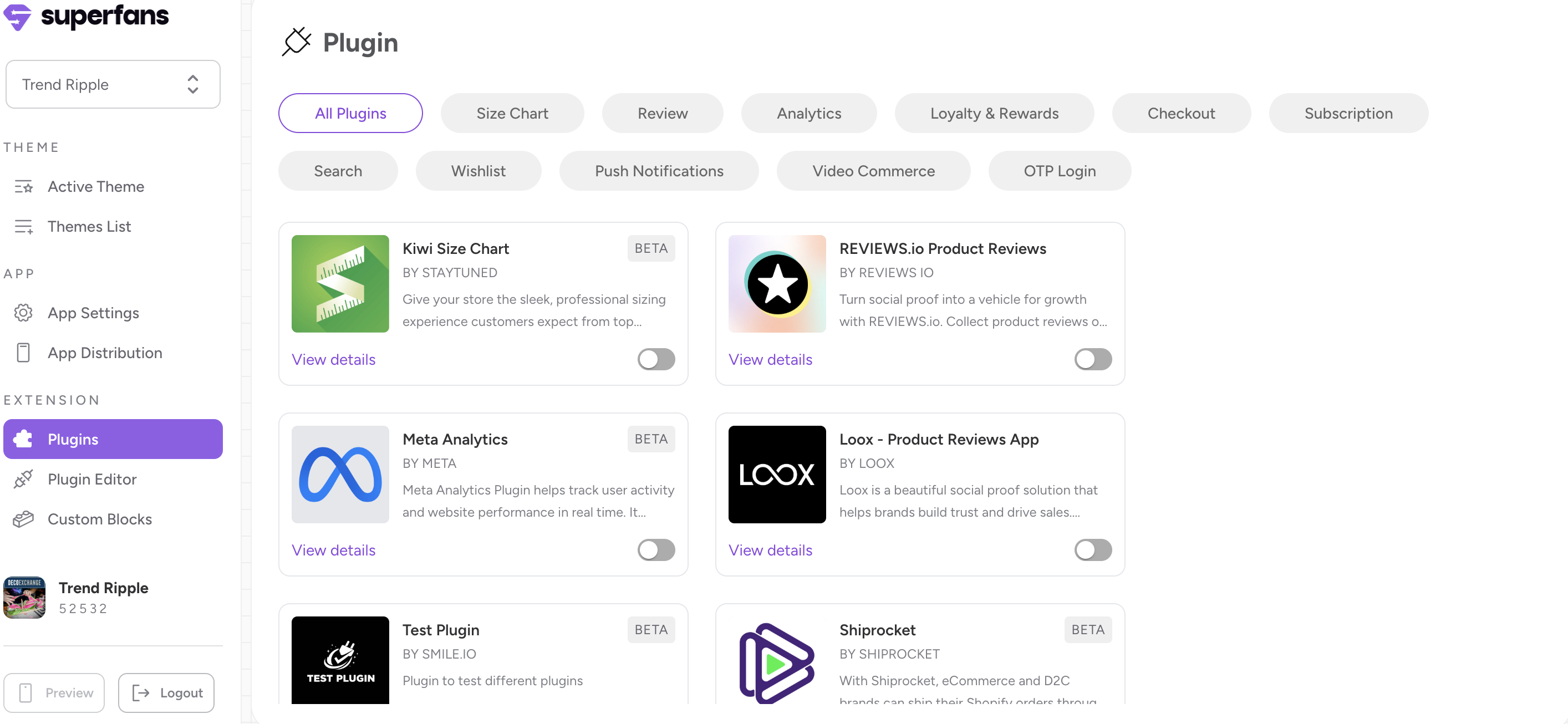
Step 1 : Navigate to the plugins section on the dashboard from side menu.
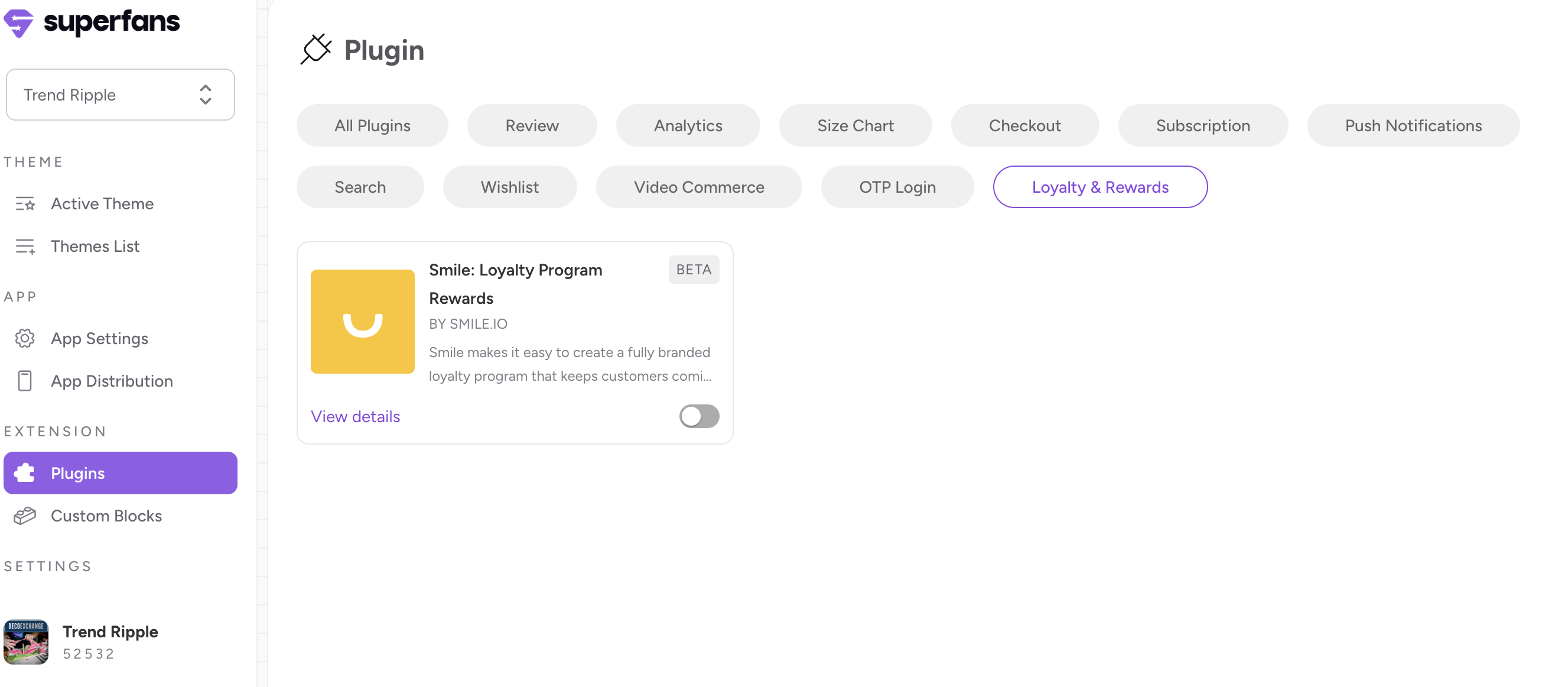
Step 2 : Select the “Loyalty & Rewards” category from top and toggle the Smile.io plugin.
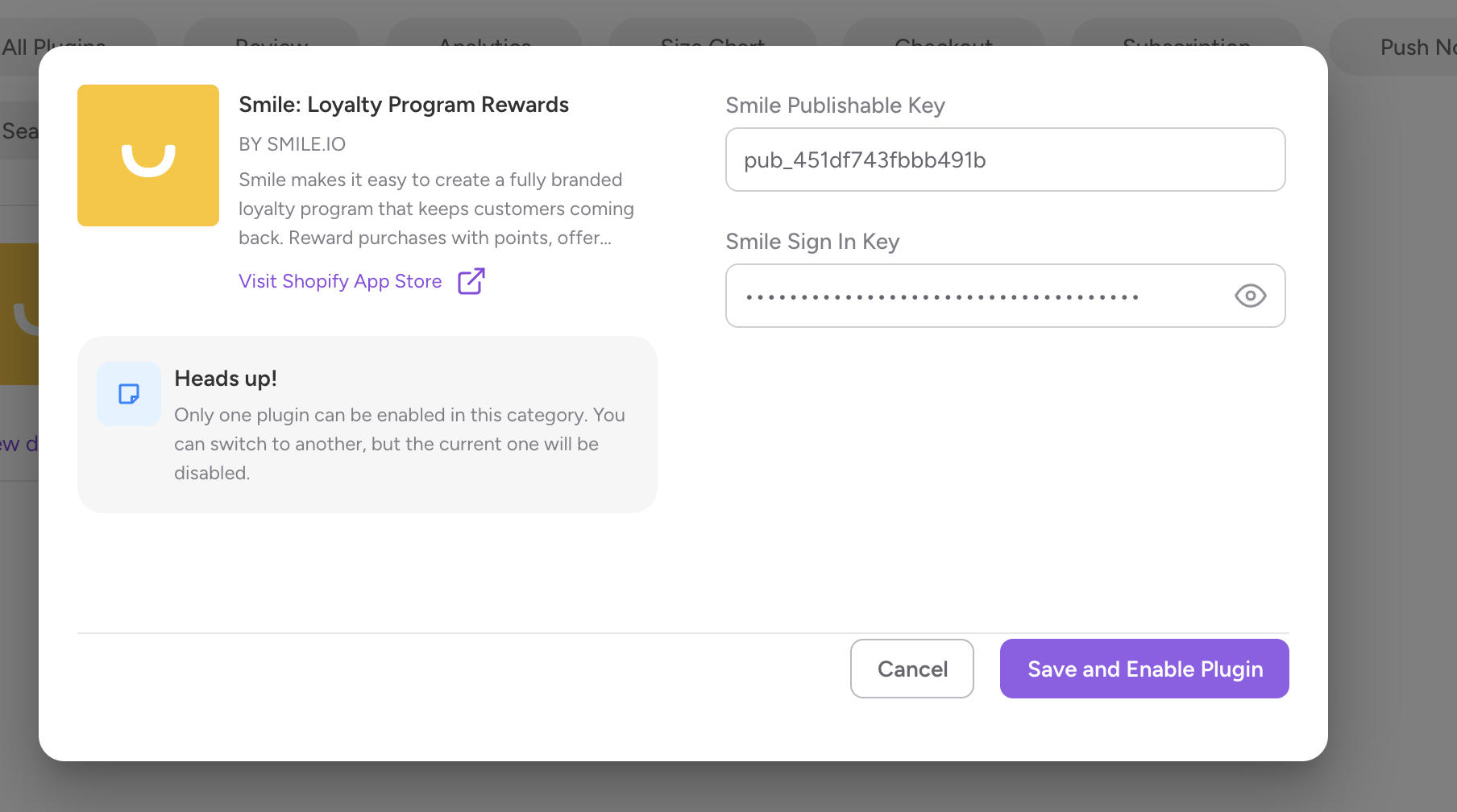
Step 3 : Provide the Publishing Key and Smile Sign In Key and and click on “Save and enable plugin“ CTA.
Step 1 : Navigate to the Apps section in Shopify and locate Smile Plugin
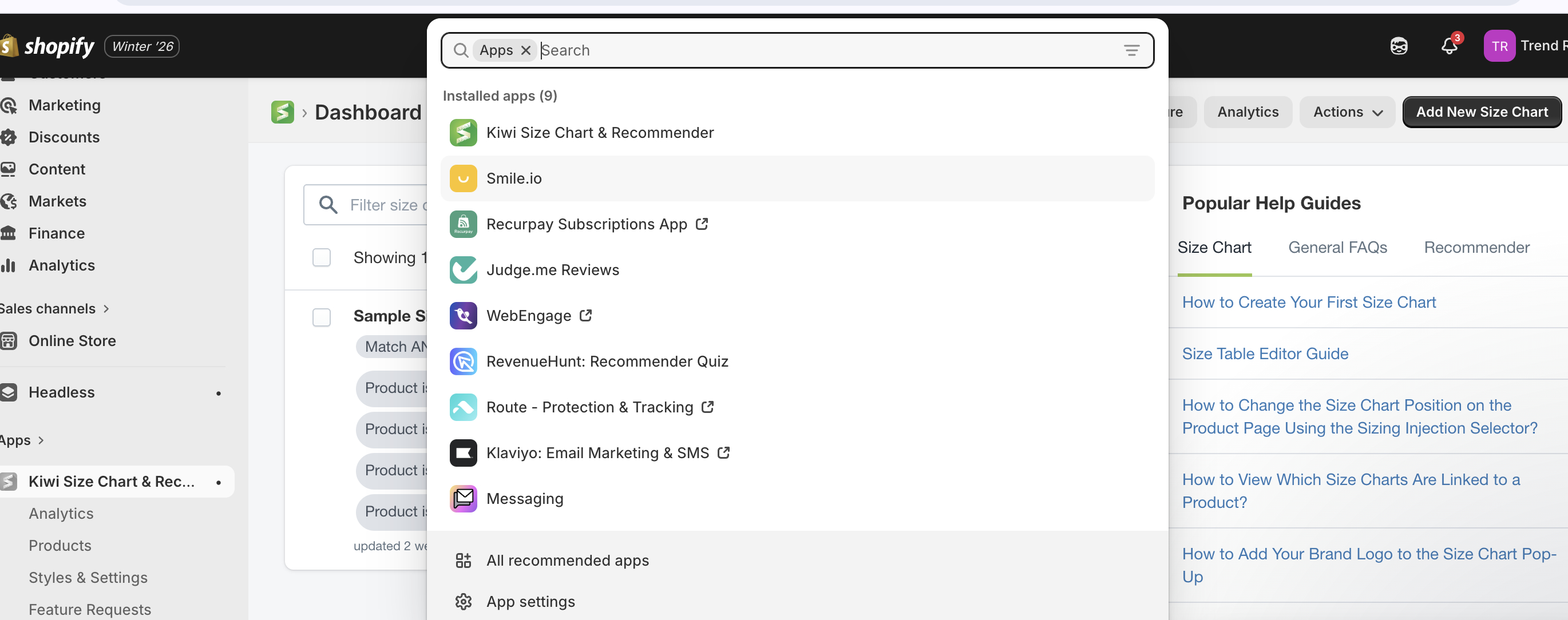
Step 2 : Click on settings from Side navigation and select Developer Tools.
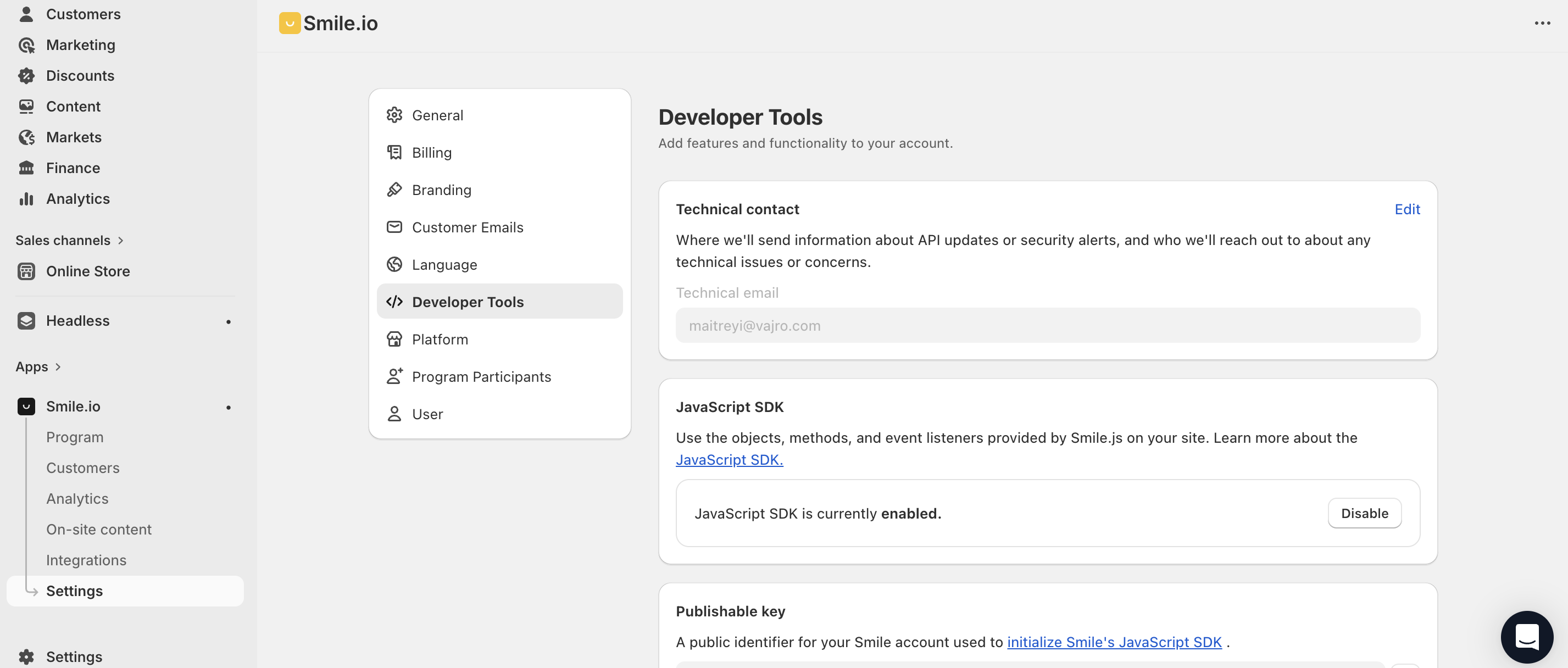
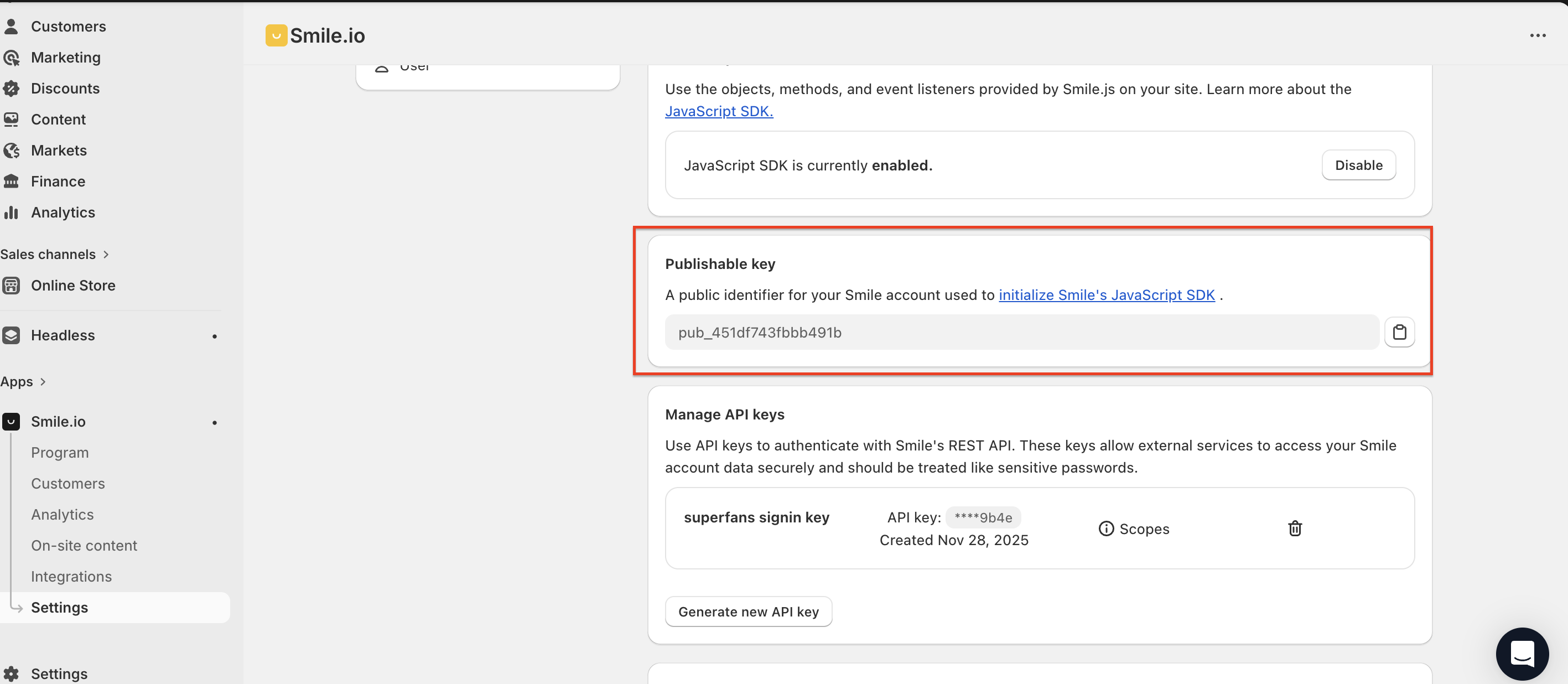
Step 3 : Scroll down a bit and you’ll find the Publishing Key for Smile.io. Copy and have it saved in a doc.
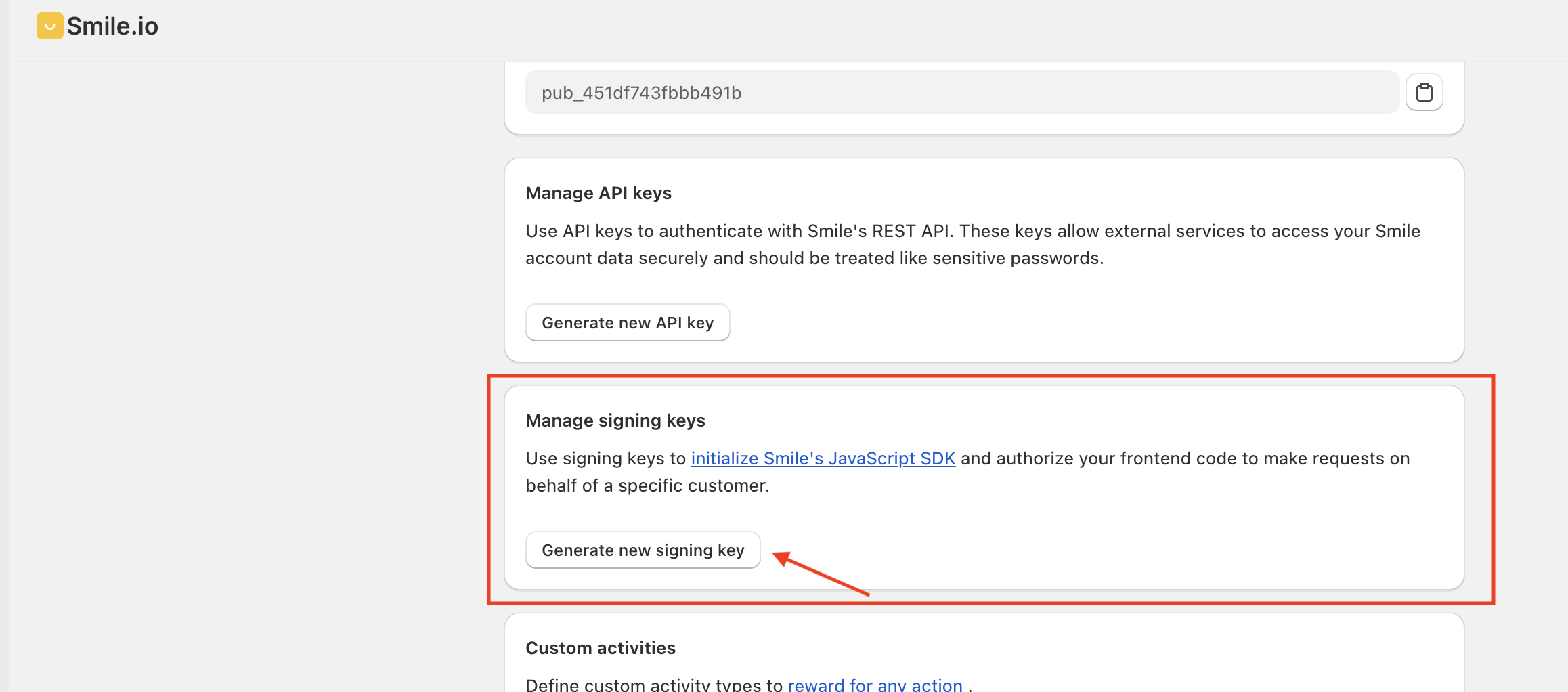
Step 4 : You’ll find a block “Manage signing keys” on scrolling down a bit. Click on “Generate new signing key” CTA.
Step 5 : Provide a unique name and click on Generate.
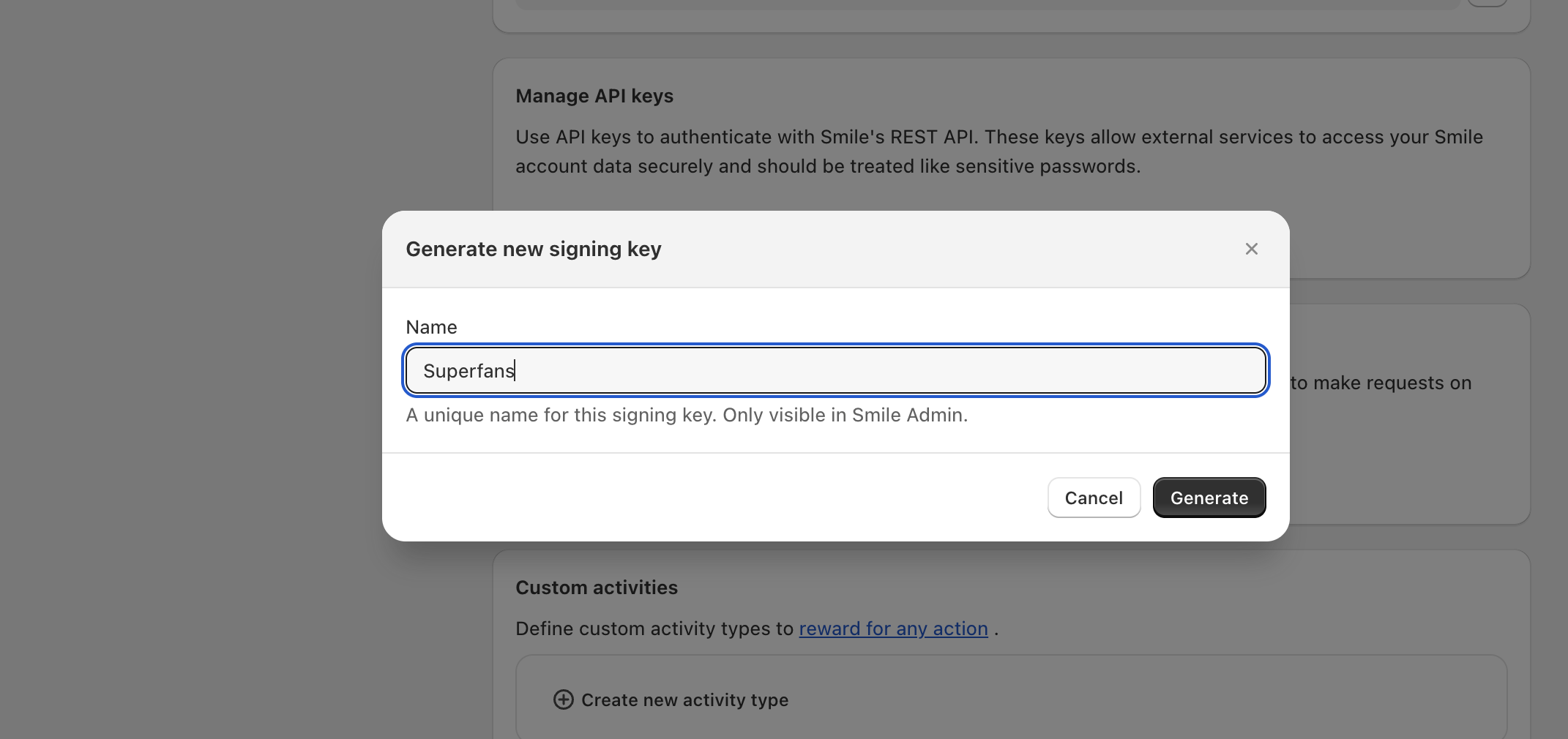
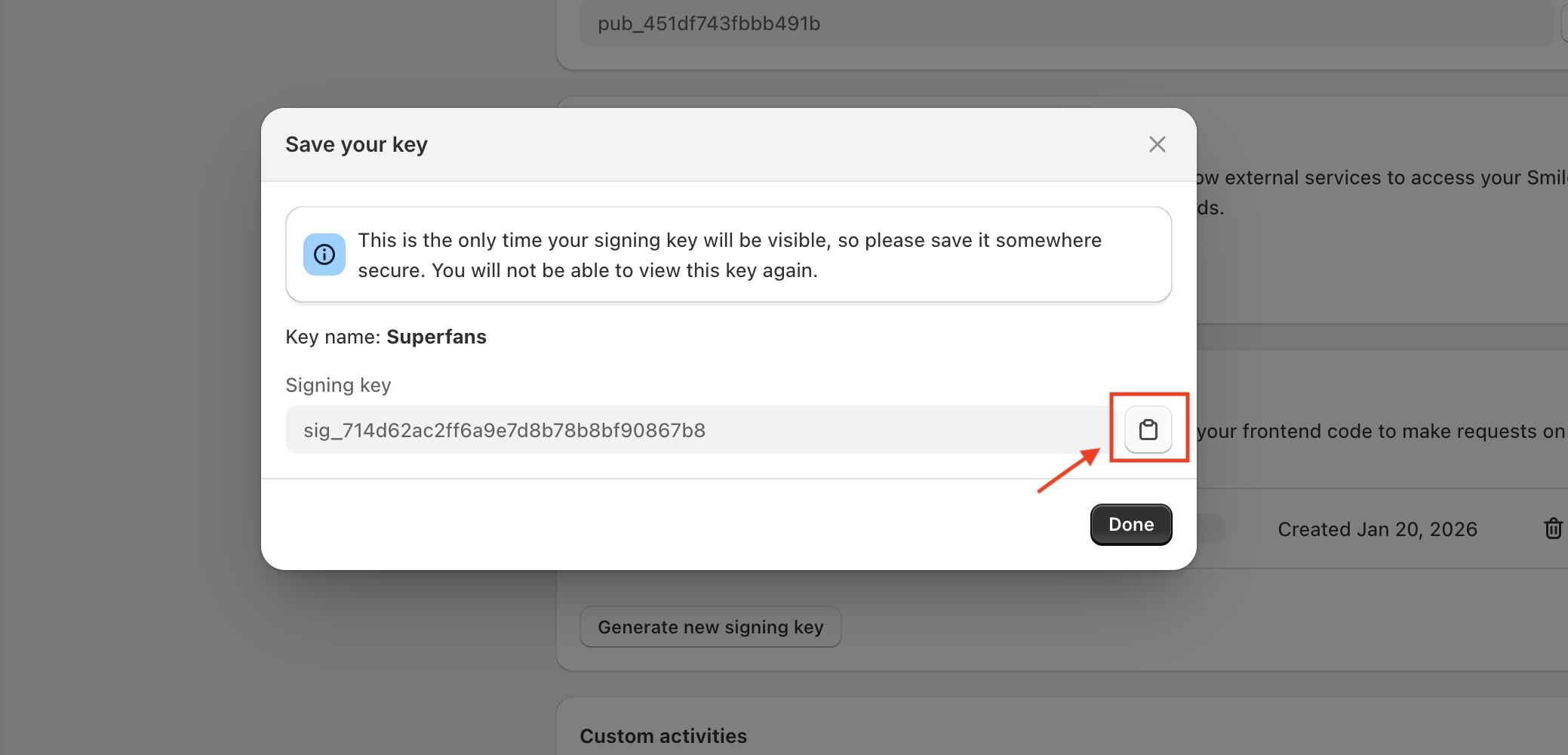
Step 6 : Copy the generated Signing Key and click on Done.

To place the Smile’s Rewards page on the Account section of the app, do follow the steps below:
Step 1 : Navigate to the Accounts section of the from App Settings on the dashboard.
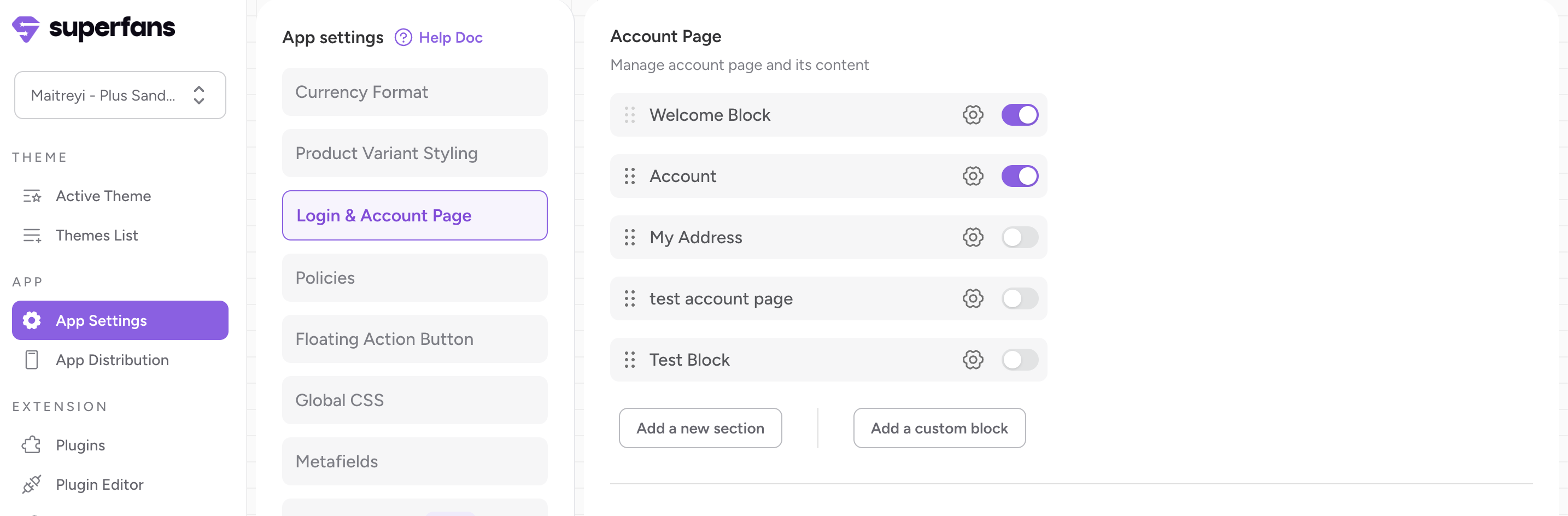
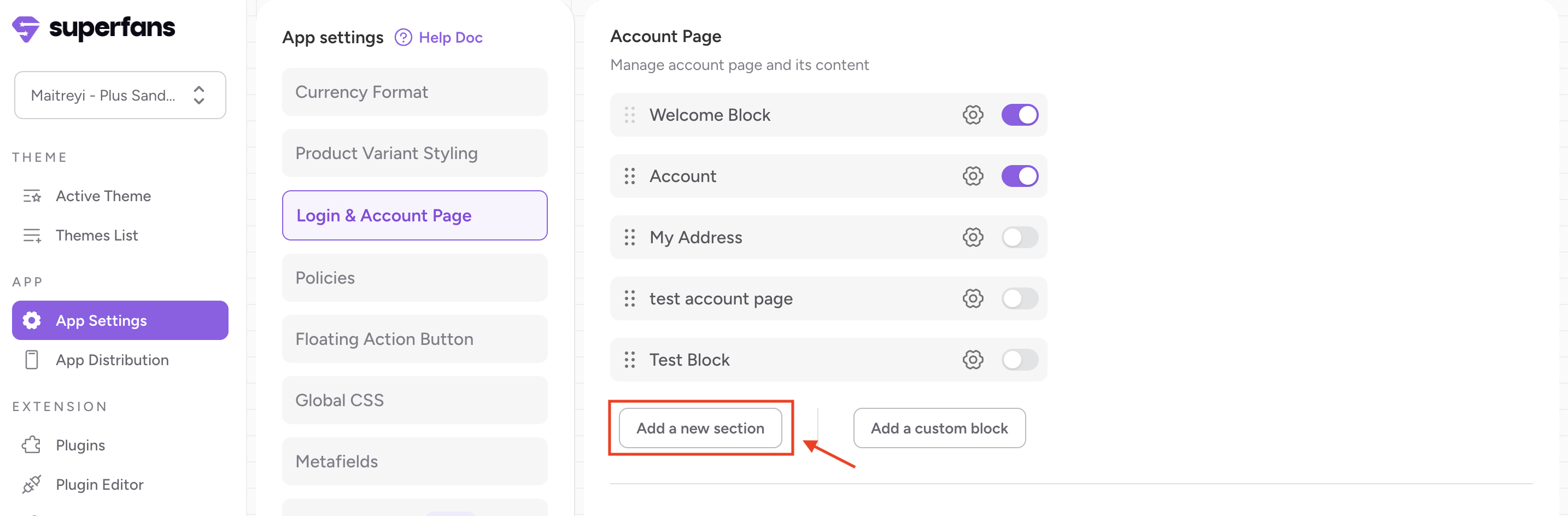
Step 2 : Click on “Add New Section“ to create a new section in Accounts page.
Step 3 : Provide the Title for the section you need to create on the Accounts Page.
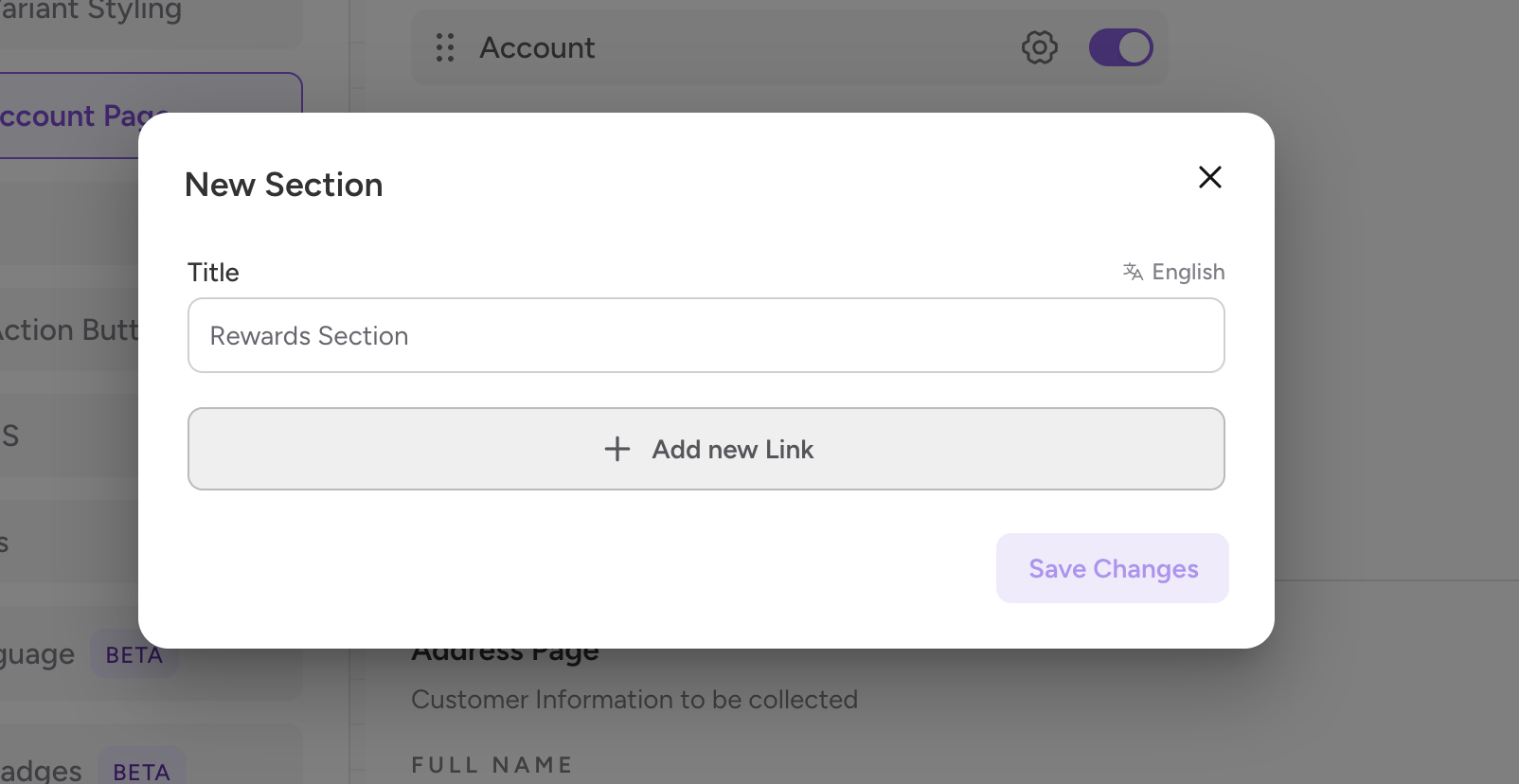
Step 4 : Provide the title & icon for the link you are creating for Smile Rewards Section.
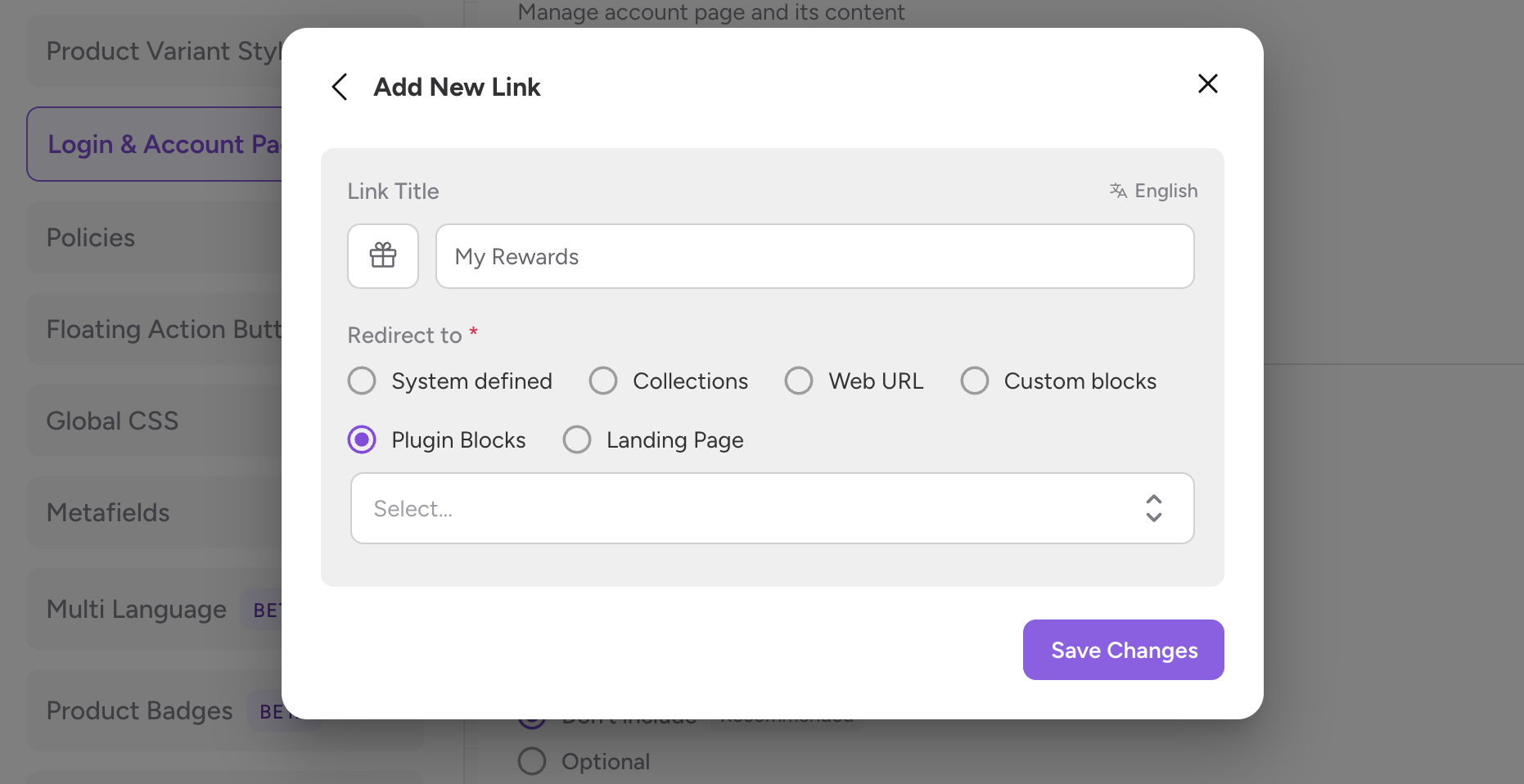
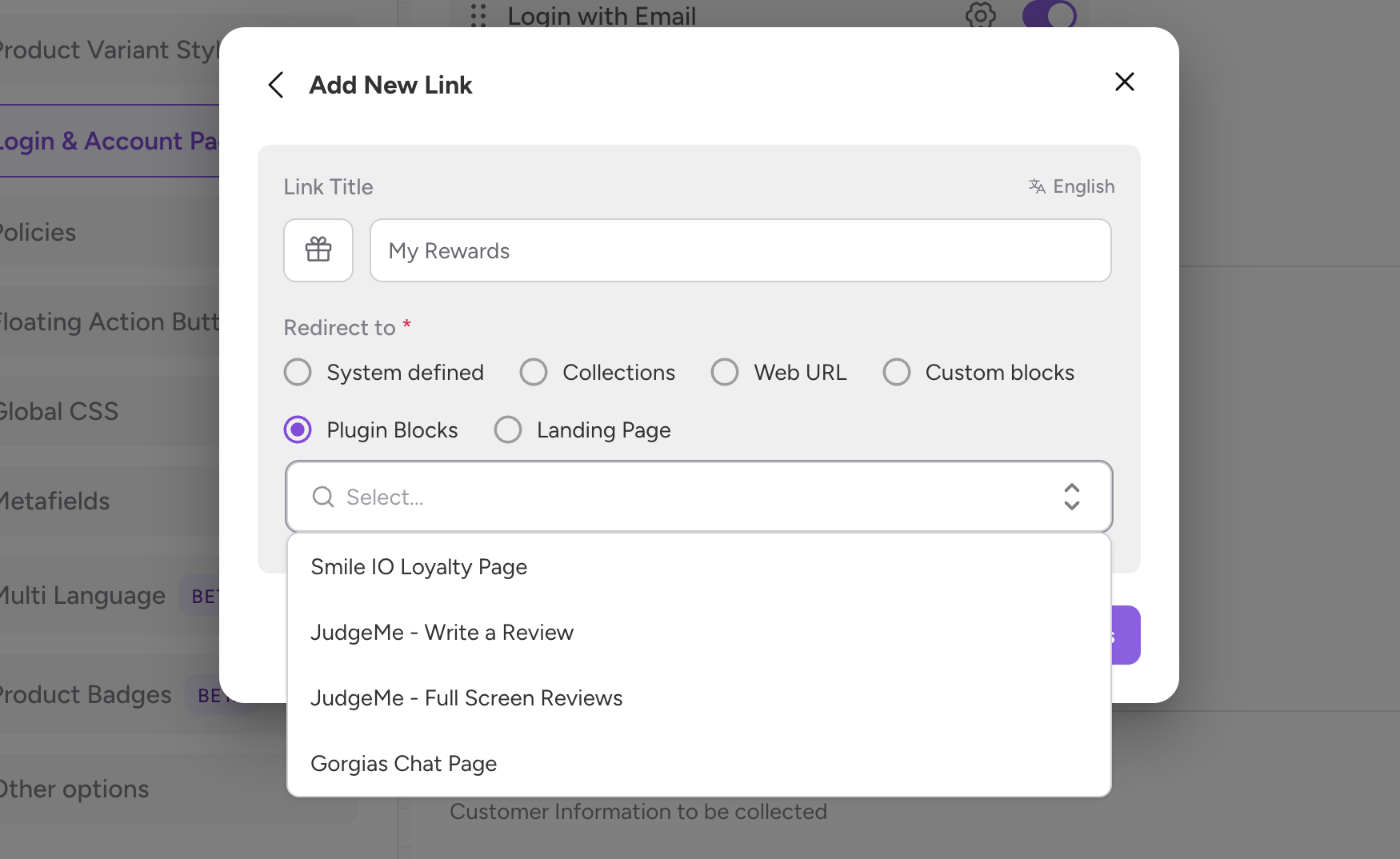
Step 5 : Select the “Redirect to” property as Plugin blocks and you’ll find the Smile io Rewards Page in the dropdown.
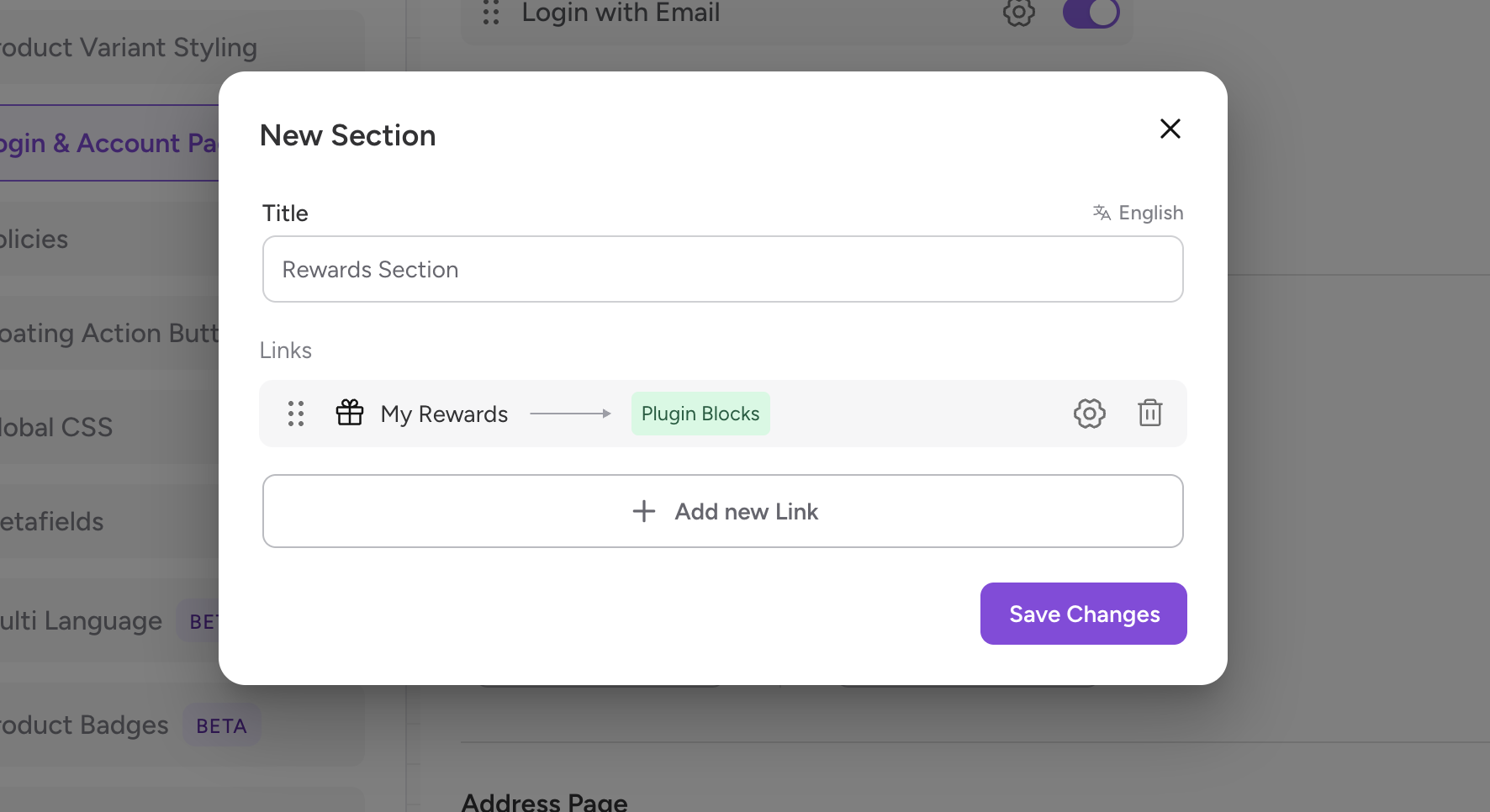
Step 6 : Click on “Save Changes” and you are good to go!
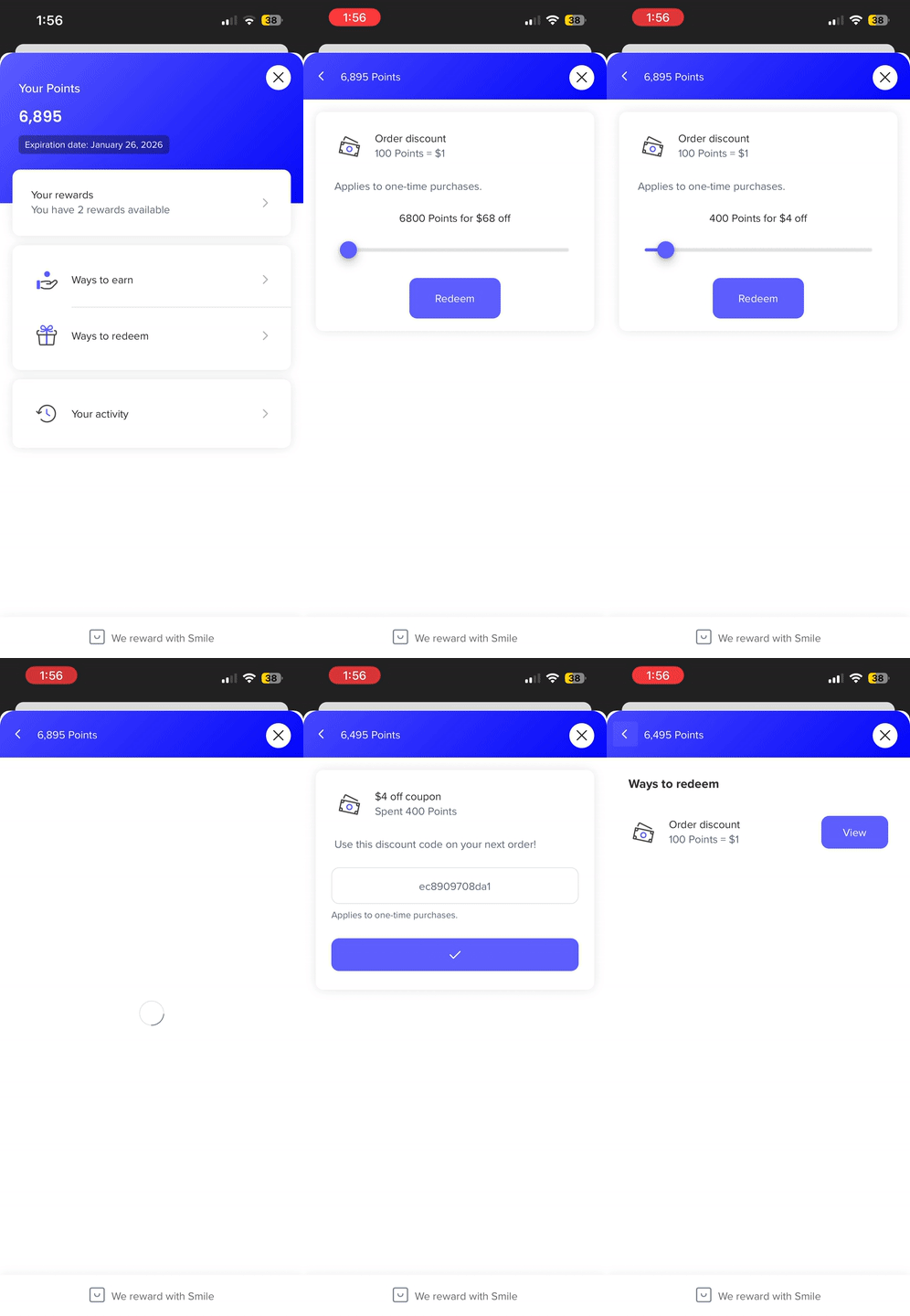
Smile.io on the app works similar to how it works on the website. Based on the configurations you have on Smile.io, the rewards points will get accumulated on placing order and you can redeem the points as well.
You can access the Rewards Page from My Accounts Section.
Sample Screen Recording:
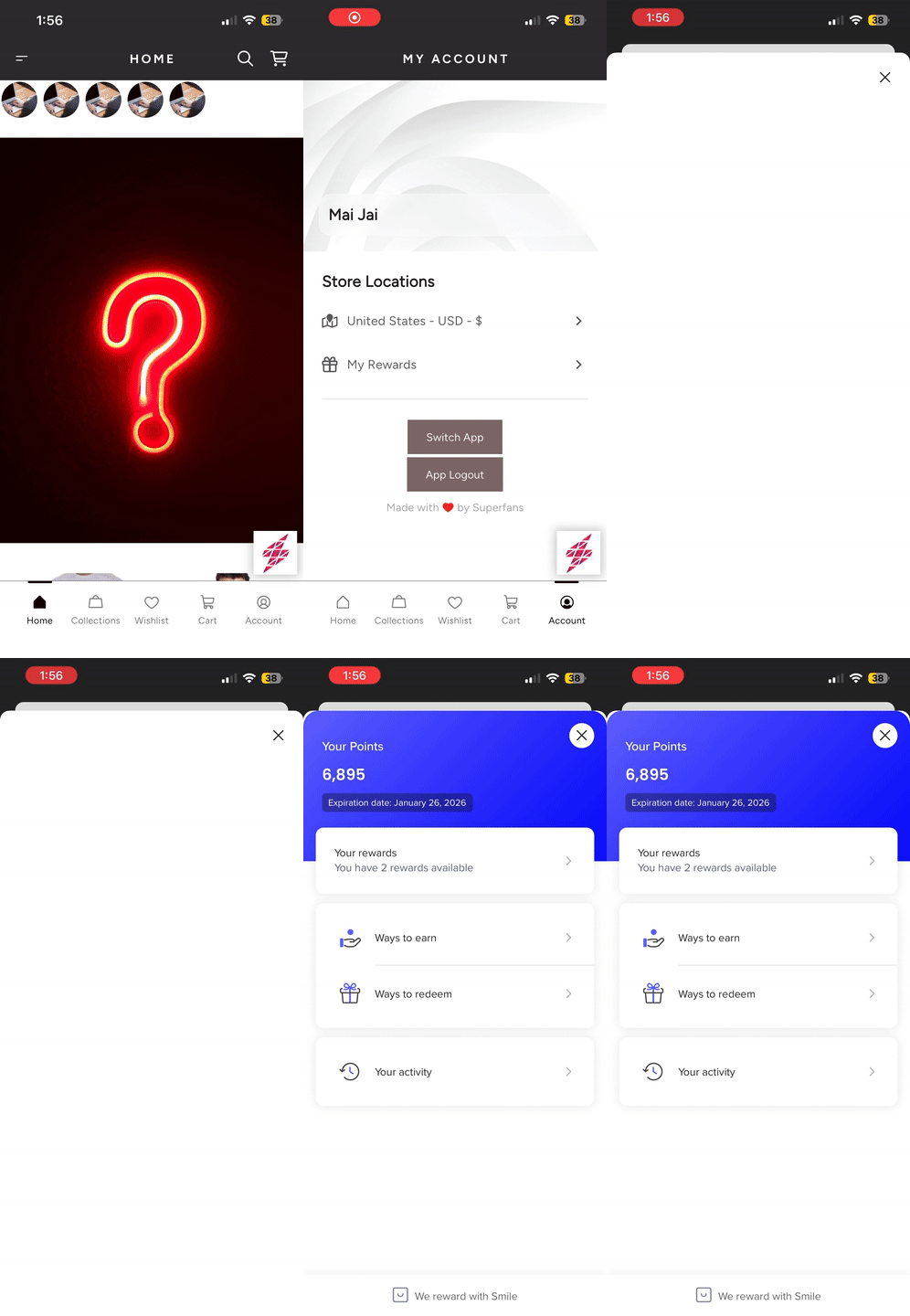
Here’s how we can redeem points by creating a discount code.
Final Step, Applying the discount code on checkout. (Since this is not in Shopify Plus Customer)