Superfans now supports seamless integration with Kiwi Size Chart, allowing merchants to display size charts directly inside their mobile app using the Superfans SDK. This makes it easier for customers to understand product sizing without leaving the app, improving purchase confidence and reducing return rates.
Kiwi Size Chart is a popular Shopify app that helps merchants provide accurate and interactive size charts for apparel, footwear, accessories, and more. With the Superfans integration, these size charts can now load directly inside the mobile app through a secure SDK-based experience.
1. Seamless In-App Experience
Customers can view size charts without being redirected to an external browser.
2. Auto-Detection of Product Size Charts
Kiwi automatically associates the correct size chart based on product rules and tags.
3. Faster Purchase Decisions
Clear sizing reduces uncertainty and improves conversion.
4. Complete SDK-Based Integration
No manual coding required by merchants—just configure Kiwi on Shopify, and Superfans takes care of the in-app rendering.
There are 2 steps to enable the size Chart on the product page of the app.
Enabling the plugin on the Superfans Dashboard
Placing the block on PDP
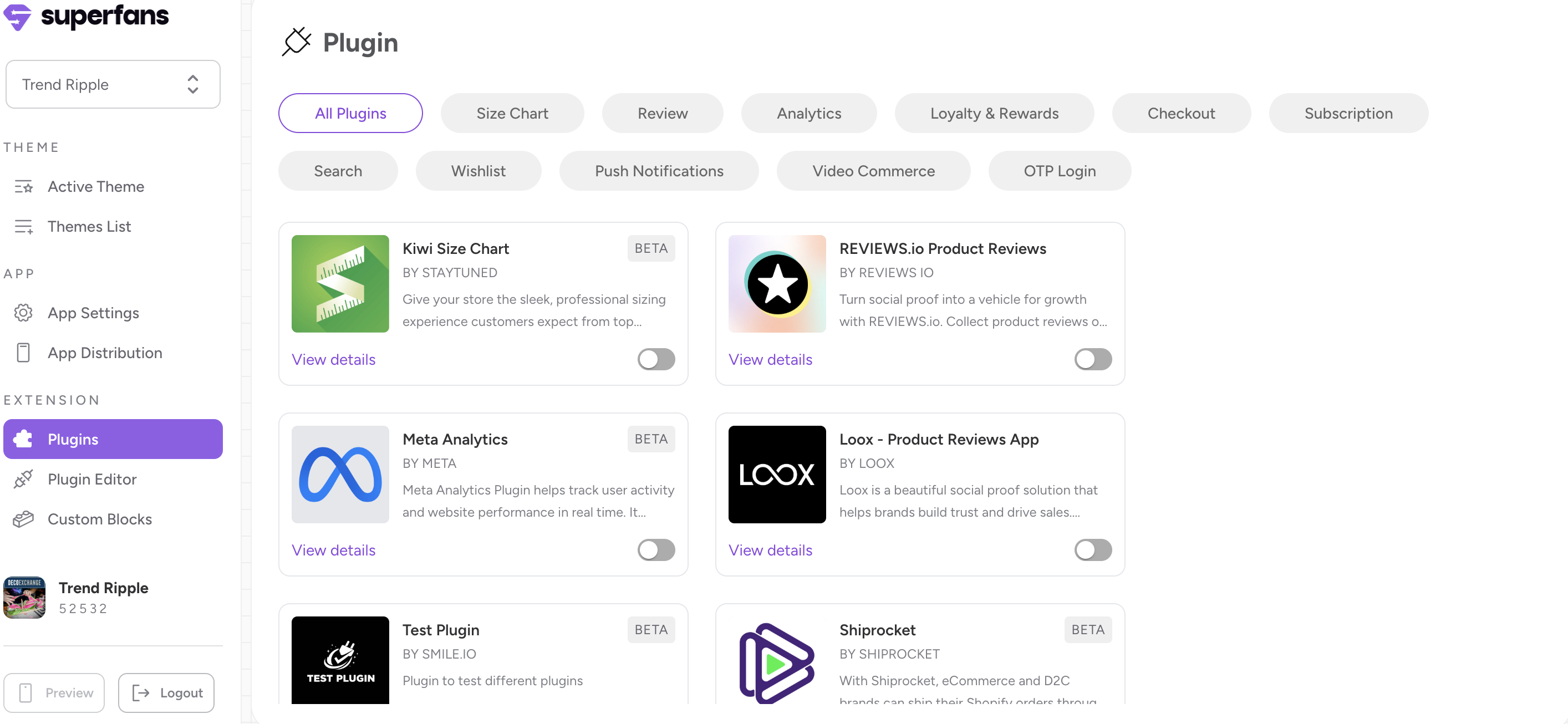
Step 1 : Navigate to the plugins section on the dashboard from side menu.
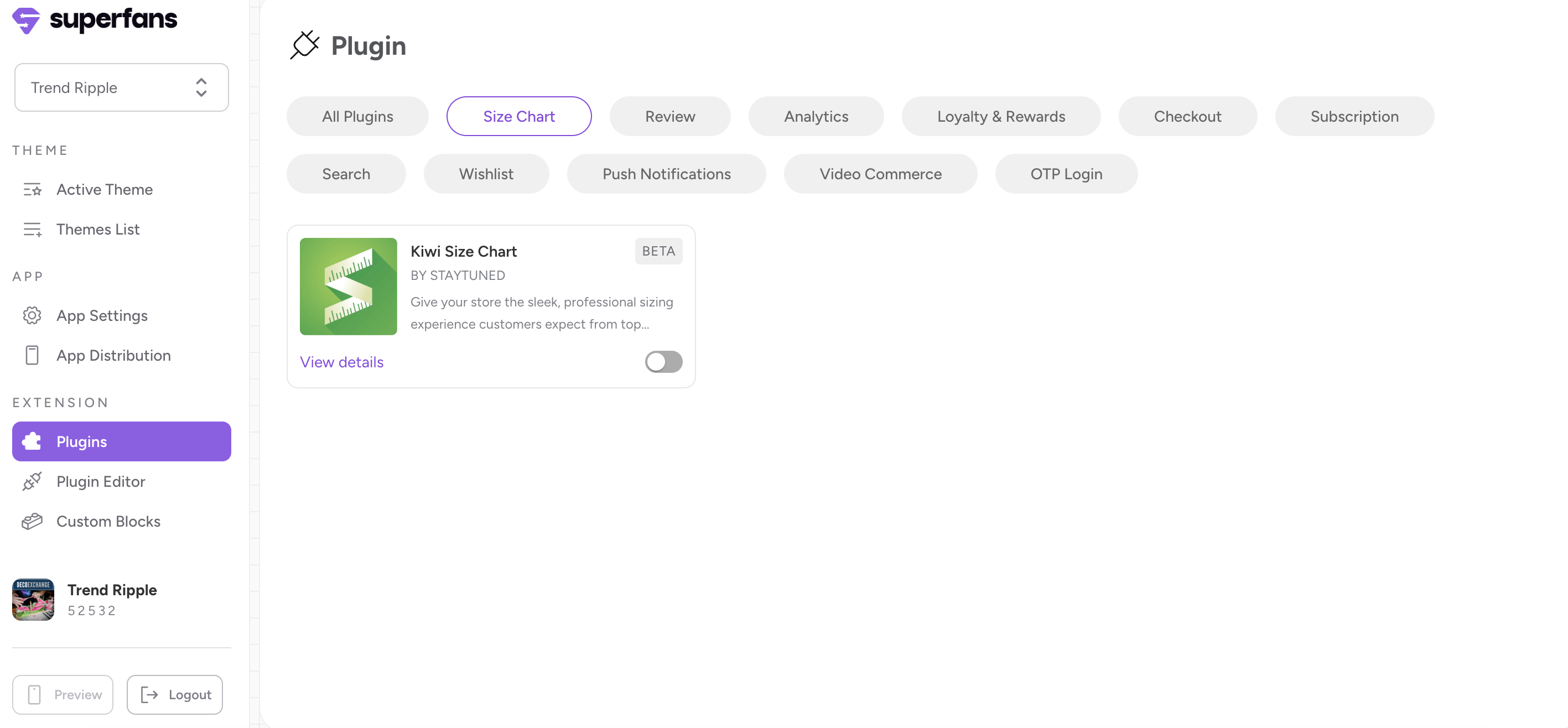
Step 2 : Select the “Size Chart” category from top and toggle the Kiwi Size Chart plugin.
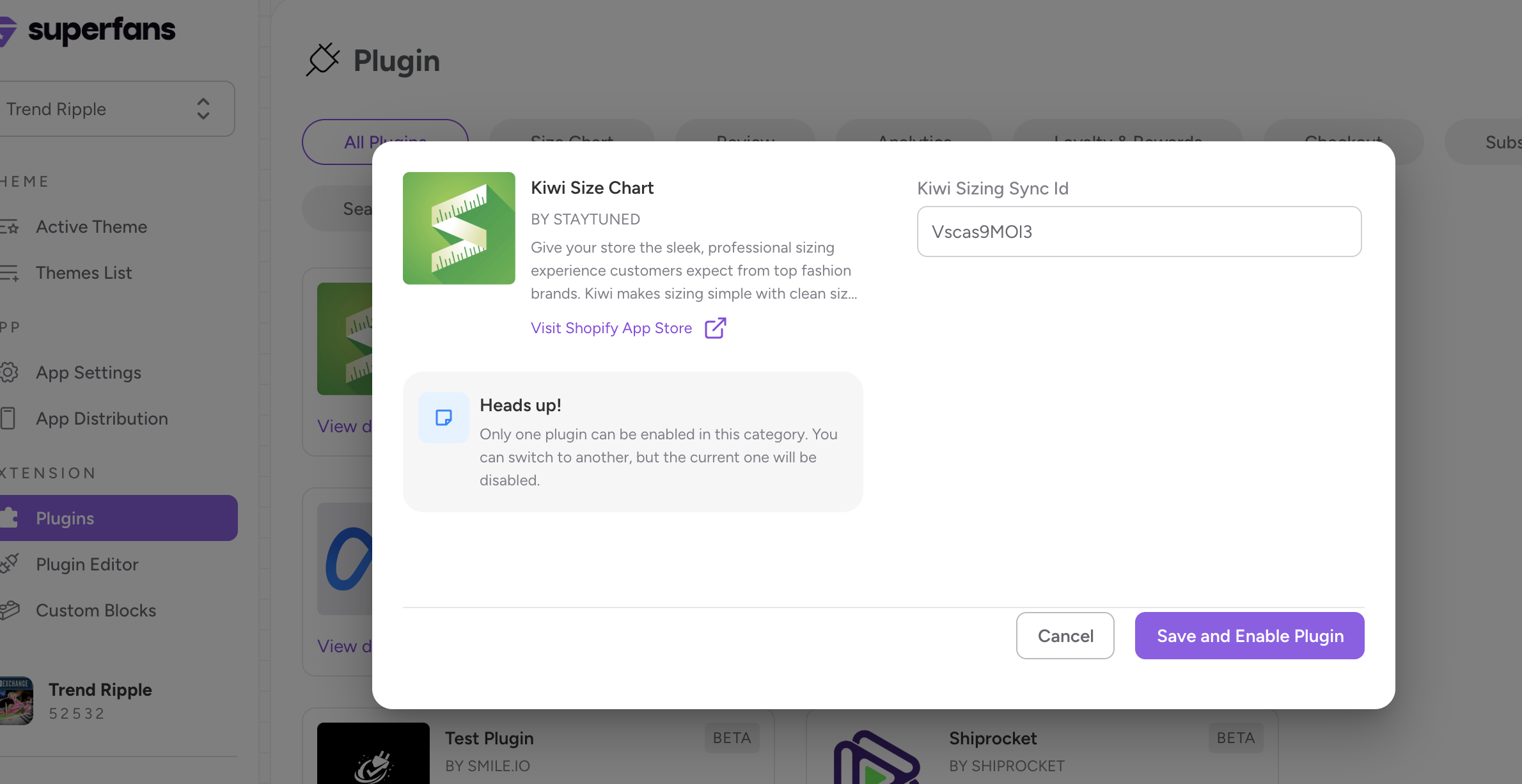
Step 3 : Provide the Sync ID of the Kiwi plugin and click on “Save and enable plugin“ CTA.
Step 1 : Navigate to the Apps section in your Shopify store and locate Kiwi Size Chart.
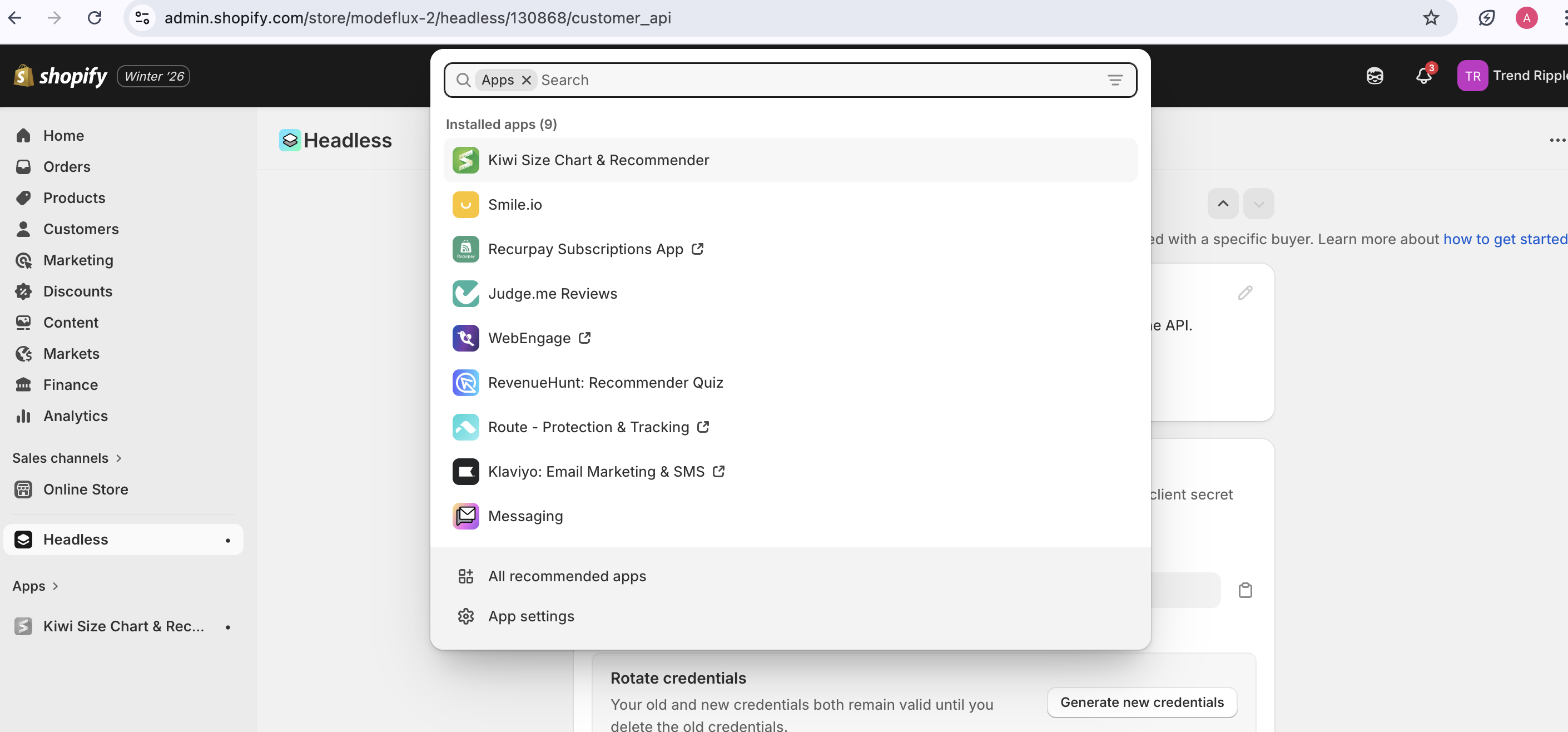
Step 2 : u
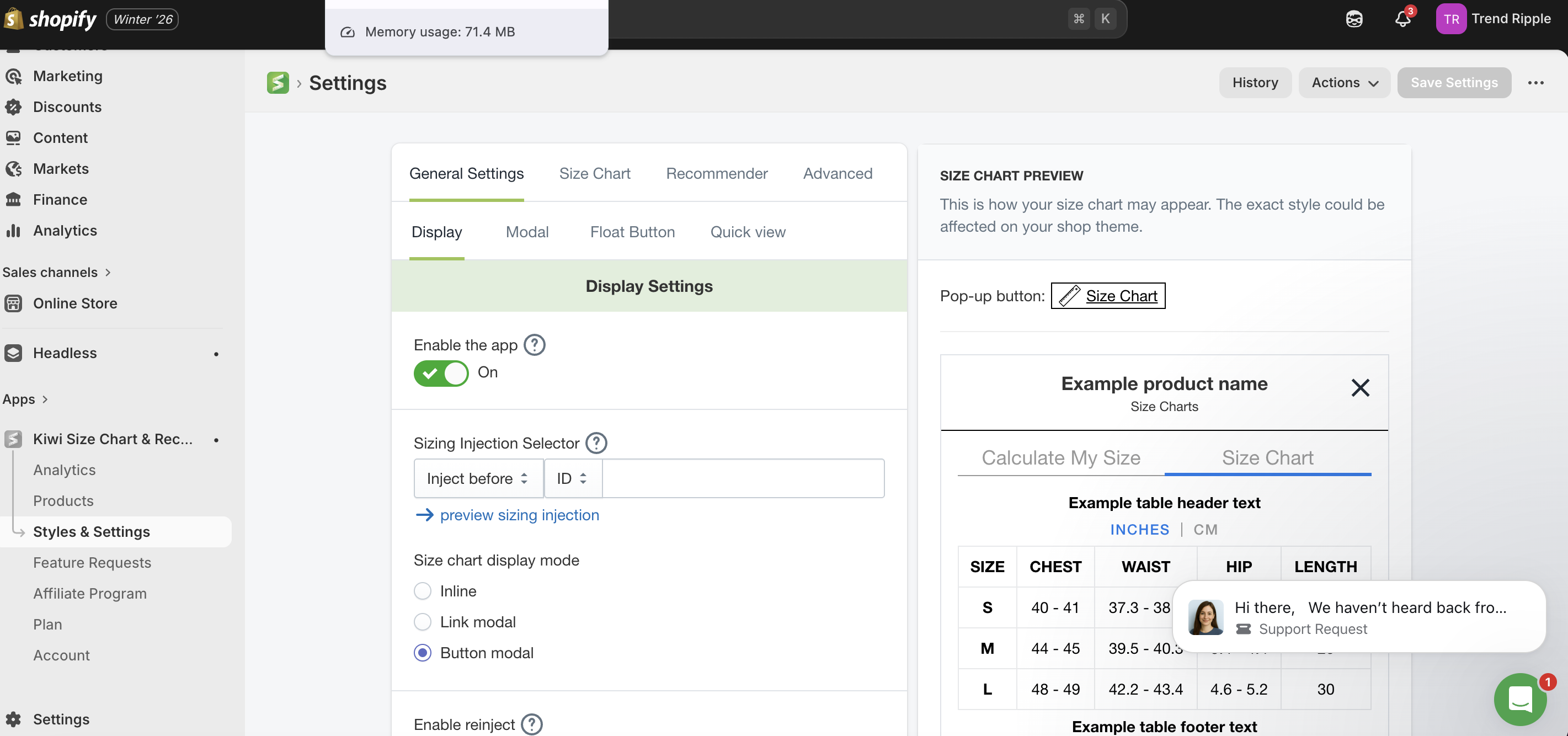
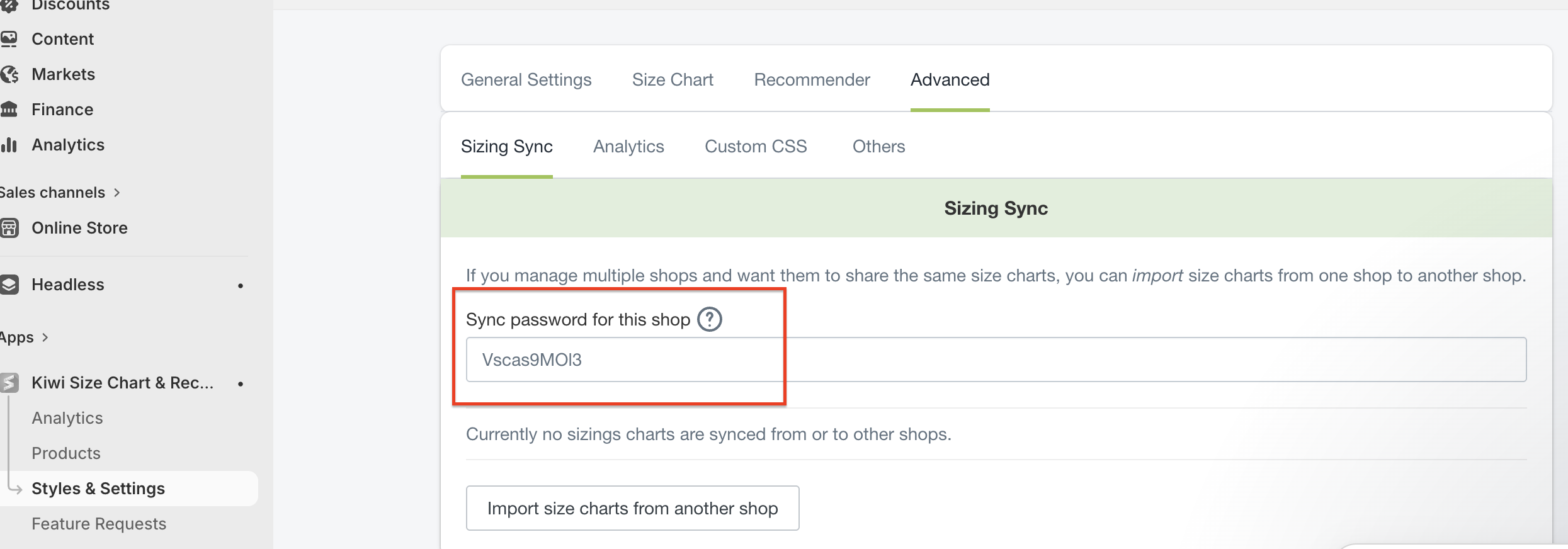
Step 3 : Click on Advanced Menu from the top and you’ll find the Sync ID of the store. Copy this and paste it while enabling the Kiwi Plugin on Superfans Dashboard.
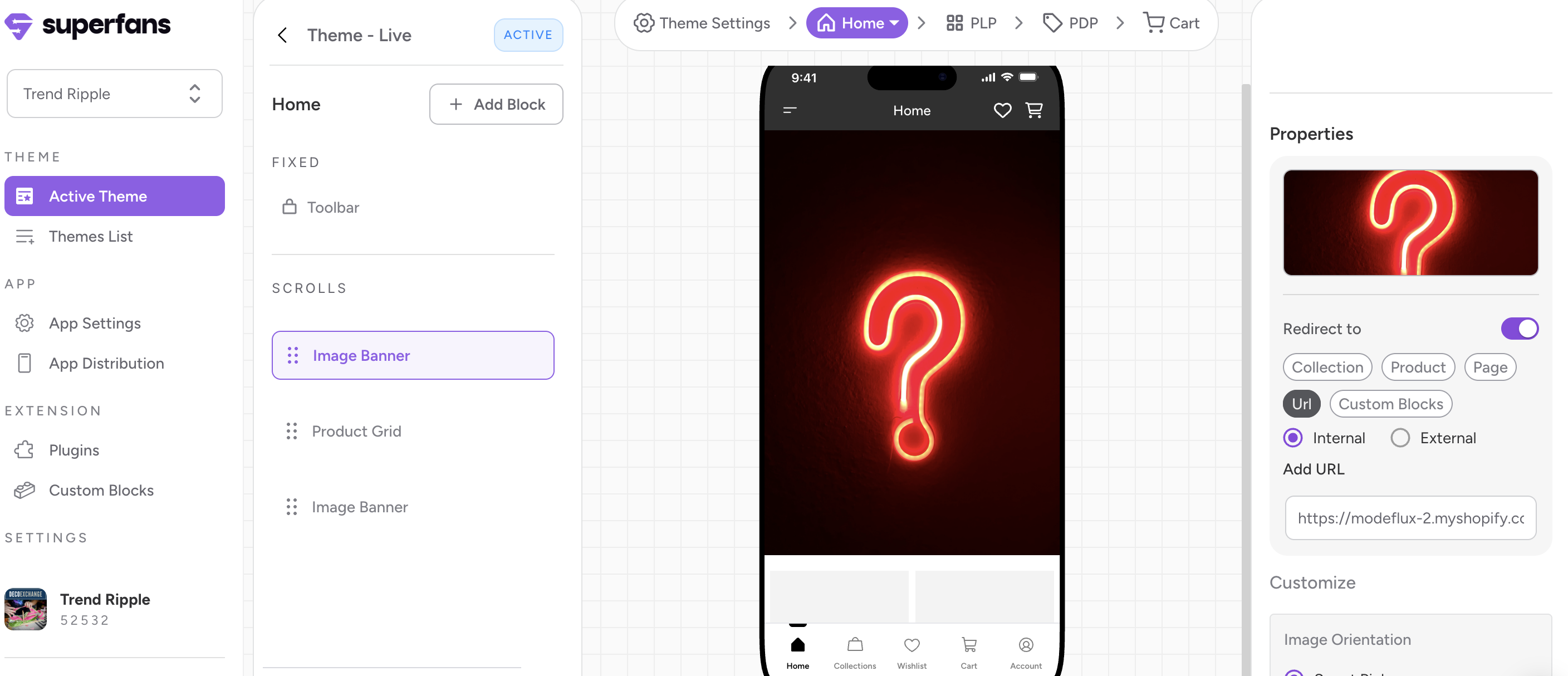
Step 1 - Go to the Active theme that is live on the app.
Step 2 - Click on the “PDP” from the top floating menu.
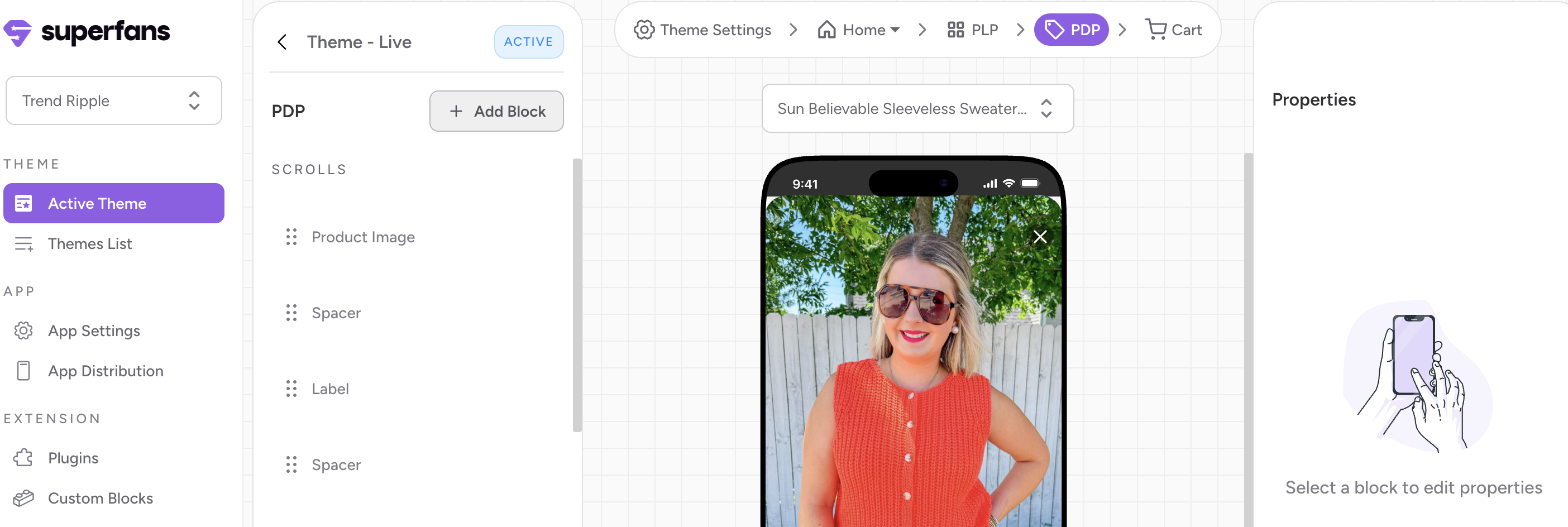
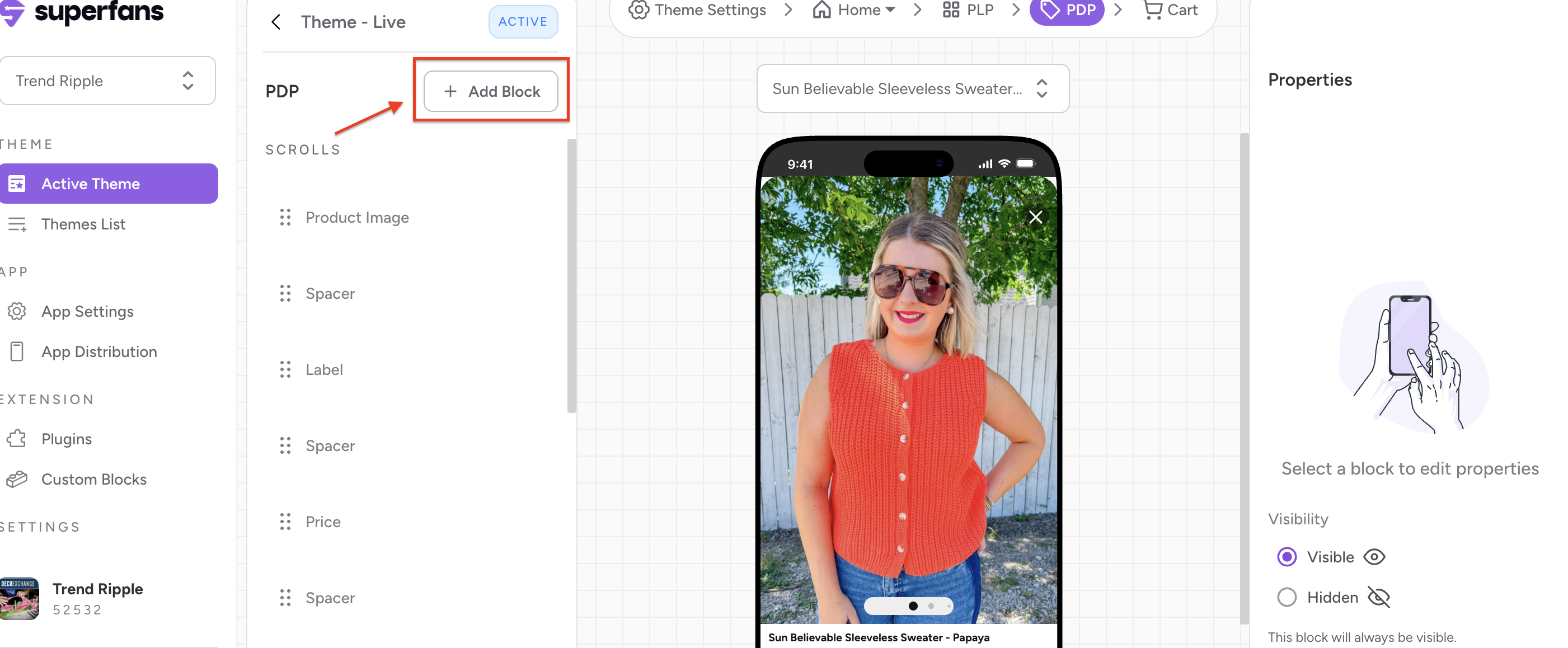
Step 3 - Click on “Add Block” CTA from the left panel.
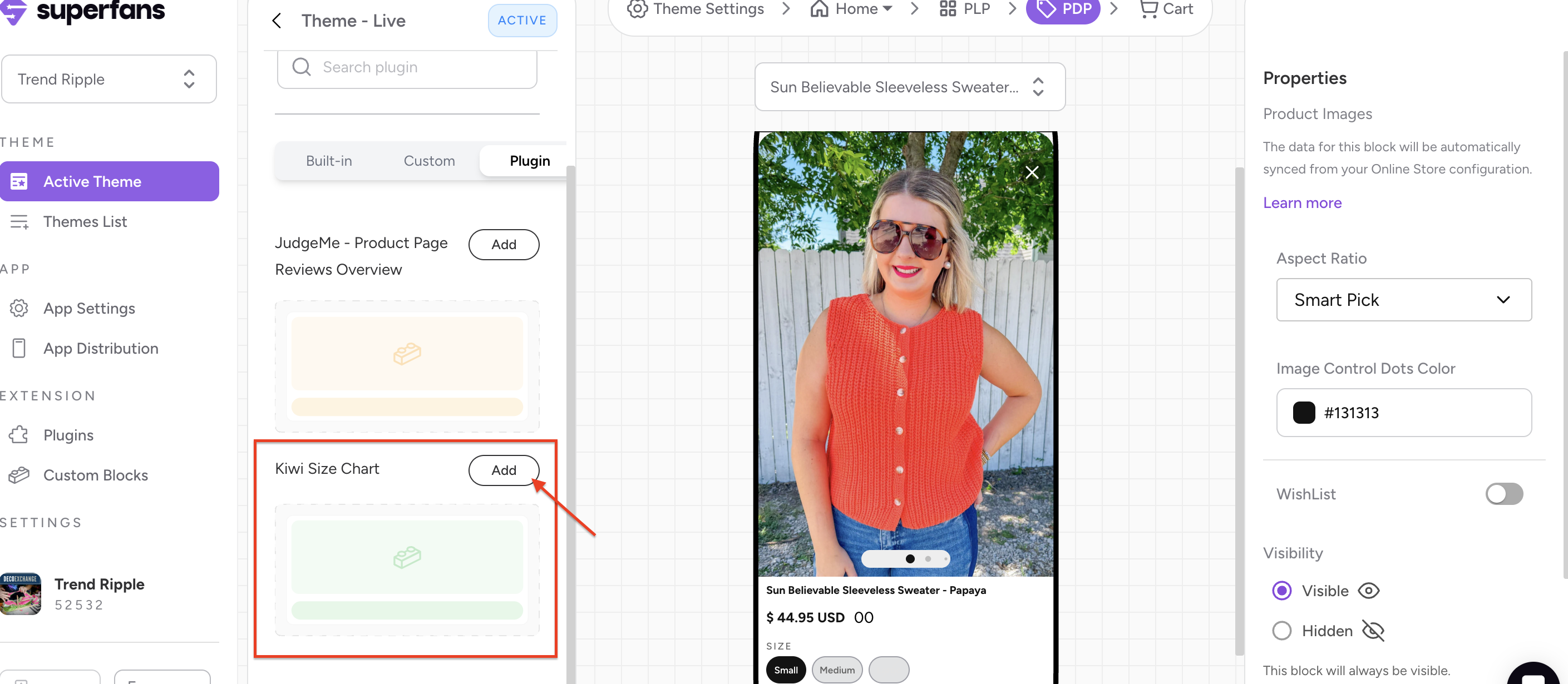
Step 4 - Select the block type as “Plugin” and click on “Add” CTA to have the block on the Product page.
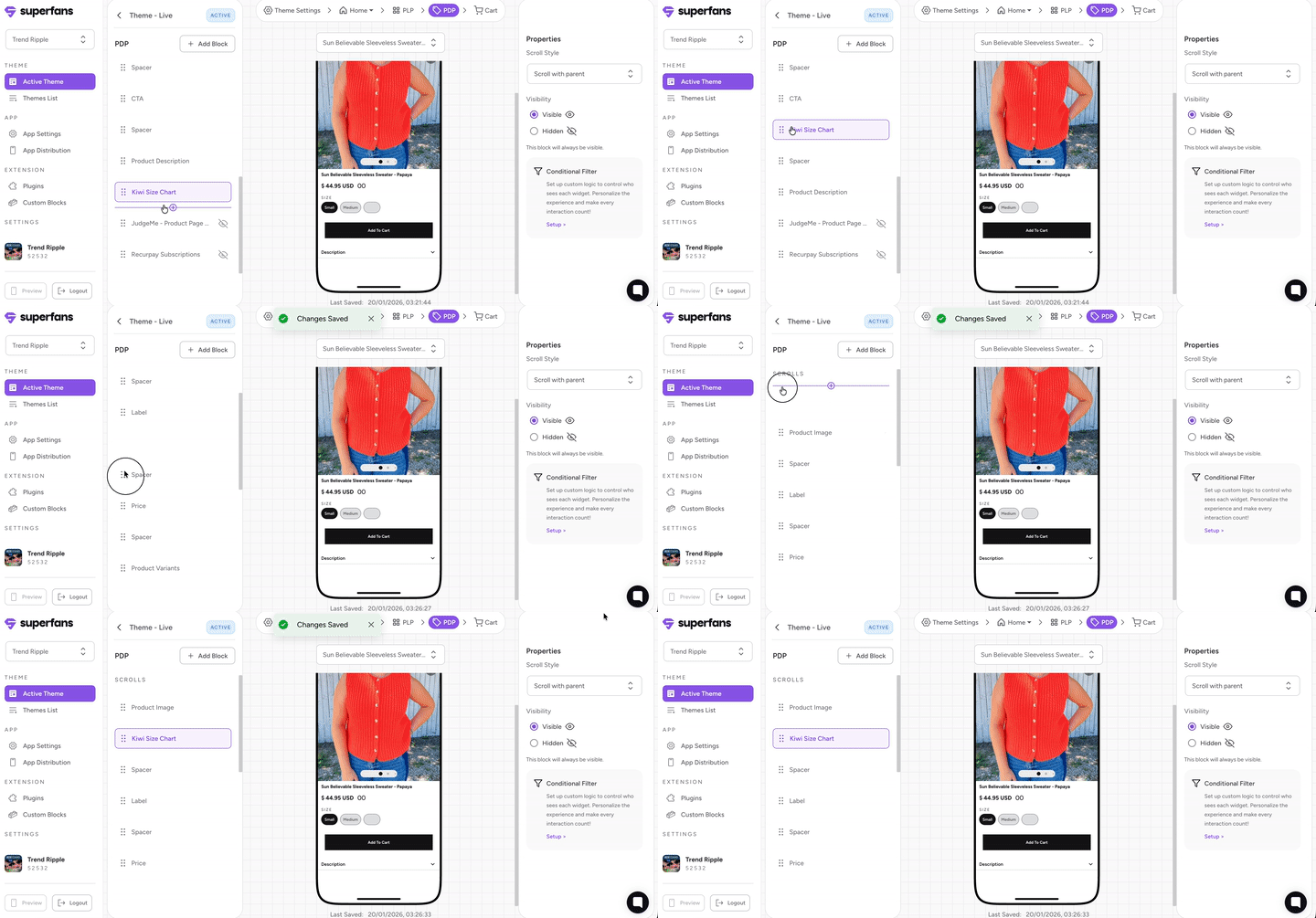
Step 5 : Drag the block to place it at the desired location on the PDP.
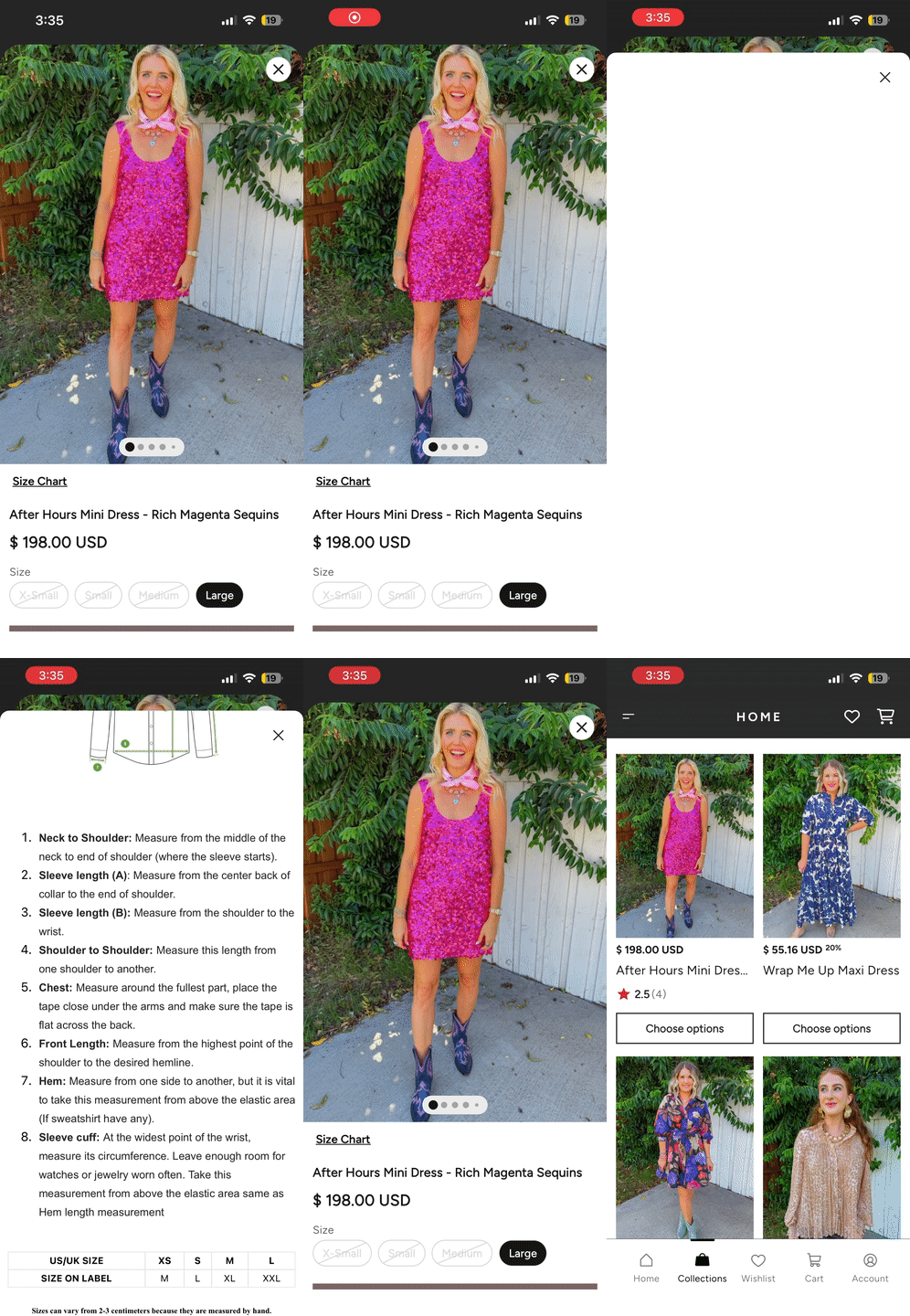
The Size Chart will appear as text and clicking it, the chart configured on the app will be opened.
Note: You can place the block as per your desired location on the PDP Page. It cannot be placed adjacent to product title / as an overlay on the product image.
Ensure Kiwi is properly configured on Shopify.
Verify product-level assignment of size charts.
Test the chart URL in a normal browser.
If it still doesn’t load, contact Superfans support.