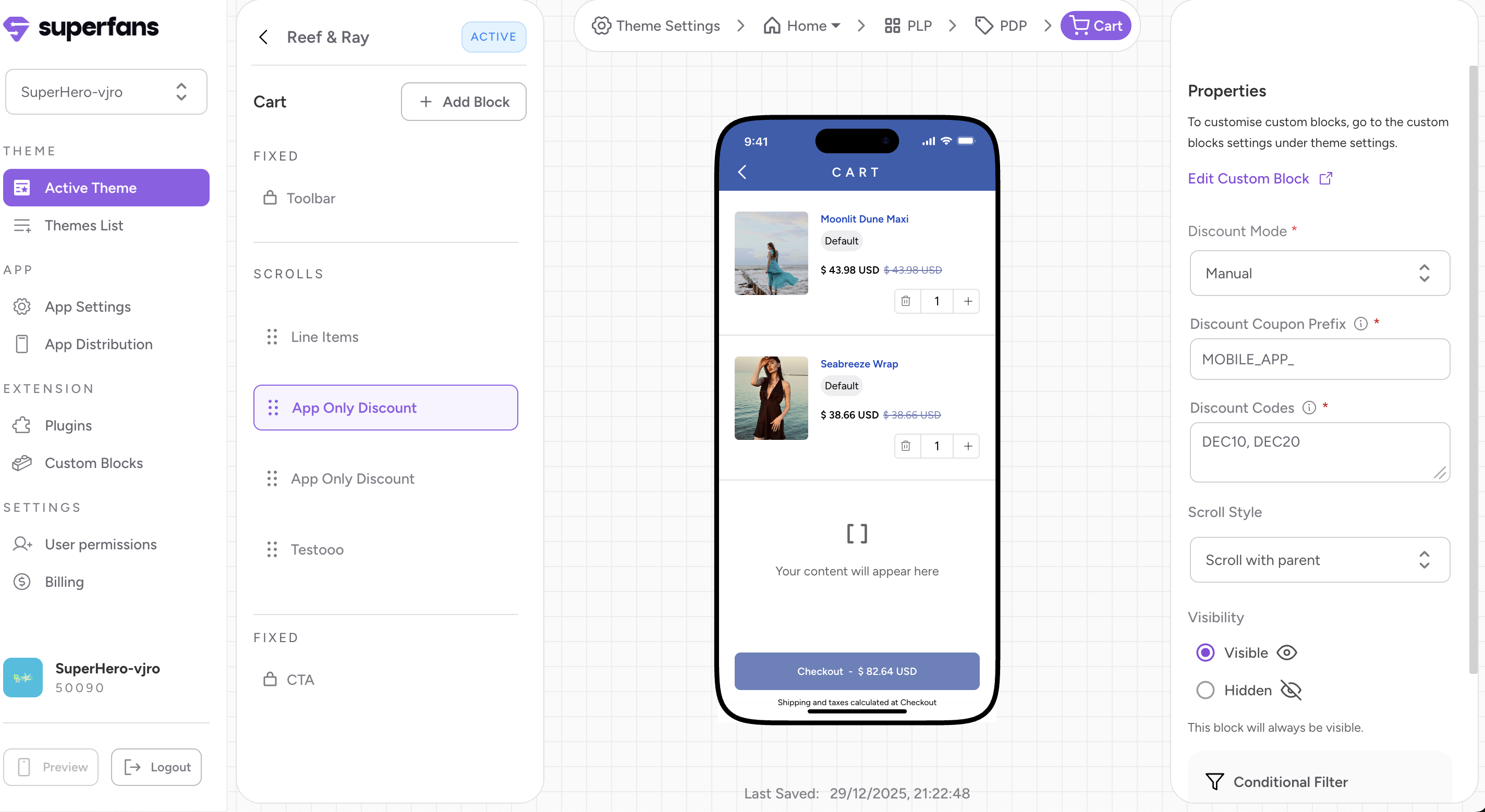
Step 1 - Go to the Superfans dashboard at https://app.superfans.io/. In the Extensions section, open “Custom Blocks.” On the Custom Blocks page, create a new block and choose “Create via HTML.”
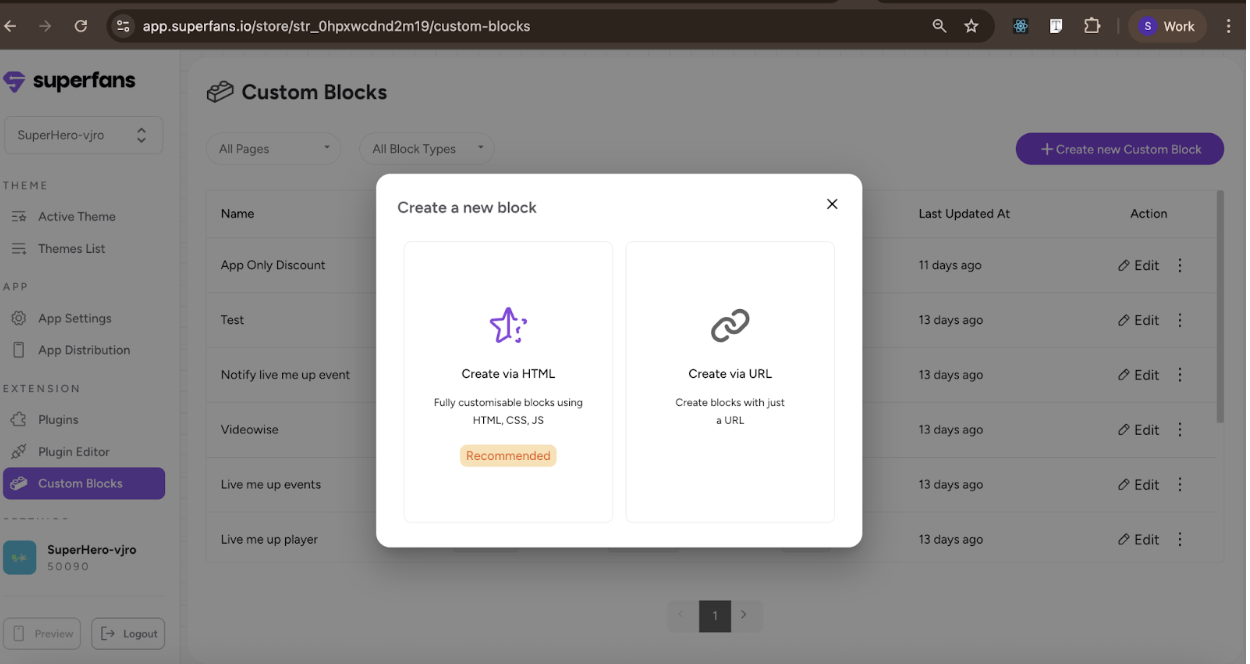
Step 2 - Give the custom block a name, set the block type to “Embedded,” and choose “Cart” as the page where it will be embedded.
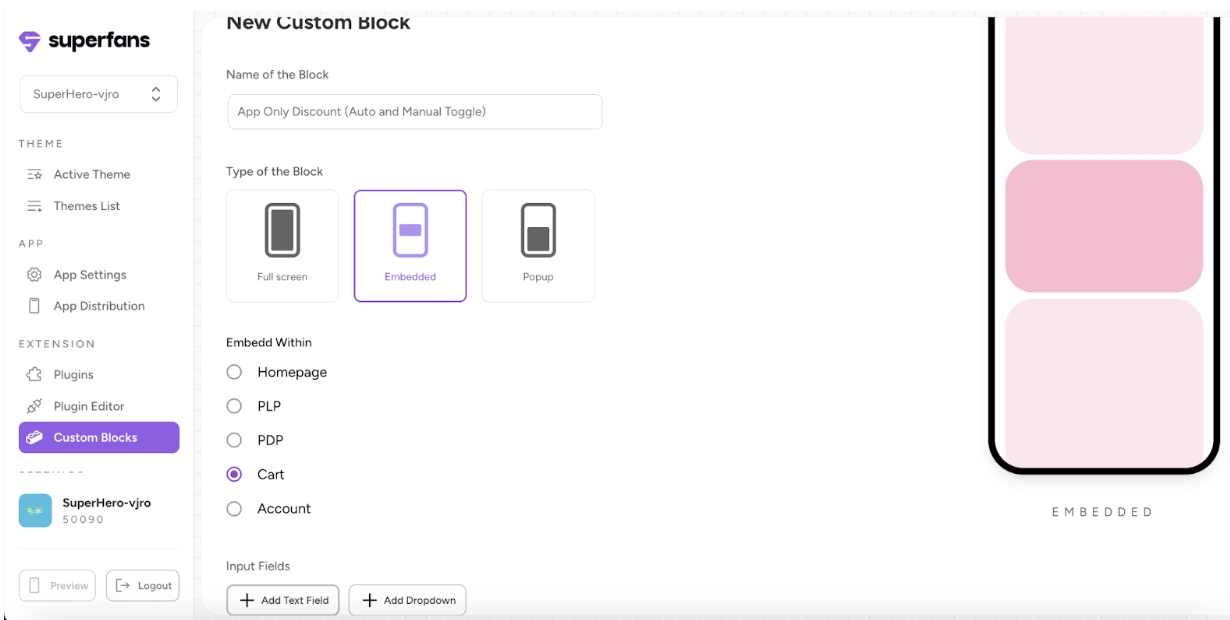
Step 3 - Next, click “Add Dropdown” to create a new configuration. Name it “Discount Mode,” add two options to the dropdown (“manual” and “auto”), and then save the configuration.
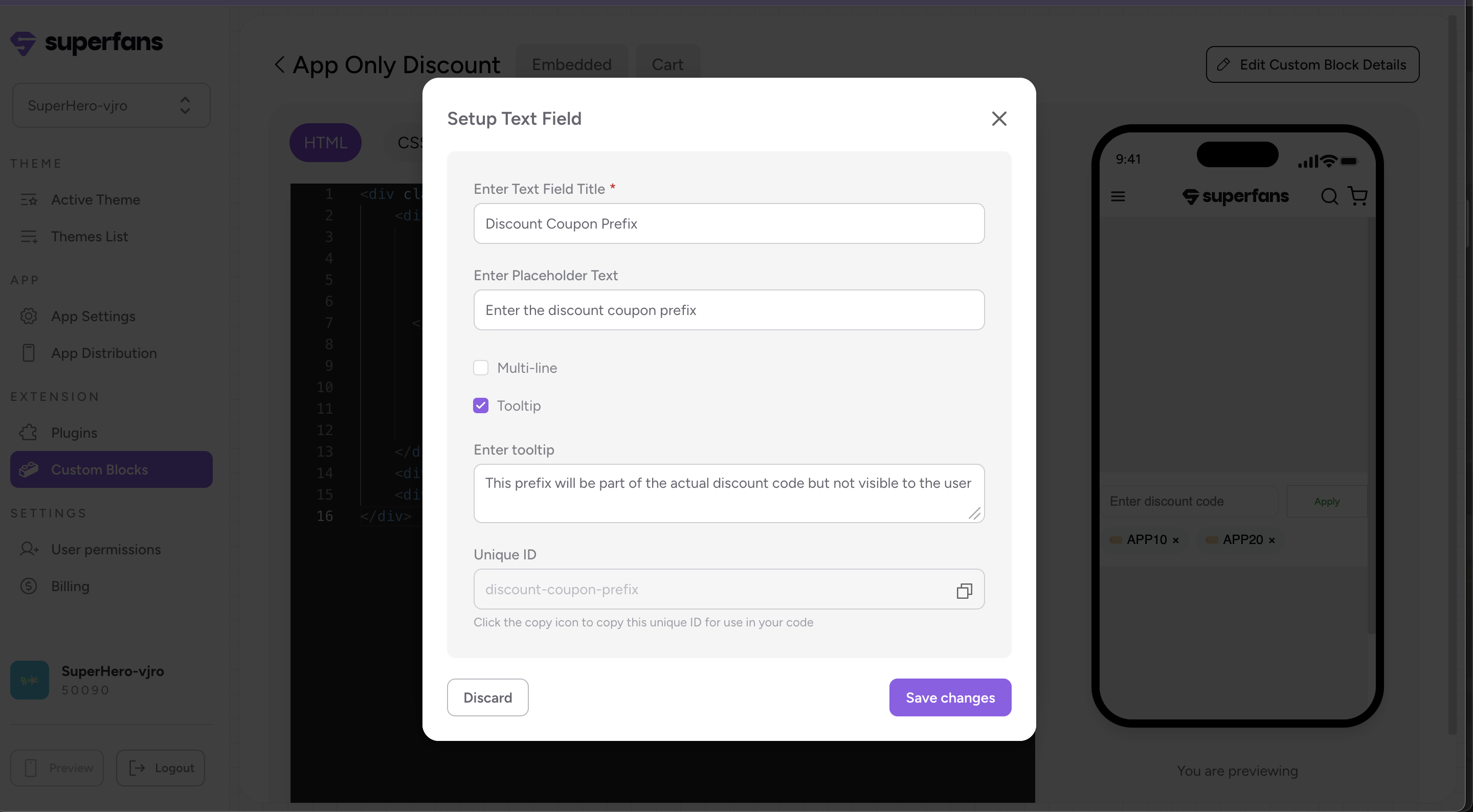
Step 4 - Create the “Discount Coupon Prefix” Configuration
Click Add Textfield and configure it as follows:
Title: Discount Coupon Prefix
Placeholder: Enter the discount coupon prefix
Enable Tooltip and set the message to:
“This prefix will be part of the actual discount code but will not be visible to the user.”
Save the configuration.
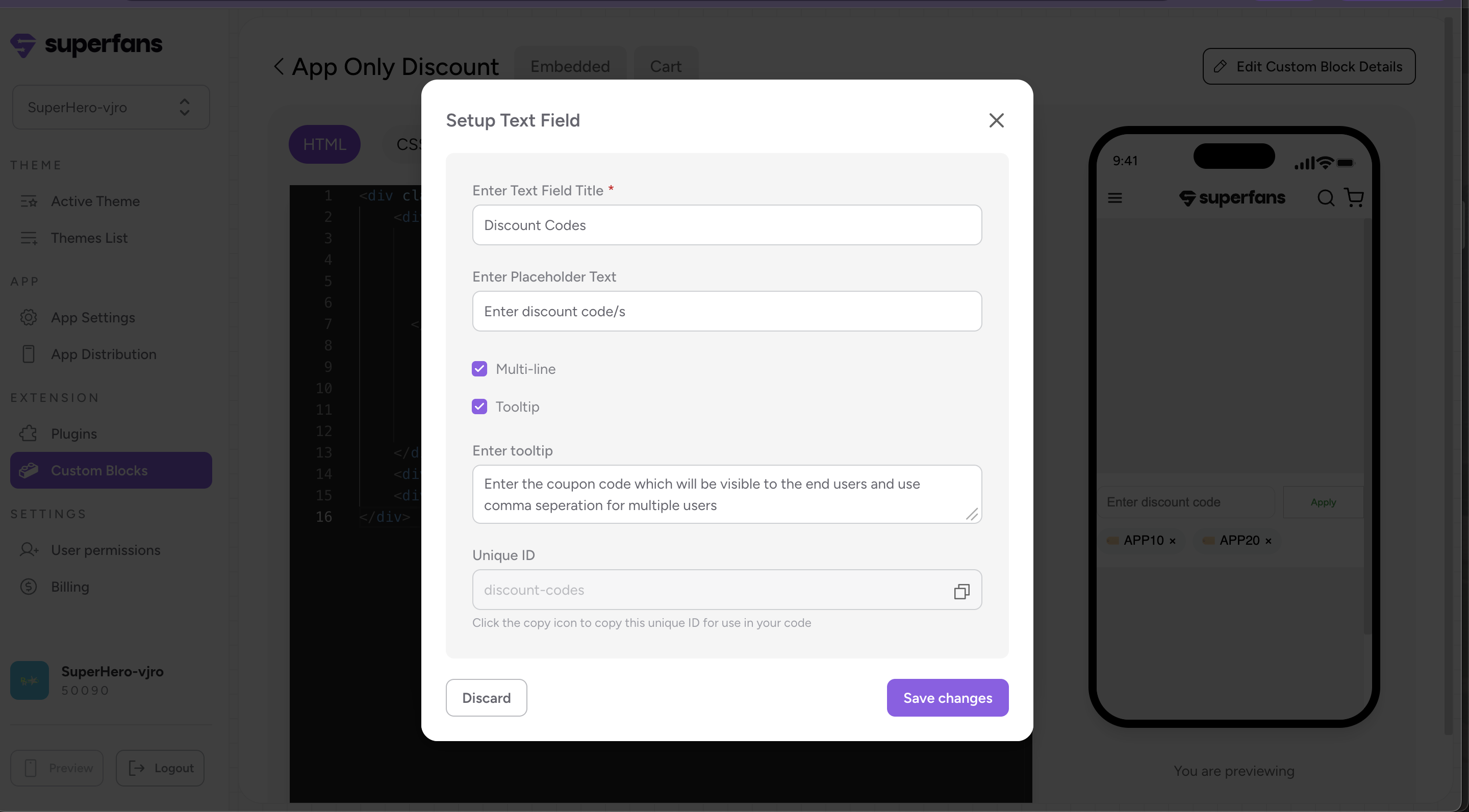
Step 5 - Create the Discount Code Configuration
Click Add Textfield and configure it as follows:
Title: Discount Codes
Placeholder: Enter the discount code/s
Enable Multiline
Enable Tooltip and add this message:
“Enter the coupon code that will be visible to end users. Use comma separation for multiple codes.”
Save the configuration.
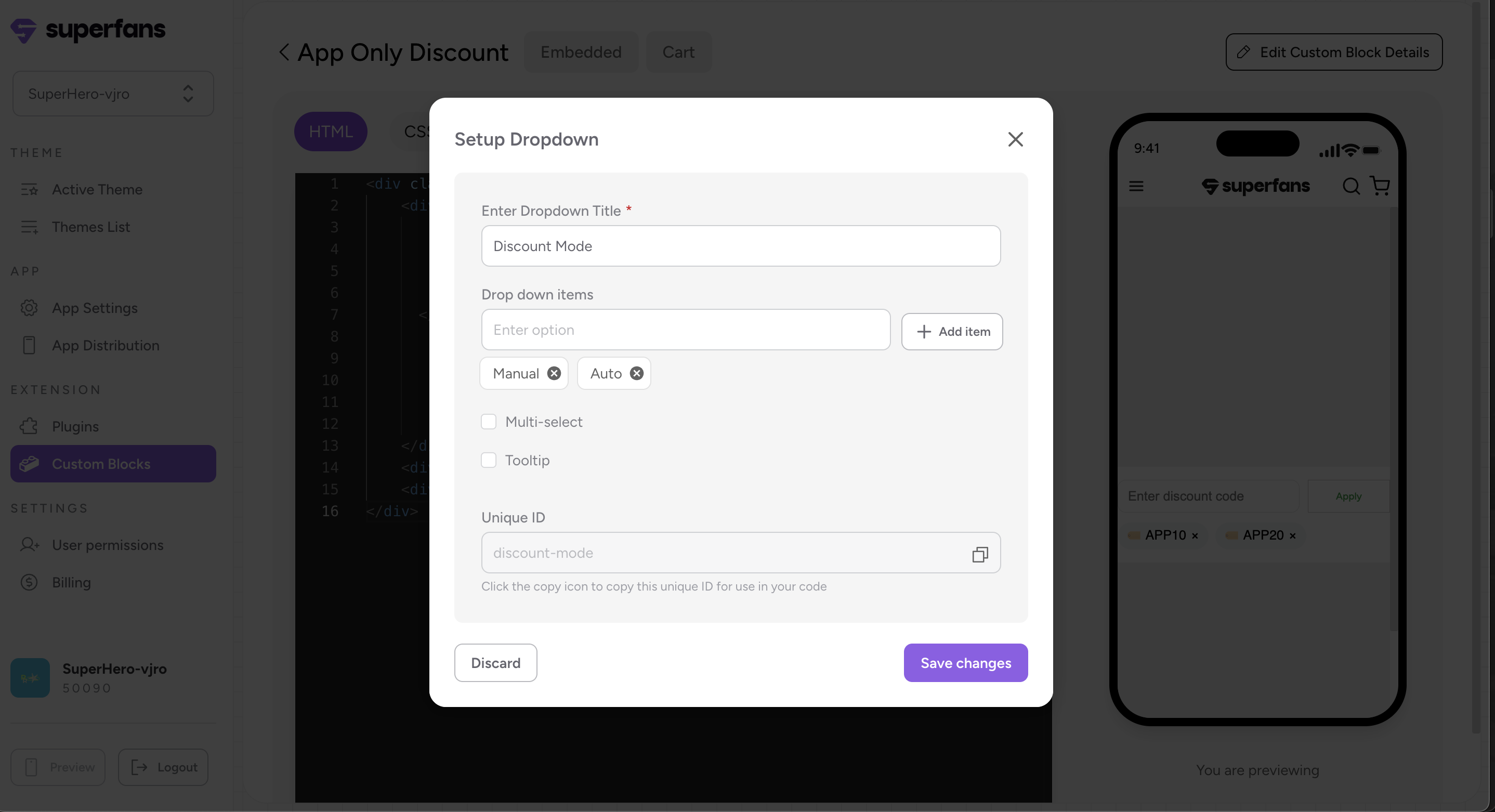
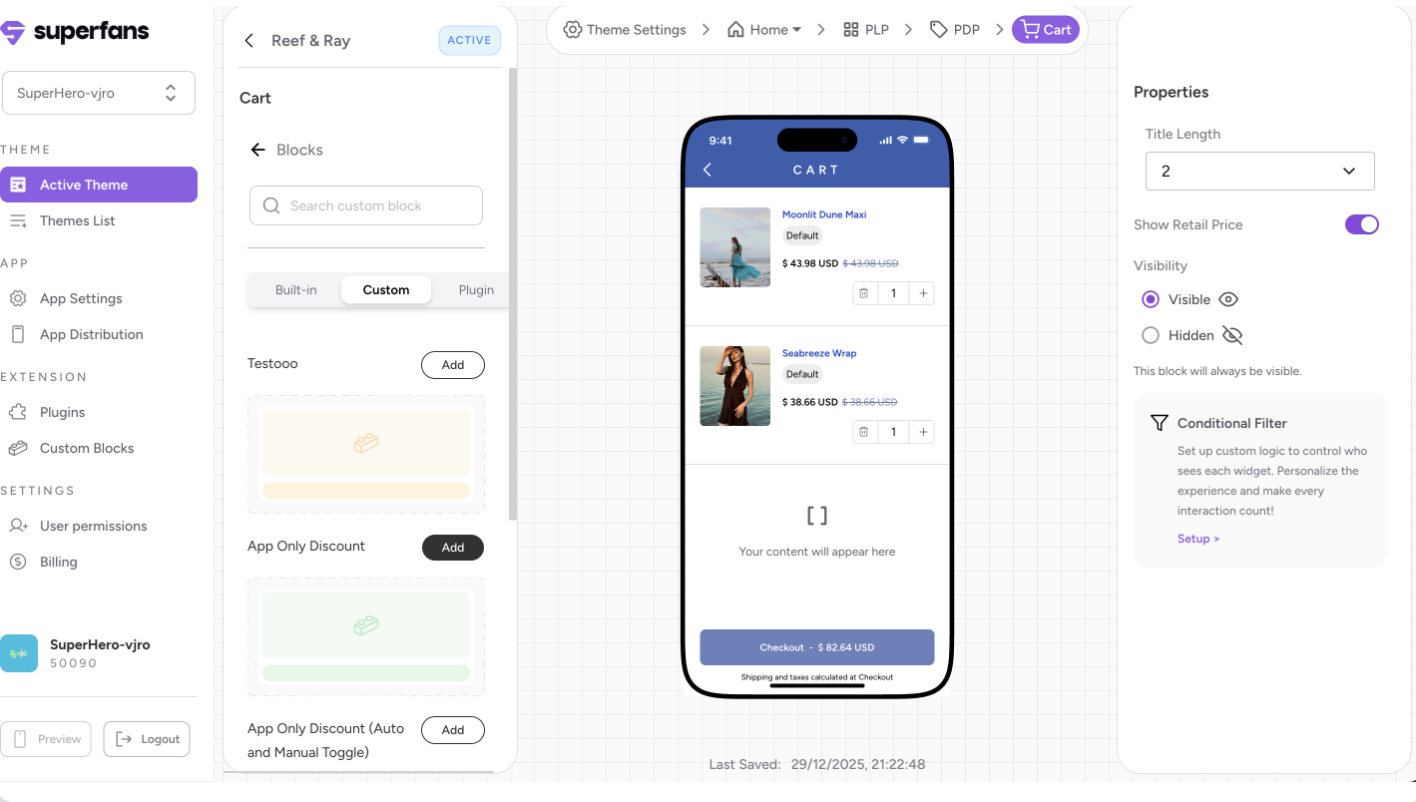
Step 6 - Go to the Cart page, open the Custom section, and add the “App Only Discount” block.
Step 7- Under Properties, click on edit custom details and paste the code in the code editor.
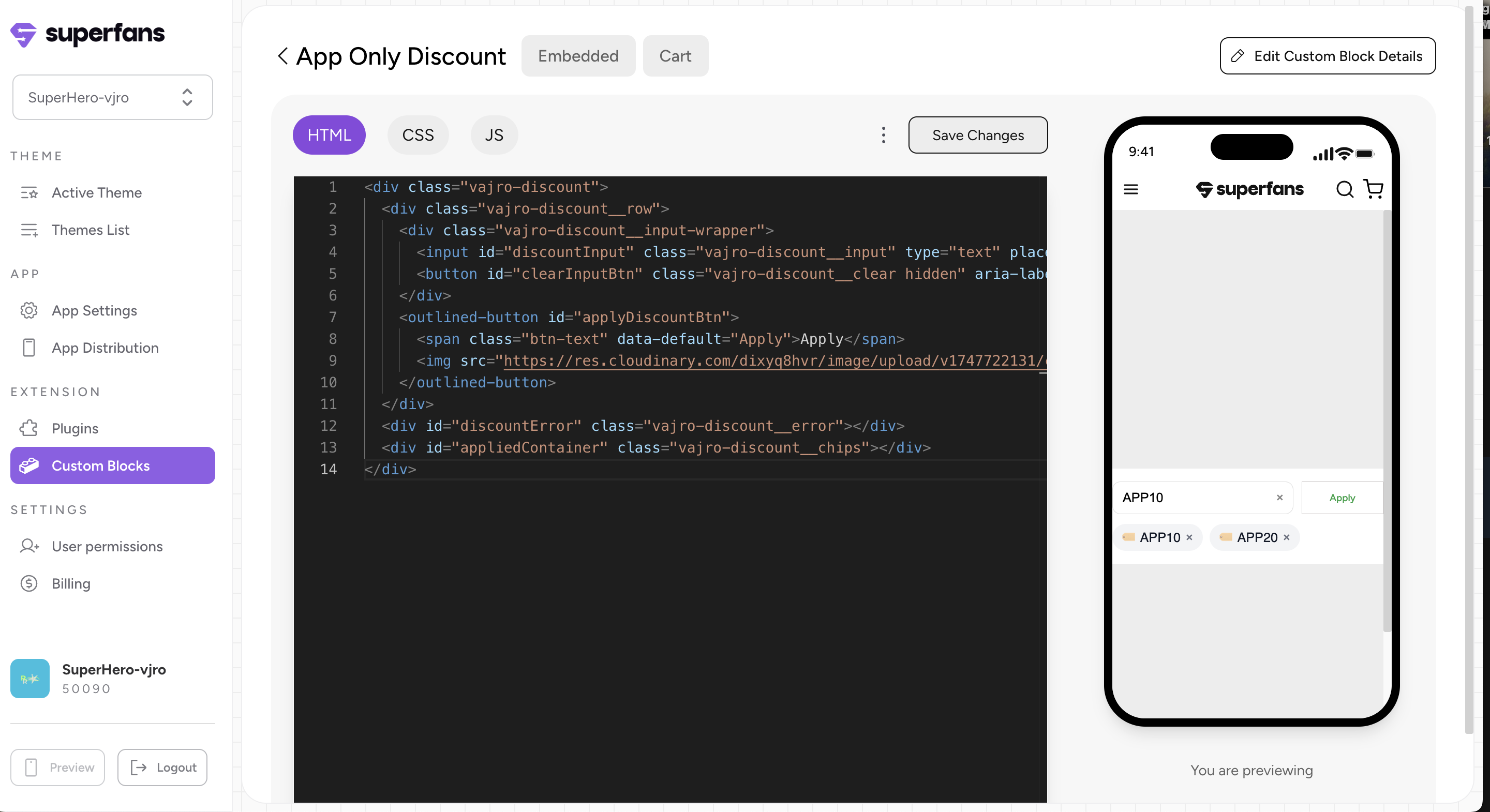
Use this link to access the code.
Step 8- In the Properties panel, select “Manual” as the Discount Mode from the dropdown. Set MOBILE_APP_ as the Discount Coupon Prefix and enter DEC10, DEC20 as the Discount Codes.