

Open Shopify Admin→ Discounts → Create discount
Choose a discount type
Amount off products
Amount off order
Buy X Get Y
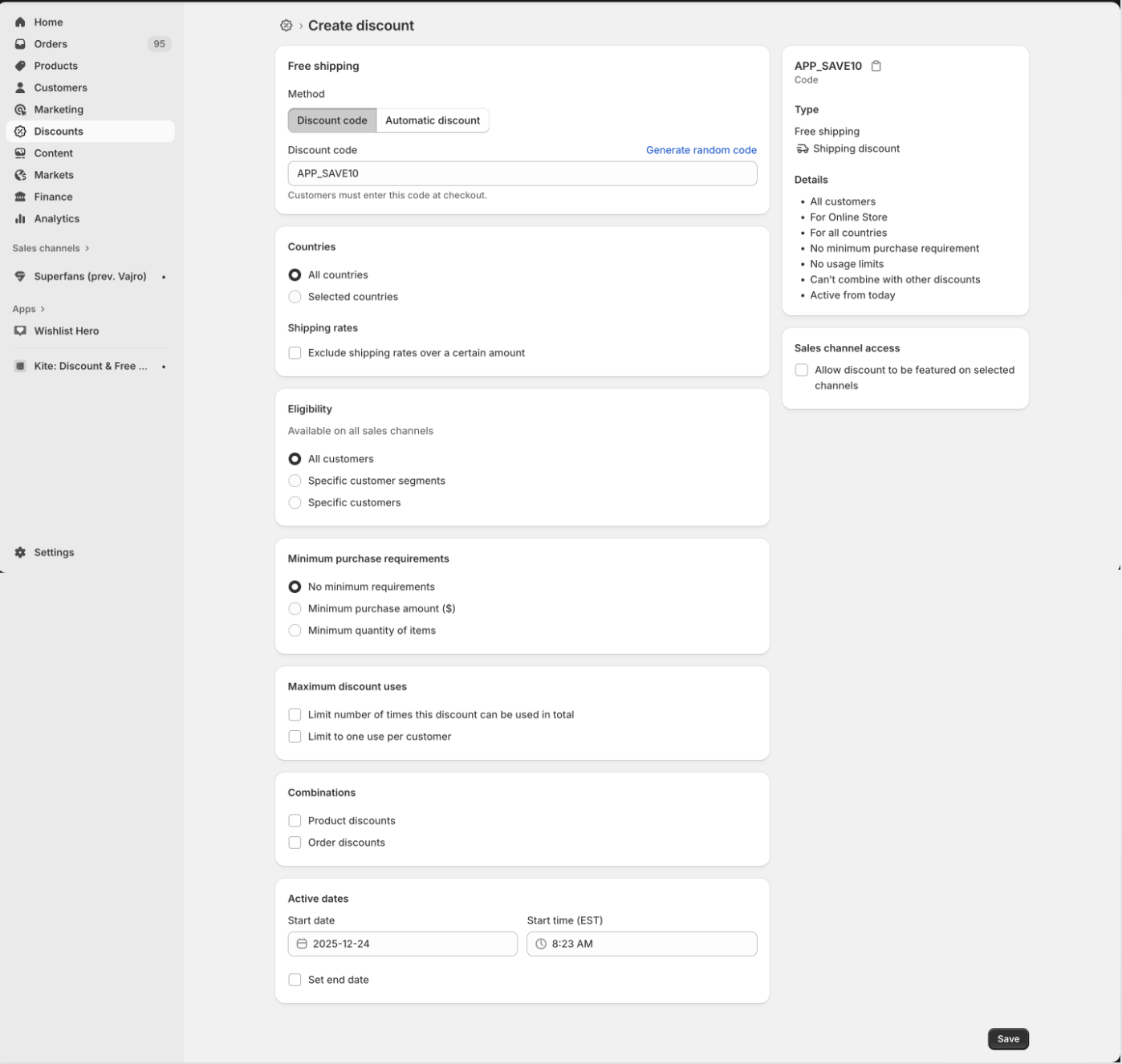
Free shipping
Select the discount method
Automatic → Applies automatically in the app
Discount code → Required for Manual mode (App-only)
If using a discount code
Create an App-Only code
Use a prefix + suffix format
Example: APP_SAVE10
Countries
All countries
Or select specific countries
Shipping rates (for Free Shipping discounts)
Apply to all rates
Or exclude rates over a certain amount
7. Optional Discount Settings
Minimum purchase: none / amount / quantity
Max uses: total / one per customer
Combinations: product discounts / order discounts
Active dates: start date / (optional) end date
Save discount
How App-Only Discounts Work in the App ?
Automatic mode: Applies automatically
Manual mode (App-only):
Cart page → enter prefix
Checkout page → enter prefix + suffix