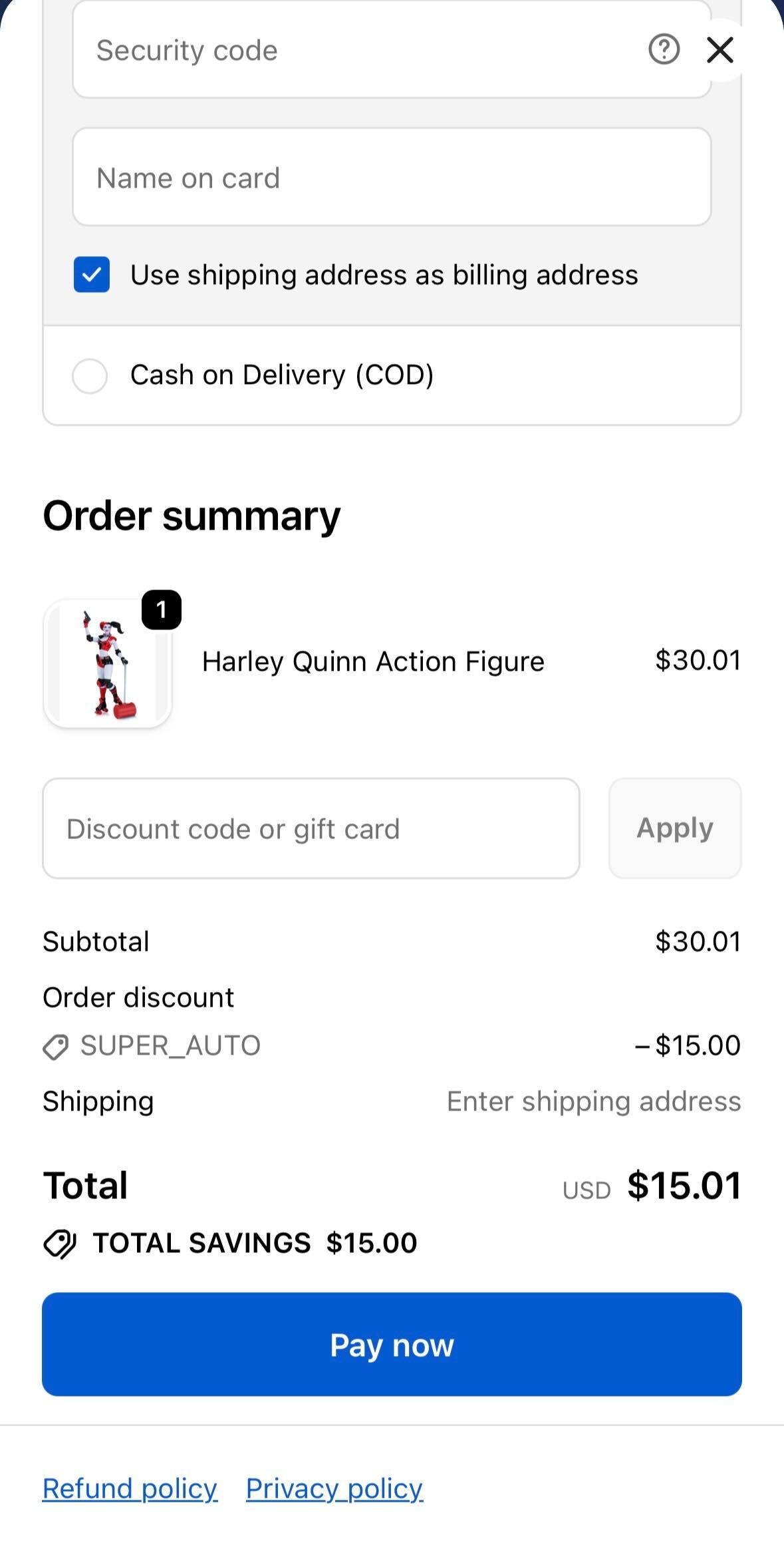
Shiprocket helps you give your customers a smooth, one-click checkout experience that makes buying fast and effortless. By reducing cart drop-offs and speeding up the checkout process, it helps you boost your conversions and grow sales.
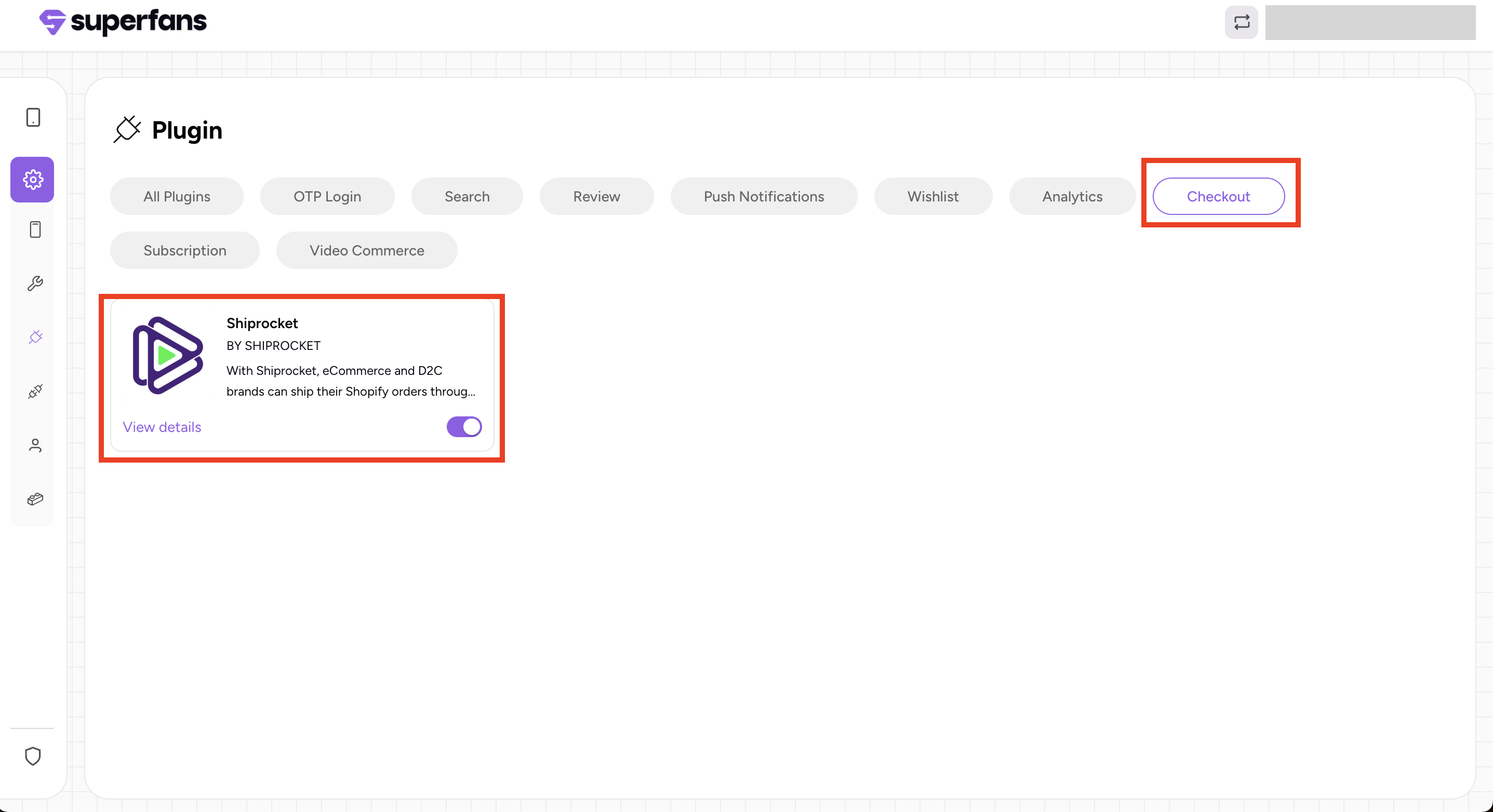
Step 1 : Log in to your Superfans dashboard and go to Settings > Plugins.
Step 2 : Under the Checkout category, select Shiprocket and toggle it on.
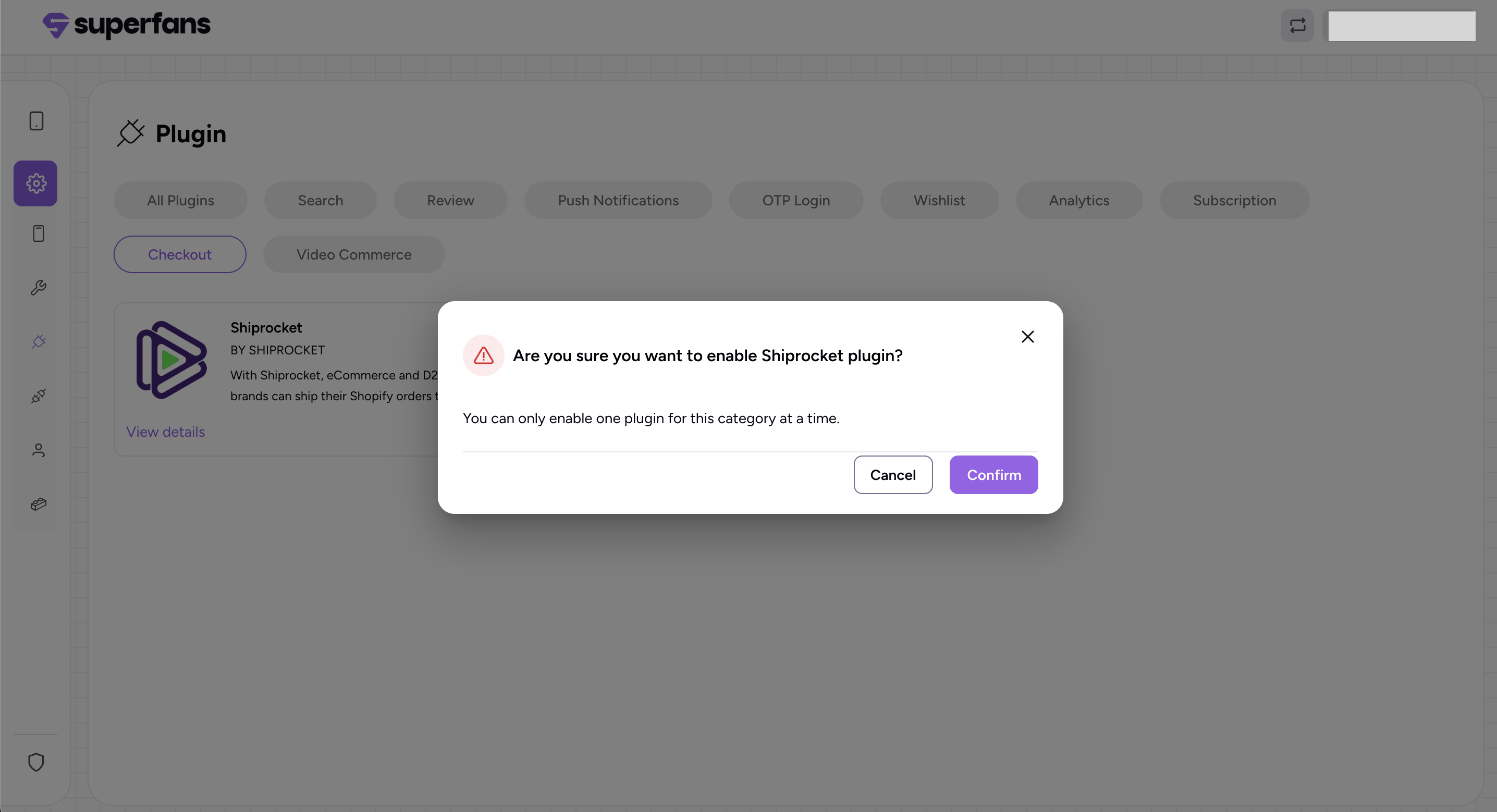
Step 3: Click on confirm to enable the plugin.

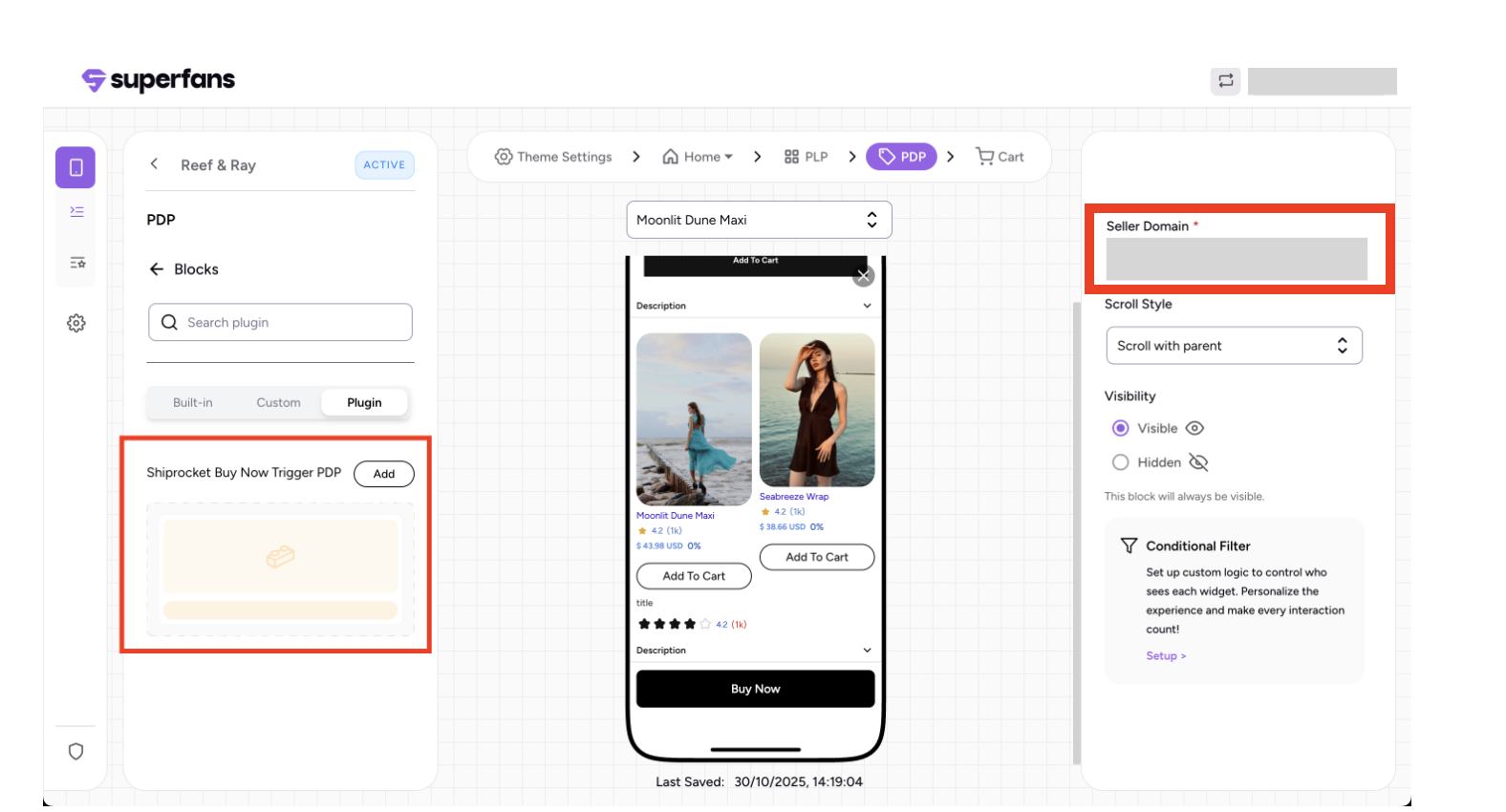
The Shiprocket plugin block can be added to the Product Details Page (PDP) and the Cart page in the mobile app.
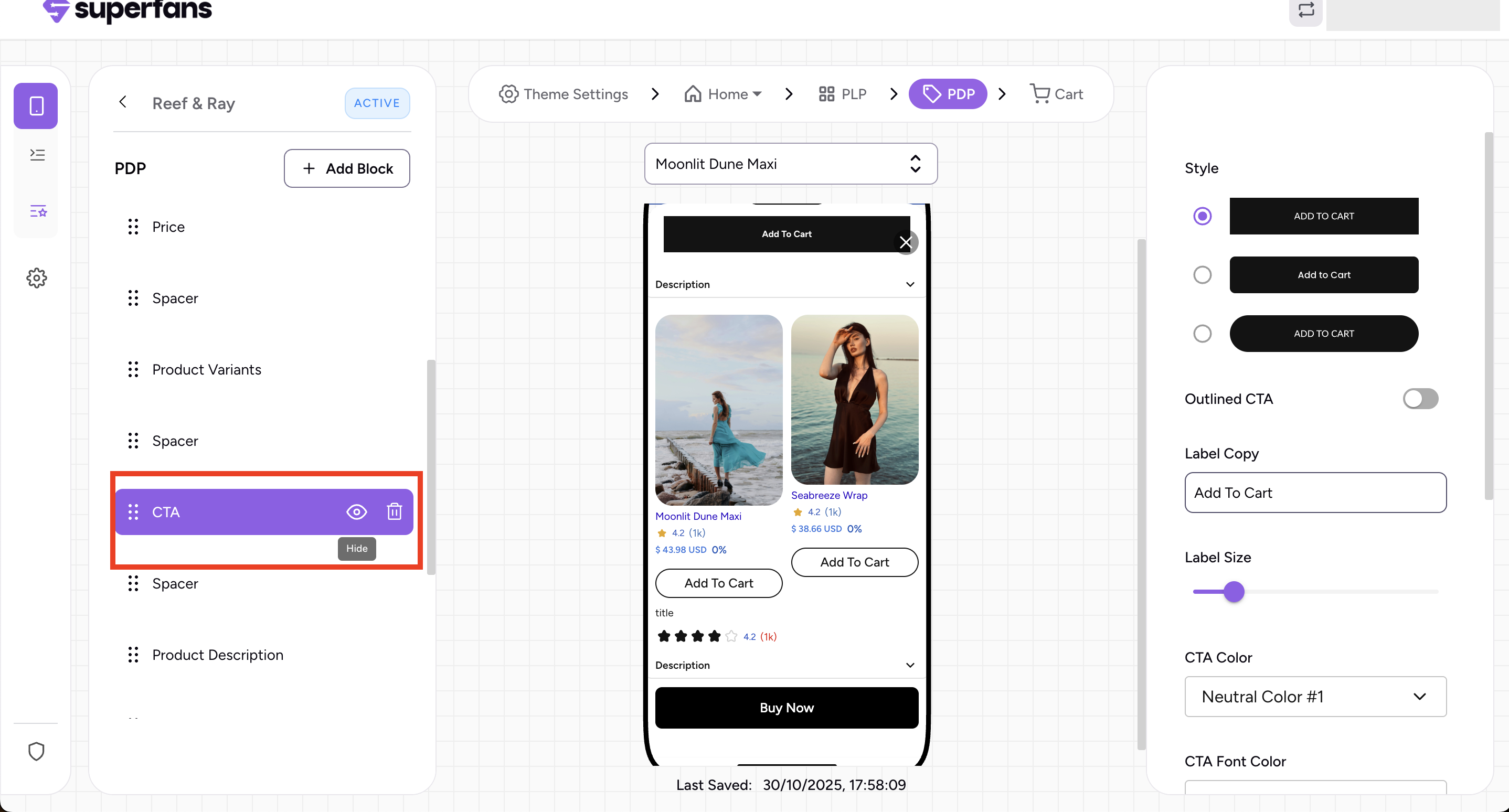
Go to the PDP page in your dashboard, add the “Shiprocket Buy Now Trigger PDP” under the plugin block, and enter your seller domain details.
Go to the cart page in your dashboard, add the “Shiprocket Checkout Trigger Cart” under the plugin block, and enter your seller domain details.
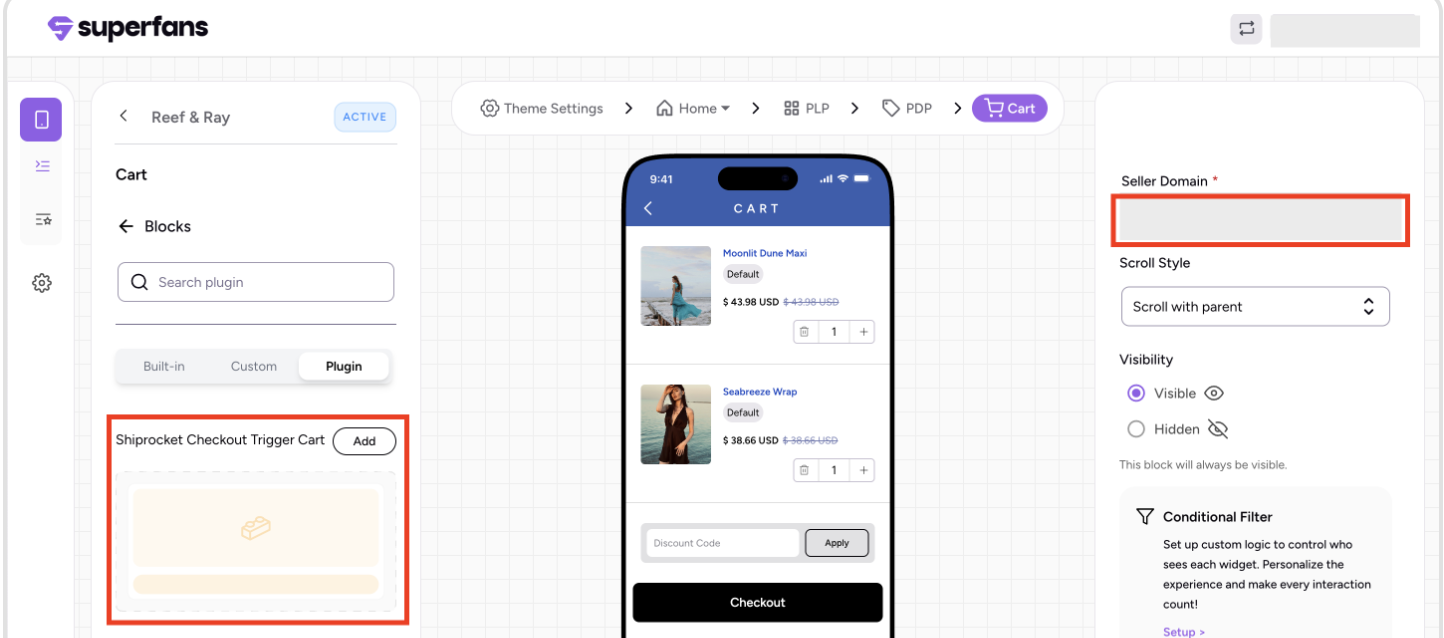
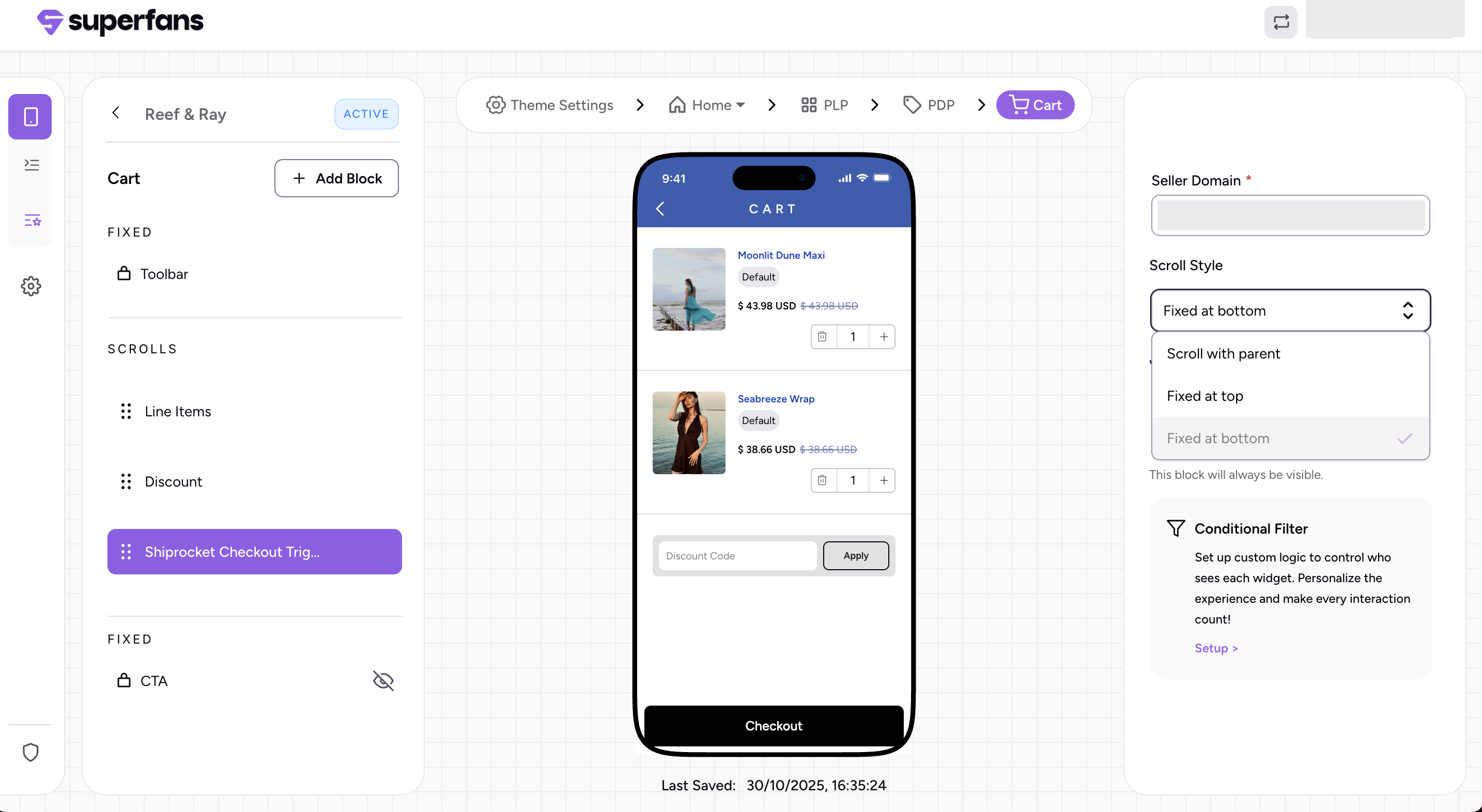
You can choose from three scroll style options: Fixed at bottom, Scrolls with parent, or Fixed at top.
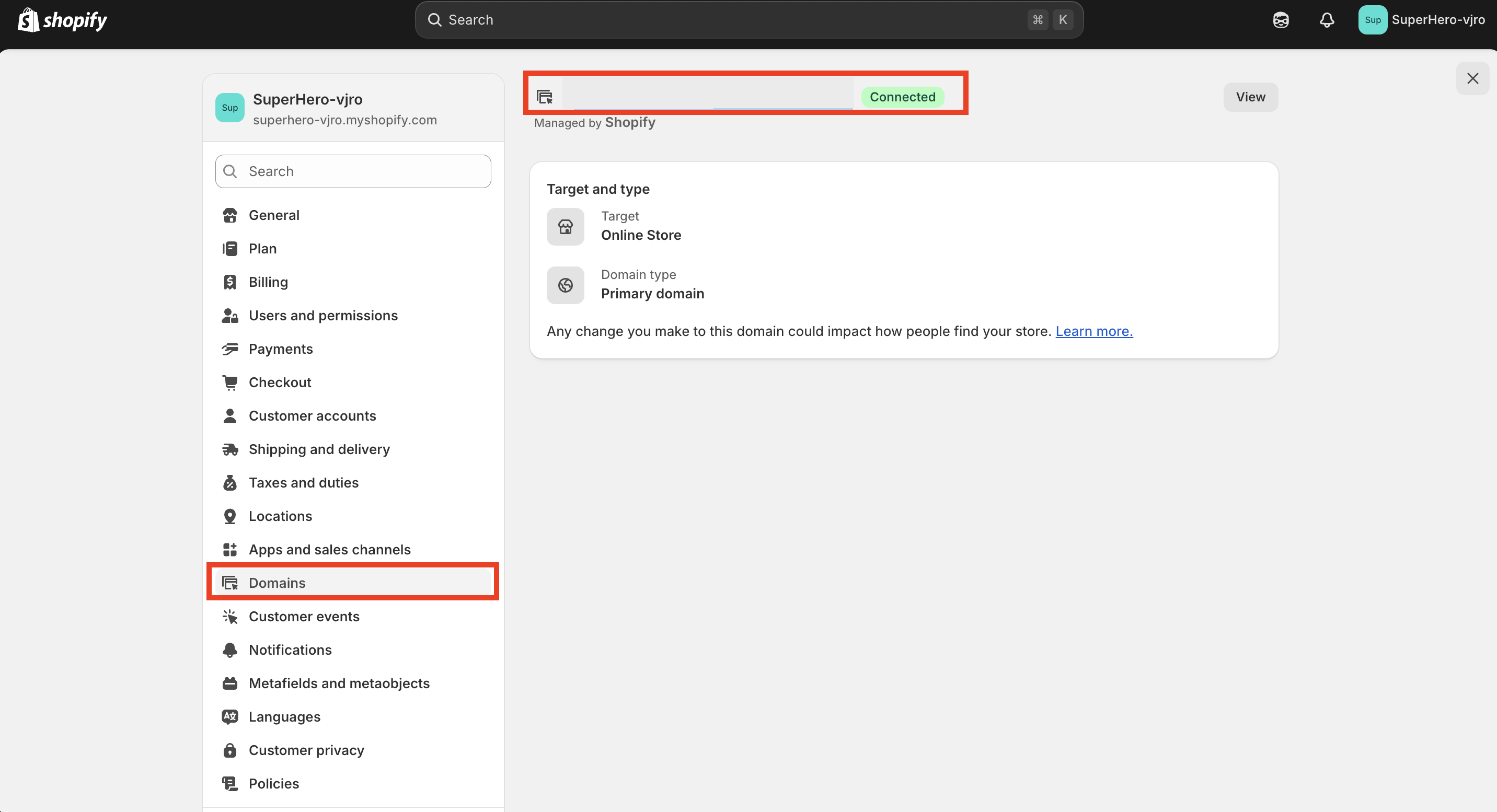
In your Shopify admin dashboard, head to Settings and choose Domains, your domain ID will be displayed there.
Customers can place an order by clicking Buy Now on the Product Details page or Checkout from the cart page, then providing the necessary details like contact information, delivery address, shipping method, and payment to complete their purchase.