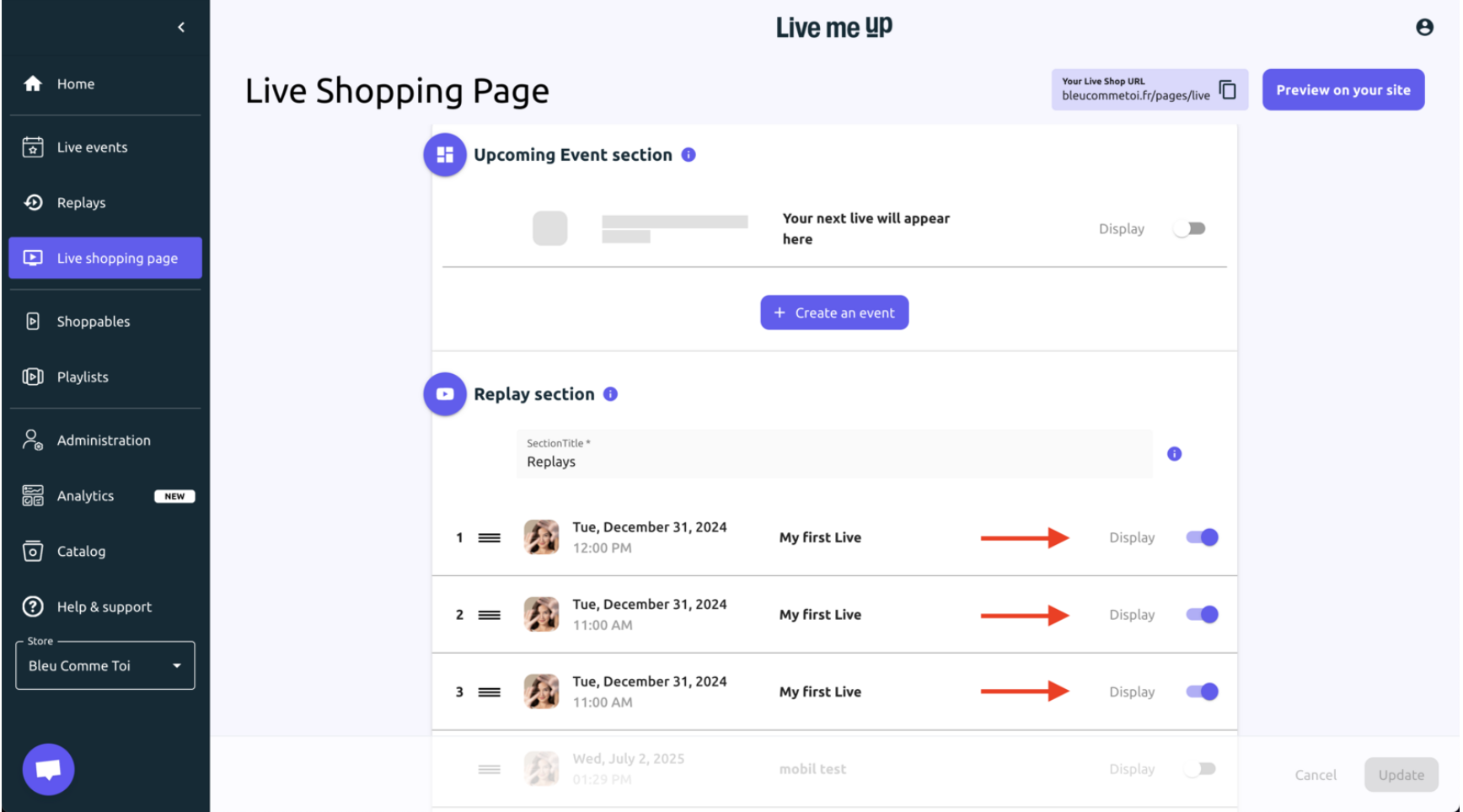
Displaying replays on the Live shopping page is a major way to generate traffic and sales long after the live event has ended. This is especially true for replays of product tutorials, product discoveries, or product lookbooks.
Toggle on the replay you want to display on the live shopping page.
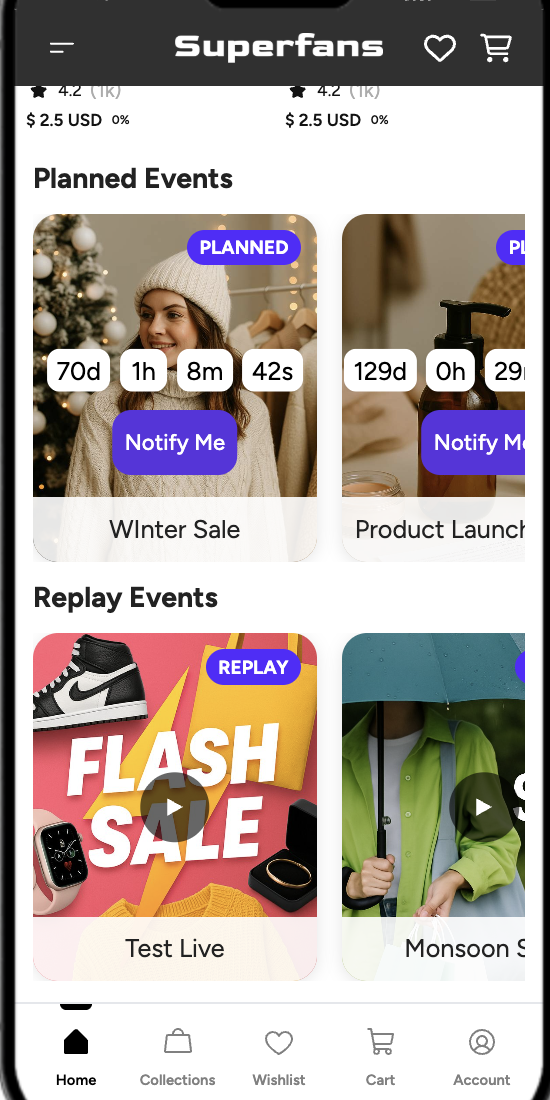
Preview of replay in the mobile app:
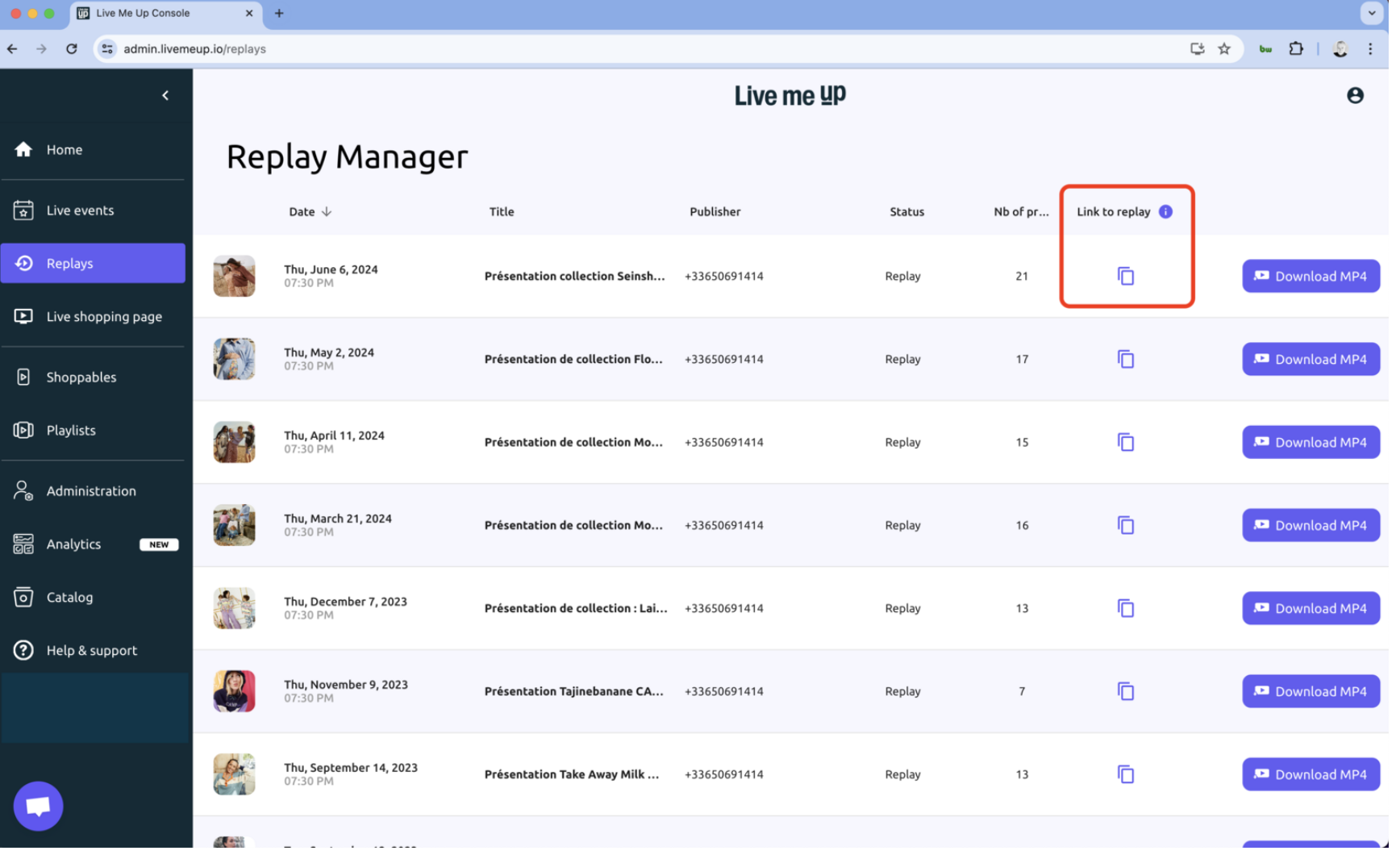
Where to find the link for a Replay event?
Navigate to the Replays section in the left-hand menu.
Locate the desired replay in the list and click the copy icon, which is found under the Link to replay column. The link will be instantly copied to your clipboard.
Frequently Asked Questions (FAQs)
1. How long does it take to process the replay?
Processing the replay takes approximately the same amount of time as your live session. For example, if your live session lasted one hour, the replay will be processed in about one hour.
2. Can customers still purchase from replays as long as the products are in stock?
Yes, absolutely.
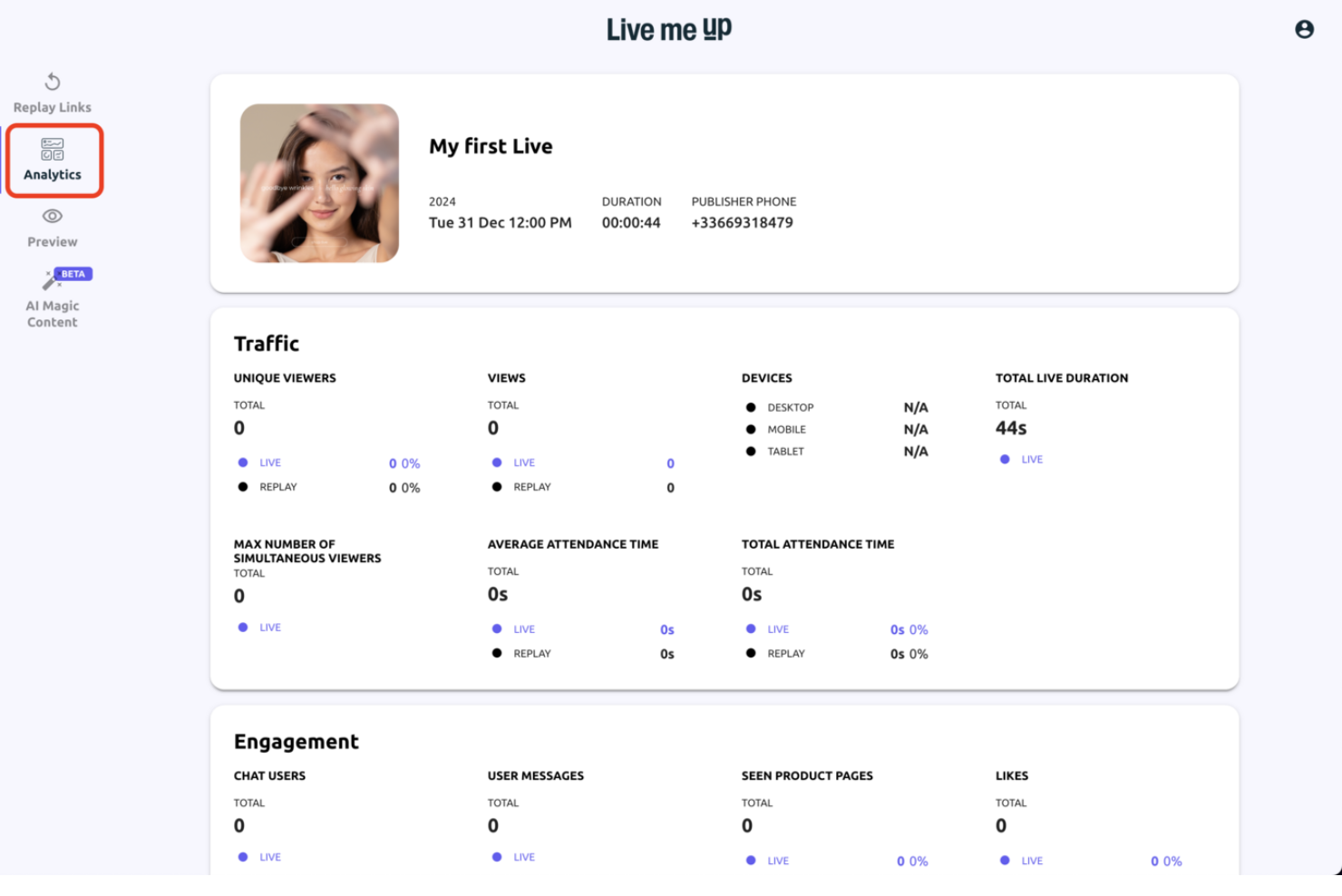
Analytics
Under the Analytics tab, you can track engagement and traffic for your Live streams, Replays, and Shoppable Videos.