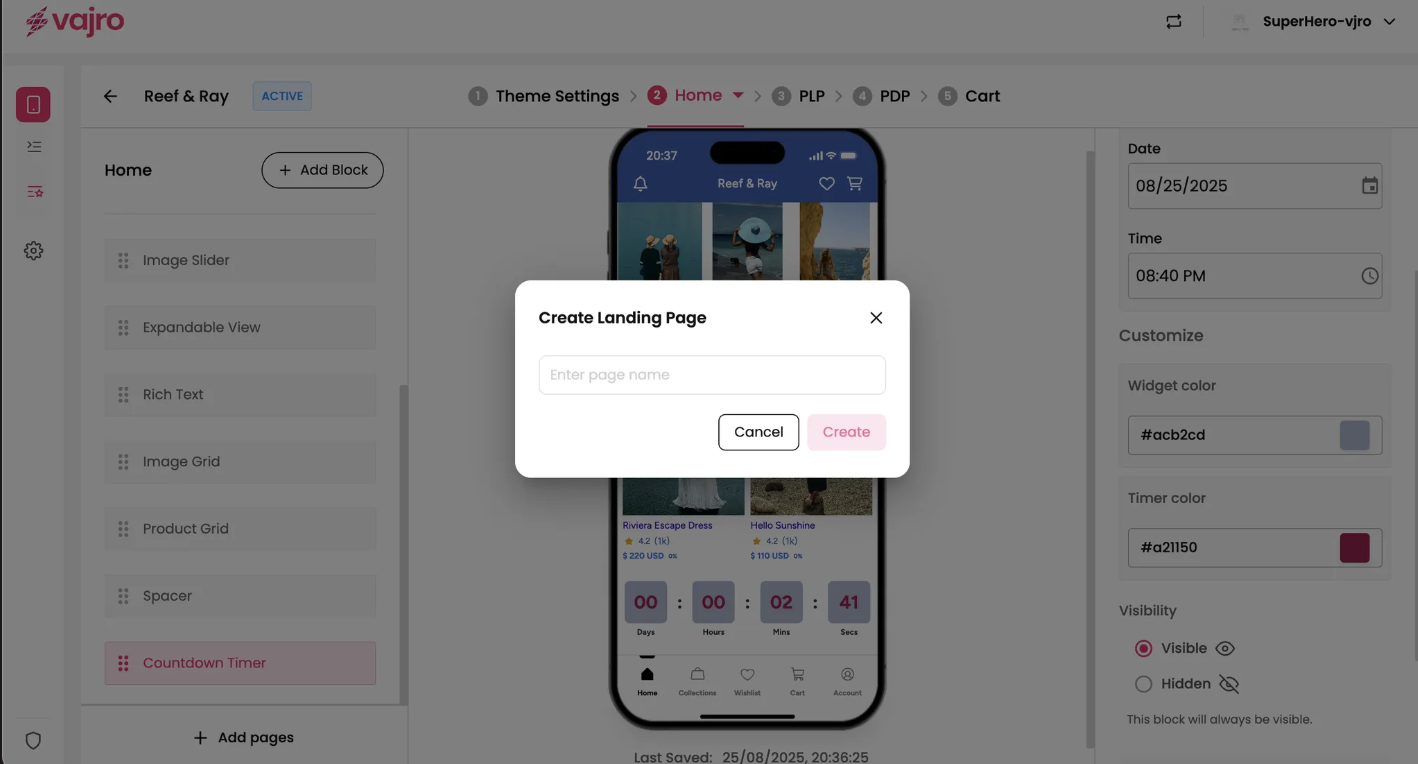
Go beyond your standard home screen and product pages by creating dedicated, custom landing pages for your marketing campaigns. Landing pages are perfect for promotions, lookbooks, special collections, or linking to from push notifications and email campaigns.
Features & Controls
Creating a new landing page is a quick and simple process.
Add Pages: In the bottom left corner of your screen, click the Add pages button. This will open a modal to begin the creation process.
Create Landing Page Modal:
Enter page name: Type a clear, descriptive name for your new page (e.g., "Summer Sale," "New Arrivals," or "Black Friday"). This name is for your internal reference and will appear in your app's navigation.
Create: Click the Create button to finalize your new landing page.
Designing Your Page: Once your new page is created, you can now drag and drop any of the available blocks (like Image Banners, Product Grids, Rich Text, etc.) from the left panel onto the page to build your desired layout.
Linking to Your Page: To make your new landing page accessible to your customers, simply link to it from any other block or widget in your app (e.g., a clickable Image Banner, a button in a Rich Text block, or a link in your Side Menu.