

Online shopping isn’t just about products, it’s about experience. Live Me Up empowers Shopify merchants to host live shopping events, showcase products, and engage customers in real-time.
Multistreaming Made Easy
With Live Me Up, you can broadcast simultaneously to Facebook, Instagram, YouTube, TikTok, LinkedIn, and X (formerly Twitter), reaching audiences wherever they are and driving traffic back to your store.
Why Merchants Love It
Interactive Shopping: Answer questions, demo products, and let viewers buy instantly.
Shoppable Videos: Tag products in live streams to increase conversions.
Analytics & Insights: Track engagement and sales to optimize future broadcasts.
Seamless Shopify Integration: Easy setup with no technical hassle.
Getting Started
Install Live Me Up on Shopify.
Connect your social accounts for multistreaming.
Schedule your live event and select products.
Go live, engage, and sell in real-time.
How to enable the plugin?
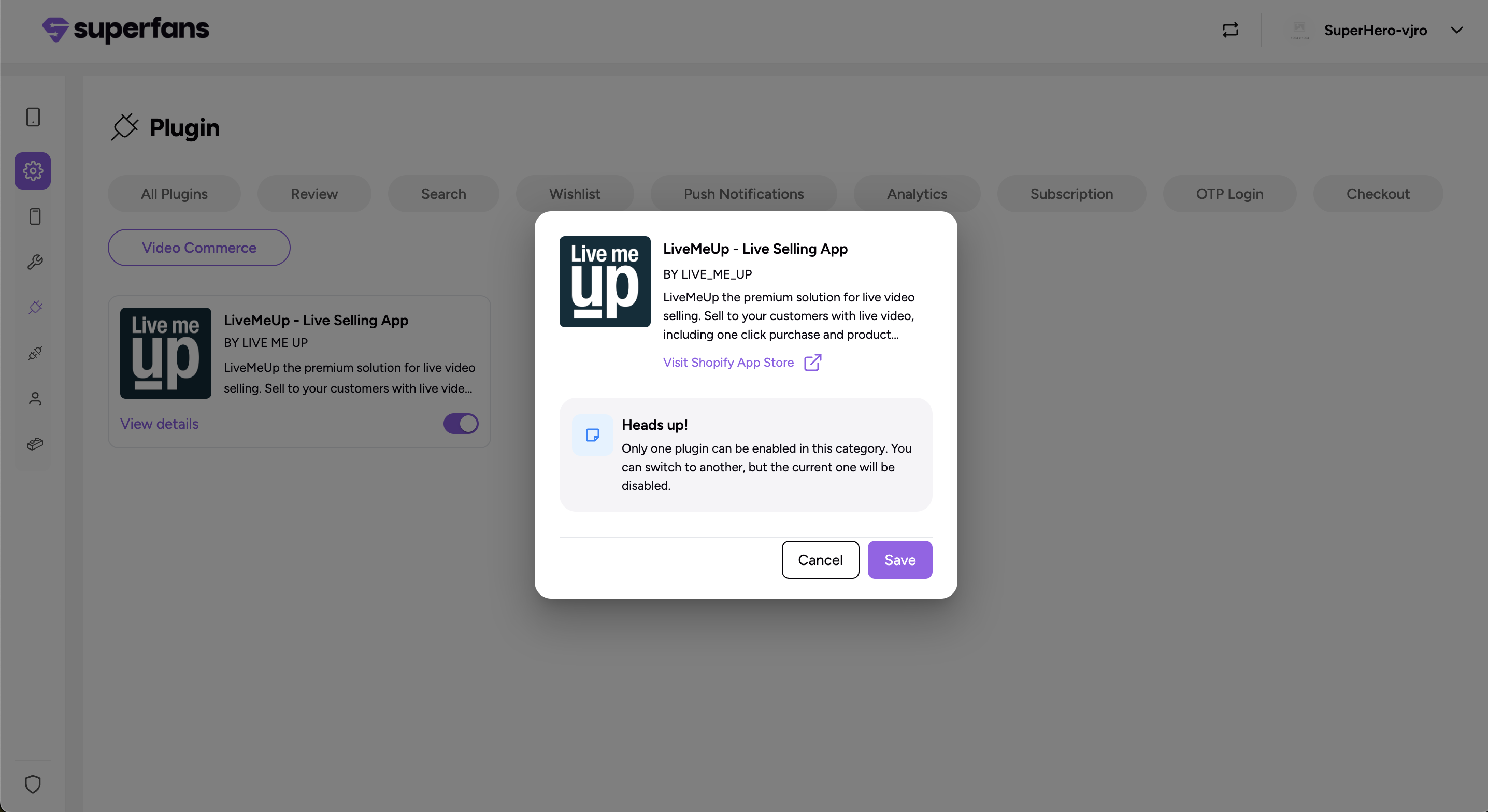
Step 1 : Log in to your Superfans dashboard and go to Settings → Plugins.
Step 2 : Under the Video Commerce category, select : Live MeUp toggle it on and click on Save.
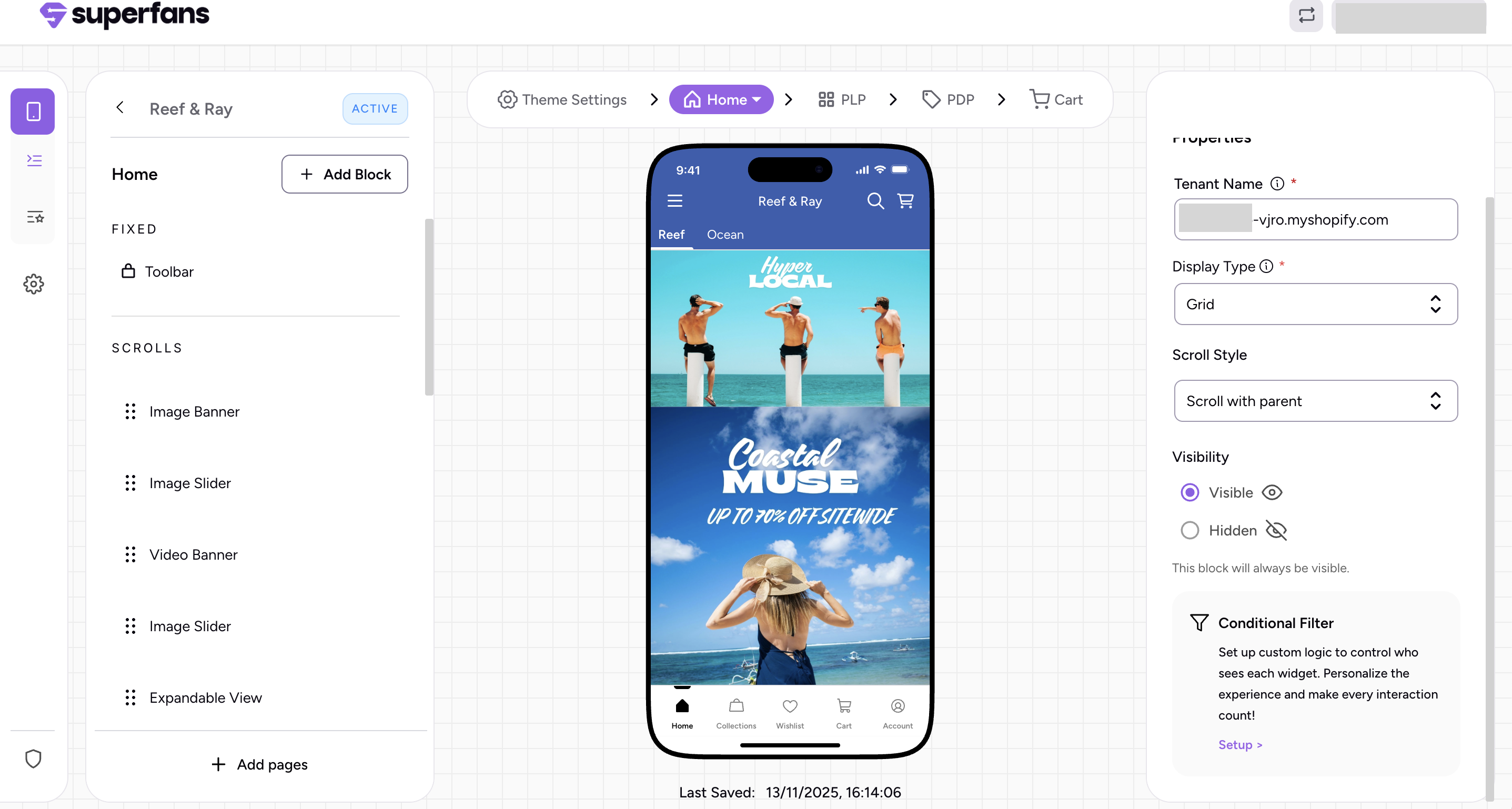
Step 3 : Log in to your Superfans dashboard, open the Page Editor, and click Add Block. In the Properties panel, copy the store URL under Tenant Name from your Shopify account.
Choose the display type that best fits your store’s layout: grid or carousel.
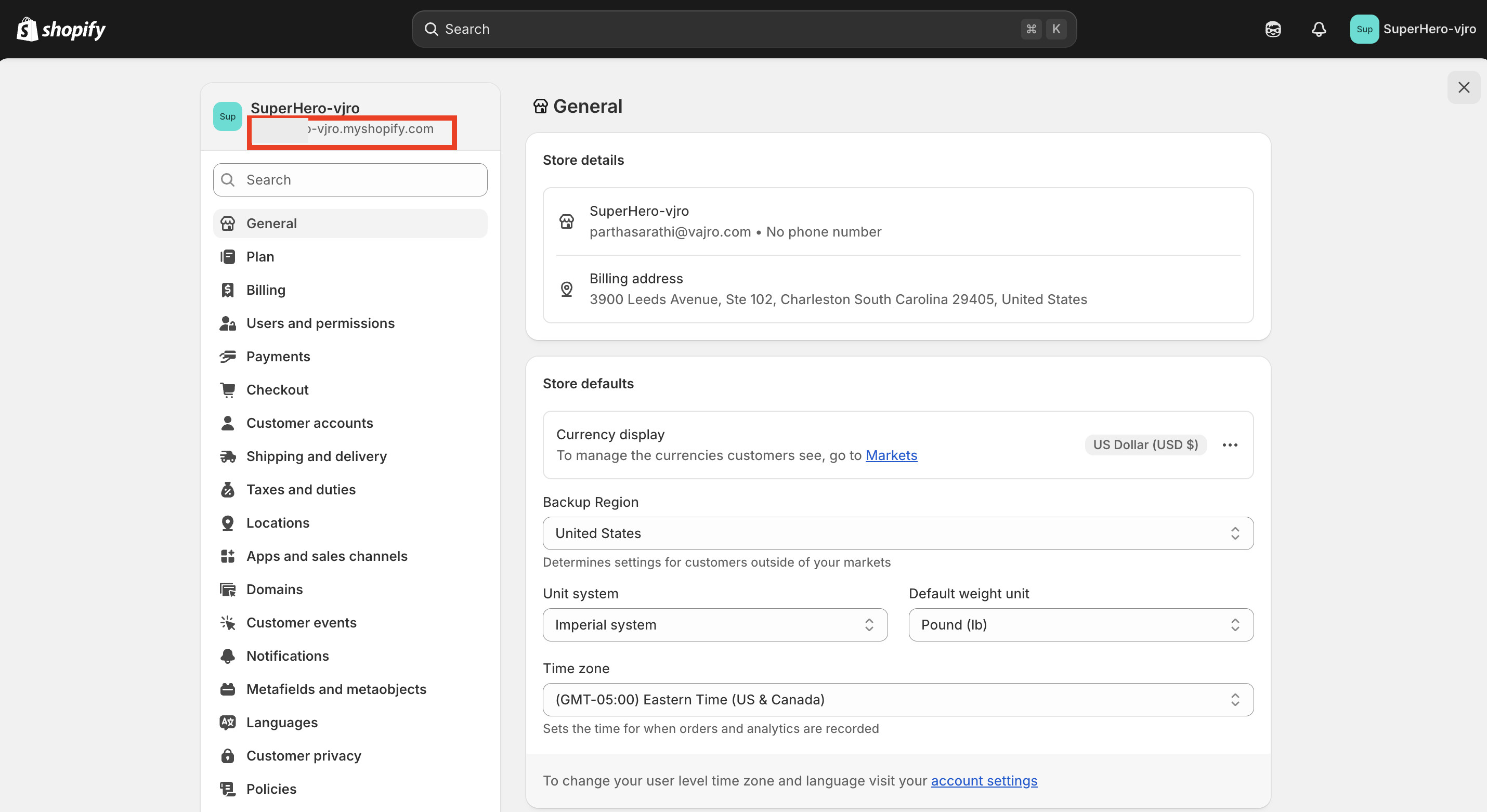
How to locate Tenant Name?
Log in to Shopify, go to Settings → General, and copy the Store URL shown below your store name.
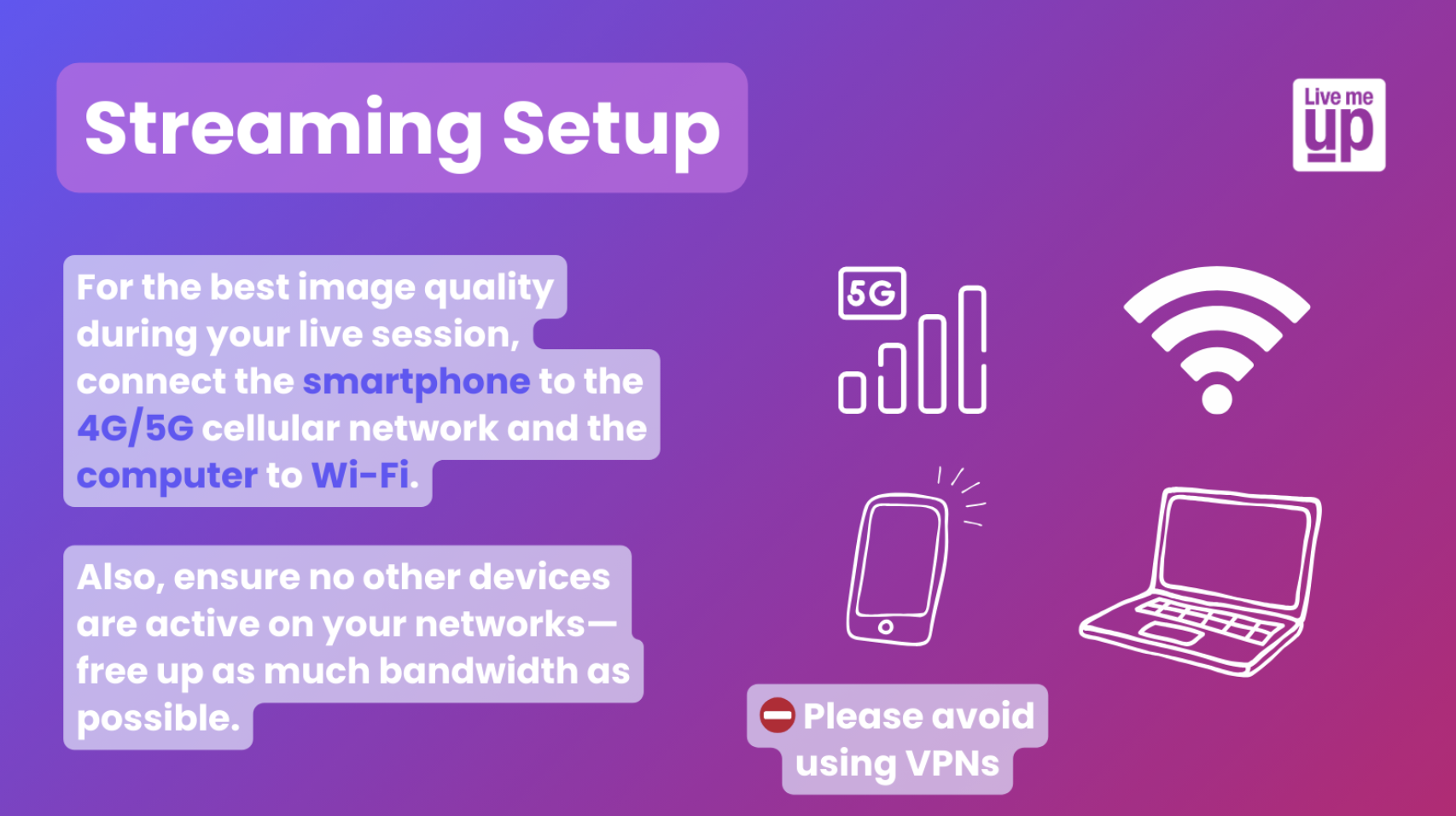
Streaming Setup Checklist
Technical Setup Checklist
For a successful live stream, use your phone on 4G/5G to stream, and a laptop/iPad on Wi-Fi to moderate. Ensure you have an external microphone and good lighting. Finally, enable "Do Not Disturb" mode on your phone and smile you're ready!