A wishlist lets shoppers save and revisit their favorite products anytime. With Wishlist Hero, they can share lists, get price drop and low stock alerts, and even add items directly to the cart. It’s fully customizable, supports guest users and product variants, and blends perfectly with your store’s design helping turn interest into sales.
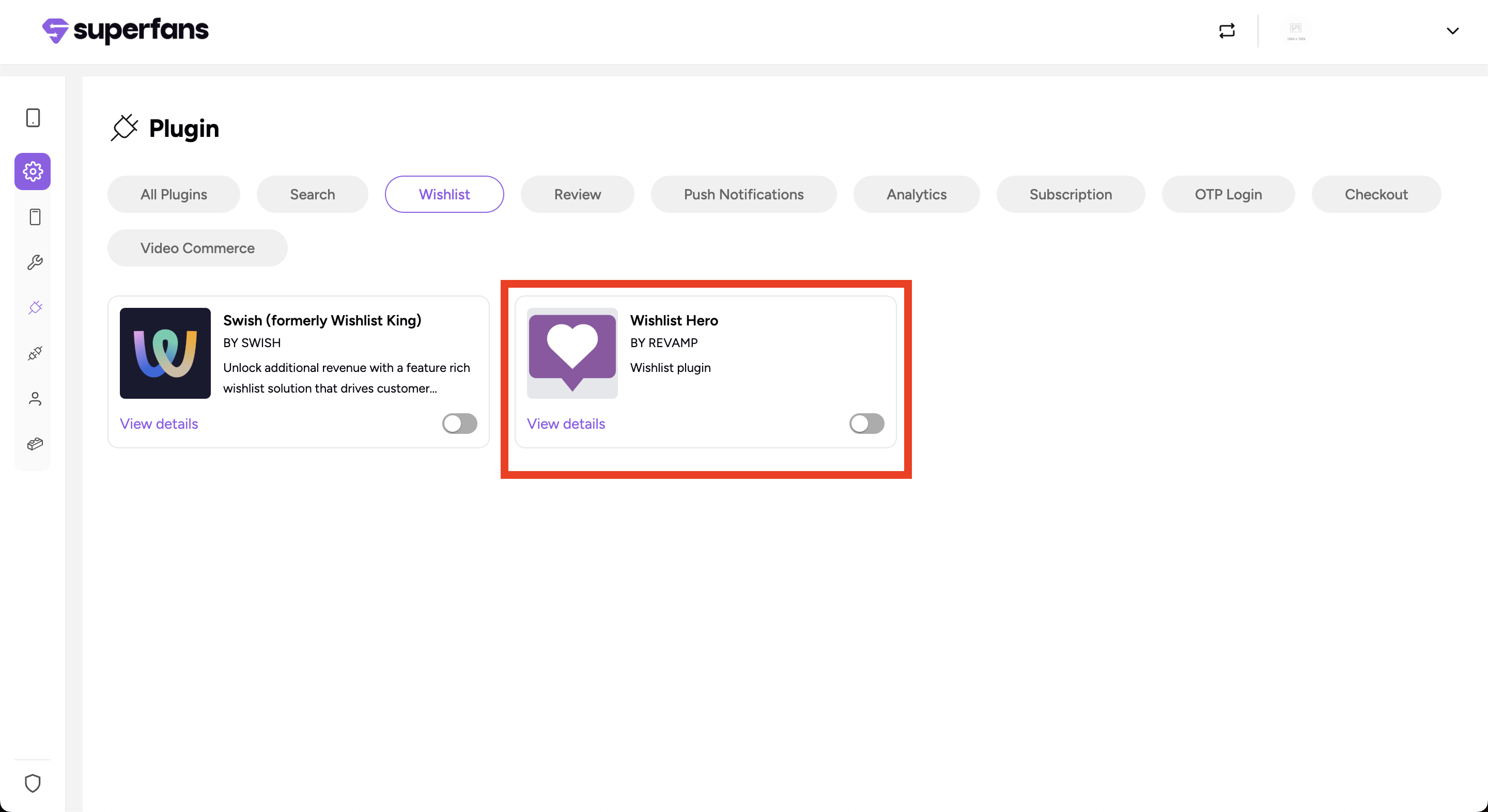
Step 1 : Log in to your Superfans dashboard and go to Settings > Plugins.
Step 2 : Under the Wishlist category, select Wishlist Hero and toggle it on.
Step 3 : Paste the API ID in the dialogue box, and click on Save & Enable Plugin.
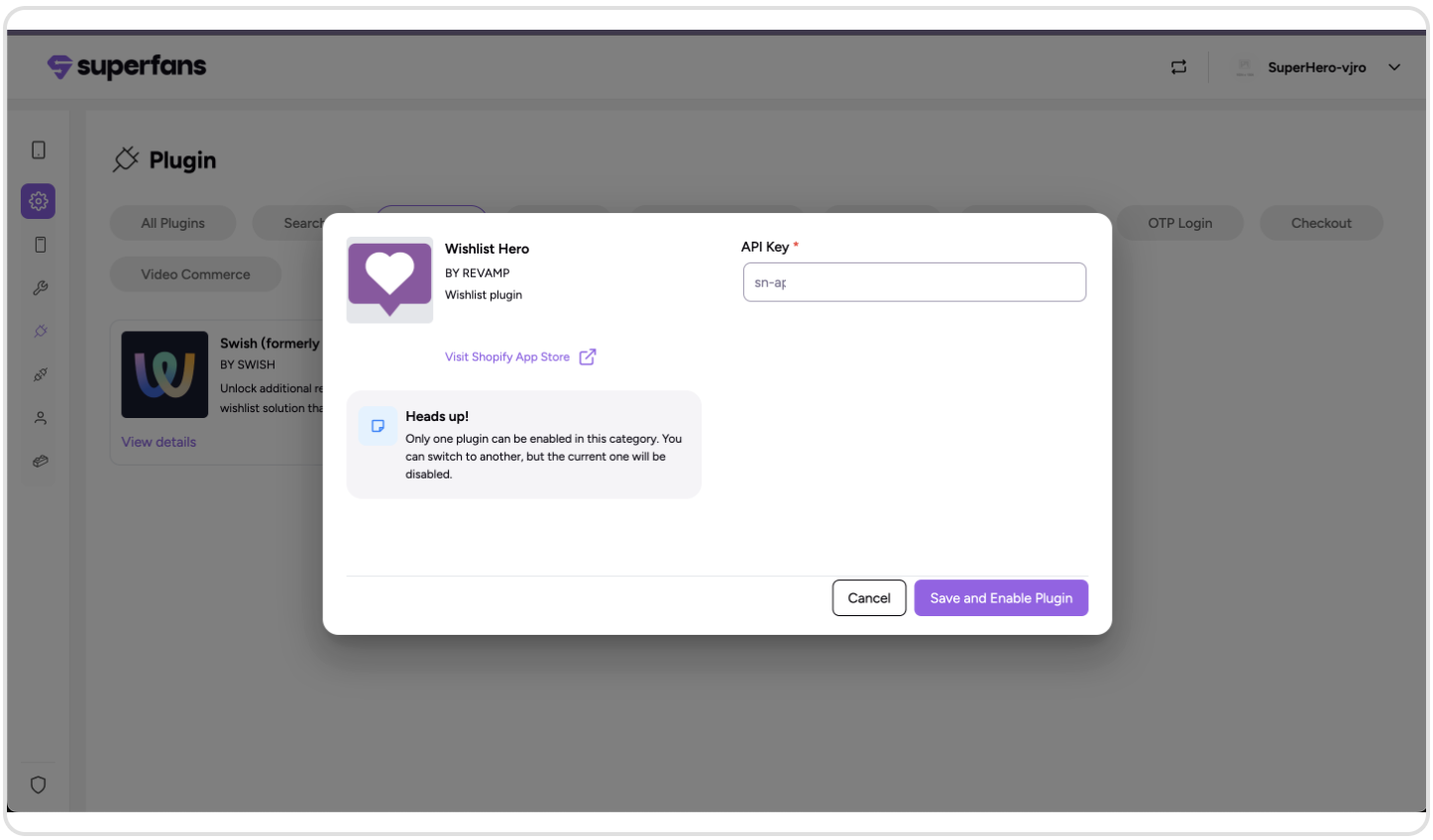
Where to get the API Key?
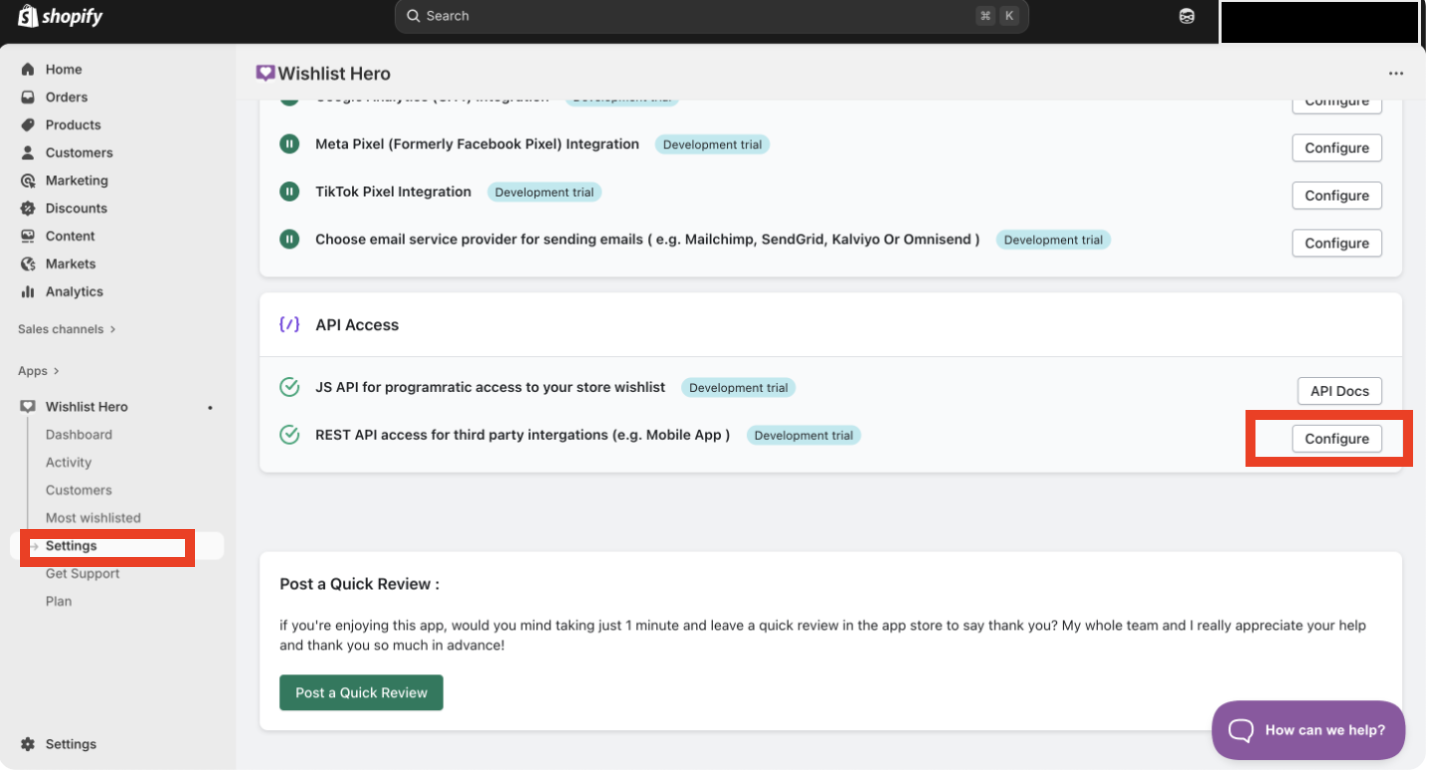
To get the API key, head to your Wishlist Hero dashboard and click on the Settings menu icon. Under API Access, click on Configure.
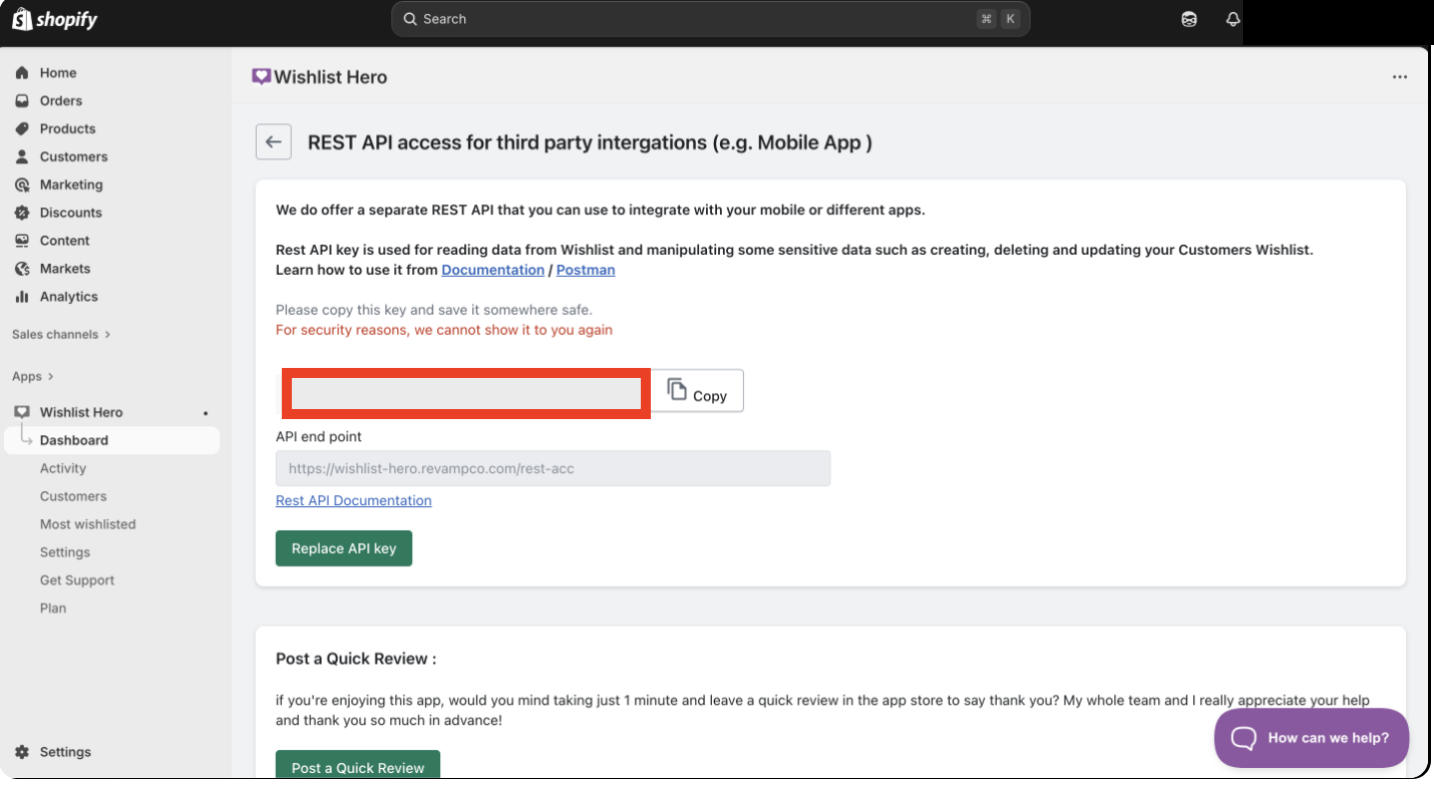
Then under REST API Access for third-party integrations (e.g., Mobile App), Copy the API key.

Encourage Wishlist Usage
Promote the wishlist feature with banners, pop-ups, or notifications.
Highlight benefits like price drop alerts or easy sharing.
Engage Users with Alerts
Ensure customers receive timely price drop and low stock alerts.
Combine alerts with push notifications from Vajro for maximum engagement.
Support Guest Users
Enable wishlist functionality for both logged-in and guest users.
Allow easy sign-up or account creation from wishlist actions to capture leads.
Showcase Wishlist in the App
Display the wishlist prominently in your app’s navigation.
Make it easy for users to add products to the cart directly from the wishlist.
Optimize for Product Variants
Ensure wishlist supports product variants (size, color, etc.) to reduce friction during checkout.
Maintain Brand Consistency
Customize the wishlist’s design to match your store’s theme for a seamless experience.
Leverage Analytics
Monitor which products appear most often in wishlists to plan promotions and inventory.
Identify abandoned wishlists for targeted marketing campaigns.
Highlight Best Sellers: Encourage adding popular items to wishlists for higher conversion.
Run Wishlist Promotions: Offer discounts or special offers to users who have items in their wishlist.
Integrate with Push Notifications: Combine Vajro’s push features with Wishlist Hero alerts for better engagement.
Monitor Wishlist Data: Use insights to guide inventory, sales strategy, and personalized marketing campaigns.
1. Can guest users create wishlists?
Yes. Wishlist Hero supports guest users, allowing them to save products without creating an account.
2. Can customers share their wishlist?
Yes. Wishlists can be shared via email, social media, or direct link, helping drive referral traffic and engagement.
3. Does Wishlist Hero support product variants?
Yes. All product variants, such as size, color, or style, can be added to the wishlist, ensuring customers save the exact items they want.
4. Can items in a wishlist be added to the cart directly?
Yes. Customers can add products from their wishlist directly to the cart, creating a smooth and seamless shopping experience.
5. Will my wishlist look consistent with my store design?
Yes. Wishlist Hero is fully customizable to match your store’s theme and design, maintaining a branded and cohesive look.
6. Can I get notifications about wishlist activity?
Yes. Customers can receive price drop alerts, low stock notifications, and other updates via email or push notifications to keep them engaged.
7. Are there any additional settings I need to enable for the Wishlist feature?
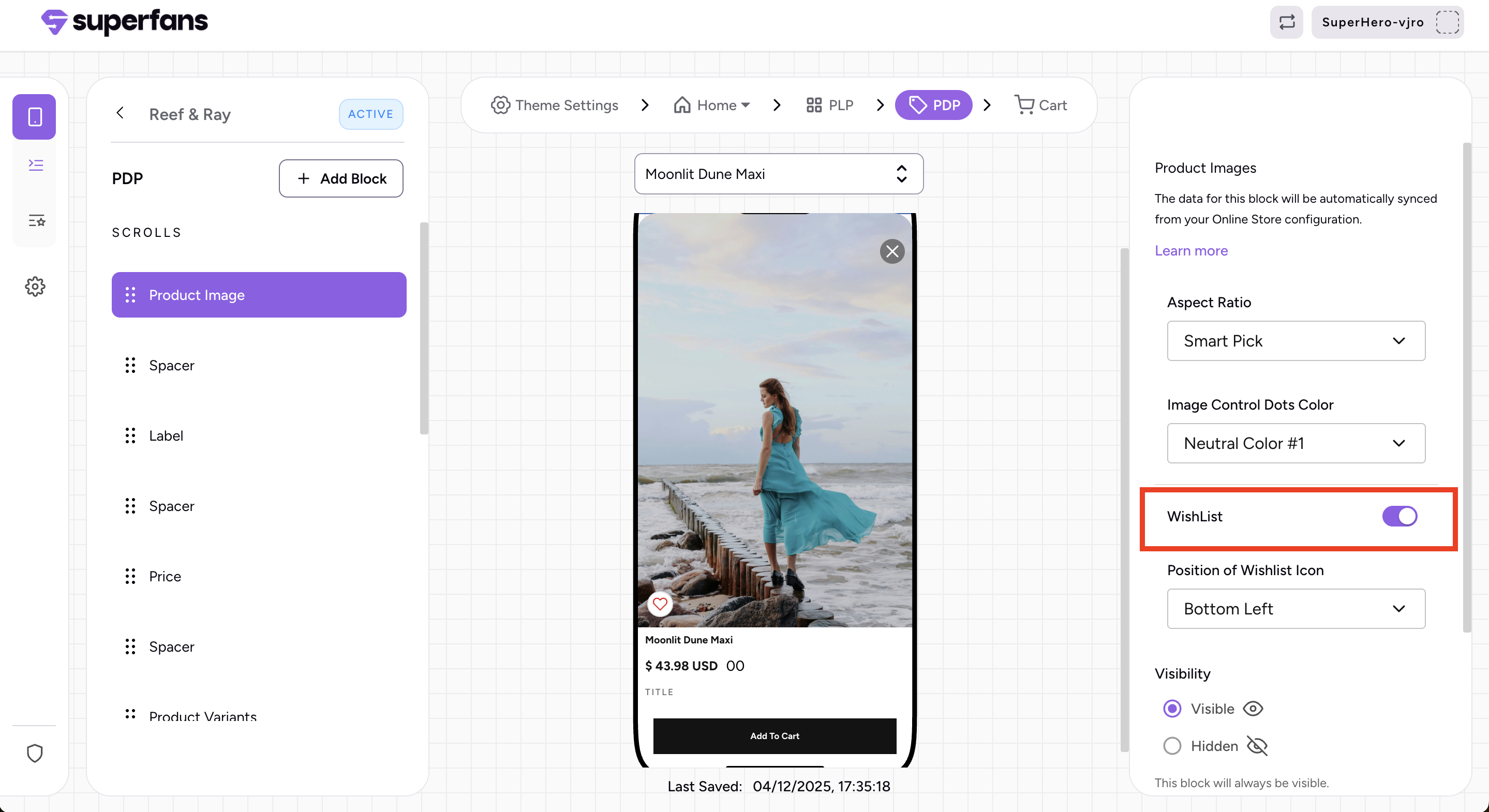
To fully activate the Wishlist feature, make sure you enable it in two places: in Theme Settings → Product Block and in PDP Page → Product Image.

