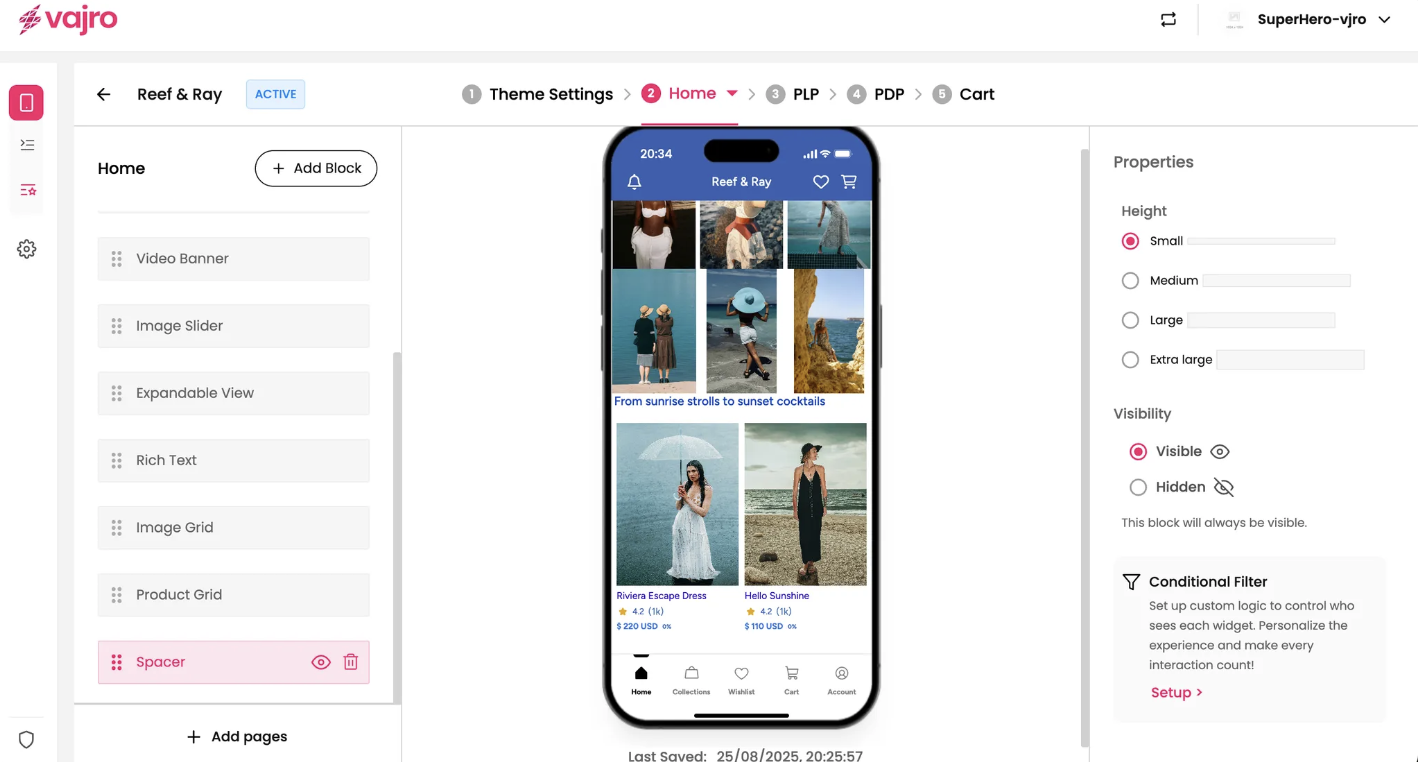
Give your app's design some breathing room and improve readability with the Spacer block. This simple yet essential widget allows you to insert a blank vertical space between other content blocks, helping you reduce visual clutter and create a cleaner, more professional look.
Features & Controls
Customize your Spacer block using the controls on the right panel.
Properties Panel
This section is where you control the height of the blank space.
Height: Choose the amount of vertical space you want to add.
Small: Adds a minimal amount of space, perfect for small breaks between sections.
Medium: Adds a standard amount of space for clear separation.
Large: Adds a significant amount of space, ideal for creating a clear visual distinction between major sections of your app.
Extra Large: Adds a very large amount of space, useful for creating a dramatic pause or separation.