

Build excitement and create a sense of urgency for your promotions with the Countdown Timer block. This powerful widget adds a dynamic, real-time timer to your app, encouraging impulse purchases and ensuring your customers don't miss out on a limited-time offer.
Features & Controls
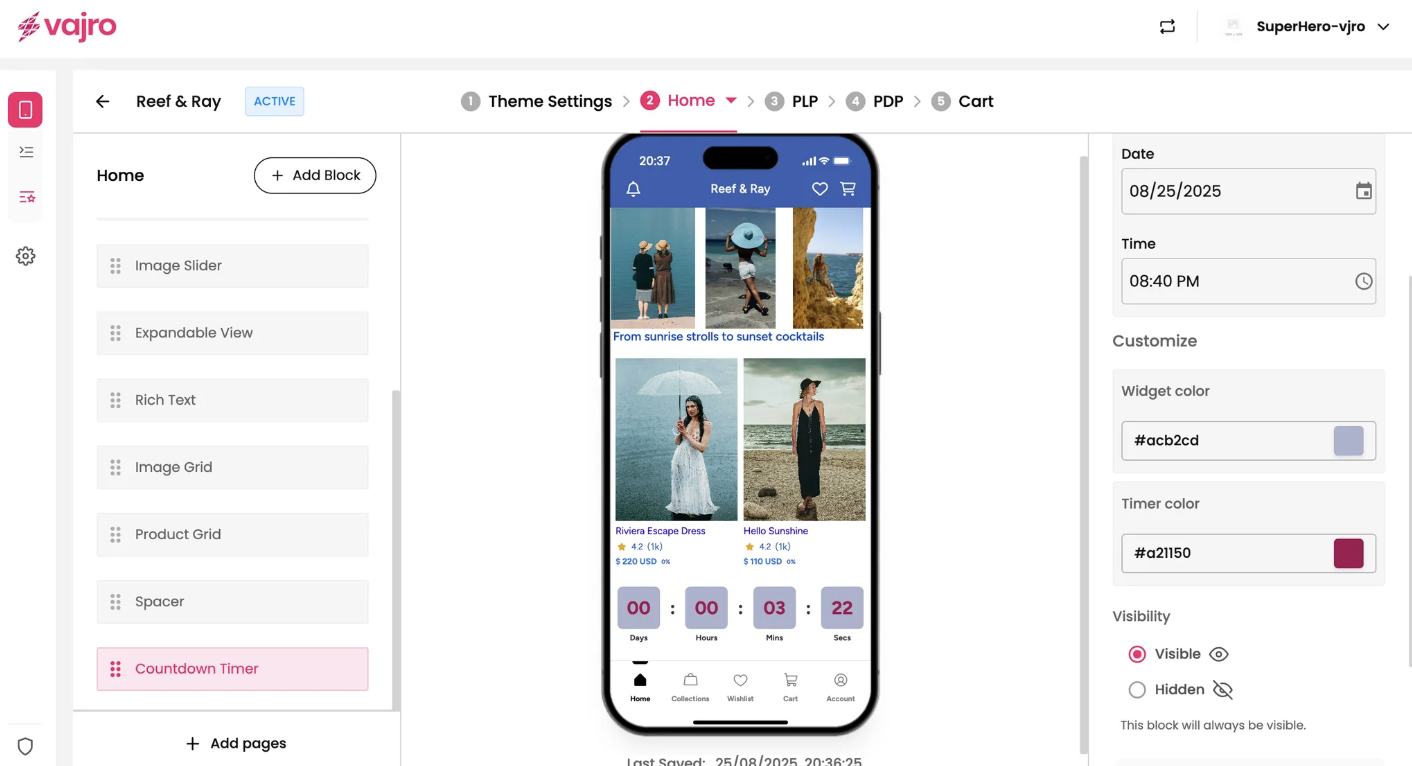
Customize your Countdown Timer using the controls on the right panel.
Properties Panel
This section is where you set the parameters for your countdown.
When to begin the timer:
Until a sale starts: Use this option to build anticipation for an upcoming promotion. The timer will count down until the specified date and time, after which the sale will begin.
Until a sale ends: This option creates urgency by showing customers how much time they have left to take advantage of an offer. The timer will count down until the sale concludes.
Select date & time: Use the calendar and clock inputs to set the exact date and time your timer will end.
Customization
Fine-tune the look and feel of your timer to match your brand.
Widget color: Use the color picker to set the background color of the countdown timer block.
Timer color: Use the color picker to set the color of the numbers and text within the timer itself.
** Countdown Timer will be removed from Super Dashboard soon.