

In e-commerce, seamless product discovery drives sales. Searchanise for Shopify enhances search and navigation with AI-powered instant search and smart filters, helping customers quickly find what they need. It’s a vital tool for optimizing your mobile app’s shopping experience. Here’s why it’s essential for your store.
How to enable the plugin?
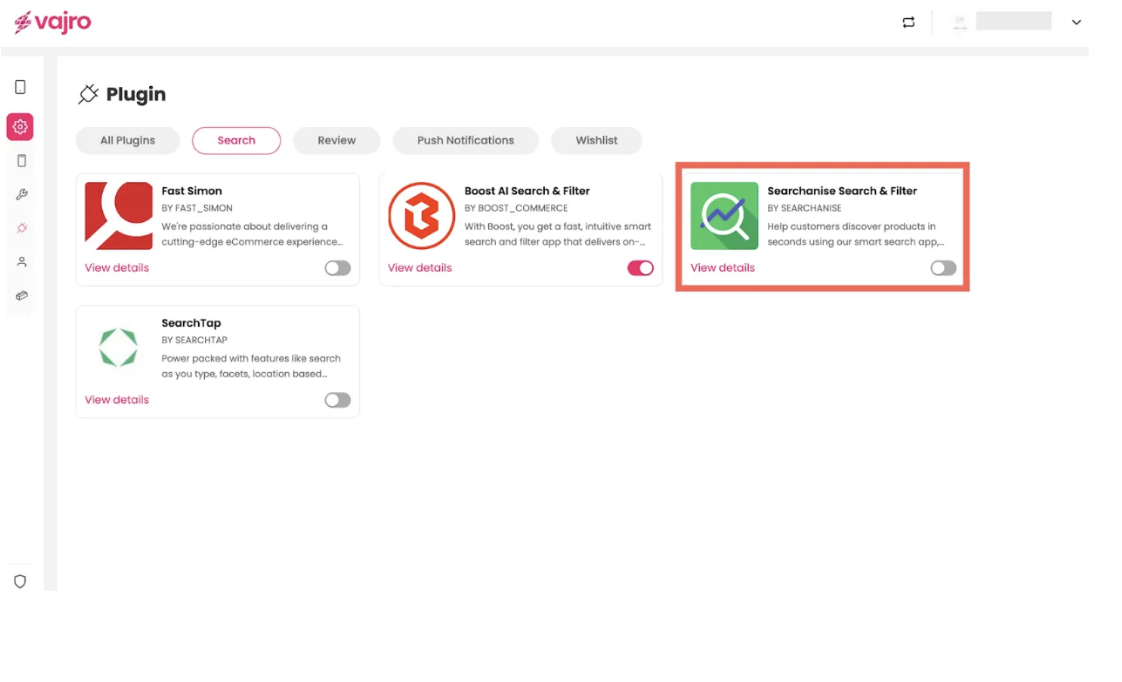
Step 1 : Log in to your Superfans dashboard and go to Settings > Plugins.
Step 2 :Under the Search category, select Searchanise Search and Filter and toggle it on
Step 3 : Paste the API ID in the dialogue box, and click on Save & Enable Plugin.
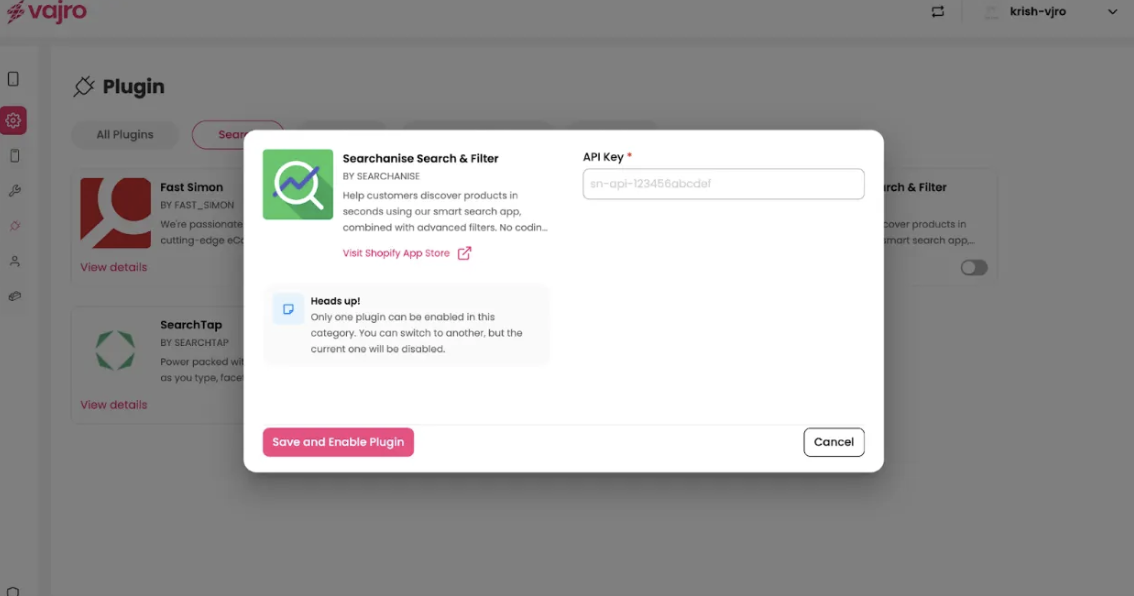
Where to get the API Key?
To get the API Key head to your Searchanise Search & Filter dashboard and go to settings menu icon, Store id & UUID fields are populated.

Native features supported for search (via Searchanise integration):
Search Suggestions - Keywords, Products, Categories
Search Results - Sort, Filter
Additional search functionality can be implemented using custom blocks.