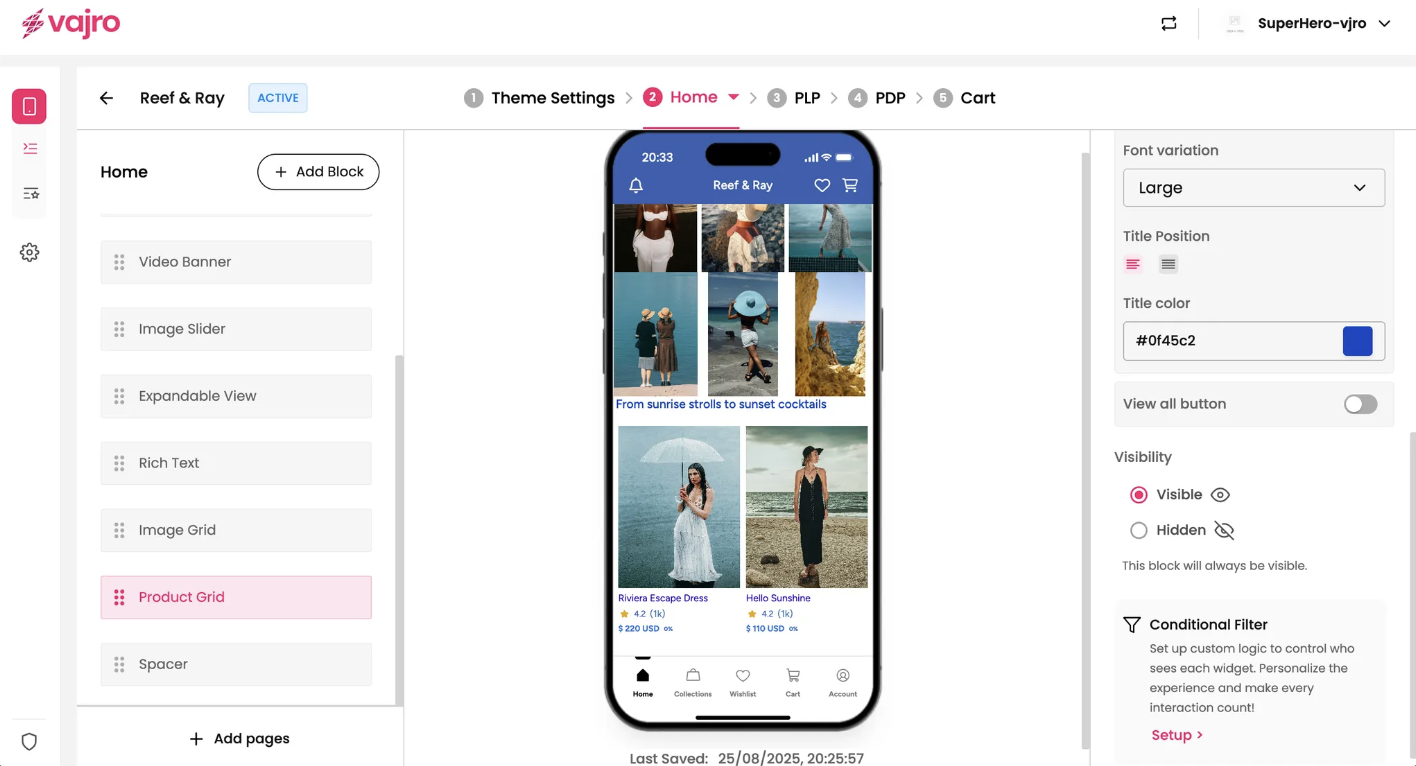
Display your best-selling or newly launched products in a beautifully organized grid or carousel format with the Product Grid block. This widget automatically pulls products from a collection you choose, making it a powerful and efficient way to drive sales and product discovery from any app page.
Features & Controls
Customize your Product Grid using the controls on the right panel.
Widget Properties
This section controls the content and basic layout of your product grid.
Add a collection: This button allows you to add a new product block to your page.
Link: Use this dropdown to select the specific product collection/homepage/ All you want to display in this grid.
Number of products to show: Use the slider to set exactly how many products from your chosen collection will be displayed in the widget.
Widget display type: Choose the layout for your products.
Grid: Displays products in a clean, multi-column grid layout, perfect for showcasing a large number of products at once.
Carousel: Organizes products in a single row that users can swipe through, ideal for highlighting a few items without taking up too much vertical space.
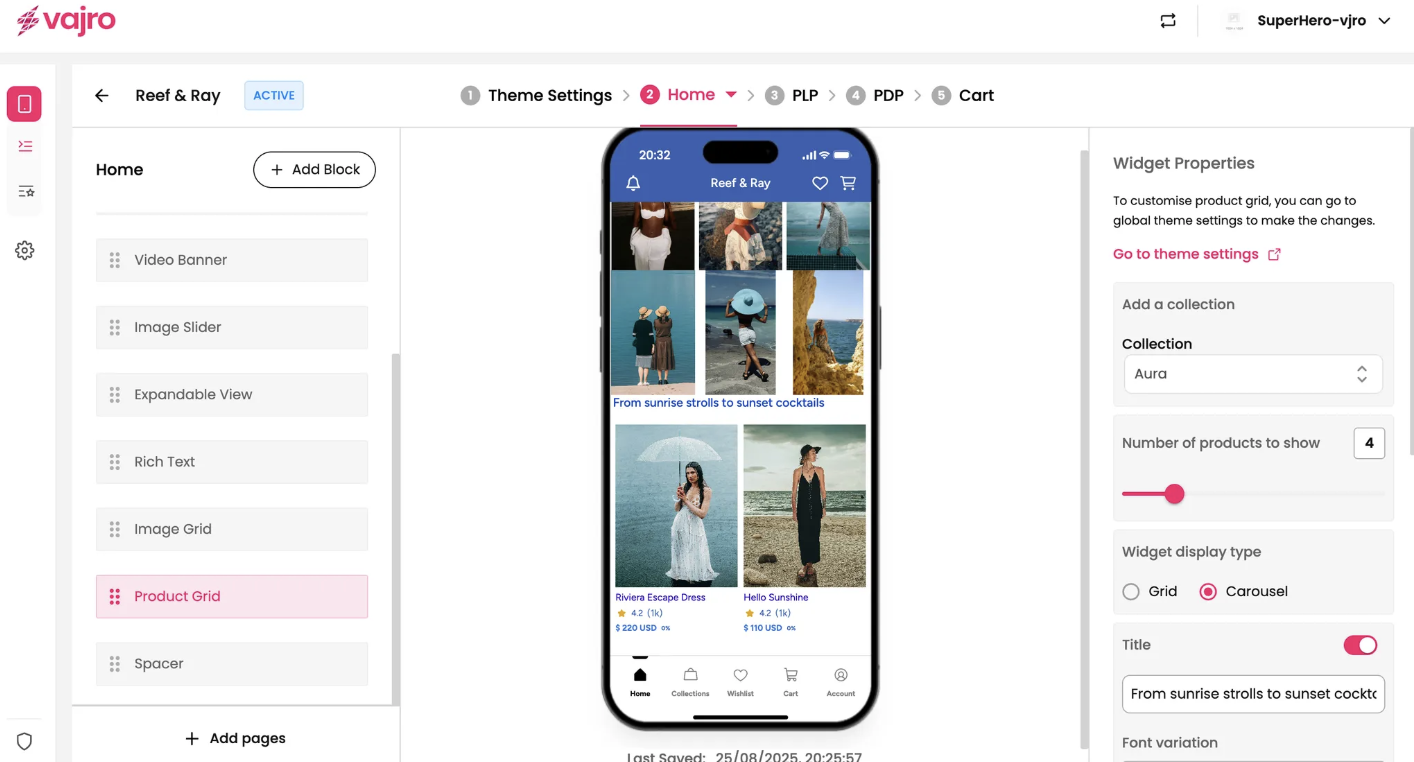
Title: Use the toggle to add a title to your product grid (e.g., "From sunrise strolls to sunset cocktails").
Font variation: Choose a size for your title (e.g., "Large").
Title Position: Adjust the alignment of your title (e.g., left, center).
Title color: Use the color picker to set the color of your title text.
View all button: Enable this toggle to add a button that links customers to the full product collection page.